The best laptop for college is the one that survives four years of lectures, late-night papers, and group projects without dying mid-afternoon. The Apple MacBook Neo nails that balance with a surprising $499 education price, but Windows users and power-hungry majors have strong options too. This list covers the real trade-offs for everyone from English majors to engineering students.
Technobezz is supported by its audience. We may get a commission from retail offers.
Best Laptops for College Students in 2026
The MacBook Neo tops our list of the 3 best laptops for college students in 2026, offering premium build and battery life at a $499 education price.
T
Technobezz
Editorial Team
Updated May 2, 2026May 2, 2026
•11 min read

Get Deals Like These in Your Inbox
The best prices, checked by our editors.
At a Glance
| Category | Product | Why We Picked It |
|---|---|---|
| Best overall | MacBook Neo | Unbeatable value for the price with a premium build |
| Best Windows laptop | HP OmniBook 5 14 | Speedy Snapdragon chip with record battery life |
| Best Mac for demanding coursework | MacBook Air M5 | Faster chip and more storage for demanding coursework |
| Best budget Windows | Acer Aspire Go 15 | Under $500 and good enough for basics |
| Best Chromebook | Lenovo Chromebook Plus 14 | Premium feel with smart AI tools |
| Best 2-in-1 convertible | Lenovo Yoga 9i Gen 10 | Premium 2-in-1 with OLED, stylus, and 22-hour battery |
| Also recommended | Acer Swift Go 14 | Solid Windows pick with OLED and long battery |
| Also recommended | Asus ROG Zephyrus G14 | Rare portable gaming laptop with RTX 5080 |
| Also recommended | Dell XPS 14 (2026) | Premium build with great battery and Intel chips |
How we chose
We evaluated dozens of laptops based on battery life, portability, performance, keyboard quality, and price-to-value ratio. Our assessment considers real-world use across different majors and budgets, pulling from published benchmark data and documented battery figures. We prioritize machines with at least 10 hours of battery life, reliable build quality, and enough processing power to last through a four-year degree without feeling sluggish.
The best laptops for college students right now
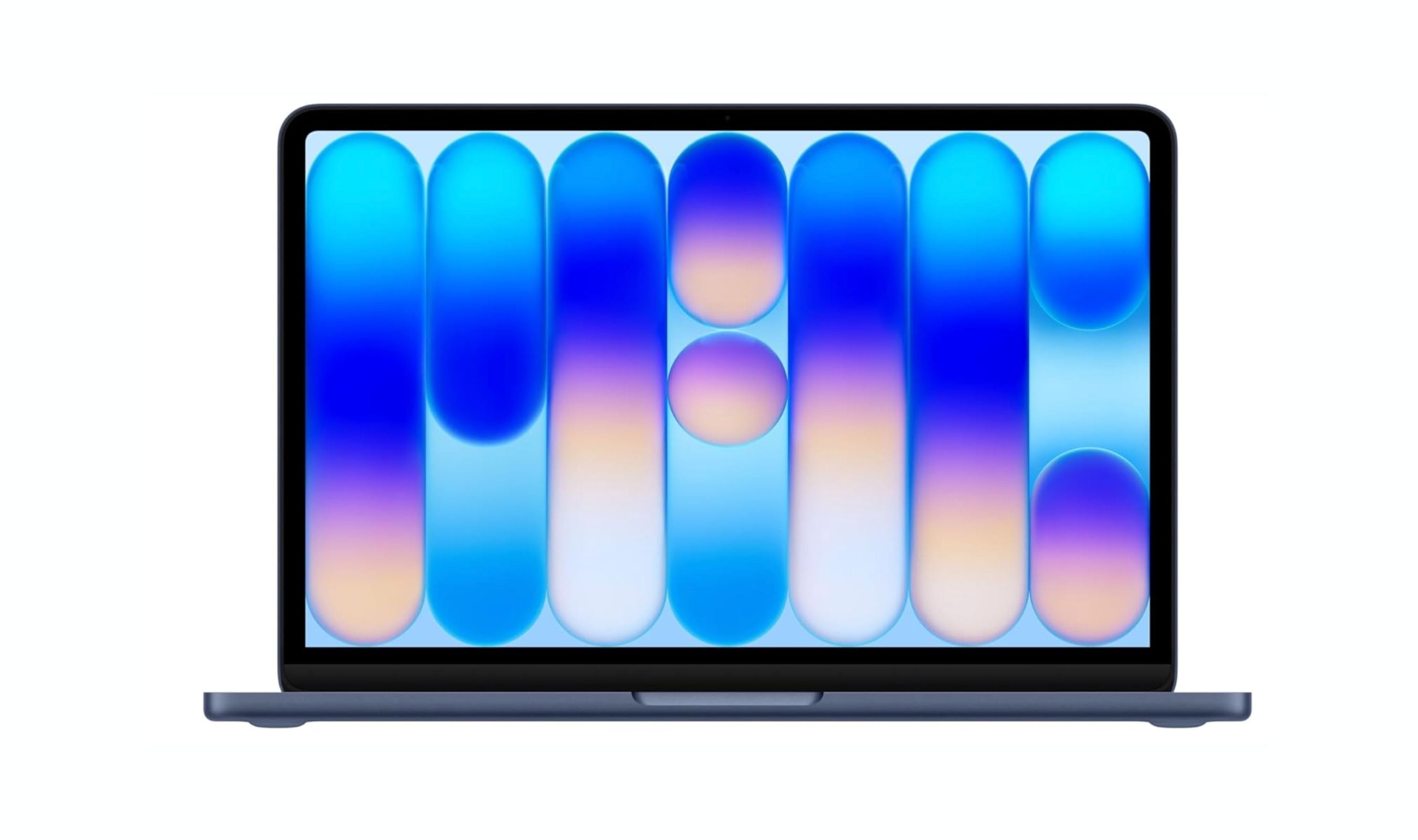
MacBook Neo - Best overall
The MacBook Neo delivers the core MacBook experience at roughly half the price of a MacBook Air. For $499 through Apple's education discount, you get a full aluminum chassis, a sharp Liquid Retina display, and the A18 Pro chip that handles note-taking, research, streaming, and light photo editing without complaint. It's lightweight, comes in fun colors, and integrates seamlessly with iPhones and iPads.
Key highlights
- A18 Pro chip with 16-core Neural Engine for smooth everyday performance
- 13-inch Liquid Retina display at 500 nits brightness
- Full aluminum chassis in multiple colors
- Weighs under 3 pounds for easy campus carry
- Education pricing drops it to $499
Pros
- Best value in the Mac lineup by a wide margin
- Solid build quality that feels more expensive than it is
- Comfortable keyboard and reliable trackpad
- Apple support network and ecosystem integration
Cons
- No backlit keyboard or Thunderbolt ports
- 8GB RAM limits heavy multitasking and future-proofing
- May feel sluggish under complex workloads like video editing
- Uncertain how it holds up after 3-4 years of use
Who it is for: Students on a budget who want a reliable Mac for writing, research, presentations, and light creative work. Ideal if you already own an iPhone or iPad.
Skip if
You need to compile code, edit 4K video, run virtual machines, or want a laptop that will breeze through demanding coursework for four full years.
HP OmniBook 5 14 (Snapdragon) - Best Windows laptop
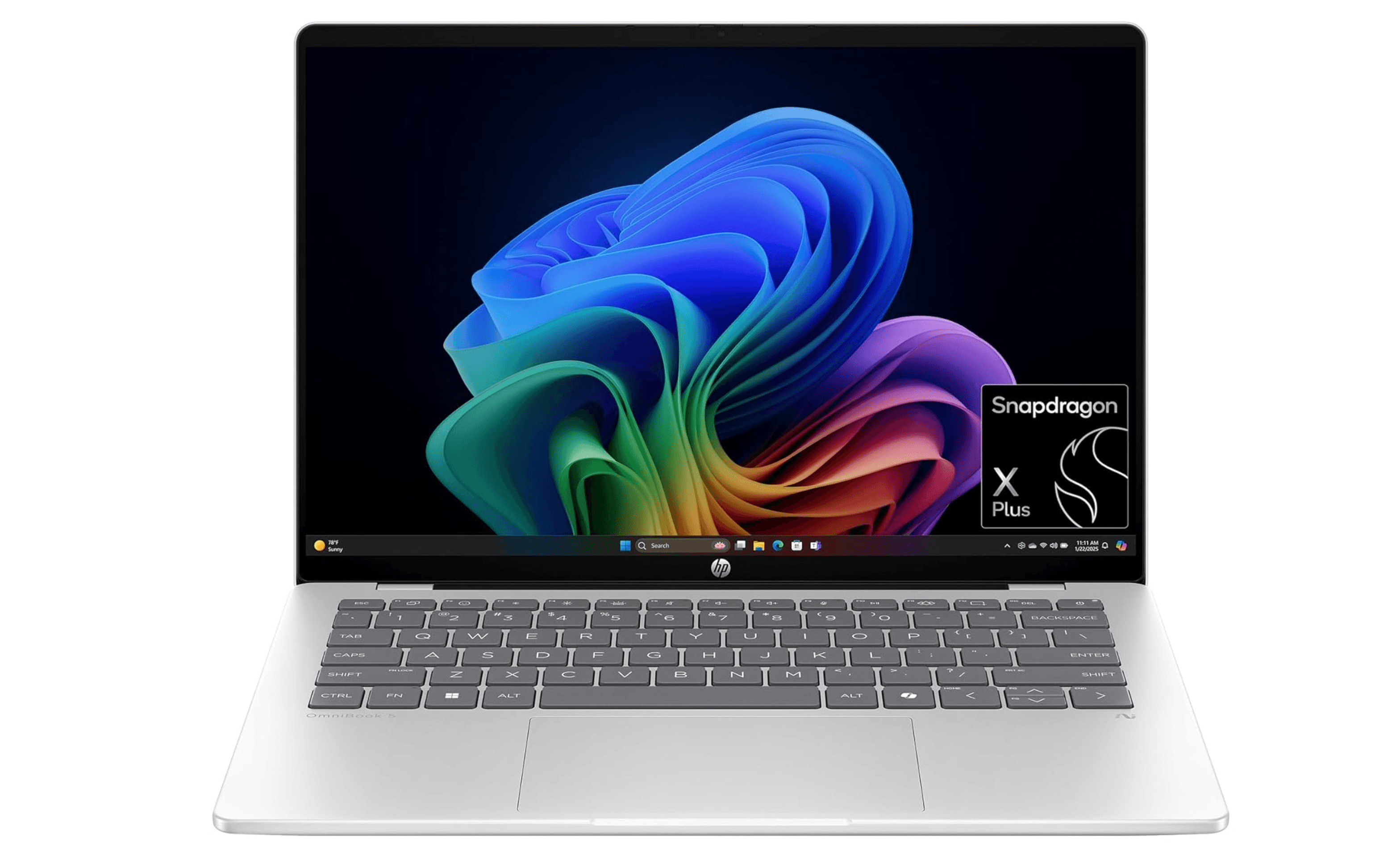
The HP OmniBook 5 14 combines a Snapdragon X processor with an OLED display and an absurd 34-hour battery life. It's thin, light, and fast enough for everyday multitasking, and the battery means you can leave the charger in your dorm for days. The streamlined design looks more premium than its price suggests, making it a strong campus companion for Windows users.
Key highlights
- Snapdragon X chip for efficient, snappy performance
- 34-hour battery life, best in class for Windows laptops
- 14-inch OLED display with vivid colors
- Ultra-thin and light design at just under 3 pounds
- USB-C charging
Pros
- Battery life that outlasts multiple days of classes
- OLED screen looks stunning for its price range
- Speedy performance for everyday school tasks
- Premium aesthetic without the premium price tag
Cons
- Some software compatibility issues with ARM-based chips
- Not suitable for gaming or GPU-intensive work
- Limited app support for niche academic software
- Build quality is good but not MacBook-level
Who it is for: Windows users who spend all day jumping between lecture halls and want to stop worrying about finding an outlet. Great for general productivity, research, and document work.
Skip if
Your coursework requires specific x64 apps, AutoCAD, or heavy video editing. Also skip if you want to game between classes.
MacBook Air M5 - Best Mac for demanding coursework
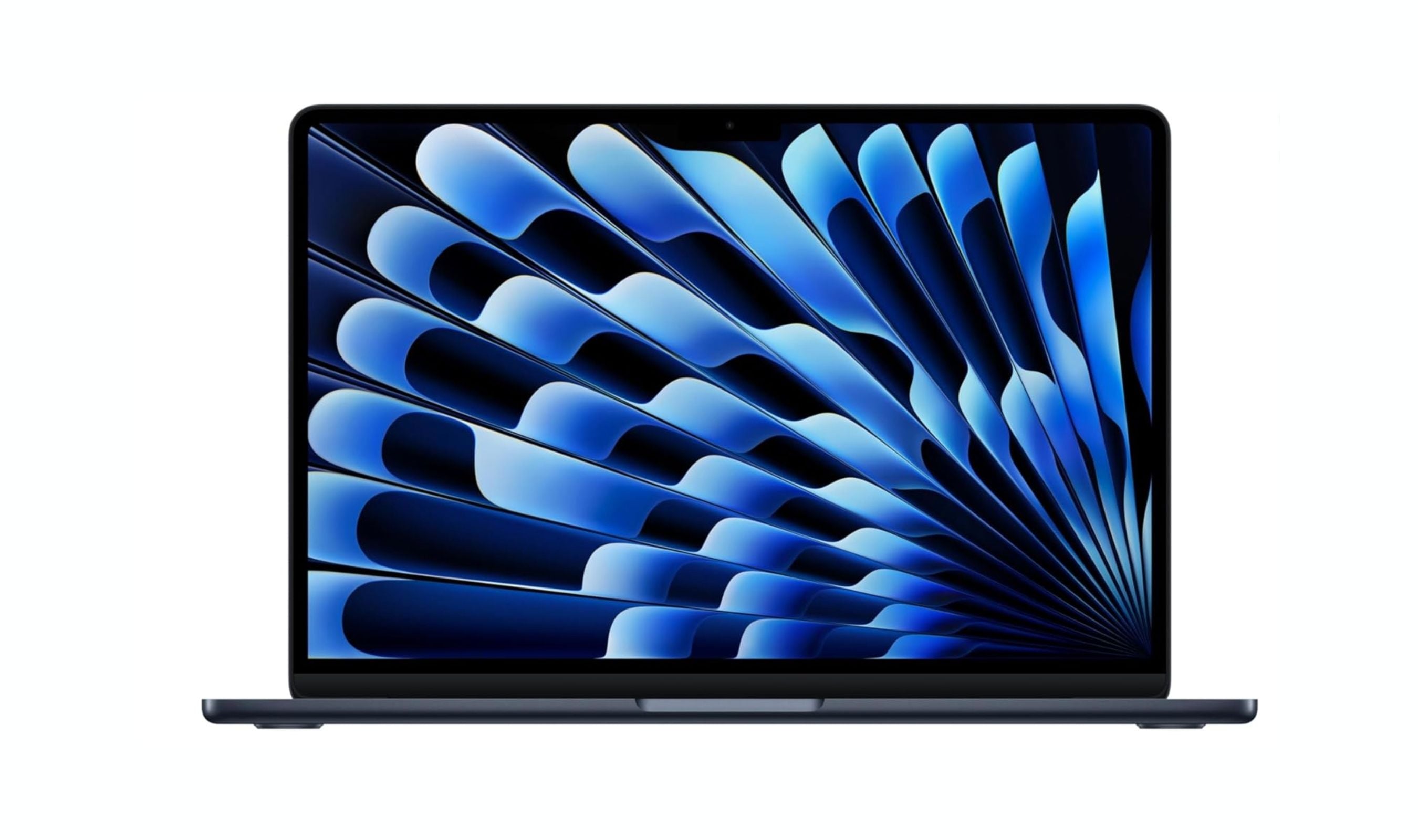
The 13-inch MacBook Air M5 takes everything great about the Air and adds a faster processor, 512GB base storage, and Wi-Fi 7 support. It handles heavier multitasking, light video editing, and coding work much better than the Neo, and it will comfortably last all four years of college. The fanless design stays silent, the build is durable, and battery life exceeds 15 hours.
Key highlights
- M5 chip with boosted graphics performance
- 512GB SSD standard (double the previous generation)
- 13.6-inch Liquid Retina display
- 2.7 pounds, fanless and silent
- Wi-Fi 7 and Bluetooth 6 support
Pros
- Fast enough for creative work and light gaming
- Premium build that holds up to daily campus carry
- Excellent battery life at 15+ hours
- Doubled storage means less stress about filling the drive
Cons
- $100 price bump over the previous M4 model
- Still limited to two ports (Thunderbolt 4 / USB 4)
- Not as affordable as the Neo for budget-conscious students
- Graphics performance lags behind dedicated GPU laptops
Who it is for: Students who need more power than the Neo offers for creative majors, coding, video editing, or anyone who wants a laptop that will feel fast for the full four years.
Skip if
You're on a tight budget and mainly write papers and browse the web. The Neo does that for hundreds less.
Acer Aspire Go 15 - Best budget Windows laptop
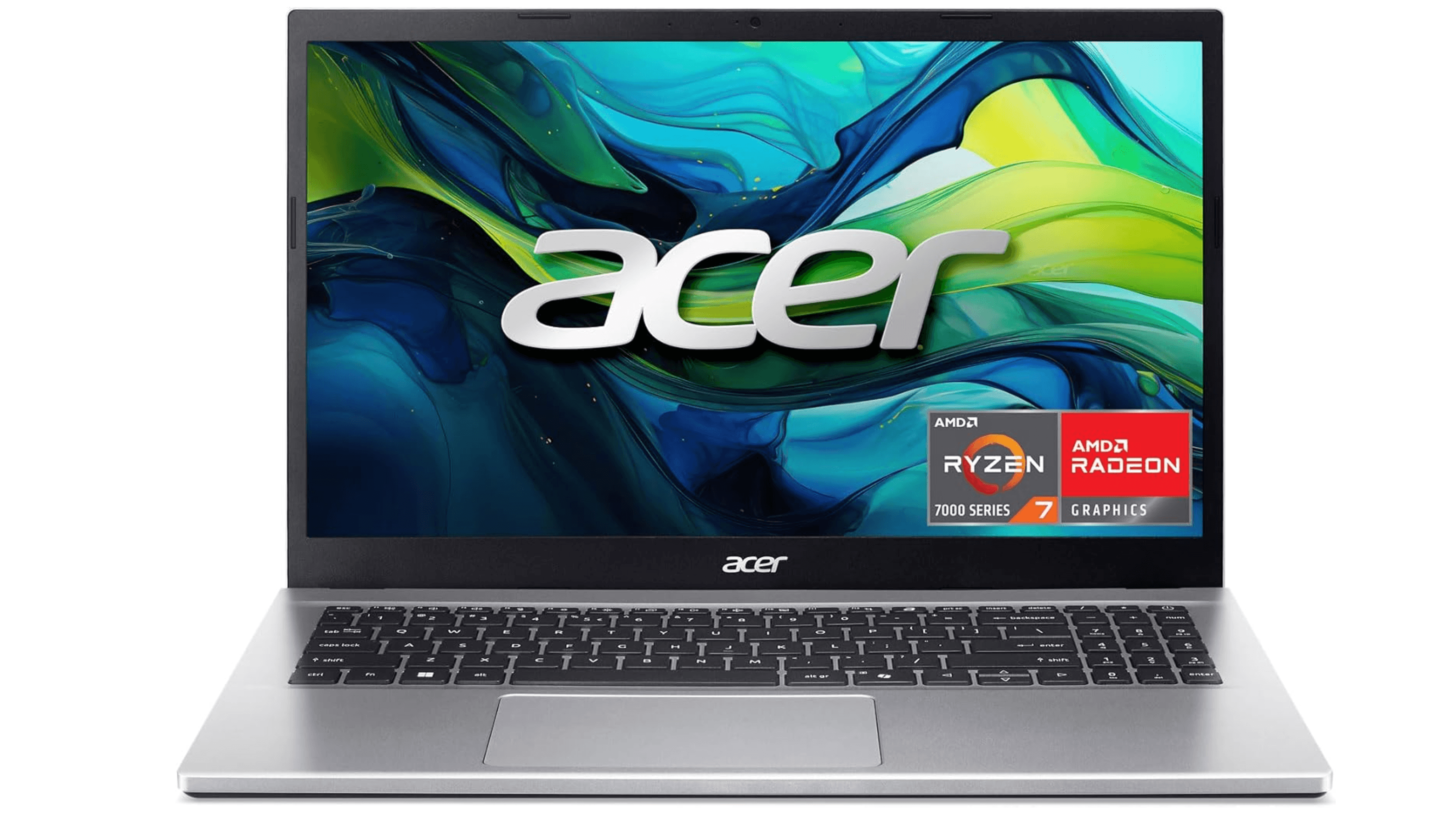
The Acer Aspire Go 15 is the rare budget laptop that doesn't feel like a compromise you'll regret. It has an Intel Core i3 processor, 16GB of RAM (double what most cheap laptops offer), and a decent 1080p display. It charges via USB-C and lasted about 9 hours in battery tests, enough to get through a day of classes. At well under $500, it's the cheapest Windows machine worth considering.
Key highlights
- 15.6-inch 1080p display with good viewing angles
- 16GB RAM and 512GB SSD for smooth basic performance
- USB-C charging instead of a bulky barrel plug
- Full-sized keyboard with number pad
- Weighs 3.74 pounds
Pros
- Best performance you'll find at this price point
- Generous RAM and storage for the money
- USB-C charging is convenient and replaceable
- Spacious screen for reading and spreadsheets
Cons
- Bulky and heavy compared to pricier options
- Keyboard deck and lid flex under pressure
- Comes with significant bloatware pre-installed
- 9-hour battery is just enough, not impressive
Who it is for: Students who absolutely need a Windows laptop but can't spend more than $500. Works for basic writing, research, streaming, and light productivity.
Skip if
You can stretch your budget to $600-$700. The jump in build quality, battery life, and portability is worth it.
Lenovo Chromebook Plus 14 - Best Chromebook
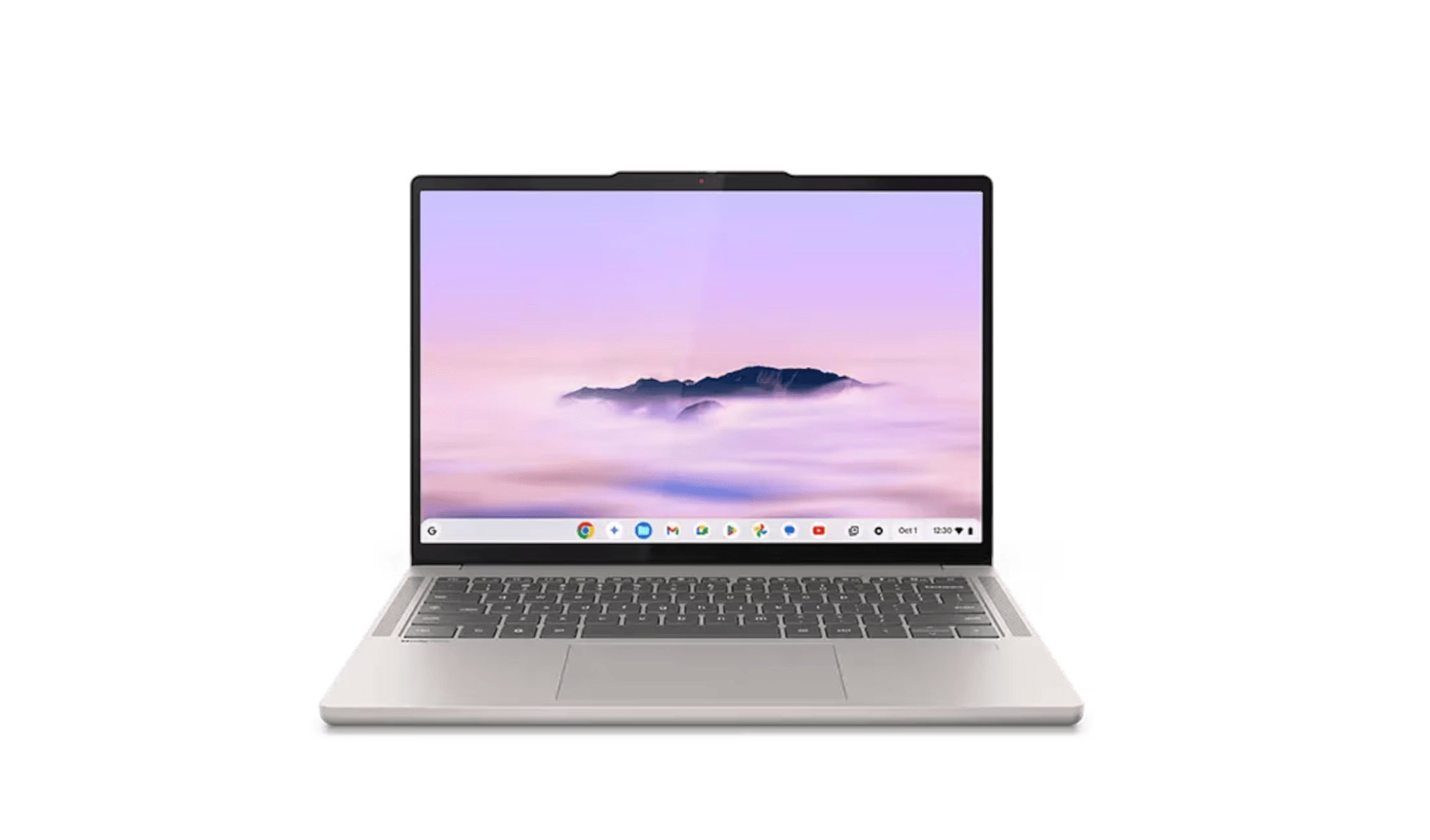
The Lenovo Chromebook Plus 14 is a premium Chromebook that rivals Windows and Mac laptops in build quality. It features a gorgeous OLED display, an aluminum chassis, a tactile keyboard, and a MediaTek Kompanio Ultra 910 chip that handles dozens of tabs without stuttering. Battery life is all-day, and it comes with 12 months of Google AI Pro for research assistance.
Key highlights
- 14-inch OLED display for brilliant colors
- Premium aluminum build with great ergonomics
- MediaTek Kompanio Ultra 910 chip with 16GB RAM
- All-day battery life
- Includes Gemini 2.5 Pro AI features for research
Pros
- OLED screen is stunning at this price point
- Fast and responsive even with heavy tab usage
- Solid build quality that feels like a much pricier laptop
- Smart AI tools can genuinely help with coursework
Cons
- ChromeOS can't run Windows or Mac-specific software
- Limited gaming capability
- May struggle with campus printer connections
- Not ideal for specialized creative or engineering apps
Who it is for: Students whose entire workflow lives in a browser or Google Workspace. Great for liberal arts, education, and general studies.
Skip if
You need specific Windows or Mac software for your major, like AutoCAD, SPSS, or Adobe Premiere.
Lenovo Yoga 9i Gen 10 - Best 2-in-1 convertible
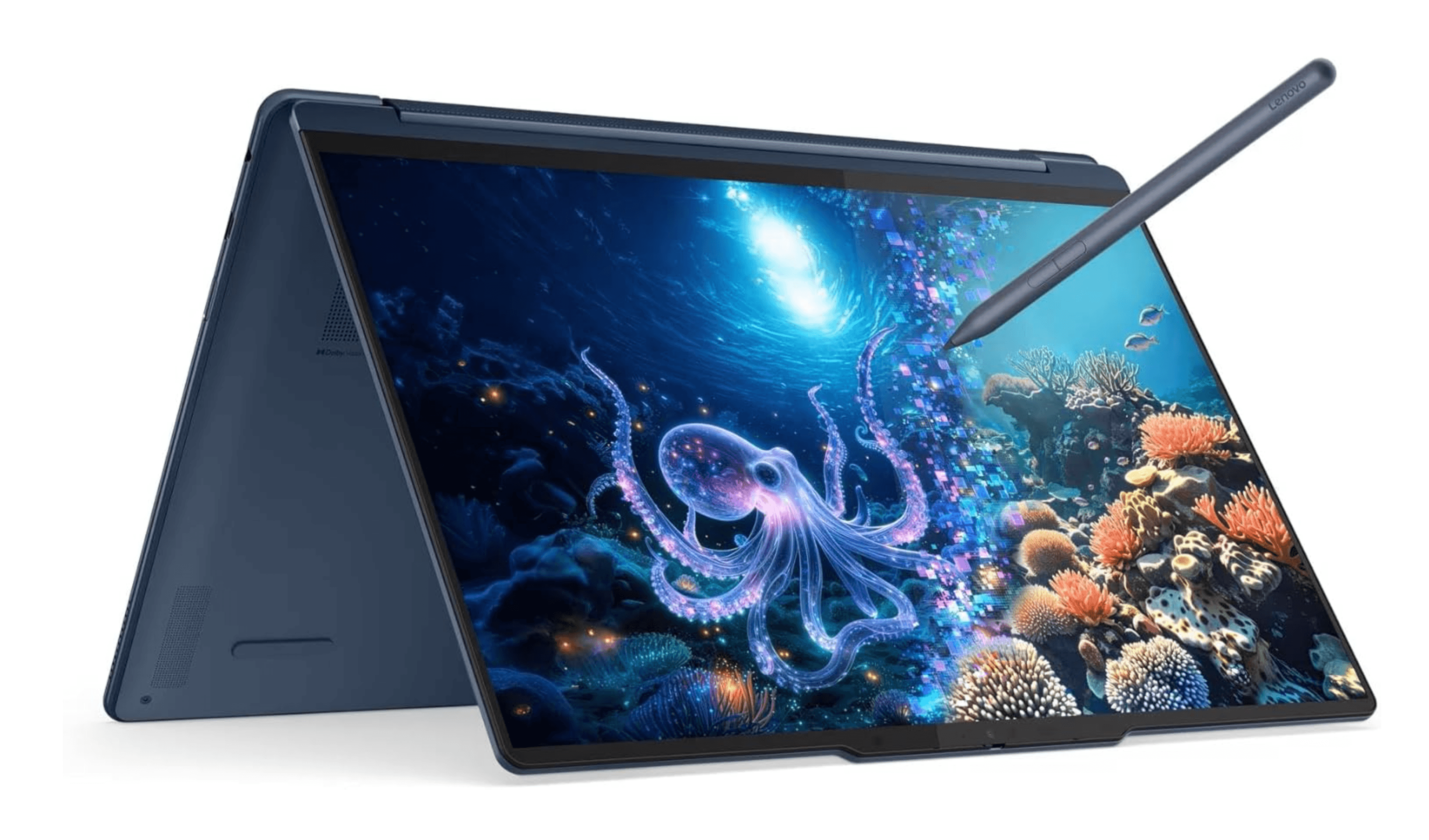
The Lenovo Yoga 9i Gen 10 is a premium 360-degree convertible with a spectacular OLED touchscreen, a 120Hz refresh rate, and an included stylus for note-taking. It runs on Intel's Lunar Lake processor with a fast NPU for AI tasks, and battery life stretches to nearly 22 hours. The 2-in-1 design lets you switch between laptop mode for typing and tablet mode for drawing or handwriting notes.
Key highlights
- 14-inch OLED touchscreen with 120Hz refresh rate
- Intel Core Ultra (Lunar Lake) processor with AI NPU
- 360-degree hinge for laptop, tent, and tablet modes
- Includes stylus for handwritten notes and drawing
- Nearly 22 hours of battery life
Pros
- Stunning display for both work and media
- Stylus included, great for visual learners and artists
- Excellent battery life that outlasts a full day
- Versatile form factor for different study situations
Cons
- Premium price tag
- Heavier than a standard clamshell laptop
- Stylus storage could be better integrated
- Not as powerful as a dedicated workstation
Who it is for: Creative students, visual learners, and anyone who prefers handwriting notes or sketching diagrams. Also great for students who want a single device for work and entertainment.
Skip if
You don't need a touchscreen or stylus and just want the most performance for your money in a standard laptop.
Also Good
- Acer Swift Go 14 - solid Windows pick with OLED and long battery.
- Asus ROG Zephyrus G14 - rare portable gaming laptop with RTX 5080.
- Dell XPS 14 (2026) - premium build with great battery and Intel chips.
How to Choose
- Battery life is your top priority. A laptop that dies after four hours is useless for back-to-back classes. Look for models that hit 10 hours or more in real-world testing. The OmniBook 5 and MacBook Air lead here.
- RAM matters more than you think. 8GB is the bare minimum in 2026, but 16GB will keep your laptop feeling fast through graduation. Browsers with multiple tabs, Zoom, and productivity apps eat memory quickly.
- Match the laptop to your major. English and business majors can get by with almost anything on this list. Engineering and architecture students need dedicated graphics and more RAM. Film and design students should prioritize display quality and GPU power.
- Consider the operating system carefully. macOS works best if you already own Apple devices. Windows is the safest bet for broad software compatibility. ChromeOS is fine for browser-based work but can't run specialized academic software.
- Portability is a daily reality. You'll carry this laptop everywhere. Anything over 4 pounds will feel heavy by the end of the semester. Aim for 3.5 pounds or less.
FAQ
Is the MacBook Neo good enough for four years of college?
It depends on your major. For writing, research, and presentations, yes. For engineering, computer science, or video production, the MacBook Air M5 is a safer bet that will hold up better over time.
Can I game on any of these laptops?
The Asus ROG Zephyrus G14 is the best option for gaming on this list. The MacBook Air M5 can handle light gaming. The HP OmniBook and budget picks are not designed for gaming.
Should I buy a Chromebook for college?
Only if you're sure all your coursework can be done in a browser or via Android apps. Check with your department about required software before going ChromeOS.
What student discounts are available?
Apple offers education pricing that drops the MacBook Neo to $499. Lenovo, HP, and Dell also have student discount programs. It's worth checking with your school's bookstore for additional deals.
How much storage do I really need?
512GB is a comfortable starting point for most students. If you work with video, design files, or large datasets, consider 1TB. Cloud storage can help, but campus Wi-Fi isn't always reliable.
Share this article
More in News
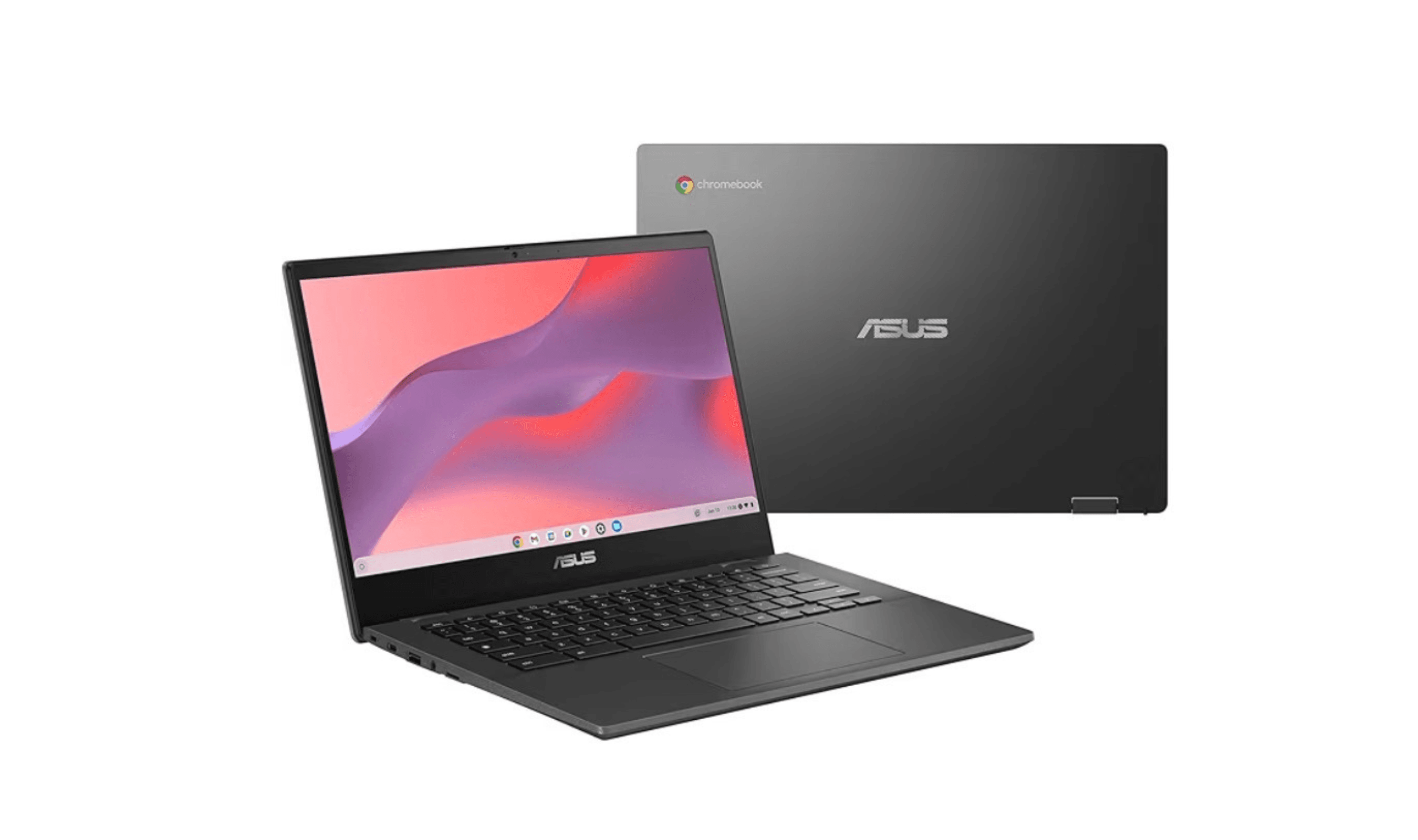
8 Best Chromebooks for Students in 2026
The best Chromebooks for students in 2026, from the Samsung Galaxy Chromebook Plus to budget picks under $200 and rugged, all-day classroom models.
3 min read
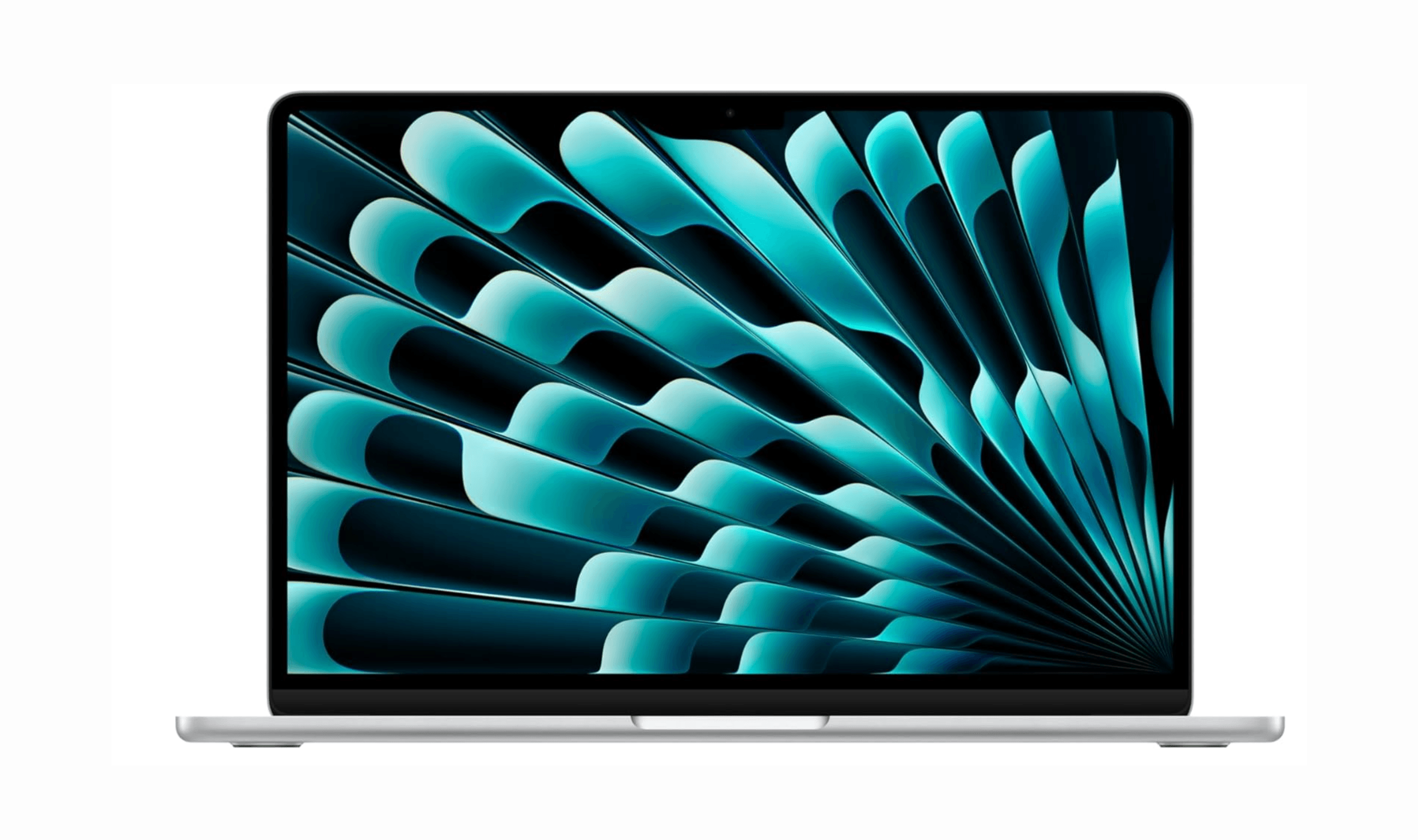
Top 7 High-End Laptops for 2026
MacBook Air M4 leads our 2026 high-end laptop picks. See the top 9 premium models for professionals and creators, including Dell XPS 14 and more.
3 min read
7 Best Budget Gaming Laptops for 2026
We rank the 8 best budget gaming laptops for 2026, from the $799 Acer Nitro V 15 to the RTX 5070 MSI Katana 15 HX, our top pick, plus an OLED Lenovo Legion 5i.
5 min read
6 Best Laptops for Engineering Students in 2026
Discover the best laptops for engineering students in 2026. Our top pick, the Asus ProArt P16, delivers workstation power in a portable form.
3 min read
7 Best Laptops for Stock Trading in 2026
5 min read
6 Best Laptops for Teachers in 2026
4 min read

AKG K 701 Ultra Reference Class Stereo discounted to $247.37
5 min read

Apple Watch SE 3 GPS 40mm Smartwatch discounted to $189.97
5 min read

Cleer Audio Enduro ANC Noise Canceling Headphones price drops to $94.99
3 min read

Lenovo coupon codes and deals
5 min read

Woot coupon codes and deals
3 min read

Samsung coupon codes and deals
5 min read