
When your Xiaomi 15 stops listening to "Hey Xiaomi" or your Google Assistant won't activate, it can feel like a step backwards. The voice commands that are supposed to make things quicker suddenly don't work. Here are the steps to get your phone's voice assistant responding again.
Check Your Voice Assistant Settings
The first thing to do is make sure the feature is actually turned on. Sometimes a recent update or a mis-tap can disable it.
Open the Settings app and go to Apps > Default apps > Digital assistant app. Ensure your preferred assistant (like Google) is selected. Then, go to your assistant's own settings, often found within the Google app, and verify "Hey Google" or voice match is enabled.
Verify Microphone Permissions
If the assistant app doesn't have permission to use your microphone, it can't hear you. This is a common oversight after installing updates.
Go to Settings > Privacy & security > Permission manager. Tap on Microphone and find your voice assistant app (e.g., Google). Make sure the permission is set to "Allow only while using the app" or "Ask every time" to test it.
Restart Your Xiaomi 15
A simple restart can clear out temporary software glitches that might be affecting the voice services. I'd start with this one, as it's quick and often works.
Press and hold the Power button for about 15 seconds, until you feel a vibration and see the phone reboot. This force restart is useful if the phone is being unresponsive. After it boots up, try your voice command again.
Check for System Interference
Certain modes and features on your phone can intentionally or accidentally block voice activation.
Make sure your phone isn't in Silent or Do Not Disturb mode, as these can sometimes suppress audio triggers. Also, if you're using a screen recorder or have certain accessibility features like "Sound Recognition" enabled, try disabling them temporarily to see if that's the conflict.
Retrain Your Voice Model
If the assistant hears you but doesn't recognize your voice specifically, retraining the voice model can help. This is especially useful if you've had a cold or are in a significantly different acoustic environment.
For Google Assistant, open the Google app, tap your profile picture, go to Settings > Voice > Voice Match. Turn "Hey Google" off and then back on, and follow the prompts to retrain it with your voice.
Update Your Software
Running an outdated version of HyperOS or the Google app can lead to bugs that break voice features. Updates frequently include patches for these kinds of issues.
Go to Settings > About phone > HyperOS version and tap "Check for updates". Also, open the Google Play Store, tap your profile icon, and go to Manage apps & device to update the Google app and related services.
Clear the Assistant App's Cache
Corrupted cached data can cause the voice service to malfunction. Clearing it forces the app to rebuild this data from scratch.
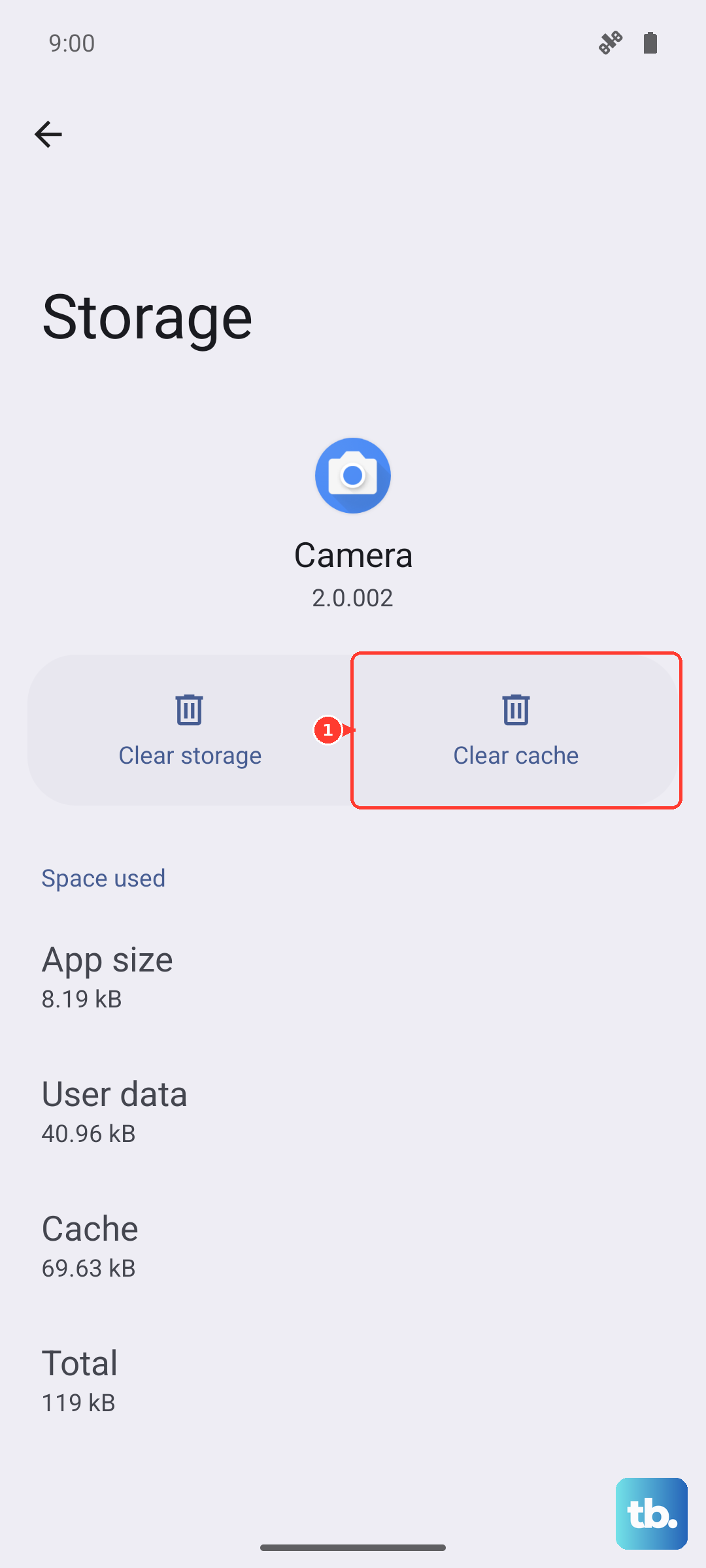
Go to Settings > Apps > Manage apps. Find and tap on your assistant app (e.g., Google). Select Storage usage and then tap Clear cache. This won't delete your personal data or settings.
Inspect the Microphone Hardware
Dust, lint, or a case can physically block the microphone. The Xiaomi 15 has multiple mics for noise cancellation, and if one is blocked, voice pickup suffers.
Check the small microphone pinholes at the top, bottom, and near the rear camera. Gently clean them with a soft, dry brush or a blast of compressed air. Also, try removing your phone case to see if it's muffling the sound.
Check Your Network Connection
While basic commands might process on-device, many voice assistant functions require an internet connection to work properly. A weak or unstable connection can cause timeouts or failures.
Try switching between Wi-Fi and mobile data to see if the problem is network-related. You can also try asking a very simple, device-based command like "Set an alarm for 7 AM" to test on-device processing.
Reset App Preferences or All Settings
If you've tried everything else, a deeper reset can help. This won't erase your personal data like photos or messages, but it will reset all your app permissions, default apps, and system settings back to factory defaults.
Go to Settings > About phone > Back up & reset. Tap on Reset phone. Here, you can choose "Reset all settings" or the less drastic "Reset app preferences". After the reset, you'll need to re-grant microphone permissions and retrain your voice model.