
If your Xiaomi 15 is showing a "Not registered on network" message or has no signal at all, you're stuck without calls, texts, or mobile data. This is a common but frustrating issue on Android phones, and it can happen for a bunch of different reasons. The good news is that most of the time, it's a software or settings problem you can fix yourself without needing a trip to a repair shop.
I'd start with the simplest fixes first. They only take a minute and often clear up the problem right away. Before you do anything else, just give your phone a quick restart. Press and hold the power button, tap the restart option, and wait for it to fully boot back up. This refreshes the connection to your carrier's network and can knock out any temporary glitches in HyperOS 2.
Toggle Airplane Mode On and Off
Swipe down from the top of your screen to open the control center and tap the airplane icon. Wait about 10 seconds, then tap it again to turn airplane mode off. This forces your phone's modem to completely disconnect and then reconnect to the cellular network, which can resolve a failed registration attempt.
Check and Reinsert Your SIM Card
Power off your Xiaomi 15 completely. Use the SIM eject tool to pop open the tray on the bottom edge of the phone. Take out the SIM card, give both the card and the slot a gentle blow to remove any dust, and then carefully reseat it. Make sure the tray is pushed all the way back in before turning your phone on. A loose or dirty SIM contact is a surprisingly common culprit.
Verify Your Carrier Account Status
Sometimes the issue isn't your phone at all. If your prepaid plan has run out of credit or your postpaid bill is overdue, your carrier will suspend service. Try logging into your carrier's website or app from another device, or give them a quick call from a different phone to make sure your account is active and in good standing.
Reset Your Network Settings
This is a more thorough step that clears out all your saved Wi-Fi networks, Bluetooth pairings, and cellular configurations. It's a great way to fix deeper software conflicts. On your Xiaomi 15, go to Settings > Additional settings > Backup & reset > Reset phone > Reset network settings. Confirm the reset, and your phone will reboot. You'll need to reconnect to Wi-Fi and re-pair Bluetooth devices afterward.
Manually Select Your Network Operator
Your phone might be trying to automatically connect to a network that's having issues. You can force it to search for and pick your carrier manually. Go to Settings > SIM cards & mobile networks. Tap on your active SIM, then tap Choose network. Let it search, then select your carrier's name from the list. If it connects, the automatic selection was likely stuck.
Change the Preferred Network Type
If you're in an area with spotty 5G coverage, forcing your phone to use 4G LTE can sometimes stabilize the connection. In the same SIM cards & mobile networks menu, tap on your SIM and look for Preferred network type. Try switching from "5G/4G/3G/2G" to just "4G/3G/2G". This can help if the phone is struggling to maintain a connection on the newer, faster band.
Update Your Phone's Software
Xiaomi regularly releases updates for HyperOS that fix bugs, including network-related ones. An outdated system could be the root of your problem. Go to Settings > About phone > HyperOS version and tap the "Check for updates" button. If an update is available, install it. Make sure your phone is connected to Wi-Fi and has a good charge before starting.
Clear the Cache for the Phone Services App
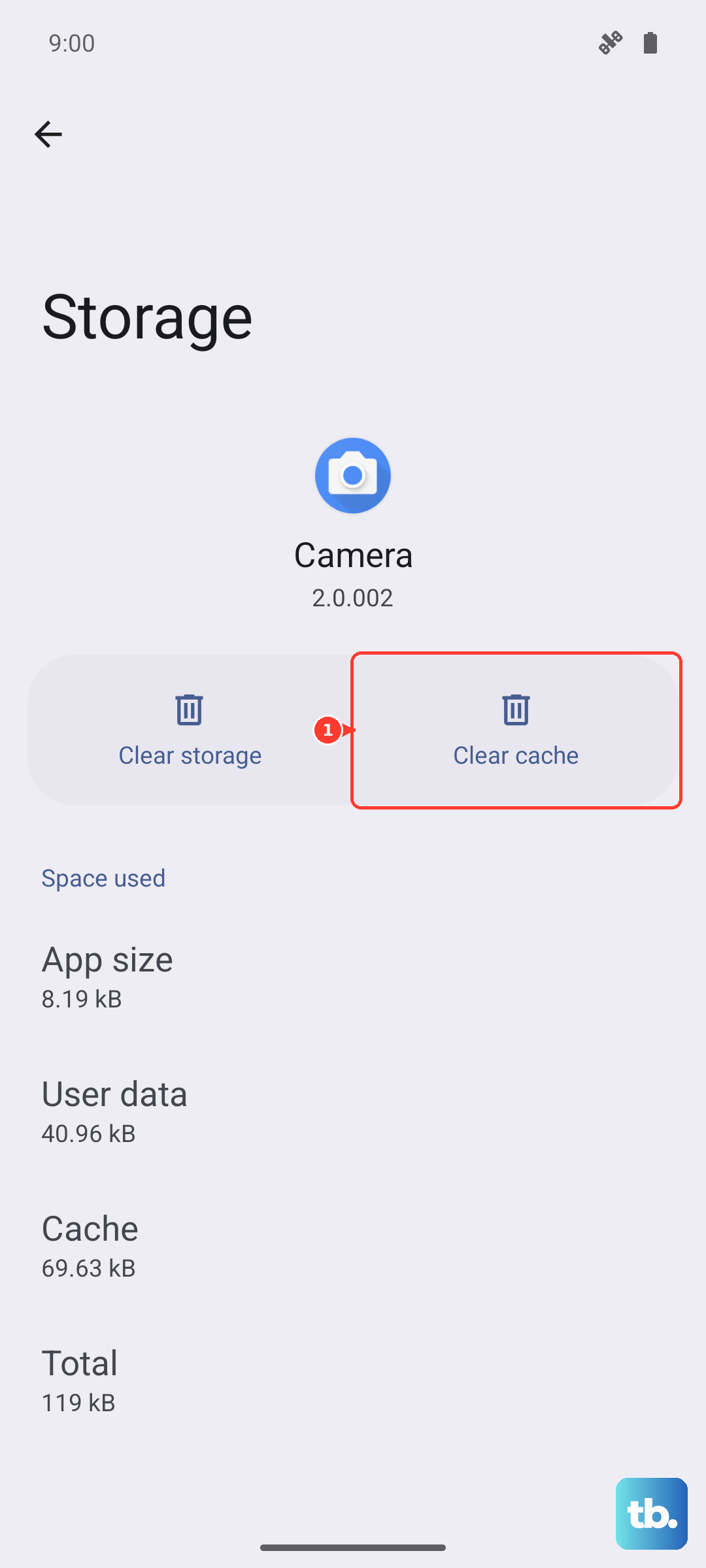
The app that manages your cellular connection can accumulate corrupted temporary data. Go to Settings > Apps > Manage apps. Tap the three-dot menu in the top right and select "Show all apps". Find and tap on an app called "Phone Services" or "com.android.phone". Go into its storage settings and tap Clear cache. This won't delete any personal data, just the temporary files.
Try a Different SIM Card
This test tells you if the problem is with your SIM card or the phone itself. If you can borrow a working SIM from a friend or family member (even from a different carrier), pop it into your Xiaomi 15. If the new SIM connects to a network without any issues, then your original SIM card is likely damaged or faulty, and you'll need to get a replacement from your carrier. If the borrowed SIM also fails, the issue is with your phone.
Perform a Factory Reset
This is your last resort before looking at hardware repair. A factory reset will wipe your phone back to its original out-of-the-box state, so it's absolutely critical to back up everything important first. Use Xiaomi Cloud or transfer your files to a computer. Once backed up, go to Settings > Additional settings > Backup & reset > Erase all data (factory reset). After the reset is complete, set up the phone as new and see if it can register on the network. If the error persists after a clean factory reset, there may be a hardware issue with the phone's internal antenna or modem.