A missing WhatsApp profile picture is almost always one of three things: a privacy setting, an unsaved contact, or a temporary app glitch. The good news is that none of them are hard to fix once you know which one you are dealing with.
This guide covers 12 fixes that work on both iPhone and Android in 2026, split into clear groups so you can jump straight to your situation. Start with the quick table to spot the likely cause, then work down the matching list.
Quick Symptom and Fix Table
Use this to match what you are seeing with the most likely cause before you start. Each row points to the fixes that solve that specific symptom.
| Symptom | Most likely cause | Try first |
|---|---|---|
| Others say they can't see your photo | Profile photo privacy set to Nobody or My Contacts Except | Fixes 1 to 3 |
| You can't see one person's photo | Their privacy setting, blocking, or contact not saved | Fixes 5 to 8 |
| No photos load for anyone | Network problem or app cache glitch | Fixes 9 to 12 |
| Photo gone plus no last seen and one grey tick | You may be blocked | See the blocked section |
When Others Can't See Your Profile Picture
If people tell you your photo looks blank, the cause is usually on your end and tied to privacy or permissions. These first four fixes solve the large majority of cases.
1. Set Your Profile Photo Privacy to Everyone or My Contacts
WhatsApp lets you choose exactly who can see your photo, and a restrictive setting is the most common reason it disappears for others. Open the privacy menu and check this first.
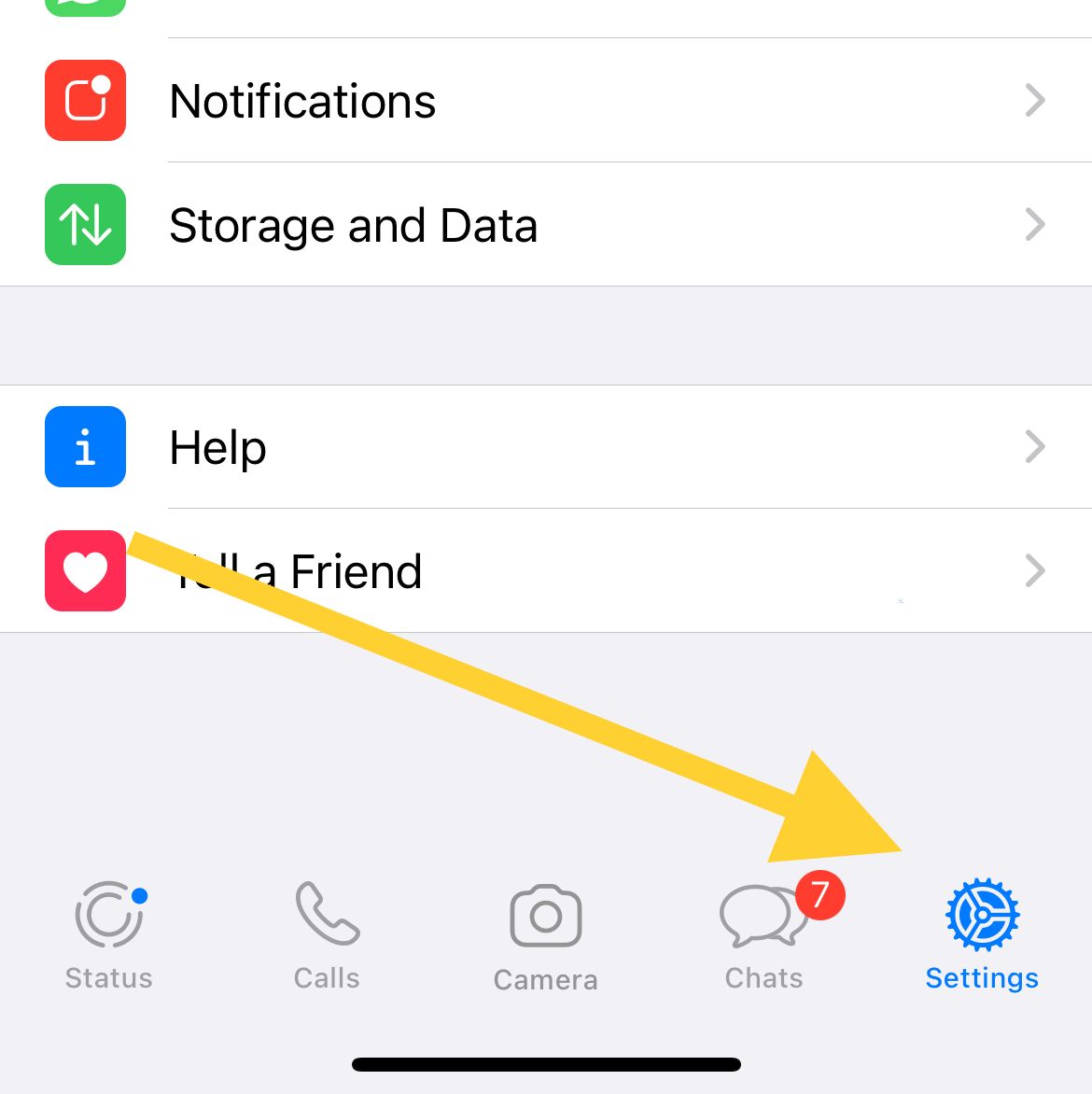
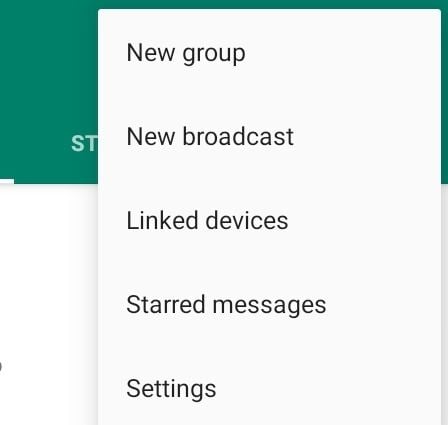
On iPhone, open WhatsApp Settings (tap the Settings tab, or the profile tab if your version shows one), then go to Account > Privacy > Profile Photo. On Android, tap the three dots in the top right, then go to Settings > Account > Privacy > Profile Photo.
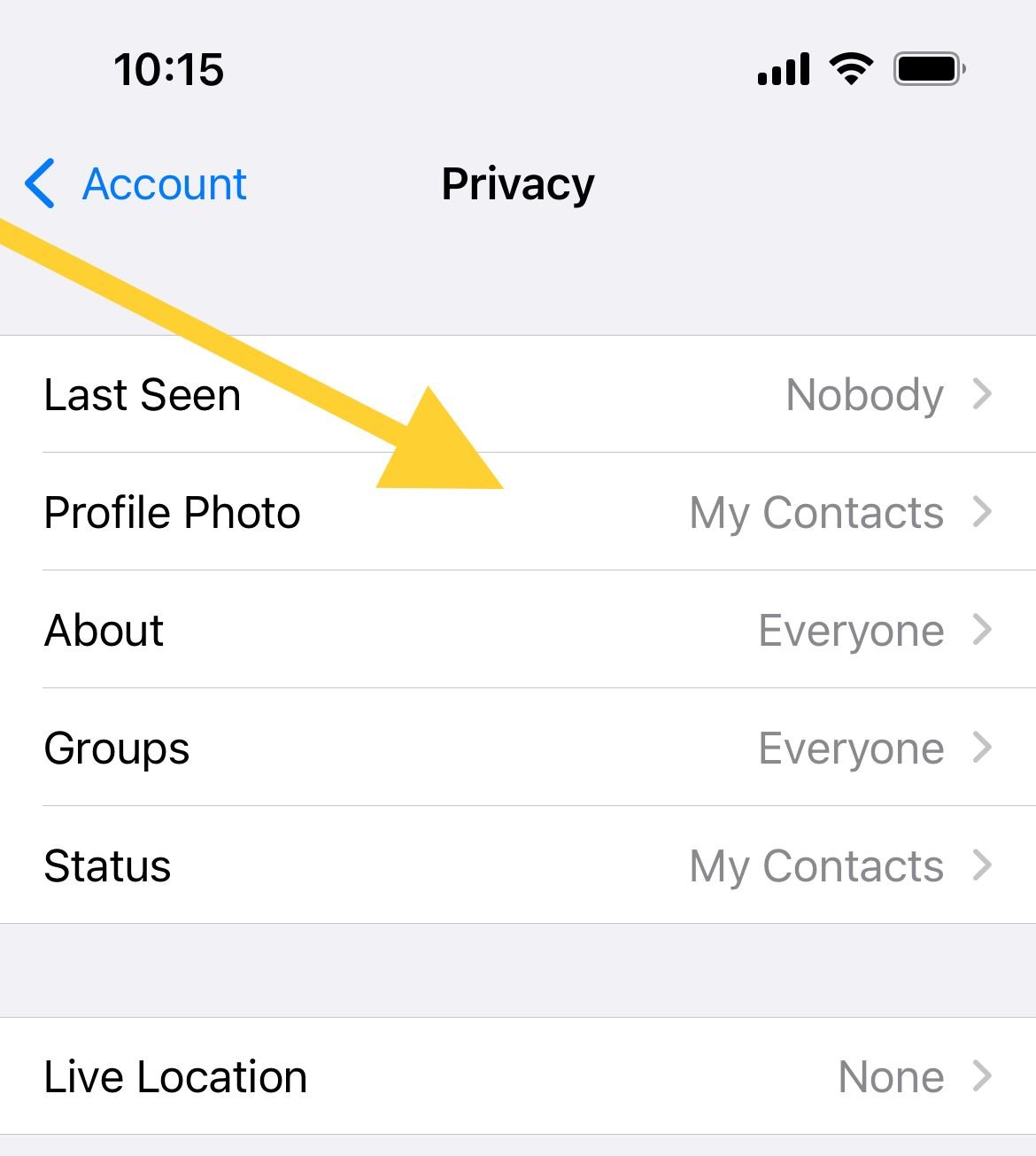
Choose Everyone so anyone can see it, or My Contacts so only people in your phone's address book can. Avoid Nobody, and if you use My Contacts Except, make sure the person who can't see your photo is not on that excluded list.
2. Check You Did Not Block That Person
When you block someone, they can no longer see your profile photo. If only one or two people report a blank picture, an accidental block is worth ruling out.
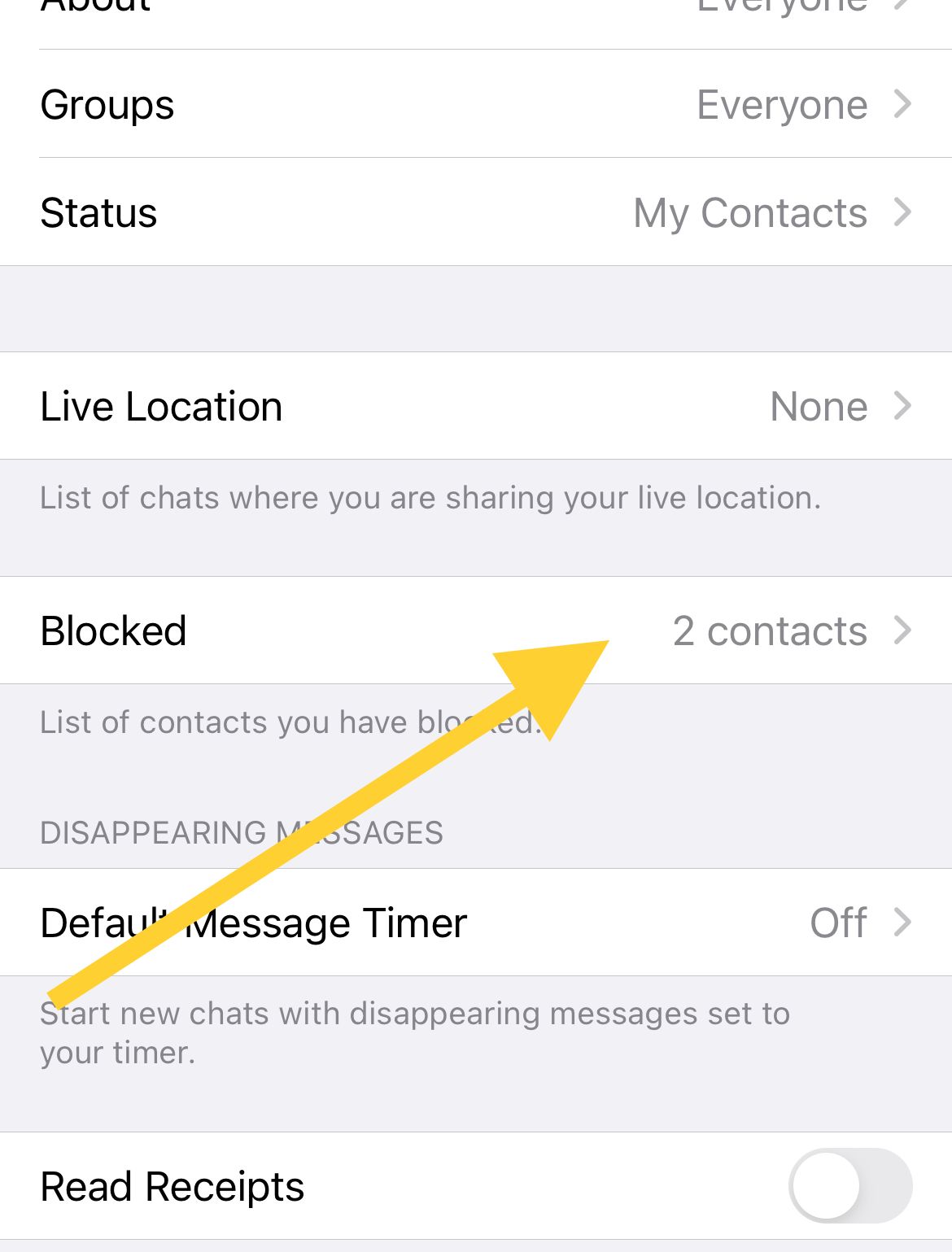
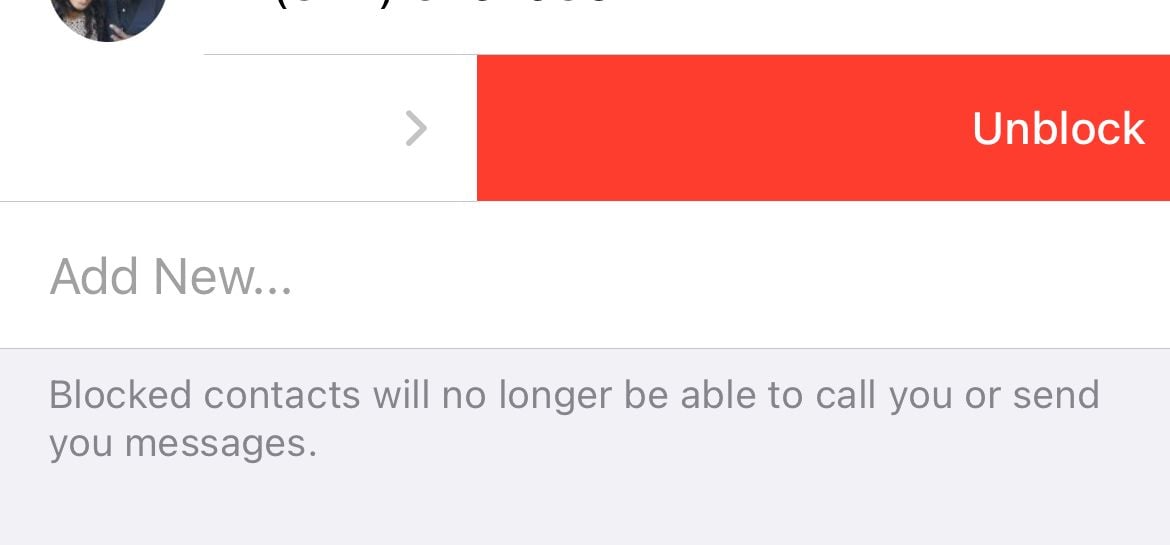
Open Settings > Account > Privacy > Blocked contacts on both iPhone and Android. If you find the contact there, open it and choose Unblock.
3. Re-Upload Your Profile Photo
Sometimes the photo uploads incompletely and shows blank to others even though it looks fine to you. Removing it and adding it again forces a clean upload.
On iPhone, open your profile from Settings, tap the photo or Edit, then delete the current image and add a new one. On Android, tap your photo in Settings, tap the camera icon, choose Delete photo, then pick a new one from your gallery or camera.
4. Grant WhatsApp Photo and Contacts Permissions
WhatsApp needs access to your photos to upload a picture and to your contacts to match who can see it. A denied permission can quietly break both.
On iPhone, open the phone Settings > WhatsApp and turn on Photos and Contacts. On Android, long-press the WhatsApp icon, open the info button to reach App info > Permissions, and allow Contacts and the photos or media permission.
When You Can't See Others' Profile Pictures
If a contact's photo is blank for you, the cause may be their settings, a saved-contact issue, or a block. Work through these in order.
5. They May Have Restricted Their Privacy
The other person may have set their profile photo to Nobody, or to My Contacts while you are not saved in their phone. There is nothing you can change on your side for this, but it confirms the photo is hidden by choice rather than a fault.
6. Save Their Number With the Country Code
WhatsApp identifies contacts by the full international number. If a number is saved without the country code, WhatsApp may not match it correctly and the photo will not appear.
Edit the contact in your phone and save it in international format, starting with a plus sign and the country code, for example +15551234567 or +447700900123. Save it to the phone rather than the SIM, then reopen WhatsApp.
7. Refresh or Re-Add the Contact
If the number is correct but the photo is still missing, force WhatsApp to re-sync that contact. On Android, open the new chat or contacts screen, tap the three dots, and choose Refresh.
If a refresh does not help, delete the contact in your phone's address book and save it again, then restart WhatsApp. This makes the app treat it as a new contact and pull the latest photo.
8. Check Whether You Are Blocked
If their photo vanished and stopped updating, you may have been blocked. The blocked section below lists the other signs to confirm it, so you do not mistake a privacy change for a block.
When No Photos Load for Anyone
If profile pictures are blank across all your chats, the problem is almost certainly your connection or the app itself, not any one contact.
9. Check Your Internet Connection
Profile photos download over the internet, so a weak or dropped connection can leave them blank. Switch between Wi-Fi and mobile data to see if one works better, and toggle airplane mode on and off to reset the connection.
Also confirm WhatsApp is allowed to use data and is not being throttled. In the app, open Settings > Storage and Data and check your media auto-download and data-saving options so media is not being held back.
10. Force-Close and Reopen WhatsApp
A simple restart of the app clears most temporary display glitches. Swipe WhatsApp away from the recent apps screen, wait a few seconds, then open it again.
If that does not work, restart the phone itself. A full restart clears background processes that can stop photos from loading.
11. Clear the WhatsApp Cache on Android
A corrupted cache can stop images from rendering. On Android, go to phone Settings > Apps > WhatsApp > Storage (sometimes shown as Storage and cache) and tap Clear cache. This is safe and does not delete your chats.
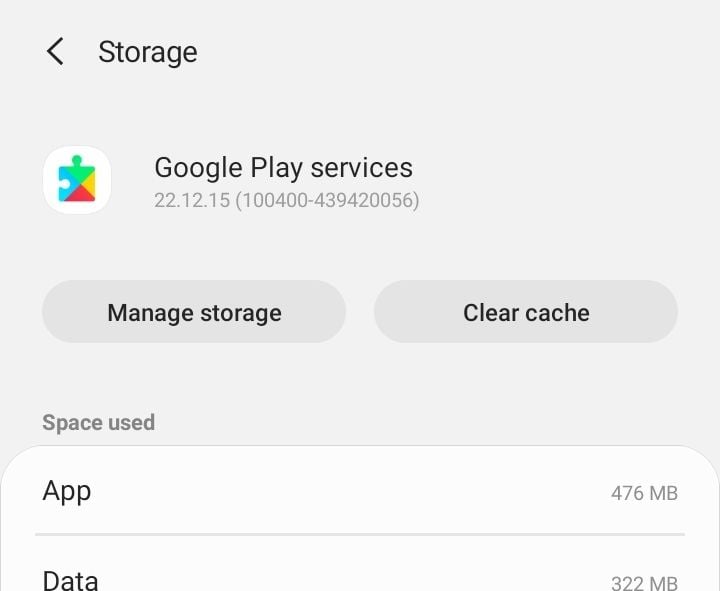
iPhone does not offer a manual cache clear, so the equivalent step is to force-close the app or reinstall it as described below. Also check that your phone has free storage, since a full device can block downloads.
12. Update or Reinstall WhatsApp
An outdated version can carry bugs that break image loading. Open the App Store or Google Play, search for WhatsApp, and install any pending update.
If photos still will not show, reinstall as a last resort. Back up your chats first, delete the app, then download it fresh and restore your backup during setup.
How to Tell if Someone Blocked You
A blank photo alone does not prove a block, because it can also be a privacy change. Blocking affects several features at once, so look for a cluster of signs rather than just one.
You may be blocked if the person's photo disappeared and stopped updating, their last seen and online status are gone, your messages stay on a single grey tick, and your calls do not connect. You also stop seeing their status updates.
If only the photo is missing but last seen, ticks, and calls still work normally, it is far more likely a privacy setting than a block.
Frequently Asked Questions
Why can I see someone's photo but they can't see mine?
Your profile photo privacy is probably set to Nobody or My Contacts Except, or that person is on your blocked list. Open Settings > Account > Privacy > Profile Photo, set it to Everyone or My Contacts, and check your blocked contacts list.
Does a missing profile picture mean I am blocked?
Not on its own. A blank photo can simply mean the person set their photo to Nobody or My Contacts while you are not saved. It points to a block only when last seen, message ticks, and calls also stop working.
How do I fix WhatsApp profile pictures not loading on Wi-Fi?
Toggle airplane mode on and off, then switch to mobile data to confirm it is a Wi-Fi issue. Restart your router, check your media settings under Storage and Data, and force-close and reopen the app.
Why can't I see a contact's photo even though we saved each other?
Try saving their number in full international format with the country code, then refresh your contacts on Android or restart WhatsApp on iPhone. If it still fails, delete and re-add the contact so the app re-syncs it.
Will clearing the WhatsApp cache delete my chats?
No. Clearing the cache on Android only removes temporary files and is safe. Your messages and media stay in place, and the cache rebuilds automatically as you use the app.
First published October 13, 2025. Last updated June 4, 2026.