You go to use the flashlight on your Galaxy Z Flip 7 and nothing happens. The icon is there in the Quick Settings panel, but tapping it does nothing at all. Here's how to troubleshoot this.
Close the Camera App
The flashlight and camera flash share the same physical LED on the Z Flip 7. If the Camera app is open in the background, Android 16 may lock the flash resource.
Swipe up from the bottom of the screen to open the Recent Apps menu. Swipe the Camera app card away to fully close it. Open Quick Settings and tap the Flashlight icon again.
Force Restart the Phone
A temporary software glitch can freeze the LED controller. This is usually the quickest fix. Press and hold Volume Down + Side key for 10 to 15 seconds until the device restarts.
This works even if the screen is unresponsive, and it won't delete your data. Once the phone boots back up, test the flashlight right away.
Battery Saver Might Be the Culprit
Android 16's Battery Saver mode restricts background activity to save power. Some Z Flip 7 users have reported that the flashlight becomes unresponsive or delayed when this mode is active.
Swipe down twice from the top of the screen to open the full Quick Settings menu. If you see a blue Battery Saver icon, tap it to turn it off. Try the flashlight again.
Is the Phone Overheating?
The Z Flip 7 is built with thermal protections to prevent damage. If the internal temperature gets too high, the system disables power-hungry features like the LED flash.
If the back of the phone feels warm, set it down in a cooler spot out of direct sunlight. Wait about ten minutes for the temperature to drop. The flashlight should become available automatically.
Try a Voice Command
Say "Hey Google, turn on the flashlight" or use "Hi Bixby, flashlight on". If the assistant can activate it but the Quick Settings button doesn't work, you are dealing with a UI software glitch rather than hardware failure.
Toggling the flashlight on and off through the voice assistant can reset the connection between the software button and the LED. A restart usually clears the issue permanently if it happens again.
Adjust the Flashlight Brightness
Your Galaxy Z Flip 7 includes a brightness slider for the flashlight. If it was set to the absolute minimum by accident, the light might be too dim to notice in a bright room.
Long-press the Flashlight icon in Quick Settings to open the brightness control. Drag the slider up to the middle or all the way to max. Test the flashlight in a darker room to confirm it's working.
Reset Your Settings
If the issue persists, a software setting might be corrupted. You don't need to factory reset the phone for this. Open Settings > General Management > Reset > Reset all settings.
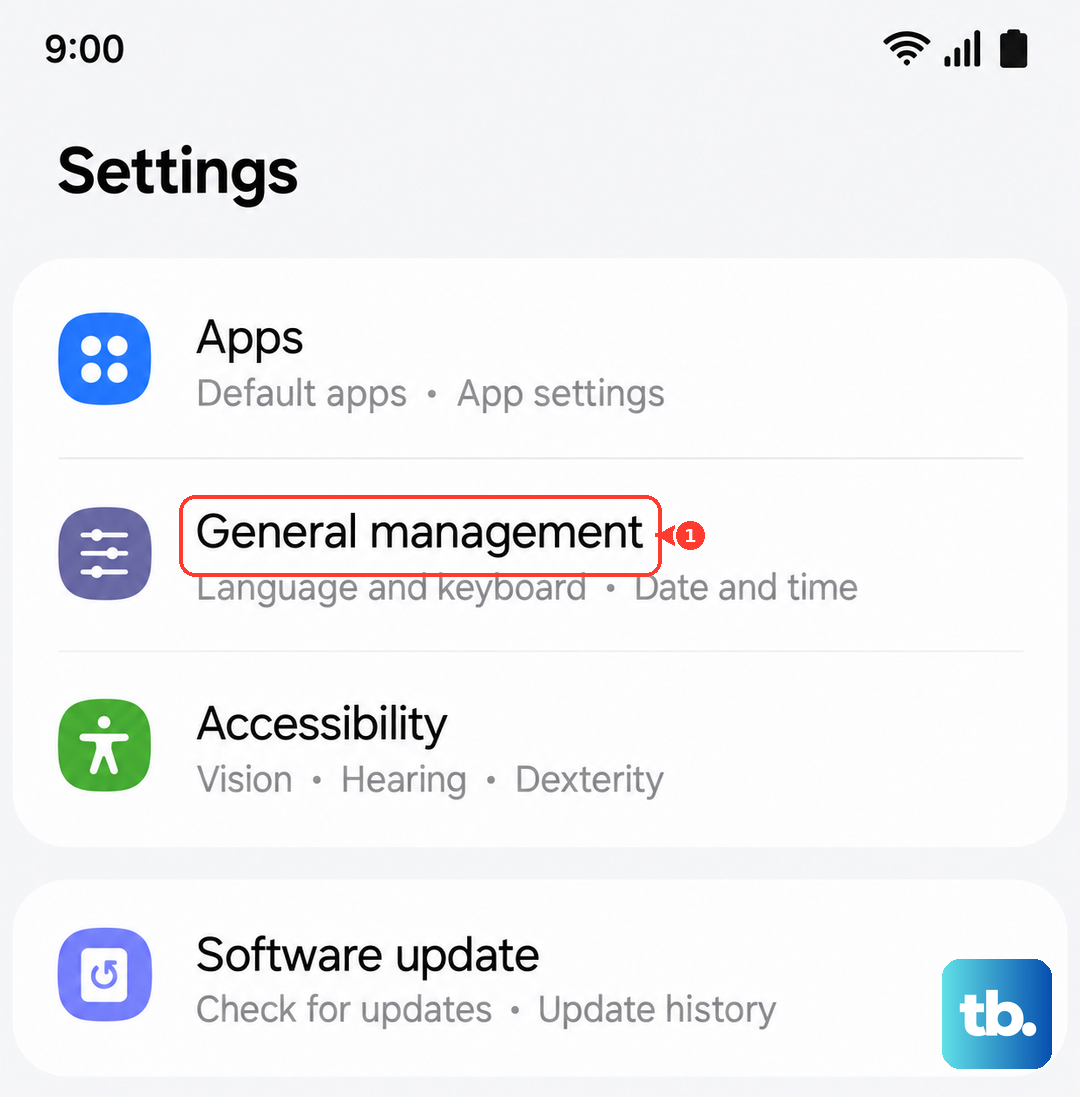
This clears your Wi-Fi passwords and custom preferences but keeps all your photos, apps, and accounts intact. You will need to reconnect to Wi-Fi networks afterward, but it often fixes persistent system toggle bugs.
Check for a Software Update
Samsung has released specific patches for the Galaxy Z Flip 7 that address bugs related to the LED flash and camera system. Go to Settings > Software Update > Download and install.
If a pending update is available, install it. These patches directly target known software conflicts between the camera hardware and the flashlight module.
If the Camera Flash Also Isn't Working
Open the Camera app and tap the lightning bolt icon to switch the flash to On. Take a photo with the flash forced on. If the camera flash fires, the LED hardware is fine and the issue is strictly software.
If the flash doesn't work in the camera app either, the LED module itself may be damaged. This is less common on the Z Flip 7, but it can happen after a drop or impact. In that case, the hardware would need to be inspected.