When Bixby or Google Assistant stops responding on your Galaxy Z Flip 6, it can feel like a step backwards. The voice assistant that's supposed to help you multitask, especially when the phone is folded, suddenly goes quiet. Here's how to get it working again.
Start With a Quick Restart
Before diving into settings, give your phone a fresh start. A simple restart clears temporary glitches that can affect the microphone or voice recognition services.
Press and hold the Volume Down button and the Side button (power key) together for about ten seconds. You'll see the Samsung logo appear as the phone reboots. Once it's back on, try your voice command again.
Verify Your Assistant is Enabled
First, confirm which assistant you're trying to use and that it's actually turned on. The Z Flip 6 can use Bixby, Google Assistant, or sometimes both, depending on your setup.
For Bixby, open the Bixby app or go to Settings > Advanced features > Bixby. Make sure "Bixby Voice" is toggled on. For Google Assistant, open the Google app, tap your profile picture, go to Settings > Google Assistant, and ensure it's activated.
Also, check the "Hey Google" or "Hi Bixby" wake word setting within each assistant's own settings menu. Sometimes an update can reset this preference.
Check for Microphone Blockages
The Z Flip 6 has several microphones, and if they're covered, your assistant can't hear you. The main concern is the bottom microphone near the USB-C port, which can get clogged with pocket lint.
Gently clean the port with a soft, dry brush or a can of compressed air. Also, check if your phone case is misaligned and covering any of the microphone holes. I've seen cases designed for older Flip models cause this issue on the newer Z Flip 6.
Review Your Sound and Accessibility Settings
Several system features can interfere with voice detection. Go to Settings > Accessibility > Hearing enhancements. If "Microphone" or "Sound detectors" are enabled, try turning them off temporarily to test.
Also, check your general sound settings. If your phone is in Silent or Vibrate mode, you might not hear the assistant's response chime, even if it heard you. Turn up the media volume using the side buttons while not playing any audio.
Update Your Phone's Software
Outdated software is a common culprit for assistant malfunctions. Samsung frequently releases updates that fix bugs related to voice recognition and the hinge sensors.
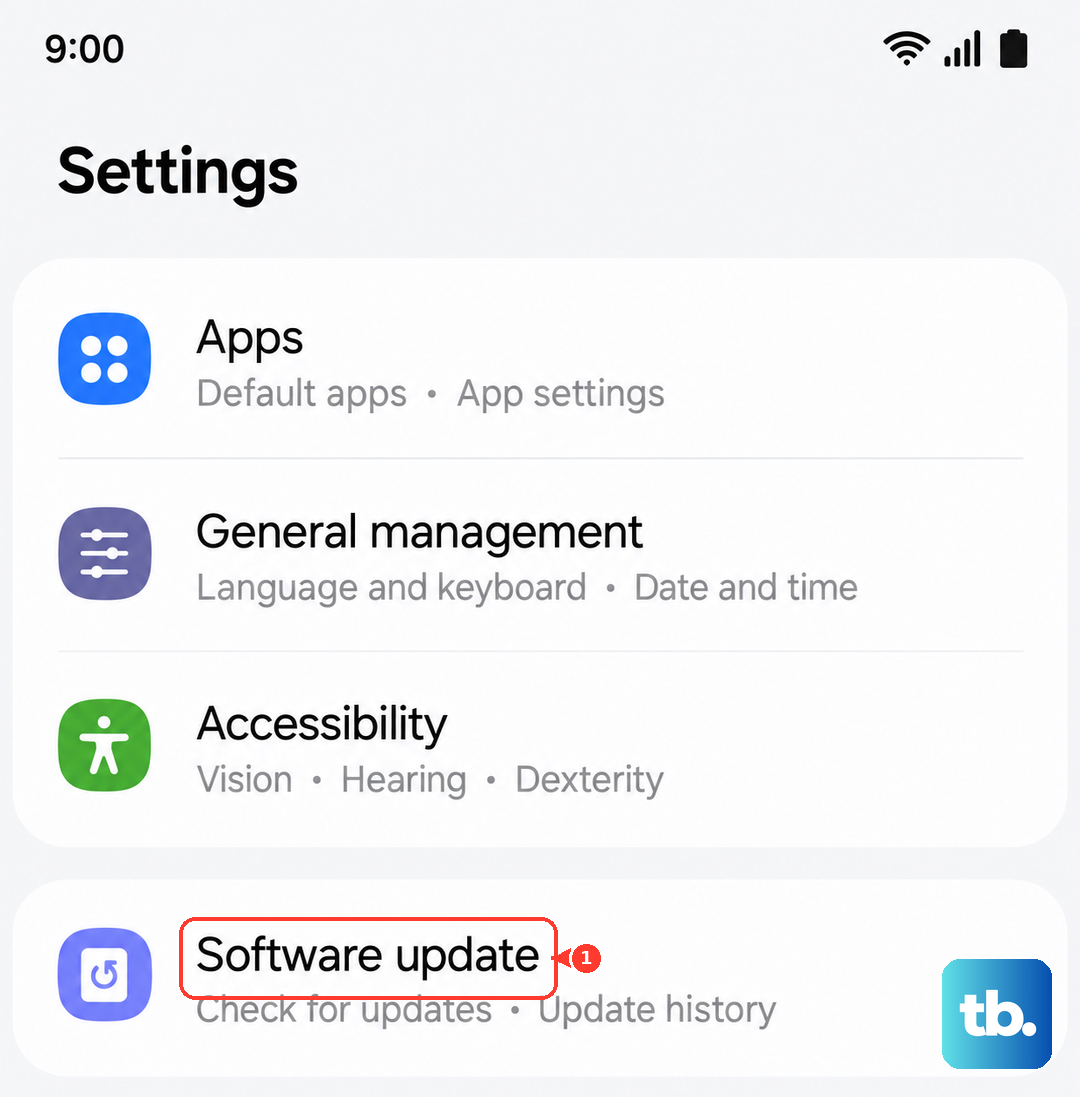
Go to Settings > Software update > Download and install. If an update is available, install it and restart your phone. This is especially important if the problem started after you began using a new feature, like an app on the cover screen via Labs.
Retrain Your Voice Model
If the assistant hears you but doesn't activate reliably, it might need to relearn your voice. Background noise patterns or even the acoustics in different phone positions (open, closed, flex mode) can confuse it.
For Bixby, open the Bixby app, go to its settings, and look for "Voice wake-up" to retrain. For Google Assistant, go to its settings, select "Voice Match," and tap "Retrain voice model." Speak the phrases clearly in a quiet room.
Check App Permissions and Battery Optimization
The assistant apps need the right permissions to run in the background. Go to Settings > Apps, select either "Bixby Voice" or "Google," then tap Permissions. Ensure "Microphone" permission is allowed.
Next, in the same app info screen, tap Battery. Make sure it's not set to "Restricted." I'd set it to "Unrestricted" to ensure it can always listen for the wake word, even with the 4000mAh battery's power management active.
Test in Different Phone Positions
The Z Flip 6's folding design means the microphone usage can change. Test if the assistant works when the phone is fully open, partially folded in Flex Mode, and completely closed.
If it only fails in one position, it could be a software bug related to the hinge sensor. Try using an app in Flex Mode, like the camera, to see if that sensor is working correctly overall.
Clear the Assistant App's Cache
Corrupted temporary data can cause voice features to freeze. Go to Settings > Apps. Find and select "Bixby Voice" or "Google." Tap Storage, then Clear cache.
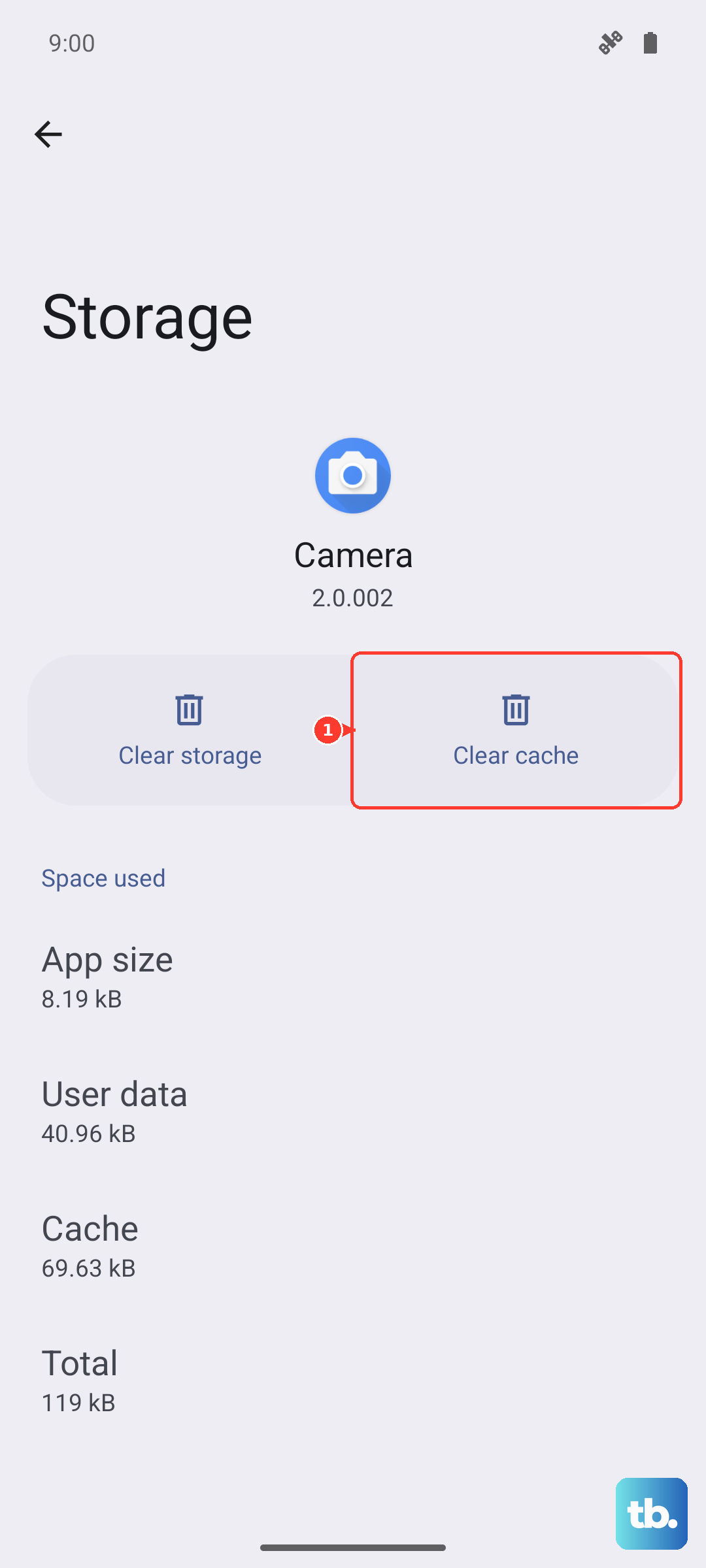
This doesn't delete your personal data or settings. After clearing the cache, restart your phone and test the voice command again.
Reset All Settings
If you've tried everything else, resetting your phone's settings can fix deeper configuration conflicts without erasing your photos or apps. This will reset network, sound, and display settings back to default.
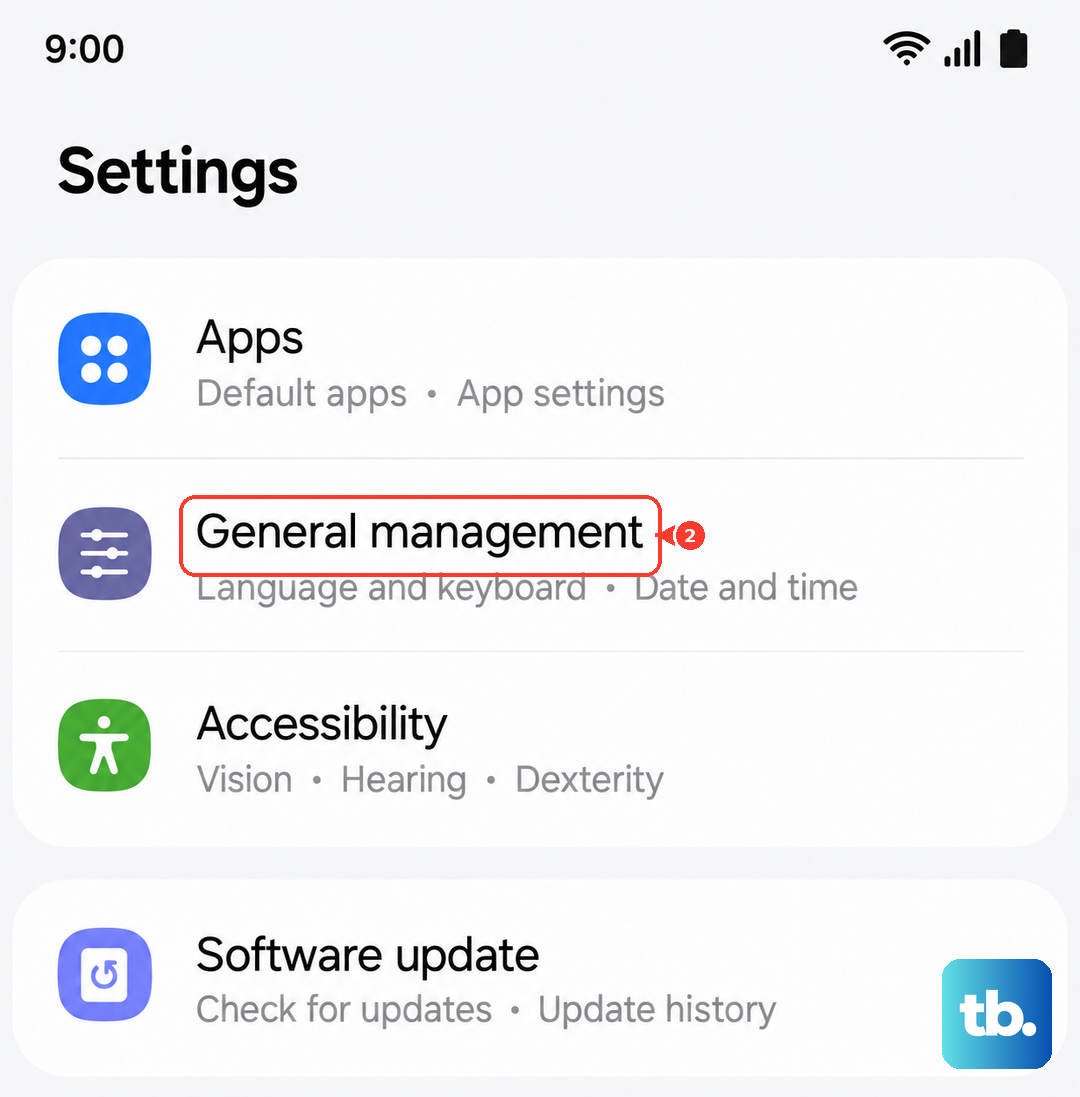
Go to Settings > General management > Reset > Reset all settings. Enter your PIN if prompted. After the reset, you'll need to re-enable features like Labs for the cover screen and reconfigure your sound preferences.