
When your Galaxy S26 Ultra refuses to charge on a wireless pad, it's frustrating, especially since it supports the latest Qi2 standard. The problem is almost always something simple you can fix yourself, like a misalignment, a setting, or a bit of software confusion.
Center Your Phone on the Charger
Wireless charging needs the coils inside your phone and the pad to line up perfectly. Place your S26 Ultra dead center on the charging surface. You should feel a slight vibration and see the charging animation pop up on your screen. Being even a little off-center, especially with a thick case, can break the connection.
If you're using a standard Qi or Qi2 pad, take a second to make sure the phone isn't tilted. The S26 Ultra's charging coil is located in the middle of the device, so aim for that. I've seen phones charge one minute and stop the next just from nudging them out of position.
Take Off Your Phone Case
This is the most common culprit. Thick protective cases, cases with metal plates or rings for car mounts, or even wallet cases with credit cards inside can block the wireless signal. Pop your S26 Ultra out of its case and try charging it bare.
If it starts charging without the case, you'll need to switch to a case that's certified for wireless charging. Most slim silicone or plastic cases work fine, but anything with extra bulk or magnetic accessories might not.
Check Your Charger and Cable
Make sure your wireless charging pad is actually getting power. Check that the wall adapter is plugged in firmly and the cable is securely connected to both the adapter and the charger base. Look for an LED light on the pad itself, it should be on.
Some wireless chargers, especially faster ones, require a specific power adapter to work. Try using the Samsung 60W Super Fast Charging 3.0 adapter that came with your phone, or another high-wattage USB-C PD adapter. A weak power source won't deliver enough juice to initiate the charging handshake.
Restart Your Galaxy S26 Ultra
A quick reboot can clear out temporary software glitches that might be preventing the phone from recognizing the charger. Press and hold the Volume Down button and the Side/Power button simultaneously for about 10 seconds until you see the Samsung logo appear on the screen.
Once it boots back up, place it on the charging pad again. This simple step fixes a surprising number of intermittent issues, not just with charging.
Clean the Back of Your Phone
Dust, lint, or any kind of grime on the glass back of your S26 Ultra can create a tiny gap that disrupts charging. Give the back of the phone a good wipe with a soft, dry, lint-free cloth.
Don't forget to clean the surface of the charging pad, too. A clean connection is key for efficient wireless power transfer.
Update Your Phone's Software
Since the S26 Ultra is a brand new device, early software bugs are a real possibility. Samsung often releases updates to fix these kinds of issues. Go to Settings > Software update and tap Download and install.
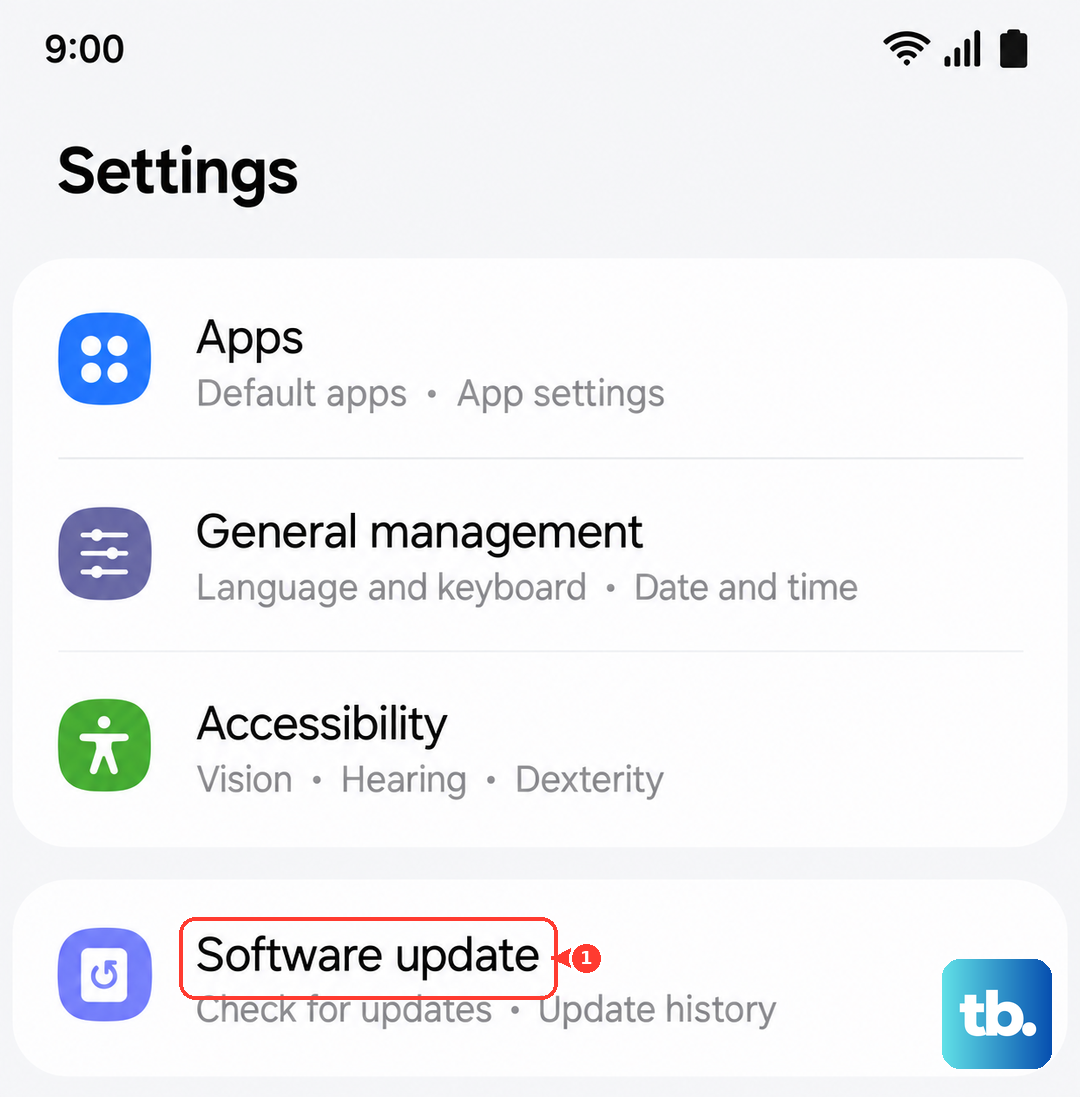
Make sure your phone is connected to Wi-Fi and has enough battery to complete the update. Installing the latest version of One UI can resolve charging compatibility problems introduced by a software bug.
Check for Overheating and Battery Settings
Your phone will automatically pause charging if it gets too hot. This can happen if you're using it intensively while it's on the pad, if the room is very warm, or if the charger itself is overheating. Let everything cool down for a few minutes before trying again.
Also, check your battery protection settings. By default, the S26 Ultra can limit charging to 85% to prolong battery health. Go to Settings > Battery > More battery settings. If "Battery protection" is on, your phone will stop at 85%, which might look like it's not working. You can toggle this off for a full charge.
Reset Your Phone's Settings
If a restart didn't help, a settings reset might. This won't delete your photos or apps, but it will reset all your system preferences like Wi-Fi passwords and display settings. Go to Settings > General management > Reset > Reset all settings.
Confirm the action and enter your PIN. After the phone reboots, you'll need to reconfigure some things, but this can clear out a deeper software conflict that's interfering with charging.
Test With a Different Charger
This is the best way to figure out where the problem is. If you have access to another wireless charger, try your S26 Ultra on it. If it charges fine, then your original charging pad or its power cable is faulty.
If your phone won't charge on any wireless pad, but still charges via the USB-C cable, the issue is likely with the phone's own wireless charging hardware. Since the S26 Ultra also has Wireless PowerShare, you can try using it to charge another device like your Galaxy Buds. If that feature also fails, it points to an internal problem.