
If your Samsung Galaxy S26+ is taking forever to charge, you're missing out on one of its best features. It's supposed to go from zero to a full charge in under an hour with the right gear, but a few common snags can bring that to a halt.
Start with a Force Restart
Before you do anything else, give this a try. Press and hold the Volume Down button and the Side/Power button together for about ten seconds. Let go when you see the Samsung logo appear on the screen. I've seen this clear up temporary software bugs that mess with the charging system more times than I can count.
You Absolutely Need a 60W Charger
This is the most common culprit. Super Fast Charging 3.0 on the S26+ requires a USB-C Power Delivery (PD) charger rated at 60W. Since most regions don't include a charger in the box anymore, you might be using an old, slower brick. Check the fine print on your adapter; if it says anything less than 60W, that's your problem. You'll need to buy a compatible one separately.
Your Cable Matters Just as Much
Not all USB-C cables are created equal. For 60W speeds, you need a cable that can handle it. The one that came with your phone is perfect. If you're using a different one, especially a cheap or very long cable, it might not support the high power throughput required. Swap it for the original or a certified high-wattage cable.
Check for a False Moisture Alert
The S26+ is known to sometimes get a false positive for moisture in the USB-C port. You'll see a warning notification saying charging is paused. If your phone is definitely dry, you can try clearing the alert. Go to Settings > Device care > Diagnostics > USB port. You can also try the force restart mentioned above, as this often clears the erroneous alert.
Turn Off Battery Protection Modes
To help your battery last longer, Samsung includes protection features that limit charging. Go to Settings > Battery > More battery settings. If "Battery protection" is on, your phone will stop charging at 85%, which can make it feel like fast charging isn't working at all. Toggle it off for now if you need a full charge. Also, check if a feature like "Adaptive battery" or "Pause USB power delivery" is enabled and temporarily disable it.
Update Your Software
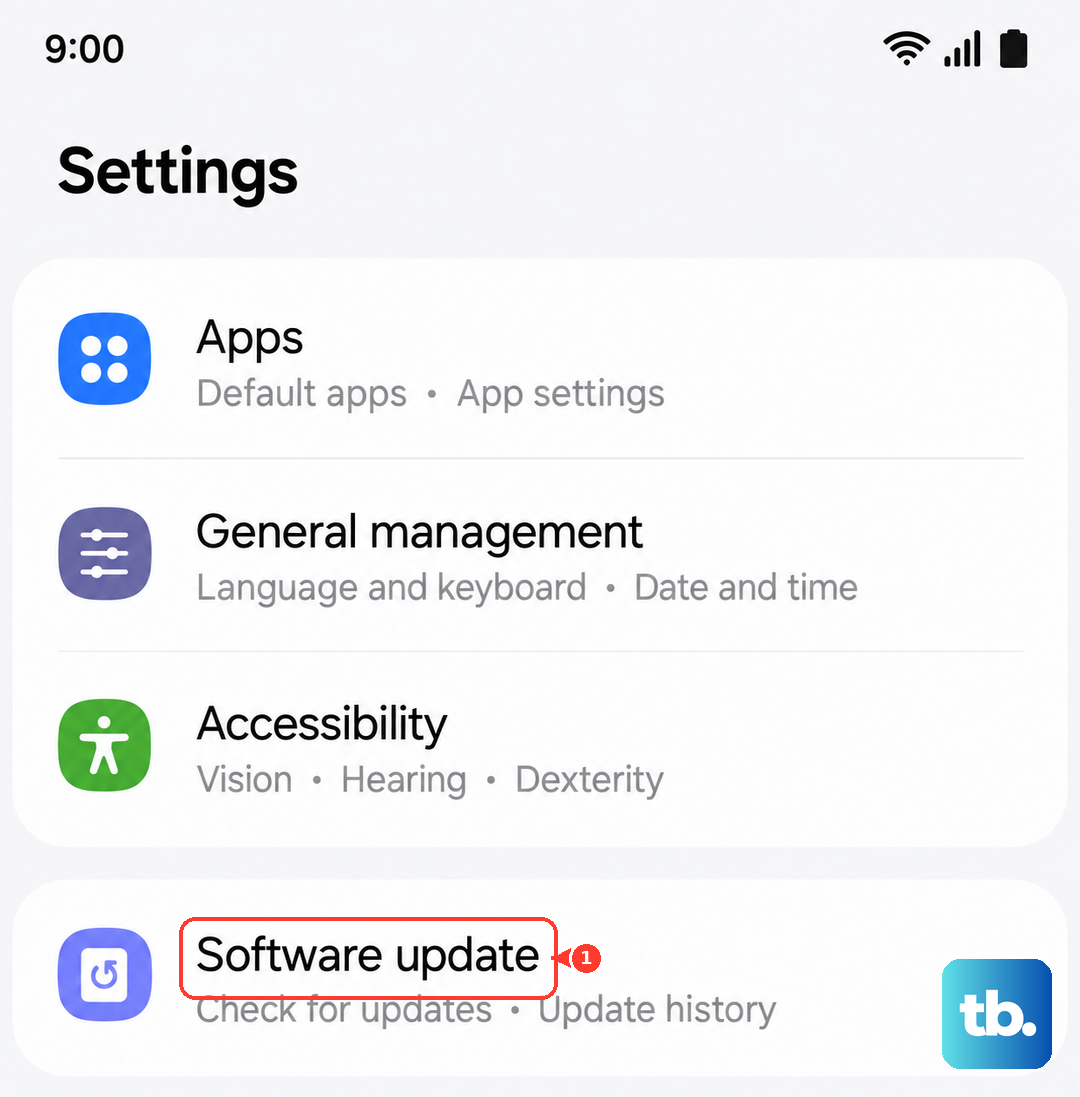
Since the S26+ is new with One UI 8.5, there could be early software bugs affecting charging. Head to Settings > Software update > Download and install. Samsung is quick to push out patches for these kinds of issues, so making sure you're on the latest build is a crucial step.
Clean the USB-C Port Carefully
Pocket lint is the enemy of a good connection. Over time, it gets packed into the port and prevents the cable from seating fully, which limits power. Power off your phone, grab a wooden toothpick or a plastic flosser pick, and gently scrape out the debris. Don't use metal, as you could damage the sensitive contacts. A can of compressed air can help blow out loose dust.
Take the Case Off While Charging
Fast charging generates heat. If you have a thick or poorly ventilated case on your S26+, it can trap that heat. The phone's safety systems will then throttle the charging speed to cool down. For the fastest possible charge, especially with wireless charging, take the case off. This gives the heat a clear path to dissipate.
Don't Use It During a Fast Charge
If you're gaming, streaming video, or using the camera while plugged in, you're fighting the charger. The phone is using a lot of power to run those tasks, which leaves less current available to fill the battery. It also creates more heat. For a true Super Fast Charging session, just let it sit on a cool, hard surface like a table.
Test Each Piece of Your Setup
Finally, you need to isolate the problem. Try your S26+ with a friend's known 60W charger and cable. If it works, then your old charger or cable is faulty. If it still doesn't work with a different, high-power setup, the issue is likely with the phone's port or software. Cables wear out from bending, so even the one that came with the phone can fail over time.