If your Samsung Galaxy A26 5G suddenly stops making calls or connecting to mobile data, you might see a notification saying the device isn't registered on a network. This usually points to a problem with the phone's IMEI being corrupted or unreadable. Your A26 5G relies on that unique 15-digit number to authenticate with your carrier, so when it's missing, the phone can't latch onto cell towers.
You can check the IMEI by opening the phone dialer and entering *#06#. If you see "IMEI Null" or "000000" instead of a proper number, your device needs attention. Before jumping into advanced repairs, try these fixes in order. Many of them resolve the "not registered on network" error without needing to touch the IMEI at all.
Force Restart and Refresh the Network
A simple force restart is always worth trying first. Press and hold the Volume Down and Power buttons simultaneously for about 10-15 seconds until the device restarts. This forces the A26 5G to reinitialize its radio hardware and register fresh with the network. It's a quick way to clear out temporary glitches that may have caused the error.
If that doesn't work, toggle Airplane Mode. Swipe down to open your notification shade and tap the Airplane Mode icon. Wait about 10 seconds, then tap it again to turn it off. This forces a new handshake with your carrier without needing a full reboot.
Inspect the SIM Card and Check Your Account
A physical issue with the SIM card is a common culprit. Power off your Galaxy A26 5G, eject the SIM tray using the pin tool, and inspect the SIM card. If it looks dusty or the contacts are dirty, wipe them gently with a dry cloth. Reinsert it firmly and power the phone back on.
Sometimes the problem isn't the phone but your account. Log into your carrier's app or give them a call from another phone. Confirm your plan is active and your account is in good standing. A suspended or expired line will produce the exact same "not registered on network" error.
Reset the Mobile Network Settings
One of the most effective fixes for this error on a Samsung phone is resetting the mobile network settings. This clears out corrupted configurations without wiping your personal data. Head over to Settings > General Management > Reset > Reset Mobile Network Settings. Tap the button to confirm. Your A26 5G will restart and attempt a fresh connection to the carrier.
Manually Select a Network Operator
Your Galaxy A26 5G supports 5G, but sometimes it gets stuck trying to connect to a band that's weak in your area. You can force it to look for networks manually. Go to Settings > Connections > Mobile Networks > Network Operators. Tap Search Networks, then select your carrier from the list. If it connects, the automatic selection was the problem.
Switch the Network Mode
Switching the preferred network mode can also help. If 5G is giving you trouble, drop down to LTE. Go to Settings > Connections > Mobile Networks > Network Mode and choose LTE/3G/2G. If the registration succeeds, you may have a coverage issue with 5G in your specific location. You can always switch back to 5G later when the signal is stronger.
Clear the Phone App Cache
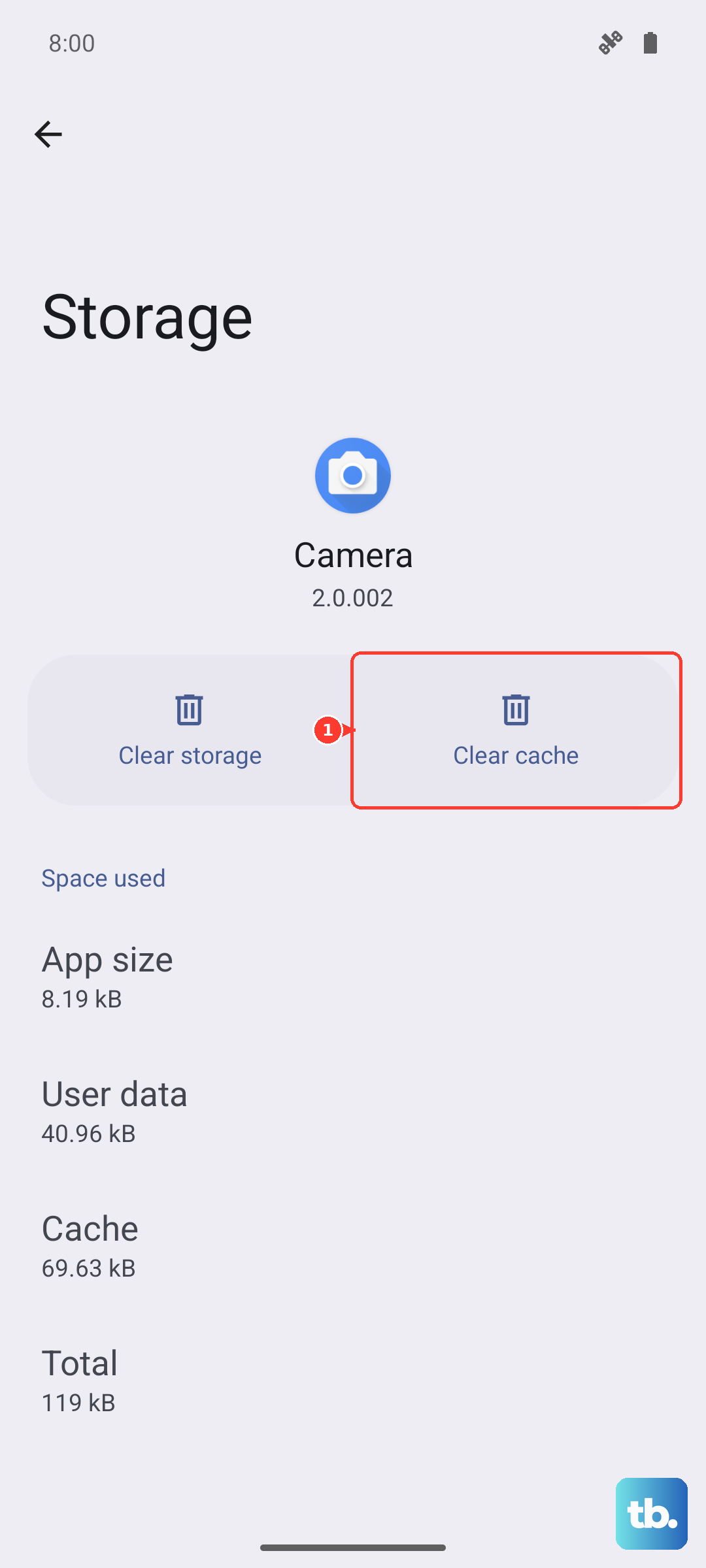
The Phone app manages the telephony stack on your A26 5G. A corrupt cache in this app can directly cause network registration failures. Go to Settings > Apps > Phone > Storage and tap Clear Cache. This won't delete your contacts or call history. It just removes temporary files that may have become corrupted. Restart your phone afterward to let everything rebuild cleanly.
Install the Latest Software Update
Samsung and your carrier regularly push updates to One UI 7 that iron out bugs, including network-related ones. An outdated system can have known registration problems that have already been patched. Go to Settings > Software Update > Download and Install to check. If an update is available, install it and let the phone restart before testing the connection again.
Try a Different SIM Card
If none of the software fixes have worked, the SIM card itself could be damaged. Borrow a working SIM from a friend or family member and insert it into your Galaxy A26 5G. If the borrowed SIM connects to the network without issues, your original SIM card is the problem and you should request a replacement from your carrier. If the borrowed SIM also fails, the issue is likely with the phone's hardware.
Factory Reset as a Last Resort
A factory reset erases everything on your A26 5G and returns it to its original state. This is the nuclear option, so back up your photos, contacts, and important files first. Go to Settings > General Management > Reset > Factory Data Reset and follow the prompts. After the reset, set up your phone from scratch and check if the network error is resolved.
If the "not registered on network" error remains even after a factory reset, the issue is likely hardware-related with the radio module. In that case, you'll need to have the device inspected by a qualified repair technician.