
When Netflix or YouTube won't load, buffers constantly, or crashes on your Samsung The Frame TV, it can ruin your movie night. The good news is, the fix is usually simple and doesn't involve the One Connect Box cables or your Art Mode settings.
I'd start by checking the app itself. From your TV's home screen, navigate to the app that's giving you trouble. Press and hold the Select button on your remote until a menu pops up. Choose "Close app" to force it to quit completely, then open it again fresh.
Restart Your Samsung The Frame TV
If the app is still acting up, a full TV restart is your next best step. This clears the TV's memory and stops any background processes that might be interfering. Don't just use the remote, unplug the TV's power cord from the wall outlet for a full minute.
Wait 60 seconds before plugging it back in and turning it on. This is different from the Art Mode power-saving features and often resolves stubborn app glitches.
Check Your Internet Connection
Your Frame TV needs a stable internet connection for streaming. Open a different app, like a web browser, to see if it can access the internet. If other apps also fail, the issue is with your network, not Netflix or YouTube.
You can run a network diagnostic from Settings > General > Network > Network Status. For smooth HD streaming, you'll want a consistent speed of at least 15-25 Mbps.
Update the Problem App
Outdated apps are a common culprit. Open the Samsung Smart Hub and go to the Apps section. Find Netflix or YouTube, and if an update is available, install it. The TV doesn't always auto-update apps, so it's worth checking manually every so often.
Clear the App's Cache and Data
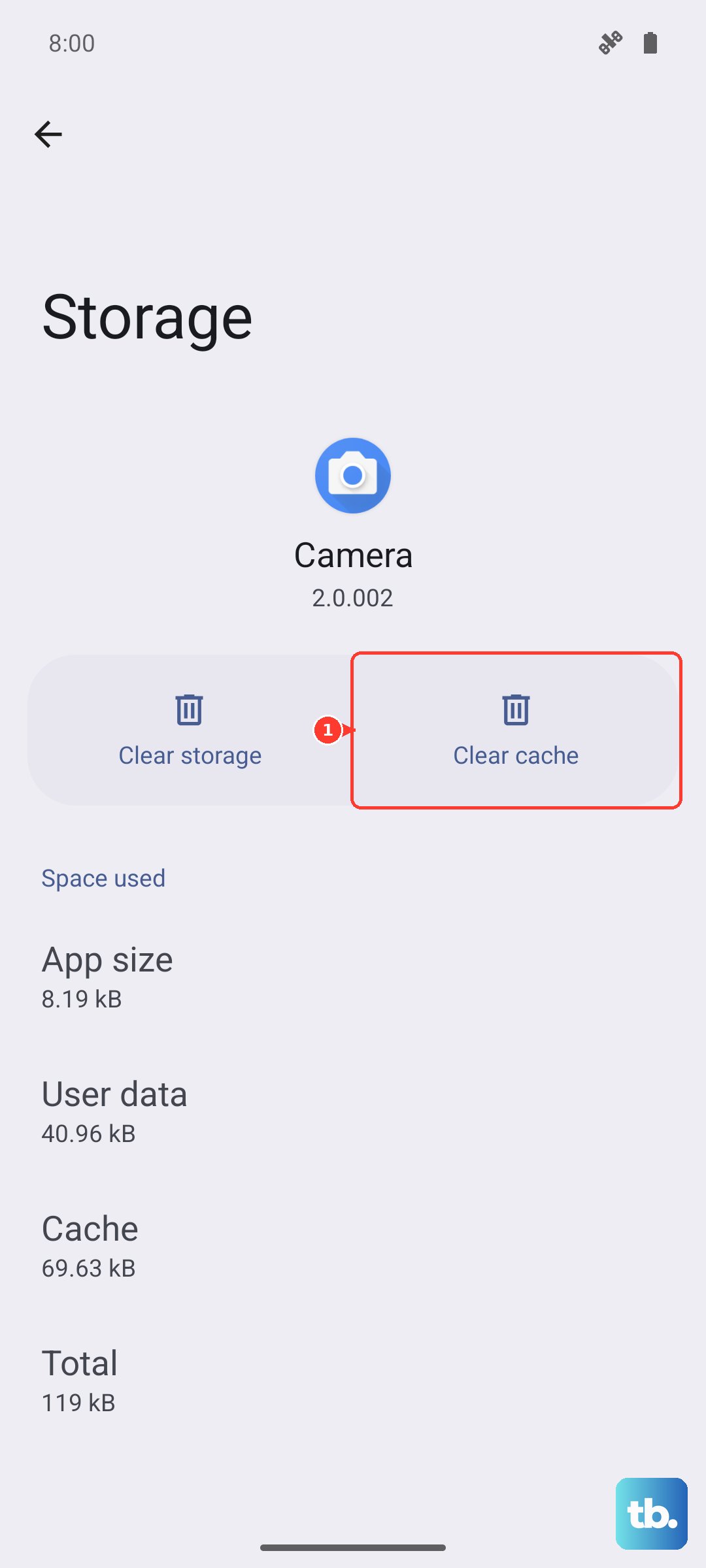
Corrupted temporary files can cause apps to freeze or crash. Go to Settings > Support > Device Care > Manage Storage. Select "View Details" and then find the problematic app in the list.
Select it, and you'll see options to clear the cache or clear data. Try "Clear cache" first. If that doesn't work, "Clear data" will reset the app to a fresh state, so you'll need to sign back in.
Check for a TV Software Update
An outdated TV operating system can cause app compatibility problems. Samsung releases updates to fix bugs and improve performance. Navigate to Settings > Support > Software Update.
Select "Update Now" to check for and install any available firmware. Your TV will restart during this process, so don't turn it off.
Reinstall the App Completely
Sometimes a clean slate is best. From the Smart Hub, navigate to the app tile for Netflix or YouTube. Press and hold the Select button on your remote and choose "Delete" or the trash can icon to uninstall it.
Then, go back to the Apps section of the Smart Hub, search for the app, and download it again. This ensures you have the latest version with no corrupted files from the old installation.
See if the Streaming Service is Down
Before you dig deeper into TV settings, check if the problem is on Netflix or YouTube's end. Visit a site like Downdetector.com on your phone or computer to see if other users are reporting widespread outages.
If there's a major service disruption, you'll just have to wait it out. No amount of TV troubleshooting will fix a server-side problem.
Reset the Smart Hub
If multiple apps are having issues, resetting Smart Hub can help, but it is more disruptive than clearing one app. Samsung says Reset Smart Hub removes downloaded apps and account/app sign-in information. On recent models, look under Settings > Support > Device Care > Self Diagnosis > Reset Smart Hub; if your menu differs, search Settings for Reset Smart Hub.
Select Reset Smart Hub and confirm. You'll need to agree to the terms and conditions again, sign back into your Samsung account and streaming apps, and reinstall any apps the reset removes.
Perform a Factory Reset
Use this only if every other solution has failed and all your apps are broken. A factory reset will return your Frame TV to its original out-of-the-box state. You will lose all settings, installed apps, and logins.
On newer Samsung TVs, go to Settings > All Settings > General & Privacy > Reset. On some models, use Settings > Support > Self Diagnosis > Reset. Enter your PIN (the default is often 0000), and confirm. After the reset, you'll need to go through the initial setup again, including reconnecting to Wi-Fi and redownloading all your apps.











