
Your Pixel's battery has been emptying way faster than it used to, especially while the phone sits idle overnight or in your bag. You're not imagining it.
This is a confirmed Android 16 bug that has been hitting Pixel owners since the March 2026 system update. Google acknowledged the problem (it has been assigned P1 priority internally), but the May 2026 update did not fix it. The cause is a GNSS module (the chip that handles GPS and other satellite positioning) that refuses to enter its proper sleep state, which prevents the main processor from entering its Doze state and burns through battery even when nothing is happening on screen.
Here is what you can do until Google ships an actual fix.
What the Bug Actually Does
The drain pattern is distinctive. Your Pixel doesn't necessarily empty faster while you're actively using the phone. The drain shows up during idle periods, especially overnight or when the phone is sitting in your bag with the screen off.
The cause is the GNSS module not sleeping when it should. Normally, when your phone is idle and not actively using GPS, the GNSS chip enters a low-power state. The Android 16 bug prevents that, so the chip stays active.
An active GNSS module pokes the main processor several times a second, preventing it from entering Deep Doze. The drain compounds over the course of a night, and in the worst-reported cases adds up to 40 to 50 percent faster battery depletion.
The Bug Affects Most Recent Pixel Models
This is not specific to one Pixel. Reports cover the Pixel 6 through Pixel 10 generations, including the Pixel 7a, Pixel 8 and 8 Pro, Pixel 9 family, and the Pixel 10 family up to the 10 Pro XL.
An Android Authority poll of over 2,600 Pixel owners after the March 2026 update found that 75.9 percent reported faster-than-usual battery drain. That matches the scale of broader community complaints.
If your Pixel is on Android 16 and showing the idle drain pattern, you are almost certainly hitting this bug.
The Most Effective Workaround
The single best mitigation is to disable location services for apps that don't strictly need them.
Go to Settings > Location > App location permissions. Go through every app on the list and set anything that doesn't need ongoing location access to Don't allow or Allow only while using the app.
Apps like weather widgets, social media, and older utility apps tend to request always-on location even when they don't need it. Each one keeps the GNSS module pinging.
This doesn't fix the underlying chip-sleep bug, but it does cut down on how often the bug actually fires. Users who tighten location permissions typically see a meaningful reduction in overnight drain.
Turn Off Location Entirely Overnight
For a more aggressive workaround, turn off Location services entirely overnight.
Swipe down twice from the top of the screen to expand Quick Settings and tap the Location tile to disable it. If you don't see Location in Quick Settings, edit the tiles by tapping the pencil icon and add it from the available list. Re-enable it in the morning.
With Location off, the GNSS module has no reason to wake at all, and the idle drain becomes negligible.
The trade-off is that anything relying on location won't work overnight. Find-my-phone services, scheduled-by-location automations, traffic-aware alarms — all paused until you toggle it back on. For most users, that's an acceptable trade since those services tend to be useful during the day, not while you sleep.
Check Battery Usage to Identify Heavy Drain Apps
Go to Settings > Battery > Battery usage. Look at the per-app list and identify anything that has used a disproportionate amount of battery in the background.
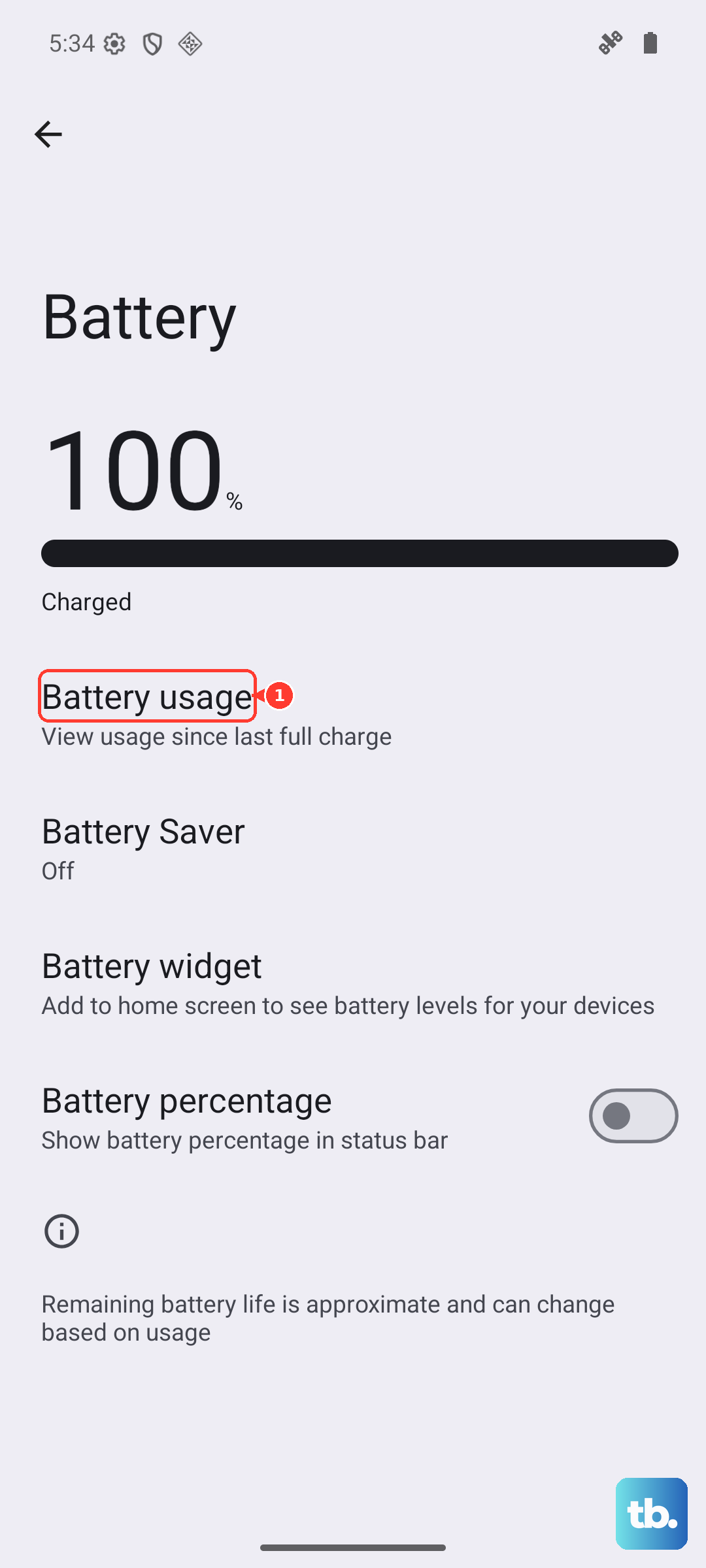
The GNSS bug usually shows up in this list as "Google Play services" or "Android System." Sometimes it surfaces as a specific app that calls location frequently.
If you see one app eating a notably large share of overnight battery, restrict its background activity. Tap the app in Battery usage, then tap Restricted. That keeps it from waking the GNSS module unnecessarily.
What Google Has Actually Fixed
The May 2026 update did include some battery-adjacent fixes, just not the idle drain.
Google fixed the wireless charging throttling issue that was capping speeds between 75 and 80 percent battery across the supported Pixel lineup. It also fixed a camera freeze that occurred when recording video while adjusting the zoom level.
Neither of those addresses the GNSS sleep bug. Google has publicly acknowledged the idle drain issue and confirmed it's a P1-priority investigation, but as of the May 2026 update there's no committed timeline for a fix. Google is currently asking affected users to submit detailed logs through Pixel Help to assist the investigation.
If the Drain Continues After All Workarounds
If you've tightened location permissions, turned off Location overnight, and restricted background apps but the drain is still severe, two final paths help.
The first is to reboot the phone weekly. Android has known issues with services that accumulate state over time, and a reboot resets things to a clean baseline.
The second is to check Battery Health under Settings > Battery. If your battery capacity has dropped noticeably, the underlying battery degradation is compounding the bug's drain. A battery replacement (free if your device is still under warranty, otherwise paid) restores normal endurance even if the bug persists.











