
If your iPhone 14 isn't buzzing for calls or notifications, it's a surprisingly common hiccup. The good news is it's usually a quick software or settings fix, not a sign of a broken phone.
Force Restart Your iPhone 14
This is the universal first step for any weird iPhone behavior, including a silent vibration motor. It clears out temporary glitches without touching your data. Here's how to do it on an iPhone 14.
Quickly press and release the Volume Up button. Then quickly press and release the Volume Down button. Finally, press and hold the Side button (on the right) until you see the Apple logo appear, then let go.
Check the Silent Mode Switch
This is the most common culprit. Look at the left side of your iPhone 14, above the volume buttons. You'll see the physical Ring/Silent switch.
If you see an orange stripe, the switch is in silent mode. This means your phone won't ring, but it should still vibrate for calls if vibration is enabled. Flip the switch so the orange stripe is no longer visible.
To make sure vibration is on for silent mode, go to Settings > Sounds & Haptics. Make sure the toggle for "Vibrate on Silent" is turned on (green).
Verify Your Sound and Haptics Settings
Apple calls its vibration system "Haptics." The settings here control everything. Head to Settings > Sounds & Haptics.
First, check the "Vibrate" section. Make sure both "Vibrate on Ring" and "Vibrate on Silent" are toggled on. I'd toggle them off and back on again just to refresh the setting.
Next, scroll down to "Sounds and Vibration Patterns." Tap on "Ringtone" or "Text Tone." At the top of the screen, you'll see a "Vibration" option. Tap it and make sure a pattern like "Symphony" or "Heartbeat" is selected, not "None."
Test with the Haptic Feedback Tool
Your iPhone 14 has a built-in way to test the vibration motor. This tells you instantly if it's a hardware or software issue. Open the Settings app and go to Accessibility.
Tap on Touch. At the very bottom, you'll find "Vibration." Tap it. If the vibration motor is working, your phone should buzz when you toggle the switch on this screen.
If it doesn't vibrate here, it points more strongly to a potential hardware problem. If it does vibrate, then the issue is definitely with your system or app settings.
Update iOS
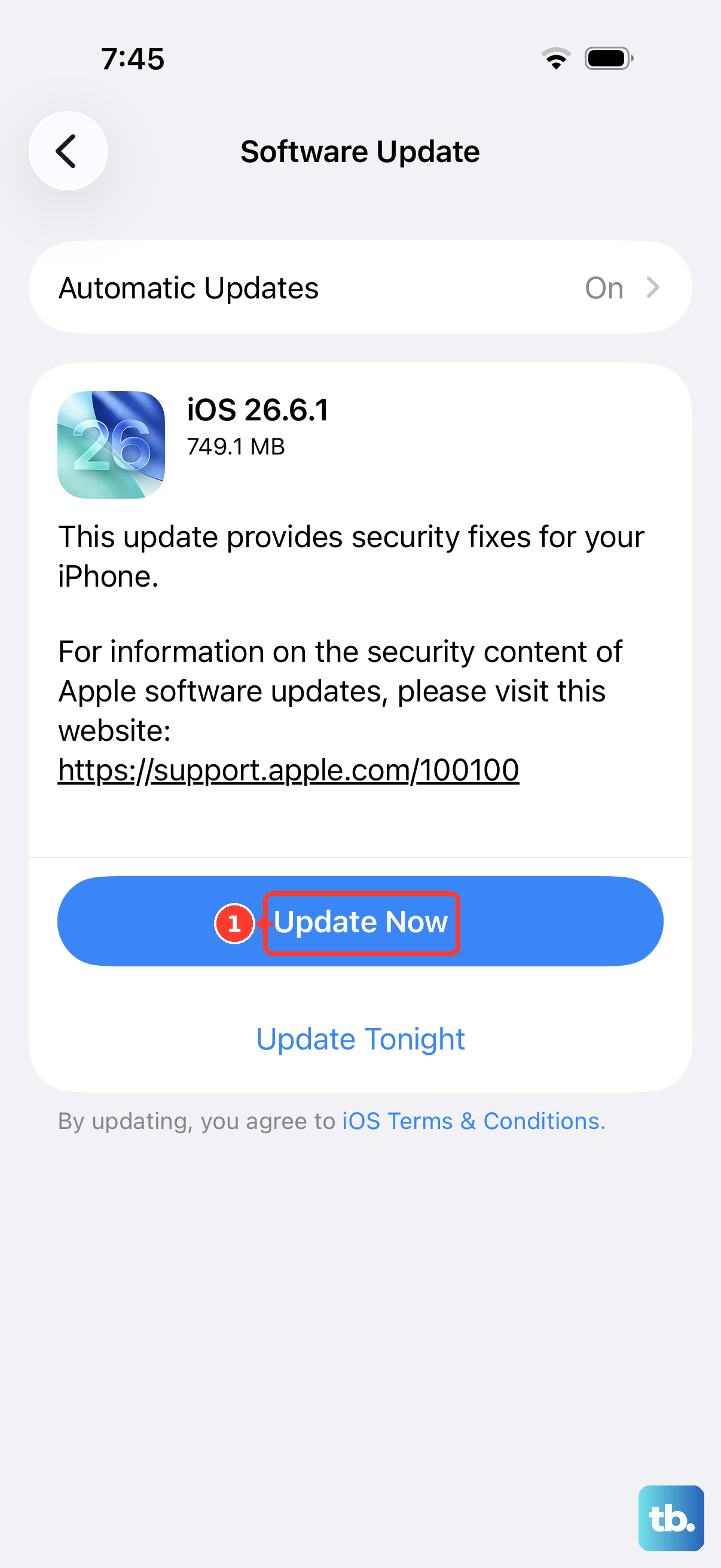
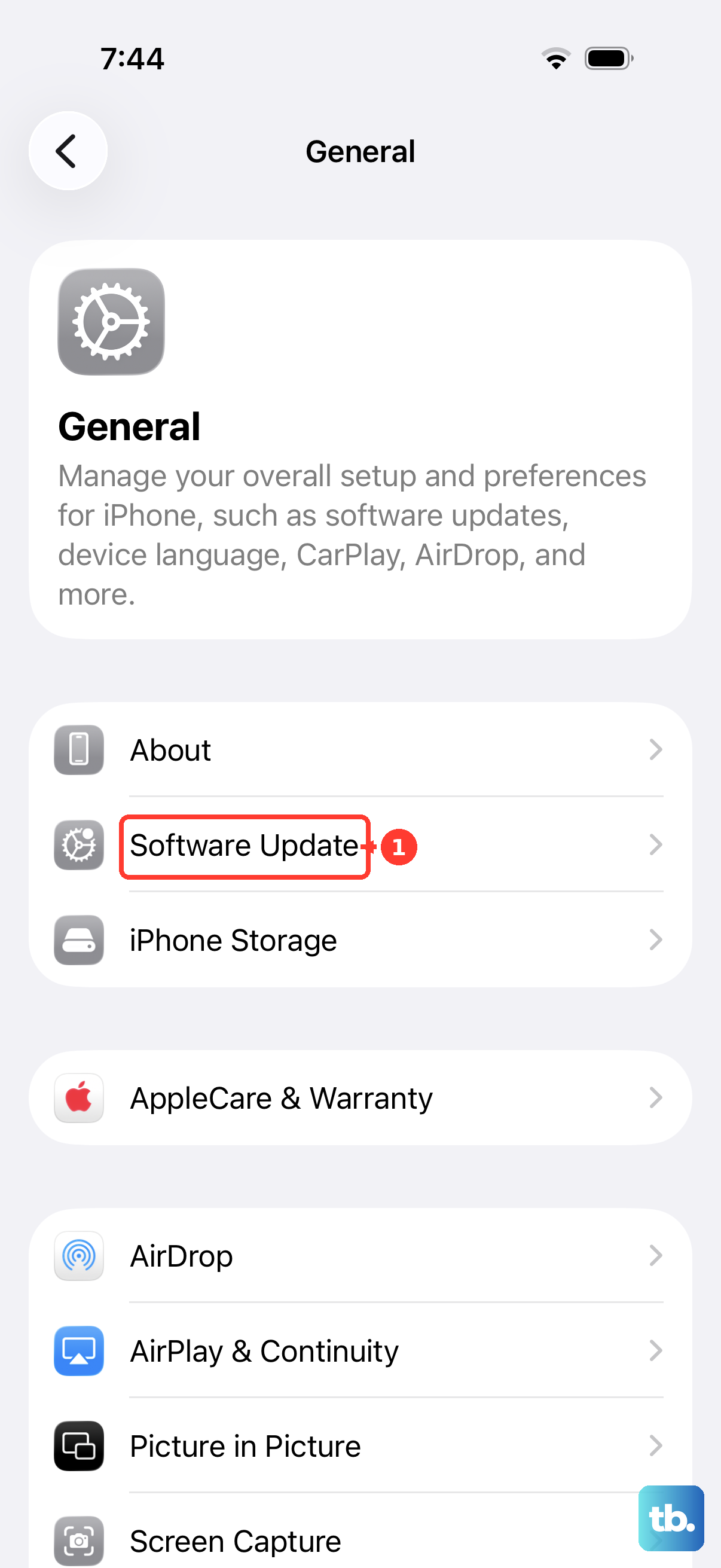
A software bug could be the cause. Apple has released updates in the past that addressed haptic feedback issues. Go to Settings > General > Software Update.
If an update is available, tap "Download and Install." Make sure your iPhone 14 is plugged into power (using a 20W adapter is best) and connected to Wi-Fi. An update can often resolve these kinds of glitches.
Check App-Specific Notification Settings
Sometimes the problem isn't system-wide, it's just with one app like Messages or WhatsApp. Your phone might be fine, but the app isn't set to vibrate.
Go to Settings > Notifications. Scroll down and tap on the app that's not vibrating. Make sure "Allow Notifications" is on. Then, tap on the specific notification type (like "Messages") and ensure "Sounds" is enabled, vibration often follows the sound setting.
Reset All Settings
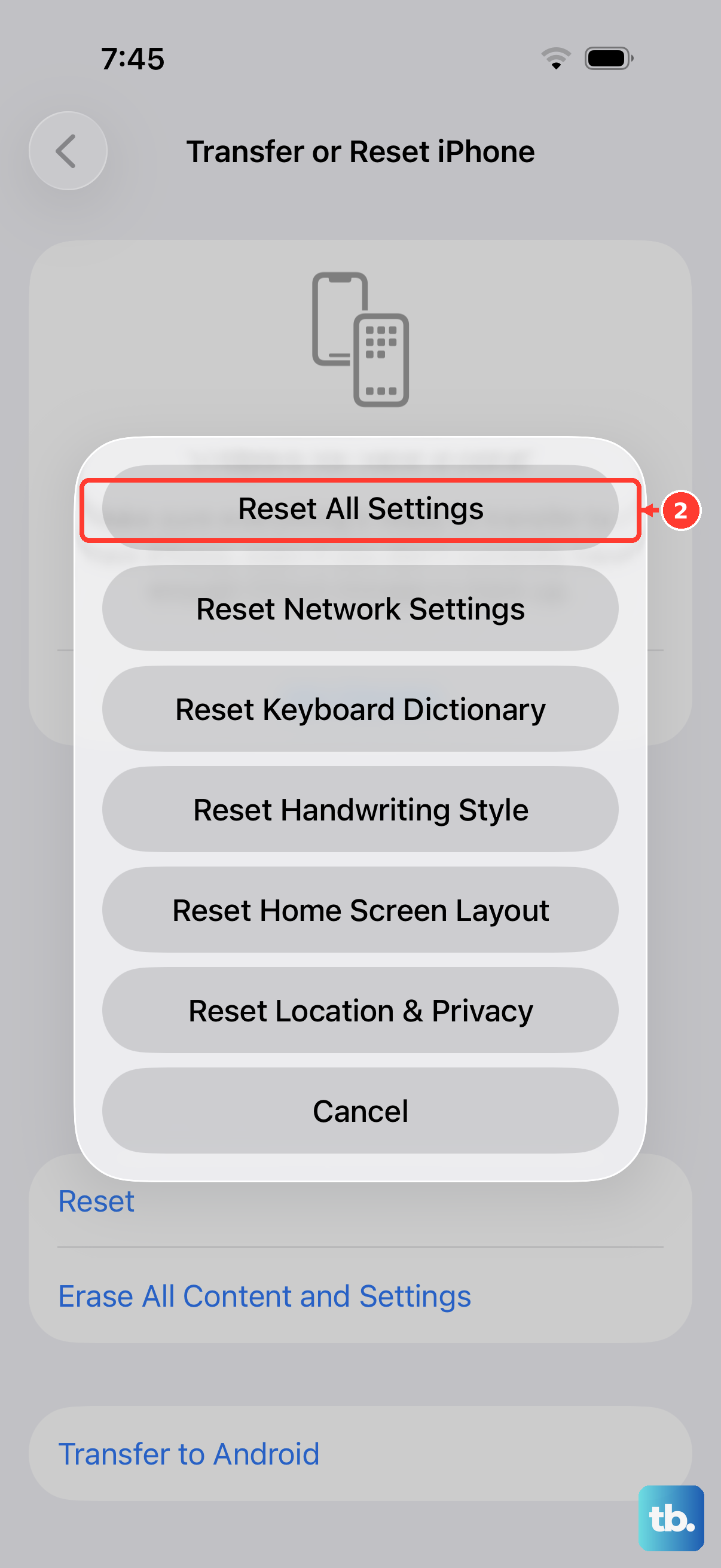
This is a stronger step that won't delete your photos or apps, but it will reset all your preferences. Your Wi-Fi passwords, wallpaper, and notification settings will go back to default.
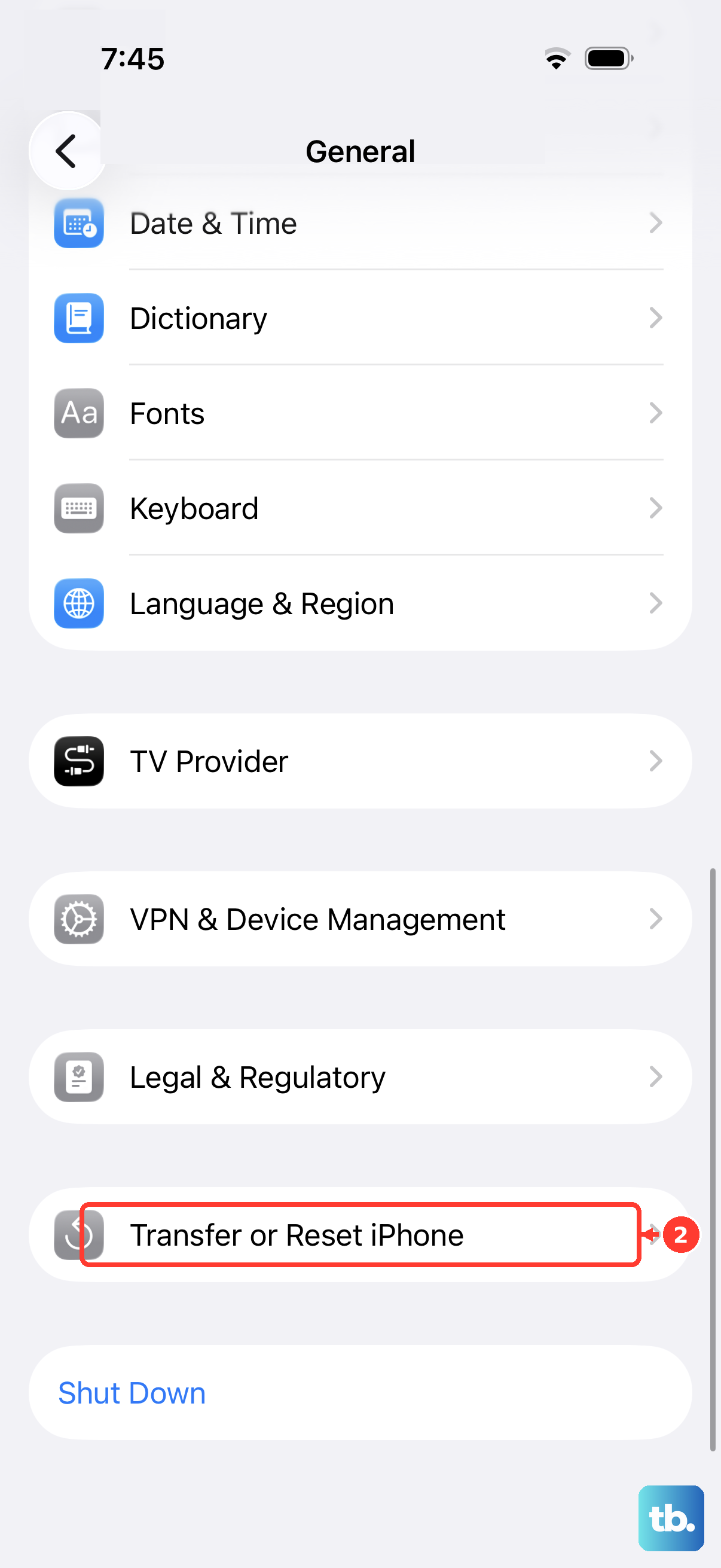
If you've tried everything else, this can clear a deeper software conflict. Go to Settings > General > Transfer or Reset iPhone. Tap "Reset" and then choose "Reset All Settings." Enter your passcode and confirm.
Consider Recent Drops or Moisture
The iPhone 14 is water-resistant, but it's not indestructible. If your phone recently took a hard fall or was exposed to a lot of moisture, the tiny internal vibration motor (called the Taptic Engine) could be damaged.
Physical damage typically requires a repair. If you suspect this, and none of the software fixes worked, it's worth having it looked at. The Taptic Engine is a common part that can be replaced.