
If your new iPad Air is asking for a SIM Network Unlock PIN, it means it's still tied to a specific cellular carrier. Here’s how to free it up.
Contact Your Original Carrier First
This is almost always the best and safest first step. If you bought your iPad Air (2026) directly from a carrier like AT&T, T-Mobile, or Verizon, they are the ones who can provide the official unlock code. Most carriers will do this for free once your device is paid off and your account is in good standing.
You’ll need to call their customer support or visit their unlock portal online. Have your iPad’s IMEI number ready, which you can find in Settings > General > About. They’ll verify your account and, if you’re eligible, email you the unlock code within a few business days.
Use the Unlock Code on Your iPad
Once you have the code, the process on the iPad Air is straightforward. First, power the iPad down completely. Remove the current SIM card from the tray (you’ll need the SIM ejector tool that came in the box).
Now, insert a SIM card from a different carrier. Turn your iPad back on. If it’s network locked, you should see a prompt on the screen asking for the “SIM Network Unlock PIN” or “Network Unlock Code.” Carefully enter the code you received from your carrier.
Take your time typing it in. You usually only get a limited number of attempts. If successful, you’ll see a confirmation message, and your iPad will restart. After that, it should work with the new SIM card.
Check Your iPad’s Unlock Status
Before you go through the hassle of requesting a code, you can check if your iPad is already unlocked. With no SIM card inserted, go to Settings > General > About.
Scroll down and look for “Carrier Lock.” If it says “No SIM restrictions,” your iPad Air is already unlocked and ready for any network. If it says “SIM locked,” then you’ll need to proceed with getting the unlock code.
What to Do If Your Carrier Can’t Help
Sometimes a carrier won’t unlock a device, maybe because it’s still under a financing plan you inherited from a previous owner. In these cases, third-party unlocking services are an option. I’d recommend using these only as a last resort.
Look for services with strong, verifiable reviews and clear guarantees. They’ll ask for your iPad’s IMEI number and your original carrier. Be wary of any service promising “instant” or “free” unlocks, as those are often scams.
A reputable paid service will take a few hours to a couple of days to generate a code. You then use it the exact same way as a carrier-provided code.
Troubleshoot a “SIM Locked” Message After Update
It’s uncommon, but sometimes a major iPadOS update can cause a previously unlocked iPad to show as locked again. If this happens after updating to a new version of iPadOS, don’t panic and don’t start entering random codes.
The first thing to try is a simple restart. Press and quickly release the Volume Up button, then the Volume Down button, then press and hold the Top button until you see the Apple logo. If that doesn’t clear it, you may need to contact Apple Support directly, as it could be an issue with the device’s activation policy on their servers.
Handle “SIM Network PIN Blocked” Errors
If you enter the wrong unlock code too many times, your iPad will display a “PIN Blocked” or similar error as a security measure. This can be a problem if you’re trying codes from an unreliable source.
When this happens, you’ll need what’s called a Master Control Key or PUK code to unfreeze the attempt counter. You must contact the provider who gave you the original unlock code, either your carrier or the third-party service, and request this master key from them.
Unlock an iPad Bought Through a Reseller
If you purchased your iPad Air from a big-box retailer or an online marketplace, it might be locked to a specific carrier’s installment plan. Your first call should still be to the carrier it’s locked to, even if you’re not their customer.
Explain that you are the new owner and provide the IMEI. They can tell you if it’s eligible for unlock. If it’s not because of an unpaid balance, you’ll have to work with the seller to resolve the original financial obligation before an unlock is possible.
Factory Reset Does Not Remove a Carrier Lock
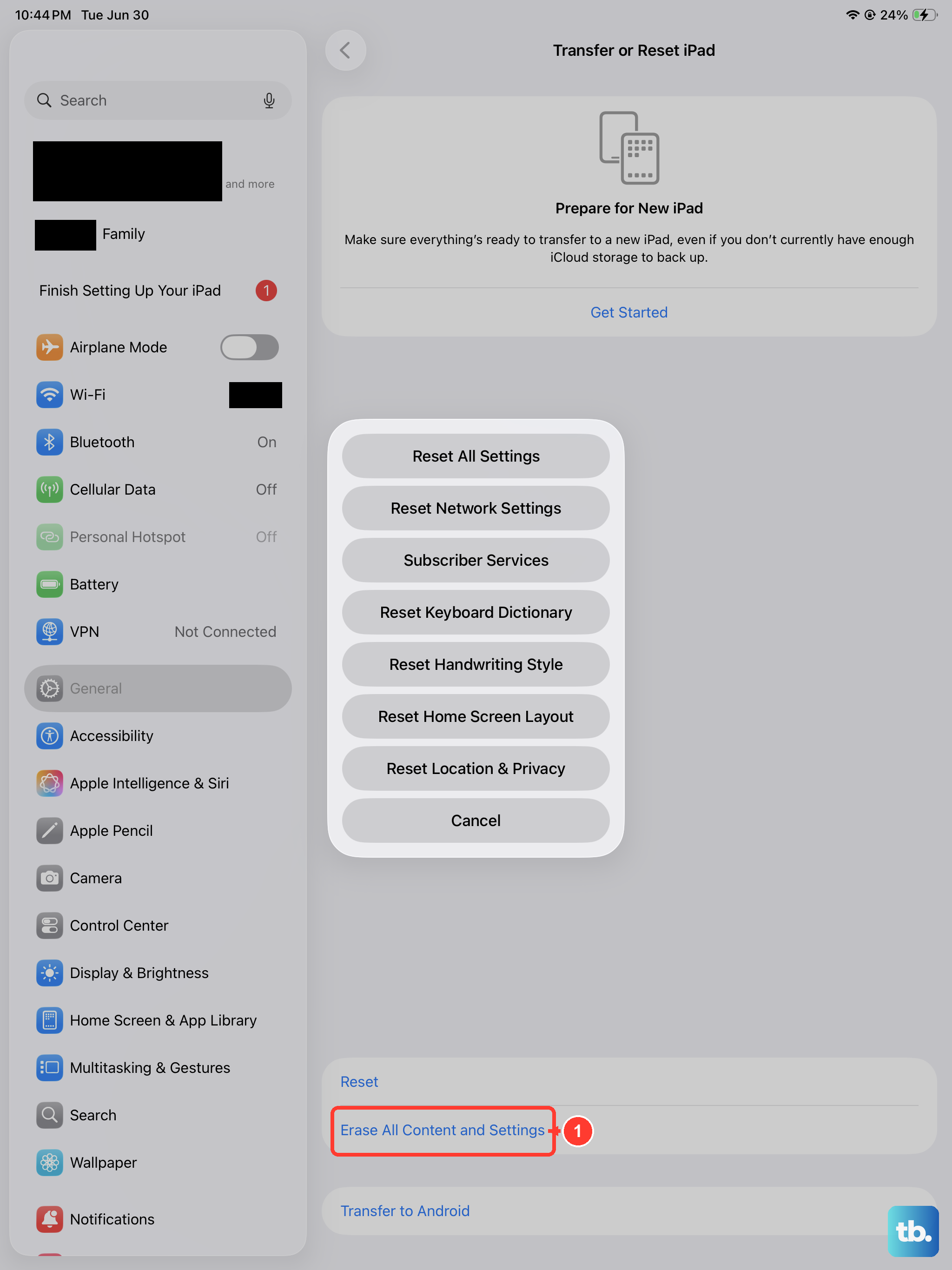
It’s important to know that erasing your iPad Air through Settings > General > Transfer or Reset iPad > Erase All Content and Settings will not remove a network lock. The lock is tied to the device’s hardware and Apple’s activation servers, not your personal data or settings.
Always make sure you have a valid unlock path before performing a reset, especially if you’re planning to sell the device. A clean iPad that’s still SIM locked will be immediately apparent to the new owner when they insert their own SIM card.