

There are exactly two Apple-supported ways to get off the iOS 27 beta, and the right one depends on whether you can wait. The patient route keeps all of your data. You turn off Beta Updates under Settings > General > Software Update and install an available public iOS 27 update, or stay on your current beta build until a newer public update is available.
The immediate route installs the current public version of iOS 27, but it erases the phone. You connect the iPhone to a computer, restore it in recovery mode, and set it up again from a backup made before you installed the beta. There is no in-place downgrade that keeps your data, so check your backup situation before you wipe anything.
Where the iOS 27 Beta Stands Right Now
Apple announced iOS 27 at WWDC26 on June 8, 2026, and opened the developer beta the same day through the Apple Developer Program. The Apple Beta Software Program at beta.apple.com lets you try beta releases. The finished version of iOS 27 is now available as a free software update.
If your phone is still running a beta build, it is running unfinished software. Features can change or disappear between beta builds, and beta builds carry the usual risks of bugs, faster battery drain, and apps that do not behave correctly. If any of that has made your iPhone frustrating to use, you have two clean exits.
One thing you are not escaping is a compatibility cutoff. iOS 27 supports the same iPhone 11 and later range as iOS 26, including iPhone SE (2nd generation and later), so leaving the beta now does not affect whether your phone gets the final release.
Turn Off Beta Updates and Keep Every Bit of Your Data
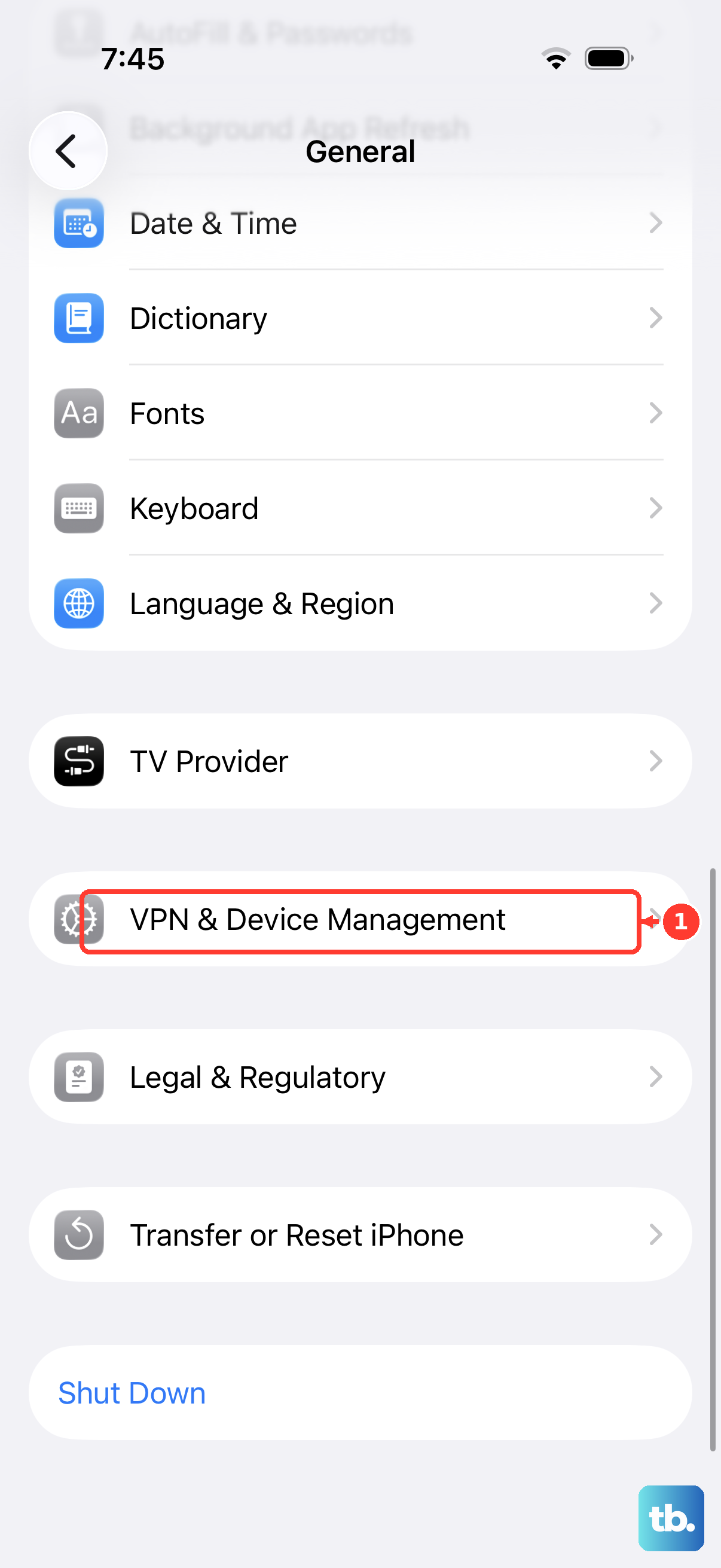
If the current build is tolerable, this is the painless exit. On iOS 16.4 or later, beta enrollment is controlled by the Beta Updates option rather than a configuration profile, so there is nothing to delete under VPN & Device Management. On iOS 16.3.1 and earlier, open Settings > General > VPN & Device Management, tap the beta profile, then tap Remove Profile.
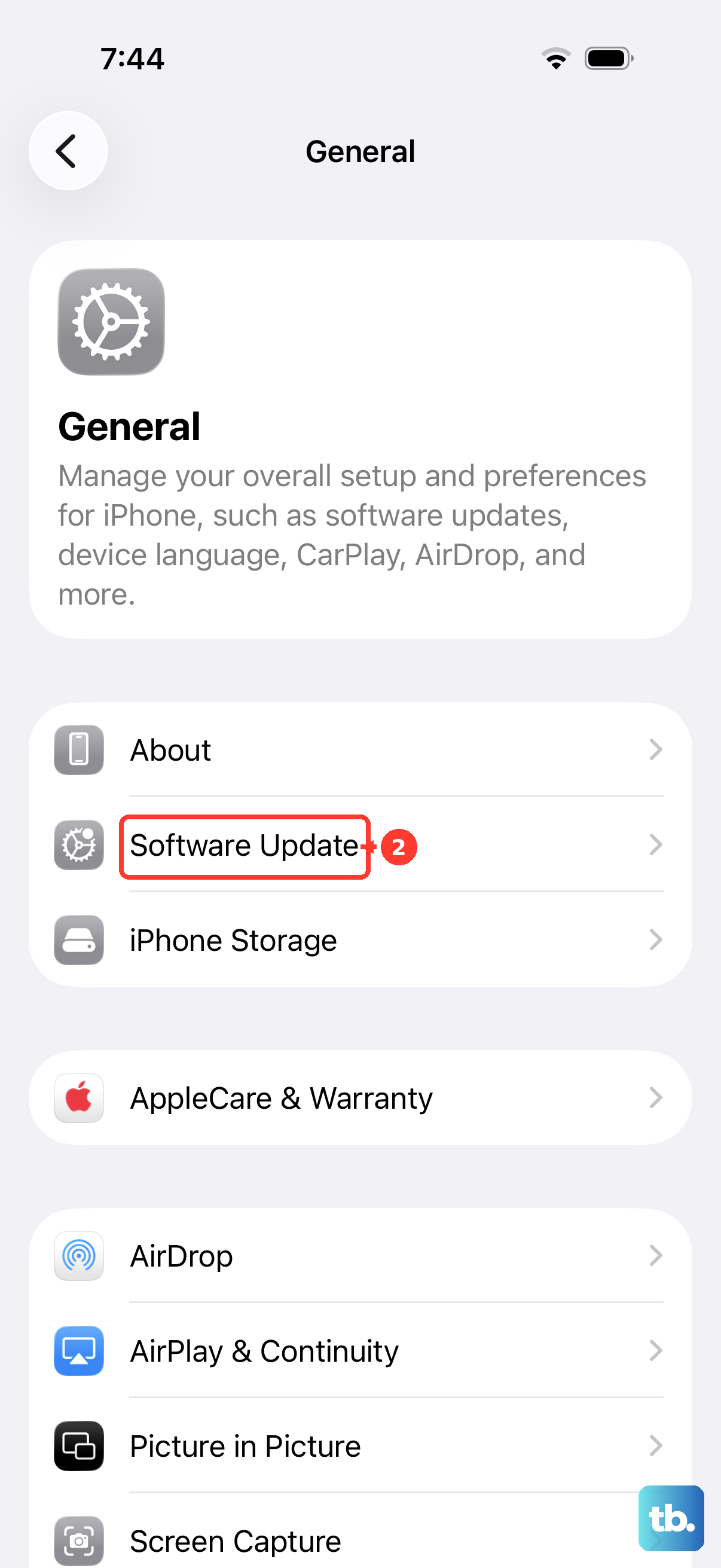
- 1.Open Settings > General > Software Update.
- 2.Tap Beta Updates.
- 3.Choose Off.
Your iPhone stops receiving new iOS 27 beta builds from that point on. The Beta Updates option does not remove the beta you already installed. You can install an available public update from Software Update; if your beta build is newer, wait for the next public update.
Do not ignore update alerts while you wait. If a notification appears telling you to update, it means the iOS beta version on your device has expired and you need to install the newer release.
Erase and Restore to Get Back on Public iOS Today
The only way to remove the beta immediately is to erase the iPhone and restore it with a computer. Restoring erases your device and installs the current non-beta version of iOS, and the restore tooling offers no option to choose an older release than the current public one.
Confirm You Have a Pre-Beta Backup First
Backups are where downgrades go wrong. Backups created while using beta software might not be compatible with earlier versions of iOS, so restore from a compatible backup you made before installing the beta. In practice, a backup made on a newer iOS 27 beta cannot be relied on when restoring an earlier public version.
What you need is a backup from before you enrolled, either an iCloud backup made on iOS 26 or a computer backup you archived. To archive a local backup so newer beta backups never overwrite it, connect the iPhone to Finder on a Mac or the Apple Devices app on Windows, open the General tab, and click Manage Backups. Right-click the backup you want to keep and choose Archive.
Enter Recovery Mode and Restore
Use a Mac with the latest macOS, or the latest version of the Apple Devices app on a Windows PC. Connect the iPhone with a cable, then follow the sequence for iPhone 8 and later, which covers every model that can run iOS 27.
- 1.Press and quickly release the volume up button.
- 2.Press and quickly release the volume down button.
- 3.Press and hold the side button until you see the recovery mode screen.
- 4.When the computer prompts you, choose Restore.
The computer wipes the iPhone and installs the current publicly released version of iOS 27. You cannot select a specific older build. If the download takes more than 15 minutes and your iPhone exits recovery mode, let the download finish, then repeat the recovery mode button steps.
Set Up From the Backup You Made Before the Beta
When the restore finishes, set up the iPhone from your archived backup. Use a compatible backup made before you installed the beta, which is exactly why that pre-beta copy matters. If your only backup was created on the iOS 27 beta, set the phone up as new or restore the most recent compatible iCloud backup instead.
Be prepared for a gap either way. Anything you created after the pre-beta backup was made will not carry over to the restored phone.
Leaving the Apple Beta Software Program for Good
The Beta Updates toggle is a per-device setting, and it is separate from your membership in the beta program itself. To leave the Apple Beta Software Program entirely, sign in at beta.apple.com, then click the Leave Program link.
The developer beta works through the same Settings screen in reverse. Choosing the developer beta under Settings > General > Software Update > Beta Updates requires the iPhone to be signed in with the Apple Account you use on the Apple Developer website, and switching the same control to Off is how you stop those builds too.
Frequently Asked Questions
Can I go back to iOS 26 without losing my data?
No. The supported restore installs the current public version of iOS 27, rather than iOS 26, and wipes the phone. To leave the beta without erasing your data, turn off Beta Updates and install an available public update, or wait until a newer public update is available.
Will a backup made on the iOS 27 beta work after I downgrade?
Do not count on it. Backups created while using beta software might not be compatible with earlier versions of iOS, so use a compatible backup made before you installed the beta. That archived pre-beta copy is the one that matters.
Do I need to delete a beta profile from my iPhone?
No. On iOS 16.4 and later, beta access is managed by the Beta Updates option under Settings > General > Software Update. Configuration profiles only apply to iOS 16.3.1 and earlier.
What happens to an Apple Watch running a beta?
Apple Watch cannot be restored to previously released OS versions once the beta is installed. Unlike an iPhone, there is no supported way to roll it back.
When do the public beta and the final iOS 27 arrive?
The finished iOS 27 is now available as a free software update. To leave the beta, turn off Beta Updates under Settings > General > Software Update, then install an available public update. If your installed beta is newer, wait for the next public update.
Does leaving the iOS 27 beta mean missing Siri AI?
No, if you install the public iOS 27 release on a supported device. Siri AI is rolling out as a beta for users with a supported device set to English, with more languages following quickly, and it is powered by Apple Foundation Models that run on device and on servers using Private Cloud Compute. It requires an iPhone 16 model or later, or an iPhone 15 Pro or iPhone 15 Pro Max. Siri AI will not be available at first on iPhone in the EU, and it will not be available in China while the company works through regulatory requirements.