
Your Pixel 9 Pro XL is dead and the charger isn't helping. You've tried different cables, checked the outlet, maybe even given it a frustrated tap. This is a frustrating spot to be in, but most charging problems with the Pixel 9 Pro XL are fixable without a trip to the shop.
The USB-C port, the charger you're using, and even software settings can all play a role. Let's work through the most likely culprits in the order that makes the most sense.
The Cable and Charger Are Usually the Problem
Before you do anything else, swap out your charging cable. The original Google cable that came in the box has been known to suddenly stop working for no obvious reason. Swapping it with a different USB-C cable, like one from an iPad or a certified third-party brand, often fixes the issue immediately.
Same goes for the charger itself. The Pixel 9 Pro XL supports up to 37W wired charging, but a lot of third-party chargers don't hit that speed reliably. If you're using an older charger or a random one from a drawer, it might not deliver enough power to actually charge the phone, especially if the battery is completely dead. For the best results, use the Google 45W USB-C charger or any high-quality USB-C PD charger that can deliver at least 30W.
Try a Force Restart
A force restart clears out temporary software bugs that can interfere with charging. This is quick, it doesn't erase anything, and it fixes the problem more often than you'd think.
Press and hold the Power button and Volume up button simultaneously. Keep holding until the power menu appears, then select Restart. Once the phone boots back up, plug it in and see if you get the charging indicator.
Clean the USB-C Port
This fix solves the problem for a surprising number of people. Pocket lint and dust pack into the USB-C port over time, and eventually there's so much gunk in there that the cable can't make a solid connection.
Grab a flashlight and take a close look inside the port. If you see debris, turn the phone off first. Use a wooden or plastic toothpick to gently scrape out the lint. Don't use metal tools, those can damage the delicate contacts inside. Compressed air from a safe distance can also work. Tap the phone gently with the port facing down to shake loose anything that's stuck.
If your Pixel 9 Pro XL still doesn't charge after cleaning, the port itself might be damaged. In that case, a repair shop is your best bet.
Check for the "Check Charging Accessory" Notification
This is a common notification on the Pixel 9 Pro XL, and it usually means the phone doesn't recognize the cable or charger you're using. It can also mean the cable is damaged or not compatible.
When you see this message, you need to swap out the cable and charger. Try a high-quality USB-C to USB-C cable with a PD (Power Delivery) charger. The Pixel 9 Pro XL is picky about accessories, and cheap cables will trigger this notification every time.
Disable Smart Charging
Your Pixel 9 Pro XL has smart charging features that can interfere with normal charging behavior. These settings are designed to preserve battery health, but sometimes they can prevent charging or slow it way down.
Go to Settings > Battery and look for any charging optimization features. If you see Adaptive Charging or similar settings, try turning them off temporarily. Some users have found their Pixel simply refuses to charge past a certain point or charges very slowly until these settings are disabled.
Try Wireless Charging
If wired charging isn't working at all, wireless charging can help you figure out whether the problem is the USB-C port or the phone itself. The Pixel 9 Pro XL supports Qi wireless charging at up to 23W.
Place the phone on a Qi wireless charger and make sure it's properly aligned. Remove any thick cases, especially ones with metal plates or magnetic attachments, because those can block the connection. If wireless charging works fine but USB-C doesn't charge at all, your charging port likely needs repair.
Charge With the Phone Turned Off
Sometimes a background process or a rogue app is interfering with the charging circuit. Turn your Pixel 9 Pro XL completely off, then plug it in. If it starts charging normally, the problem is software-related.
This is also the fastest way to charge your phone when you're in a hurry. No screen, no background apps, no smart features, just pure charging speed.
Update the Software
Google regularly patches charging bugs in Android updates. If you're running an older build of Android 14, a software update could fix the issue.
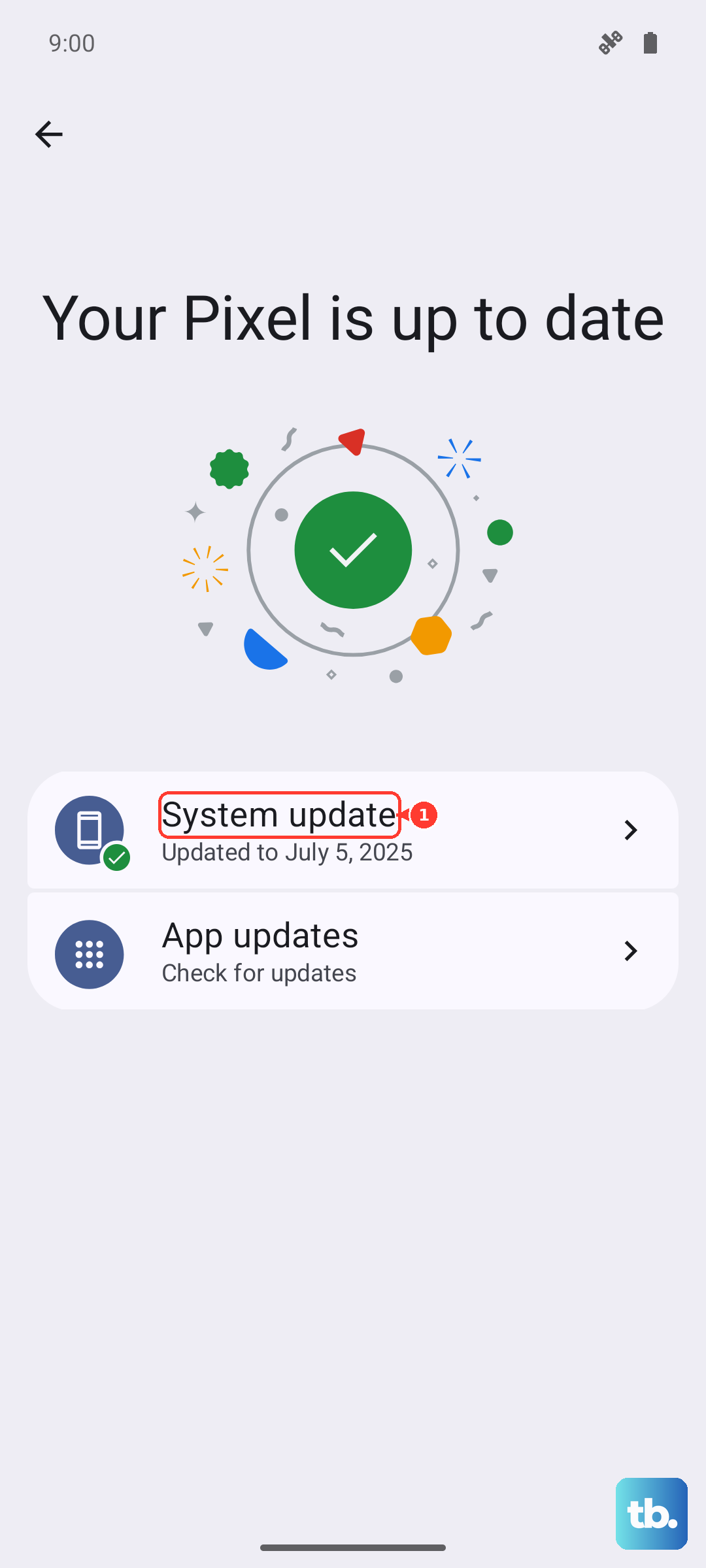
Go to Settings > System > System update and check for any available updates. Download and install whatever is waiting. After the update finishes, test charging again.
If the Battery Is Completely Dead, Be Patient
If your Pixel 9 Pro XL's battery hit absolute zero, it won't show any signs of life right away when you plug it in. This is normal. Leave it connected to a wall charger (not a computer USB port) for at least 15 to 30 minutes. Use the Google 45W charger or a high-wattage PD charger for the best chance of waking it up.
You should eventually see a battery icon on the screen. If nothing shows up after 30 minutes, try a force restart while it's still plugged in.
Restore the Phone as a Last Resort
If nothing else has worked, a factory reset can wipe out deeper software problems. Back up your data first because this erases everything on the phone.
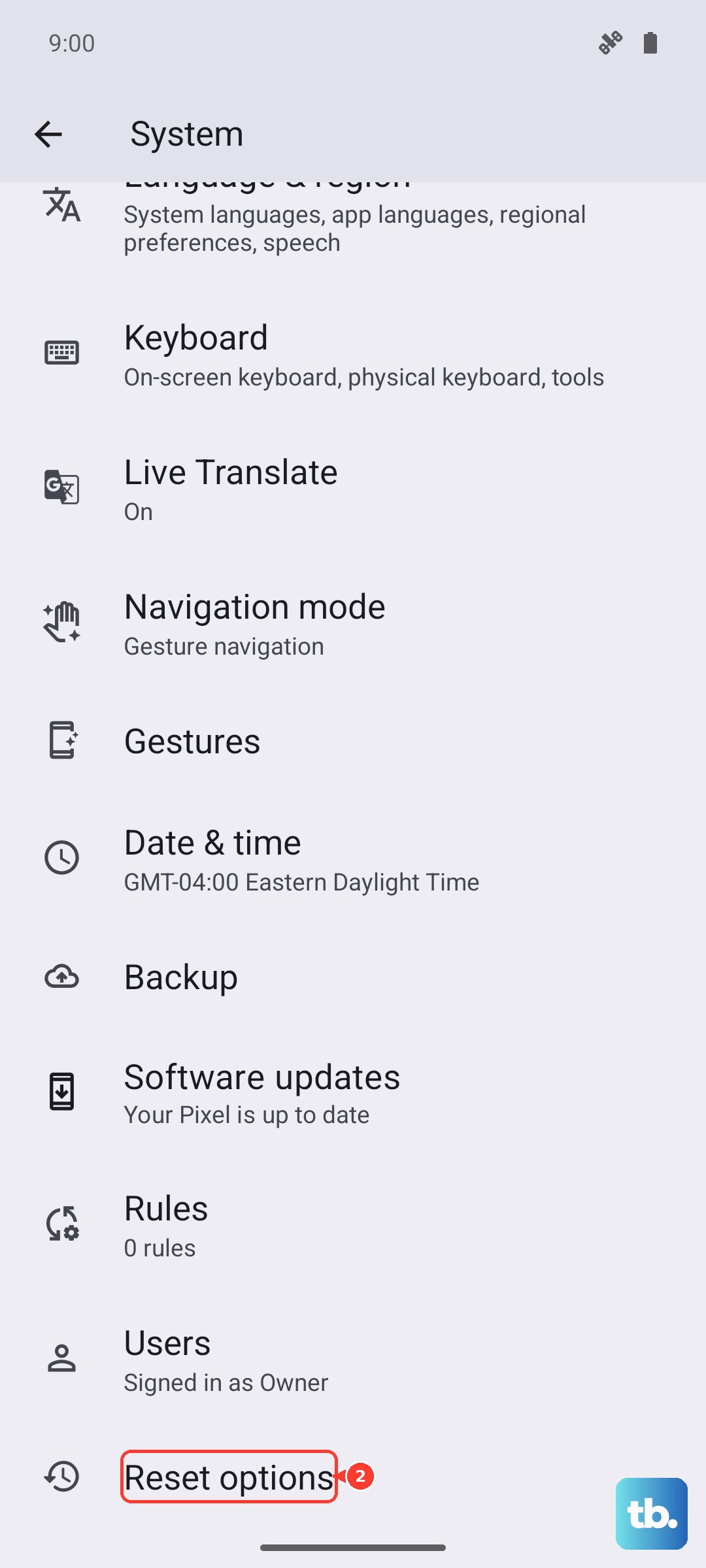
To factory reset, go to Settings > System > Reset options > Erase all data (factory reset). Follow the prompts to complete the process. After the reset, test charging again.
If the Pixel 9 Pro XL still won't charge after a factory reset, you're dealing with a hardware problem. The USB-C port, the battery, or the charging IC could be damaged, and a repair shop will need to take it from there.