
Seeing a "not registered on network" error on your Pixel 10 Pro XL means the phone can't make calls, send texts, or use mobile data. The device's IMEI number might be corrupted or unreadable, making your phone invisible to cell towers. A quick way to check is opening the dialer and typing *#06#. If you see "IMEI Null" or "000000" instead of a proper 15-digit number, you know the system has a problem. Try these fixes in order before assuming hardware failure.
Restart Your Pixel 10 Pro XL
Start with the most basic fix. A standard restart works for temporary software glitches, but you can also force a reboot by pressing and holding the Volume up and Power buttons simultaneously for 10 seconds, then releasing when the device restarts. This forces a fresh boot cycle and a new network registration attempt. Give the phone a full minute after restarting to connect to your carrier.
Toggle Airplane Mode
Airplane Mode cuts all wireless connections in one go. Swipe down twice from the top of the screen to open the full Quick Settings panel, tap the Airplane Mode icon, wait about 10 seconds, and tap it again. This triggers a fresh handshake with your carrier without needing a full reboot. It's often enough to clear a registration hiccup.
The SIM Card Needs a Fresh Seat
A loose or dirty SIM card can block network registration entirely. Power off the phone first, then eject the SIM tray using the tool that came in the box. Take the SIM out, blow gently on both the card and the tray slot, and reseat it firmly. Push the tray in until it clicks flush with the frame. Power back on and check the status bar for signal bars.
Is Your Carrier Account Active?
The error sometimes has nothing to do with your phone. An expired prepaid plan, an unpaid bill, or a suspended account will produce the same message. Log into your carrier's app or website, or call customer service from a different line. Confirm your account is active and in good standing before diving into more technical steps.
Reset Network Settings on Android 16
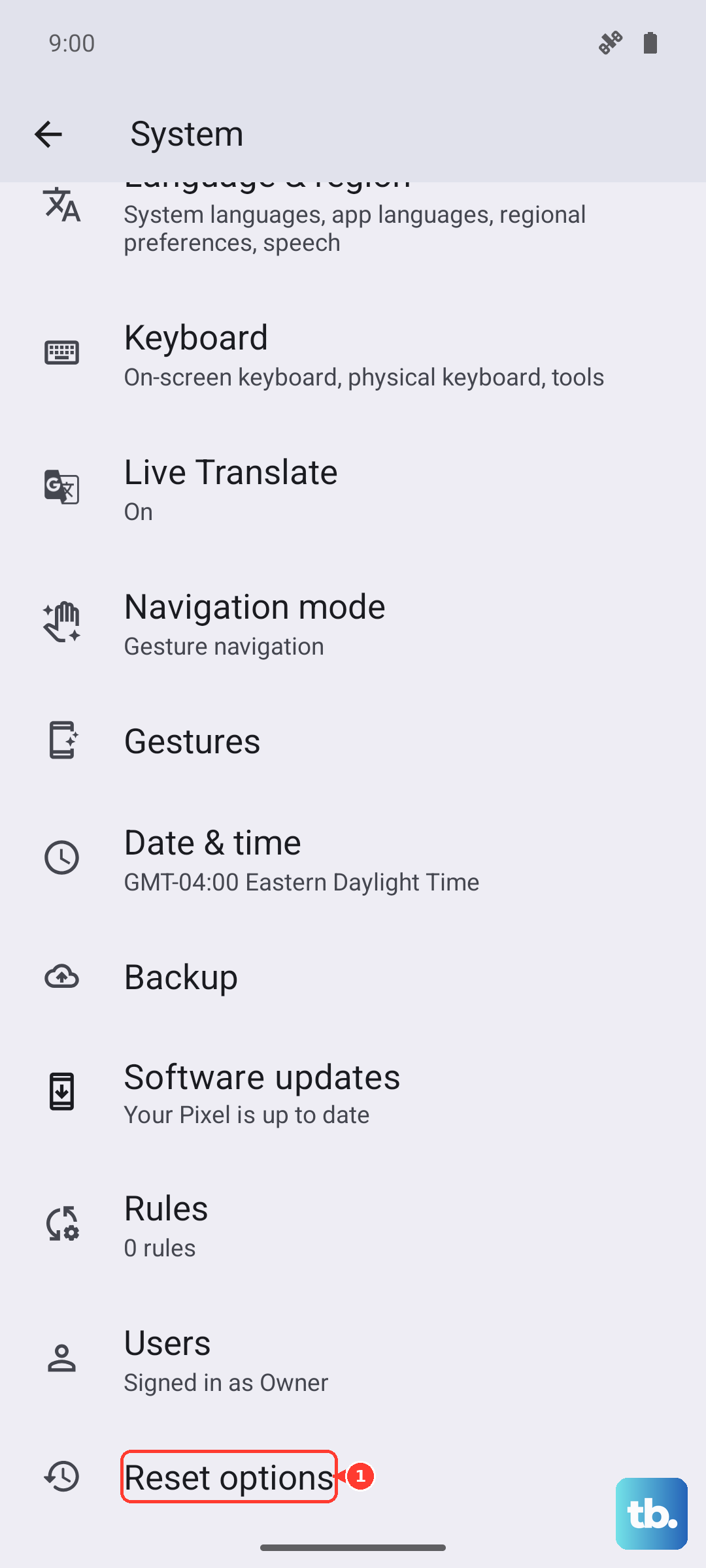
Corrupted network configurations can block registration. On the Pixel 10 Pro XL running Android 16, go to Settings > System > Reset Options > Reset Wi-Fi, mobile & Bluetooth. This wipes all saved Wi-Fi networks, Bluetooth pairings, and cellular settings. Your phone will restart and attempt a clean carrier registration afterward. You'll need to reconnect to Wi-Fi networks and Bluetooth devices, but it's a small price if it fixes the error.
Try a Different Network Mode
Your phone might be trying to latch onto a 5G band that is weak or congested in your area. Head to Settings > Network & internet > SIMs > Preferred network type and switch from 5G to LTE. If that connects, switch back to 5G later to see if the issue was temporary. Some users find that sticking with LTE for a few hours resolves the registration problem before they switch back.
Update Your Pixel to the Latest Android 16 Build
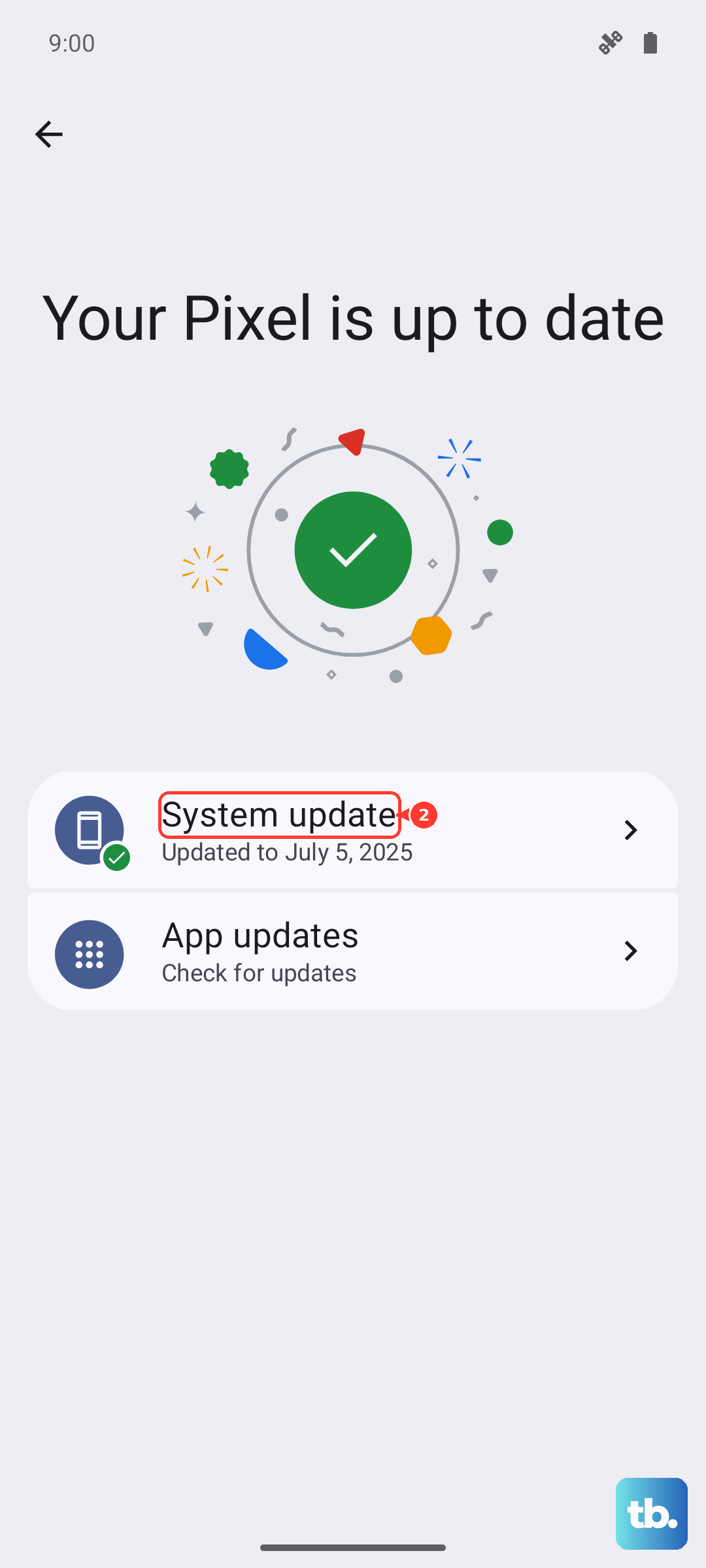
Google and carriers push system updates that fix known network registration bugs. An outdated build can carry a glitch that newer firmware already patches. Open Settings > System > System update and tap Check for update. If one is available, install it, let the phone reboot, and test the connection again.
Clear the Phone App Cache
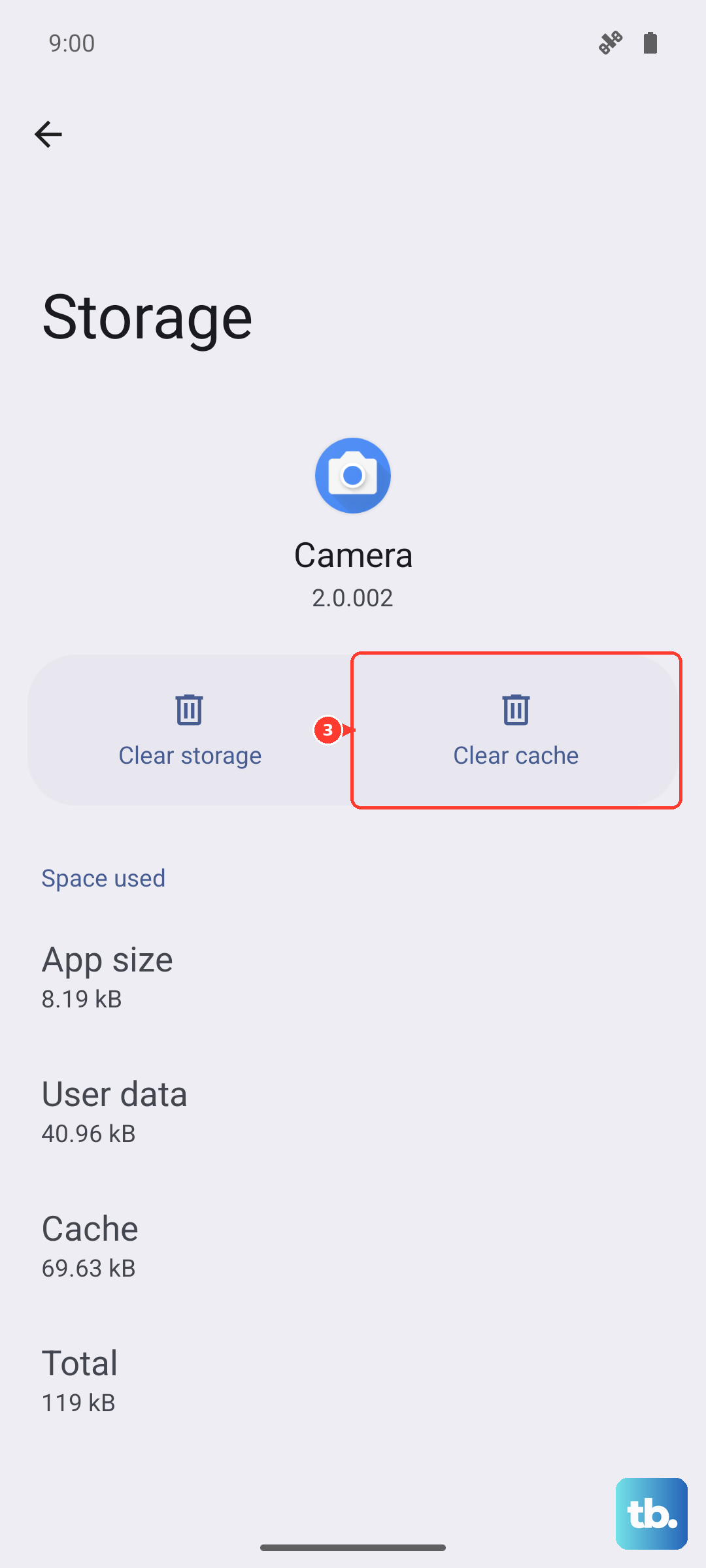
The Phone app manages telephony functions, including network registration. A corrupted cache in this app can cause persistent registration issues. Go to Settings > Apps > See all apps > Phone > Storage & cache and tap Clear cache. This deletes temporary files without removing contacts or call history. Restart the phone afterward so the app rebuilds its cache cleanly.
Swap in a Different SIM Card
If the first nine fixes haven't worked, the SIM itself could be damaged. Borrow a working SIM from a friend or family member and insert it into your Pixel. If the borrowed SIM connects to the network without issues, your original SIM is the culprit and you need a replacement from your carrier. If the borrowed SIM also fails, the problem is inside your phone.
Factory Reset Through Recovery Mode
This erases everything on your Pixel 10 Pro XL and returns it to factory condition. Back up your photos, contacts, and any important files before proceeding. Go to Settings > System > Reset Options > Erase all data (factory reset) and follow the prompts. If the network error persists even after a full wipe, the phone likely has a hardware fault in its radio module and needs professional repair.