
Your Galaxy S26 Ultra keeps connecting to Android Auto, then disconnecting a moment later, then reconnecting again only to drop a few seconds in.
You're not imagining it. The issue has been widely reported across the S26 series since early spring 2026, and a June 2026 Google Play Services update from Google has improved the connection for many users, though it hasn't fully fixed the drops for everyone.
A handful of workarounds get most users to a stable connection. Here is the order to try them in and why each one matters.
What the Bug Does
The pattern is consistent across user reports. Wireless Android Auto connects normally for a few seconds to a few minutes, then disconnects without warning, then reconnects on its own, then drops again.
The issue surfaced after recent Android system updates, and it affects both the S26 series and some Pixel models. That suggests the root cause is at the OS or Android Auto app layer rather than something Samsung-specific.
Wired Android Auto is less affected for most users, though it's not completely immune.
Disable Advanced Protection Mode
The most common workaround that helps S26 Ultra owners is to turn off Advanced Protection.
Advanced Protection is Android 16's strongest security mode (inherited on Samsung phones through One UI 8). It locks down certain phone-to-device communications, and there is reasonable evidence that it is blocking the Android Auto handshake on the S26 series.
Go to Settings > Google > Personal & device safety > Advanced Protection and toggle Device protection off. (On some One UI 8 builds you may instead find it under Settings > Google > All services > Advanced Protection.) Test Android Auto immediately after; if your connection holds, the security layer was the problem.
You can leave Advanced Protection off and rely on the standard security features, or toggle it back on after you finish driving and need the extra protection.
Update the Android Auto App
If turning off Advanced Protection doesn't help or you'd rather keep it on, make sure you're running the latest Android Auto version.
Open the Play Store, search for Android Auto, and tap update if one is available. Older versions are known to have stability issues with the S26 series.
Neither Google nor Samsung has officially acknowledged the disconnect issue, and forum-suggested fixes have been inconsistent. Keeping the app current is still your best chance of catching a fix when it ships.
Initiate the Connection From the Car, Not the Phone
This one sounds counterintuitive but works for a meaningful subset of users.
Instead of starting Android Auto from the phone or letting it auto-connect when you sit in the car, start it from your car's infotainment system. Open the Android Auto interface on the car's screen, then let the car request the connection from the phone.
The handshake that starts from the car side appears to be less brittle than the one initiated by the phone. Several users report this is enough to stop the disconnect loop.
The Full Reset (If Nothing Else Helps)
If the simpler workarounds don't fix it, a full reset of both ends usually clears whatever stale state is causing the loop.
Reset your car's infotainment system to factory default first, following the manufacturer's instructions in the car manual.
Then on the phone, reset Bluetooth via Settings > General management > Reset > Reset Wi-Fi and Bluetooth settings. If you want a deeper sweep, Reset network settings on the same menu wipes Wi-Fi, Bluetooth, mobile data preferences, and VPN configurations together.
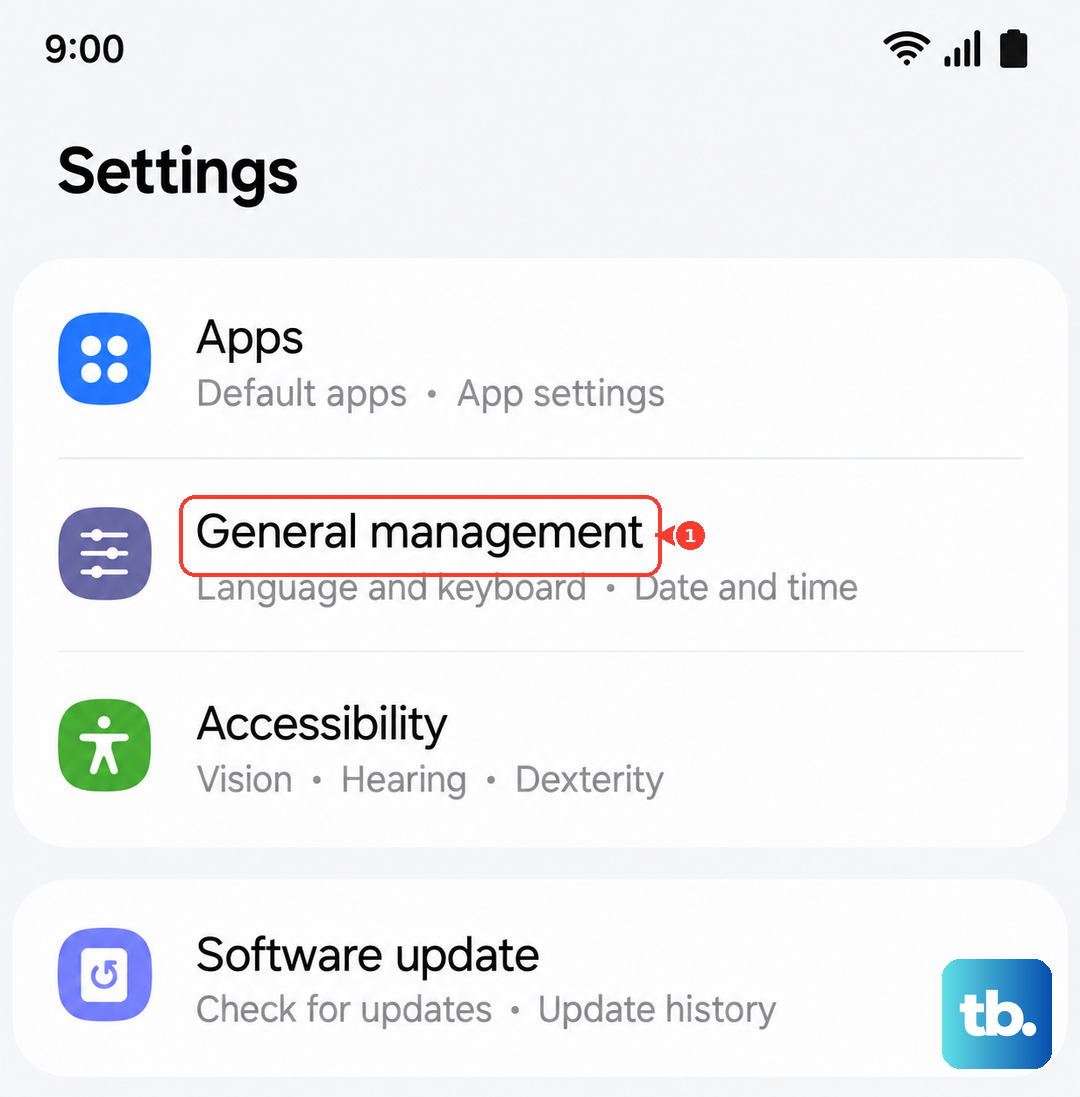
Open the Play Store, find Android Auto, and uninstall its updates so the app reverts to the factory baseline. Power off both the phone and the car for at least five minutes.
Then reconnect with a USB-C cable first to re-pair, and only after that works try wireless again.
If Wireless Stays Broken
If wireless Android Auto continues to drop after all of the above, the most reliable fallback is to use a wired USB-C cable instead.
Wired connections bypass the wireless handshake layer that appears to be causing the drops and are typically rock-solid even on the S26 Ultra. A short USB-C cable in the center console becomes your driving setup until Google or Samsung ships the fix.
Both companies are aware of the broader issue from forum reports, even if neither has acknowledged it publicly, so the wired workaround is realistically a short-term solution rather than a permanent one.
What This Doesn't Affect
The bug is specific to Android Auto. Your Bluetooth headphones, smartwatch, and other Bluetooth accessories connect normally.
Your phone's regular calling, messaging, and data work fine. Apple CarPlay (if you ever use an iPhone in the same car) runs on a completely separate protocol and is not affected.
Once the underlying Android Auto fix ships, expect everything to go back to normal without any setup work on your end.