Your Galaxy S26 Ultra has been spitting out soft photos at 3x zoom. The 1x and 5x shots look fine, but anything at 3x comes out mushy.
You're not imagining it. Samsung confirmed the bug and pushed a fix in firmware build S948BXXS2AZCL, a 556 MB update that bundles the April 5 security patch with the camera correction. The changelog only lists security improvements, but the camera fix is in there.
Here is how to apply it, what to do while you wait for the rollout to reach your region, and how to confirm the update actually landed.
What the Bug Actually Does
The issue shows up specifically at 3x zoom on the Ultra's telephoto lens. Photos come out noticeably soft, sometimes with a slight halo around high-contrast edges.
It gets significantly worse in low light, and worse still when you trigger the flash. The 1x and 5x focal lengths are not affected.
If you've been wondering why the same scene looks pin sharp at 5x but mushy at 3x, this is why. Samsung has indicated the fix is software, not hardware, which means a firmware update can resolve it without a service visit.
Install the Latest Firmware Update
The fastest path is to install the update directly. Go to Settings > Software update and tap Download and install. The Galaxy will reach out to Samsung's servers and report whether the patch is available for your carrier and region.
If the update is available, you'll see a file size near 556 MB. Plug your phone in, connect to Wi-Fi, and let it download. The install itself takes about ten minutes and includes a reboot.
After the reboot, head to the camera and shoot a 3x test photo to confirm the fix. The rollout started in South Korea, India, and parts of Europe and has been spreading to other regions over the following weeks. If you don't see it yet, check again every couple of days.
Verify Your Firmware Build
To confirm the patch actually installed, go to Settings > About phone > Software information. The Build number should read S948BXXS2AZCL or a higher version.
The Android security patch level should be dated April 5, 2026 or later. If both match, you have the fix.
If you applied an update but the build number didn't change, the update may have only installed a Samsung app update rather than the system patch. Try Settings > Software update > Download and install again.
What to Do If the Update Hasn't Reached You Yet
If your region is still waiting, a few practical workarounds help while you sit tight. Use 5x zoom instead of 3x when you can; the 5x periscope is unaffected.
For shots that demand the 3x focal length, hold the phone extra steady. The soft rendering gets worse with even small motion blur stacked on top.
Avoid the flash in low light if you can. Ambient or off-phone lighting produces noticeably cleaner results.
Finally, shoot in RAW mode via the Expert RAW app if you have it installed. RAW captures bypass much of the in-camera processing pipeline, so post-processing a RAW file can give you cleaner detail than the standard JPEG.
If the Camera Is Still Blurry After the Update
A small subset of users have reported the 3x blur lingering after the patch. Three things to try, in order.
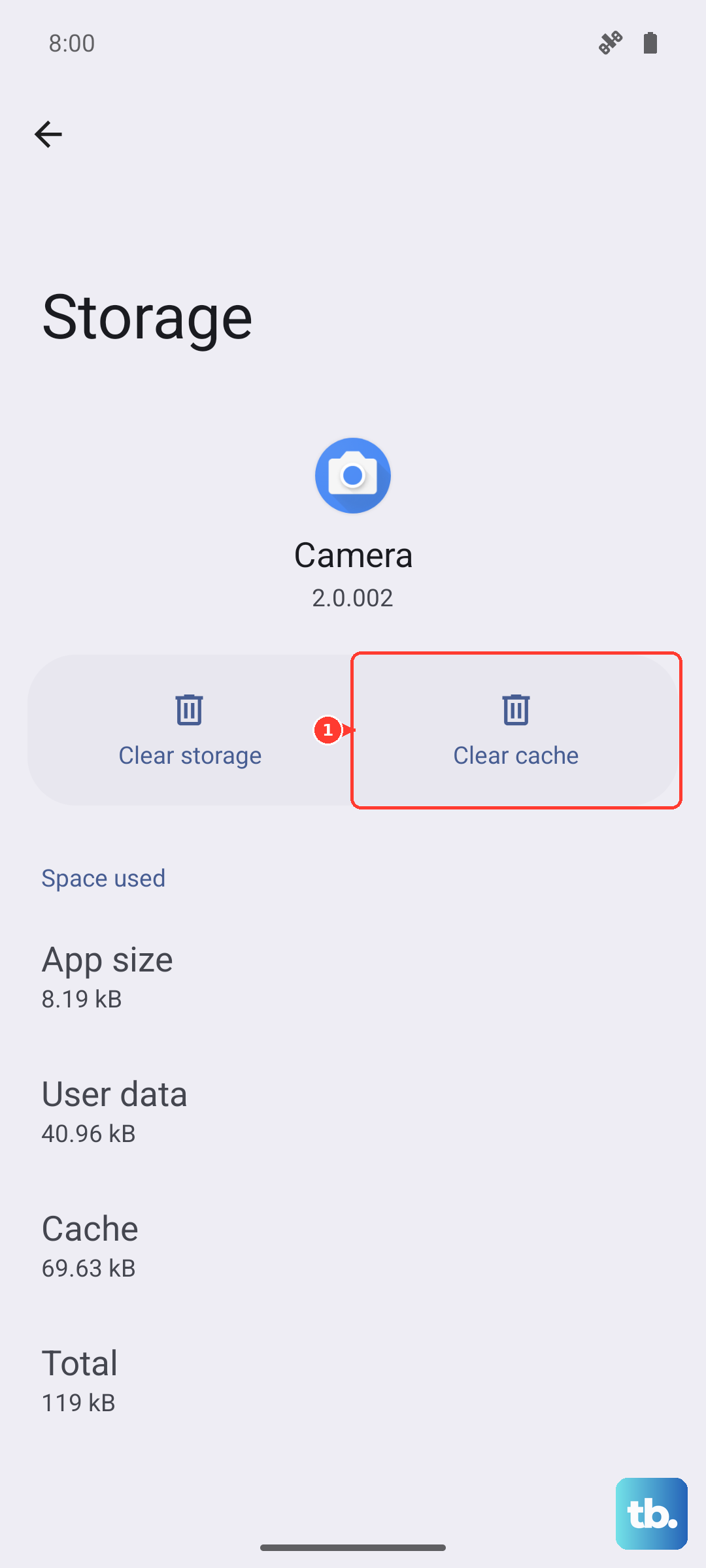
First, clear the camera app cache. Go to Settings > Apps > Camera > Storage and tap Clear cache. Reboot the phone. The cache occasionally holds onto the old image-processing settings even after a firmware update.
Second, reset camera settings. In the Camera app, tap the gear icon at the top-left, scroll to the bottom, and tap Reset settings. This reverts any zoom, sharpening, or scene-optimizer changes you made.
Third, wipe the lens. Sounds obvious, but with the redesigned camera island on the S26 Ultra, fingerprints sit slightly differently than on older models. A quick microfibre wipe across the entire camera island is worth doing before you conclude the patch failed.
If None of That Works
If the 3x blur survives the patch, a cache wipe, and a settings reset, you may have one of the rare hardware-affected units. A tiny percentage of Ultras shipped with telephoto lens misalignment that no firmware can correct.
Take the phone to a Samsung Experience Store or schedule a warranty inspection through Samsung Members. Bring sample photos comparing 1x, 3x, and 5x of the same scene; the technician will need that to file a service ticket.
Your warranty covers the repair or replacement at no cost as long as the device is still in warranty and shows no physical damage.
What About Other Galaxy S26 Models
The fix is specific to the S26 Ultra because only the Ultra has the affected 3x telephoto lens. The regular S26 and S26+ use different camera systems and were never affected by this bug.
If you have an S26 or S26+, the April update still installs (it includes the security patch), but the camera changes don't apply to your model.