If you want a clean desk setup without sacrificing performance, an all-in-one desktop is the smartest move you can make. The Apple iMac M4 takes the top spot for its blazing speed and gorgeous 4.5K display, but Windows shoppers have more good options than ever from Lenovo, HP, and Dell.
Technobezz is supported by its audience. We may get a commission from retail offers.
5 Best All-in-One Desktops for 2026
Our top all-in-one desktops for 2026, led by the Apple iMac M4. Plus the best Windows AIOs from Lenovo, HP, and Dell from around $870 to $2,300.
T
Technobezz
Editorial Team
Updated October 1, 2026Oct 1, 2026
•9 min read


Get Deals Like These in Your Inbox
The best prices, straight to your inbox.
On GoogleFollow Technobezz: add us as a preferred source.

At a Glance
| Category | Product | Why We Picked It |
|---|---|---|
| Best overall | Apple iMac M4 (24-inch) | M4 processor paired with a 4.5K Retina display |
| Best value | Dell 24 All-in-One | Solid everyday performance at a reasonable price |
| Best Windows AIO | Lenovo Yoga AIO 27 | QHD display with a built-in wireless phone charger |
| Best for creative professionals | HP OmniStudio X 32 | Large, bright 4K display ideal for creative work |
| Best for business | Lenovo ThinkCentre M90a Gen 6 | Powerful configuration options and a 120Hz touchscreen |
| Also recommended | MSI Modern AM271P 11M | Versatile 27-inch all-in-one with HDMI passthrough |
| Also recommended | Dell OptiPlex 7420 | Business-ready with a pop-up privacy cam |
How we chose
We evaluated all-in-one desktops based on processor performance, display quality, build design, port selection, and overall value. Our assessment considers benchmark data from multiple review sources, real-world productivity testing across common workflows, and long-term reliability reports. We prioritize machines that deliver strong performance without the clutter of a traditional tower setup.
The best all-in-one desktops right now
Apple iMac M4 (24-inch) - Best overall

The iMac M4 combines Apple's M4 chip with a brilliant 4.5K Retina display in a design that's thin, quiet, and available in seven colors. It handles everything from daily browsing to 4K video editing without breaking a sweat, and the six-speaker system with Spatial Audio is the best you will find on any all-in-one.
Key highlights
- 24-inch 4.5K (4480 x 2520) Retina display with 500 nits brightness
- Apple M4 chip with 10-core CPU and 10-core GPU
- 24GB unified memory, 512GB SSD
- 12MP webcam with Center Stage and Desk View
- Optional nano-texture display glass reduces glare
- Four Thunderbolt 4 ports and Gigabit Ethernet on this 10-core model
- Touch ID on the Magic Keyboard (10-core model)
Pros
- Class-leading processor performance for an all-in-one
- Excellent 4.5K display with accurate colors
- Premium included peripherals (Magic Mouse and Magic Keyboard)
- Runs cool and nearly silent
Cons
- Limited port selection (Thunderbolt 4 only, no USB-A or HDMI)
- Display stand offers no height adjustment
- Cannot be used as an external monitor for another device
- Base storage starts at 256GB
Who it is for: Anyone who wants a fast, elegant desktop for home, school, or creative work and prefers the macOS ecosystem.
Skip if
You need a larger screen, extensive port options, or prefer Windows. Also skip if you already own an M3 iMac, as the performance gap is modest.
Lenovo Yoga AIO 27 - Best Windows all-in-one
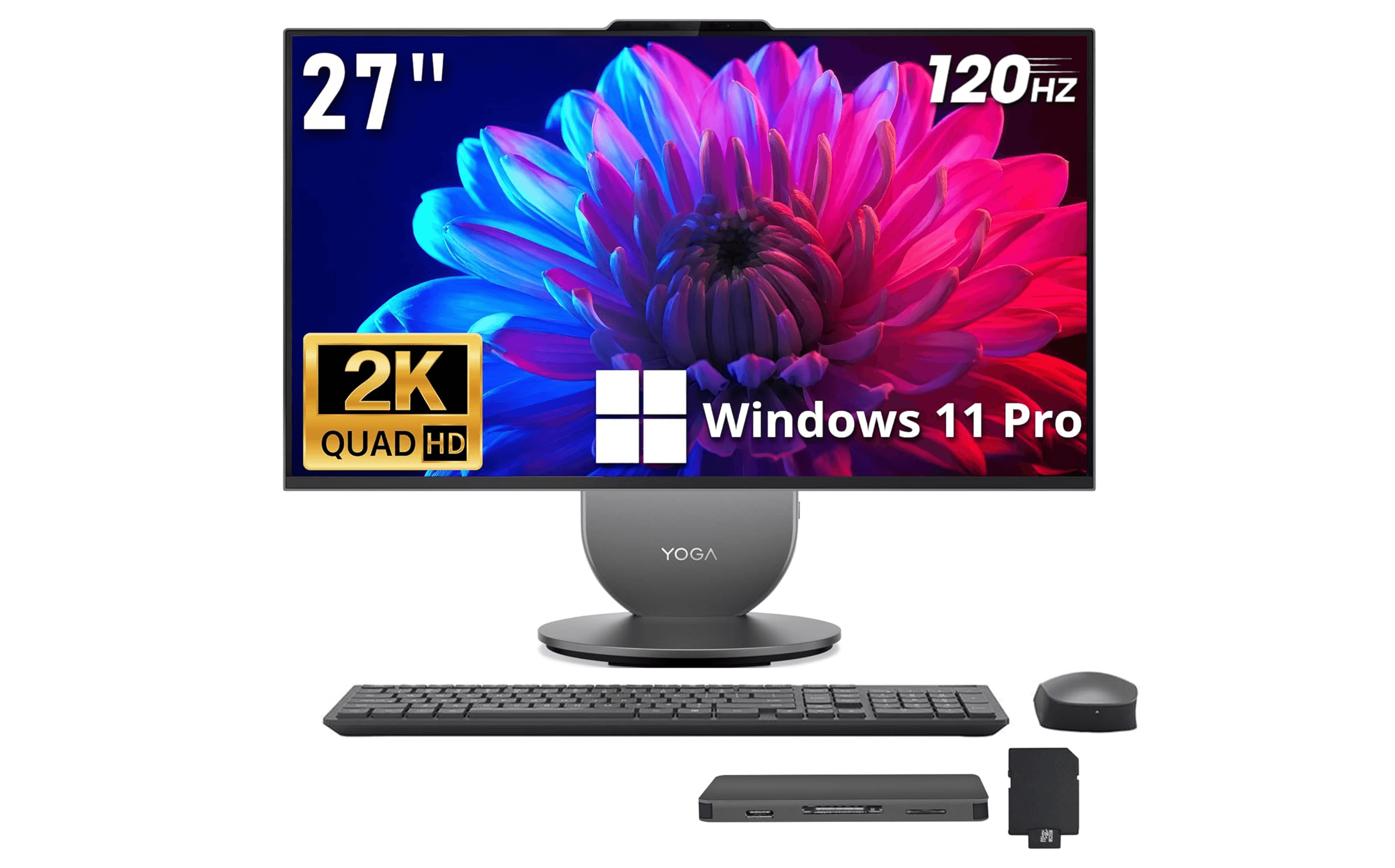
The Lenovo Yoga AIO 27 is the Windows alternative that goes toe-to-toe with the iMac. It packs a sharp QHD display, Intel Core Ultra processors, and a clever built-in Qi wireless charger in the stand. Performance benchmarks actually beat the iMac M4 in some multi-core tests.
Key highlights
- 27-inch QHD (2560 x 1440) IPS display
- Intel Core Ultra 5 or Ultra 7 processor options
- 16GB LPDDR5X RAM
- 512GB internal SSD plus a bundled docking station with 1TB storage
- Built-in Qi wireless charger in the stand
- 90-degree rotating display
- HDMI-in and HDMI-out ports
- JBL speakers with Dolby Atmos
Pros
- Faster multicore performance than the iMac in some workloads
- Display rotates 90 degrees for vertical content
- Useful Qi charger built into the stand
- HDMI-in lets you use it as an external monitor
Cons
- Webcam quality is grainy compared to the iMac
- Display is dimmer than key rivals
- The linked configuration has 16GB of soldered memory that cannot be upgraded
- Included mouse feels flimsy
Who it is for: Windows users who want premium performance and features without switching to macOS. Great for multitaskers and anyone who wants the flexibility of using the screen as a second monitor.
Skip if
You need more than 16GB of RAM, want a brighter display, or rely heavily on a high-quality webcam for video calls.
HP OmniStudio X 32 - Best for creative professionals
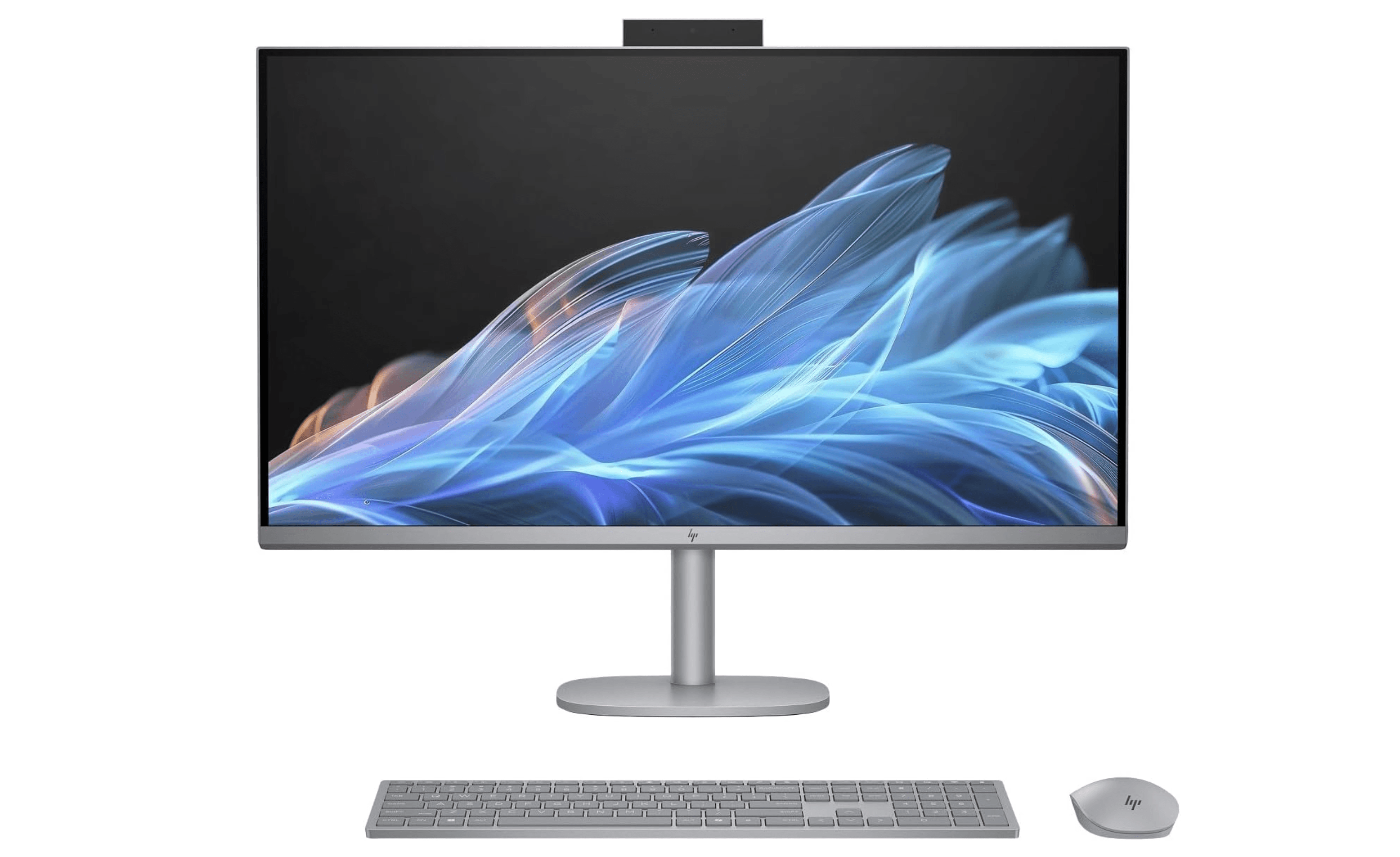
The HP OmniStudio X 32 delivers the largest display in this roundup with a 31.5-inch 4K panel that hits 550 nits of brightness. Powered by an Intel Core Ultra 7 258V with Intel Arc integrated graphics, it is a legitimate option for photo editing and 4K video work, especially given its large, color-accurate screen.
Key highlights
- 31.5-inch 4K (3840 x 2160) display with 550 nits brightness
- Intel Core Ultra 7 258V processor (up to 4.8 GHz)
- Intel Arc integrated graphics
- 32GB RAM
- 1TB SSD storage
- 5MP IR webcam
- Dual 5W speakers
- Matte finish reduces glare
Pros
- Massive, bright 4K display with excellent color accuracy
- Bright, color-accurate 4K panel suits creative work
- Plenty of screen real estate for heavy multitasking
- 32GB RAM and a 1TB SSD in the linked configuration
Cons
- Included keyboard and mouse are low quality
- Built-in speakers are just decent, not great
- Heavy at over 21 pounds
- Integrated graphics are not built for serious gaming
Who it is for: Creative professionals who need a large, color-accurate display and more graphics power than typical all-in-ones offer. Also a strong choice for families who want a single powerful shared computer.
Skip if
You are on a tight budget, expect premium peripherals out of the box, or need something lightweight and easy to move.
Dell 24 All-in-One - Best value
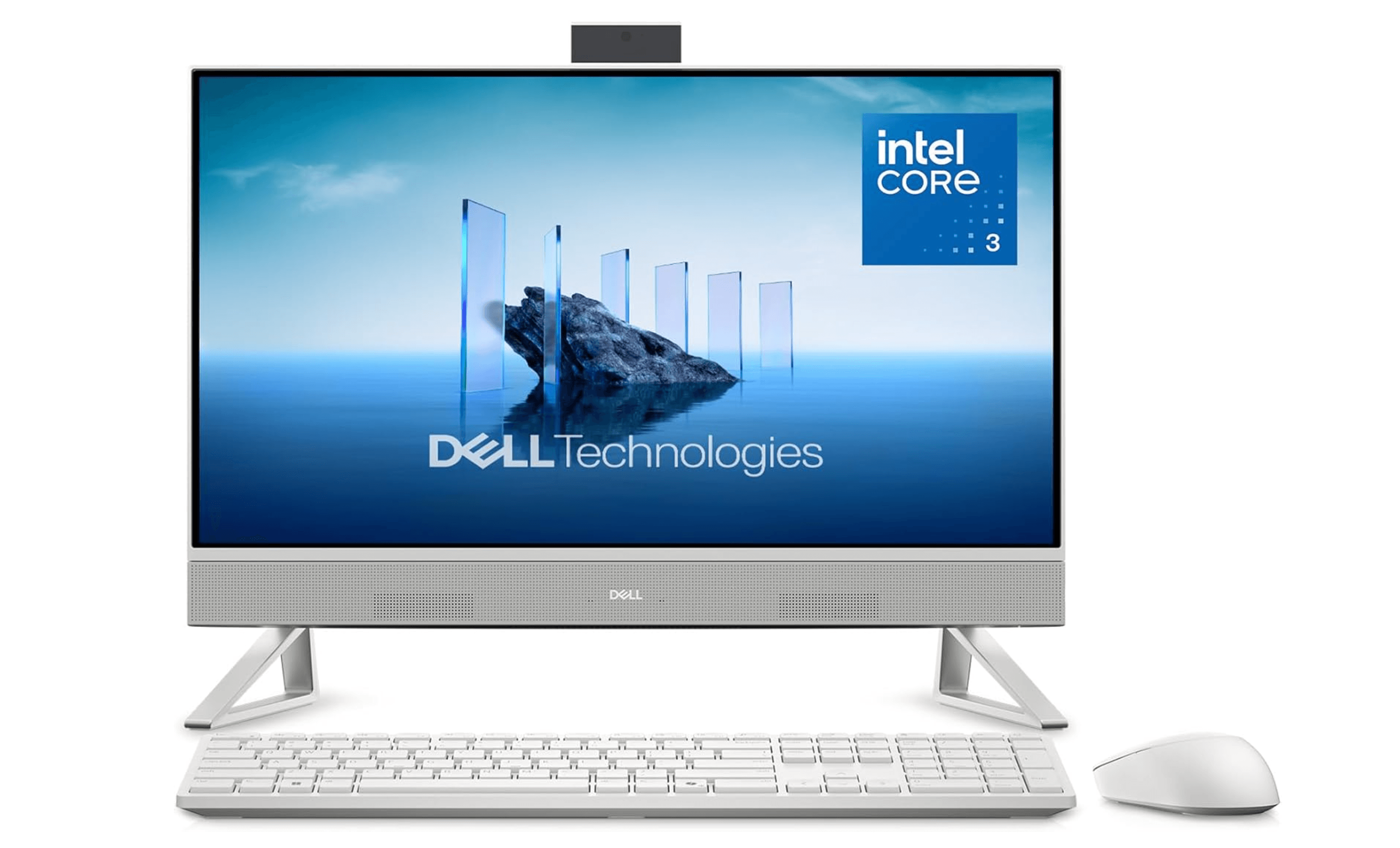
The Dell 24 All-in-One delivers reliable everyday performance at a price that makes sense for budget-conscious buyers. It comes with wireless peripherals, a 5MP HDR camera with infrared support, and enough ports for most home office setups. The ComfortView Plus feature reduces blue light for late-night work sessions.
Key highlights
- 23.8-inch Full HD (1920 x 1080) IPS display
- Intel Core 3 100U processor
- 8GB DDR5 RAM
- 512GB SSD storage
- 5MP HDR webcam with privacy shutter
- Dolby Atmos speaker system
- ComfortView Plus built-in blue light reduction
- Wireless keyboard and mouse included
Pros
- Affordable starting price for a capable all-in-one
- Good selection of ports including USB-C
- ComfortView Plus reduces eye strain
- Comes with wireless peripherals out of the box
Cons
- Processor performance is modest compared to pricier options
- 1080p display is not as sharp as QHD or 4K alternatives
- Audio quality is acceptable but not impressive
- Limited upgrade options after purchase
Who it is for: Budget-minded shoppers, families, and anyone who needs a dependable home office computer for web browsing, email, streaming, and basic productivity.
Skip if
You need serious processing power for creative work, want a higher-resolution display, or plan to do any gaming.
Lenovo ThinkCentre M90a Gen 6 - Best for business
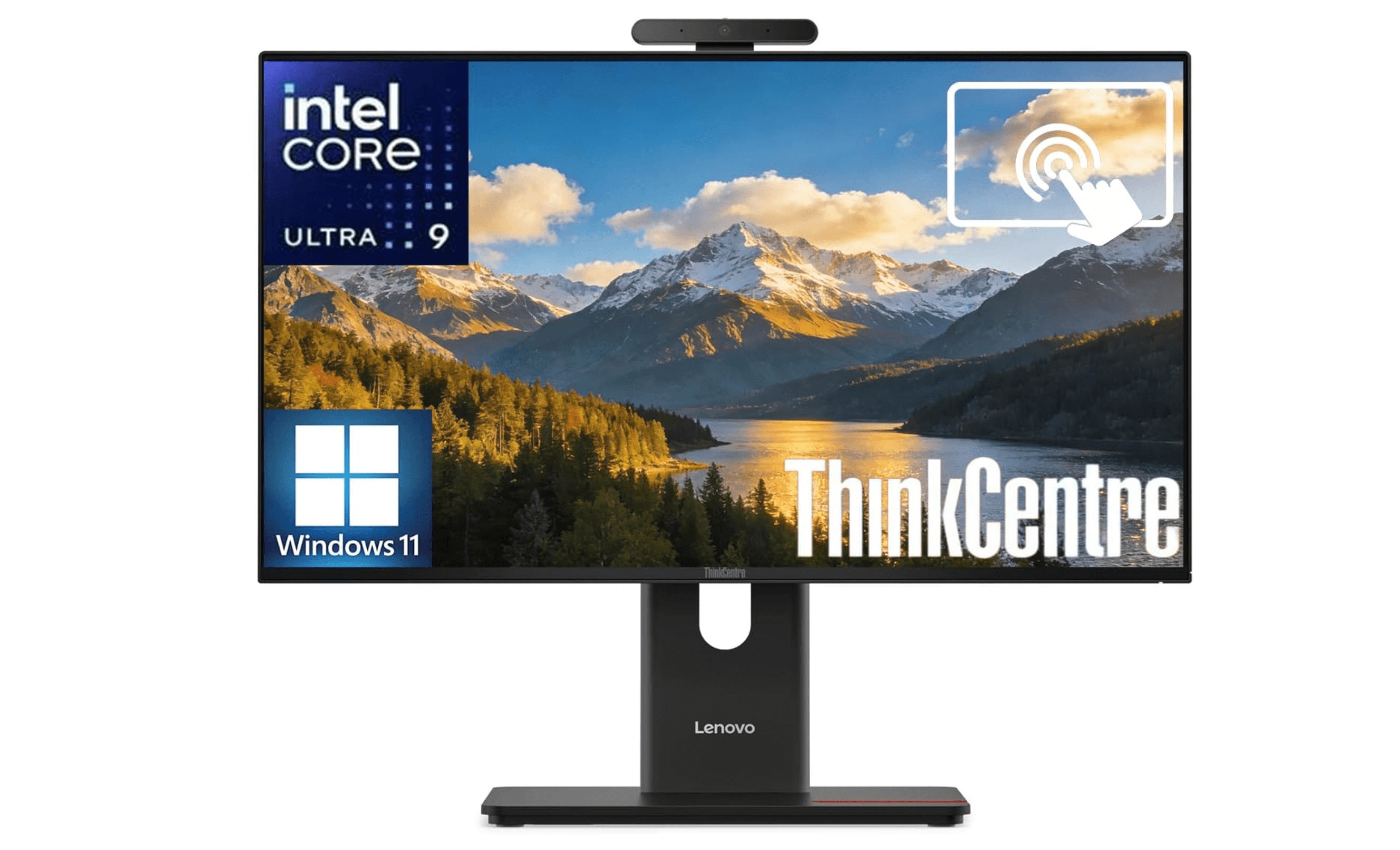
The ThinkCentre M90a Gen 6 is built for productivity with a 24-inch FHD touchscreen, a fast Intel Core Ultra 9 285 processor, and broad configuration options that let businesses scale up as needed. It offers above-average storage expansion options for an all-in-one, which matters in an office environment.
Key highlights
- 24-inch FHD (1920 x 1080) IPS touchscreen, 120Hz
- Intel Core Ultra 9 285 (24-core) processor
- 32GB DDR5 RAM (configurable up to 64GB)
- 1TB SSD storage (configurable up to 4TB)
- Plenty of ports including multiple USB-A and USB-C
- 5MP webcam with IR for Windows Hello
- Configurable RAM and storage at purchase
- VESA mount compatible
Pros
- Crisp FHD touchscreen with 99% sRGB and 120Hz
- Fast processor handles heavy workloads
- Above-average upgrade and expansion options
- Solid build quality suited for office use
Cons
- FHD resolution is modest for the screen size
- Starting price is midrange, higher with upgrades
- Design is utilitarian, not flashy
- Speakers are adequate but not room-filling
Who it is for: Business professionals, office workers, and IT managers who need a reliable, configurable all-in-one for daily productivity and moderately intense workloads.
Skip if
You want a stylish home computer or are shopping on a tight budget.
Also Good
- MSI Modern AM271P 11M - versatile 27-inch all-in-one with HDMI passthrough.
- Dell OptiPlex 7420 - business-ready with a pop-up privacy cam.
How to Choose
- Display size and resolution matter most. A 24-inch 1080p screen is fine for basic tasks, but stepping up to 27-inch QHD or 4K makes a huge difference for multitasking and creative work. The display is the part you will interact with the most, so do not skimp here.
- Consider the operating system first. The choice between macOS and Windows is the biggest decision you will make. The iMac offers a polished, integrated experience. Windows all-in-ones give you more hardware variety, touch-screen options, and broader software compatibility.
- Check the port situation carefully. All-in-ones often skimp on ports to keep the design thin. Make sure the model you choose has enough USB-A ports for your peripherals and at least one USB-C or Thunderbolt port for future accessories.
- Know what you are giving up. All-in-ones trade upgradability and repairability for clean design. Most cannot be easily upgraded after purchase, so buy the configuration you will need for the next several years. RAM and storage are the most important to get right upfront.
- Peripherals vary wildly. Some all-in-ones ship with excellent keyboards and mice (Apple), while others include barely usable accessories that you will want to replace immediately. Factor that into your total cost.
FAQ
Are all-in-one desktops good for gaming?
Most all-in-ones are not built for serious gaming. The HP OmniStudio X 32 with its Intel Arc integrated graphics can handle light gaming and older titles, but if gaming is your priority, a traditional desktop or gaming laptop will serve you better.
Can I upgrade an all-in-one desktop later?
Very few all-in-ones allow meaningful upgrades. Some business models like the Lenovo ThinkCentre M90a offer access to storage and RAM, but most consumer all-in-ones seal everything in. Buy the specs you need from the start.
Is the iMac worth the premium over Windows all-in-ones?
If you prefer macOS and value a high-quality display, excellent peripherals, and quiet operation, yes. The iMac M4 delivers a more polished experience out of the box than most Windows competitors. But Windows all-in-ones like the Lenovo Yoga AIO 27 offer comparable performance and more flexibility.
How long does an all-in-one desktop typically last?
A well-built all-in-one should last five to seven years for typical home and office use. The Apple iMac tends to hold its value and performance longer due to its integrated chip design. Windows models with upgradable RAM and storage can be extended further if those options are available.
What size all-in-one should I get?
For most people, 24 to 27 inches is the sweet spot. A 24-inch screen fits well in smaller spaces and home offices, while 27 inches gives you more room for multiple windows. Go with 32 inches only if you have the desk space and need the extra real estate for creative or data-heavy work.
Published May 4, 2026 Last updated October 1, 2026
Share this article
More buying guides
Buying guide
9 Best Keyboards From Top Brands in 2026
Buying guide
8 Best 60 Percent Keyboards of 2026
Buying guide
Top 7 Home Theater Systems for 2026
Buying guide
6 Best Handheld Gaming Consoles for 2026
Buying guide5 Spy Cameras for Home and Portable Monitoring (2026)Buying guide6 Best Tablets for Gaming in 2026Buying guide7 Best Laptops for Interior Designers in 2026Buying guide4 Best Budget Laptops Around $300 for 2026Buying guide7 Gaming Consoles for Every Budget in 2026Buying guideBest Lenovo ThinkPad Laptops in 2026Buying guide5 Best AI and Digital Voice Recorders for 2026Buying guideBest DSLR Cameras for 2026