
AirPods Pro 3 firmware updates aren't something you trigger manually. They happen automatically while the buds are charging in the case with the lid closed, and your iPhone is within Bluetooth range and connected to Wi-Fi. If you've been waiting for a new feature or bug fix and it never shows up, check those conditions and your firmware version first.
Start with a free quick headphone test that checks left and right channels, stereo order, bass, and treble. It can help you check for obvious sound problems.
The quickest thing to check is the case battery. Plug the AirPods Pro 3 case into a USB-C cable, set it on a MagSafe or Qi pad, or use an Apple Watch charger. Put the buds in the case and keep the lid closed for at least 30 minutes, with your iPhone within Bluetooth range and connected to Wi-Fi. Then open the lid to reconnect and check the firmware version.
Check That Your iPhone Is Running iOS 26 or Later
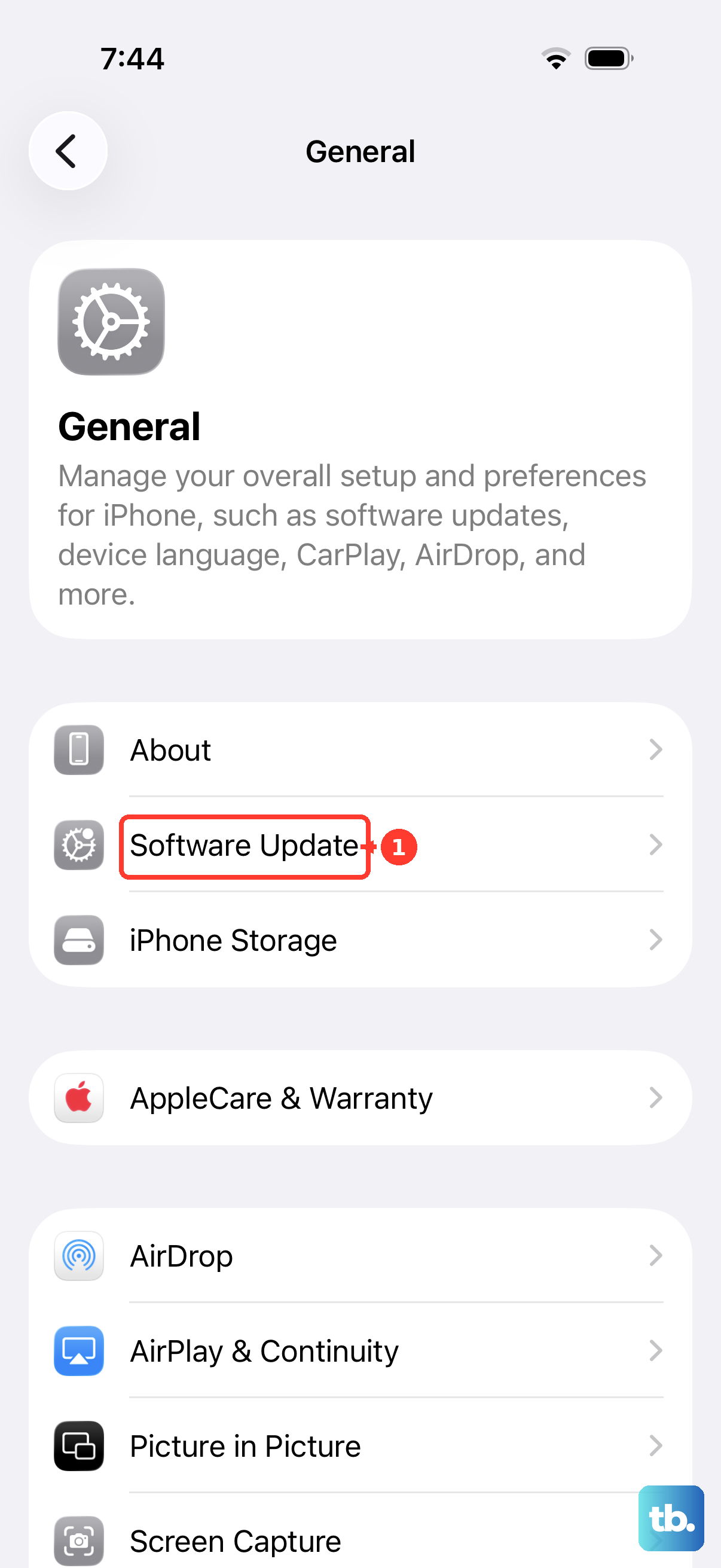
The AirPods Pro 3 need iOS 26 or newer to pair with an iPhone. For firmware updates, make sure your phone has the latest version of iOS and Bluetooth is on. Open Settings > General > Software Update and check for updates. Once the iPhone has the latest iOS, connect it to Wi-Fi and make sure the AirPods are connected via Bluetooth. Put the AirPods back in the case, close the lid, plug the case in, and leave it near the phone for at least 30 minutes.
Keep the Case Powered and the iPhone Nearby
Firmware updates happen automatically while your AirPods are charging and within Bluetooth range of your iPhone, which must be connected to Wi-Fi. Set the charging case next to your iPhone and connect the case to power. Leave them alone for at least 30 minutes. Do not open the case lid or take the buds out during that window.
If you must use your phone, keep it within Bluetooth range of the case. Leaving it nearby helps you maintain the conditions needed for the update.
Reset the AirPods Pro 3 Using the Tap-Twice Method
The reset procedure for the AirPods Pro 3 and AirPods 4 uses three timed double-taps. It's different from the old 15-second hold. Start with the buds in the case and the lid closed. Wait 30 seconds. On your paired iPhone, open Settings > Bluetooth.
If your AirPods appear, tap the More Info button, tap Forget This Device, and confirm. Open the lid. Double-tap the front of the case three times total, the first double-tap while the status light is on, the second when the light flashes white, and the third when it flashes faster. The light should flash amber then white, confirming the reset.
After the reset, re-pair the AirPods by opening the lid near your unlocked iPhone. The setup card should appear. Once paired fresh, put them back in the case with the lid closed, plug the case in, and let the automatic update run. If the firmware still hasn't updated, try the update steps again after resetting.
Forget the AirPods and Re-Pair
If you'd rather not factory reset, try forgetting the device instead. Open Settings > Bluetooth, tap the More Info button next to your AirPods Pro 3, tap Forget This Device, and tap again to confirm. The Pro 3 case has no back button and uses the tap-twice front method for a full reset, but forgetting from Bluetooth and re-pairing is a softer fix. Put the buds in the case, open the lid, bring them close to your iPhone, and tap Connect when the card appears.
Once re-paired, connect your iPhone to Wi-Fi. Leave the case plugged in and closed, with the AirPods inside and within Bluetooth range of your phone, for at least 30 minutes. Open the lid to reconnect, then check the firmware version in Settings > Bluetooth using the Info button next to your AirPods.
Make Sure the iPhone Has a Stable Internet Connection
Your iPhone needs a Wi-Fi connection for the firmware update. Open Settings > Wi-Fi, make sure Wi-Fi is on, and look for a blue checkmark beside your network. If the connection isn't working, try another Wi-Fi network. After confirming internet is solid, put the AirPods in the case, plug it in, close the lid, and keep it within Bluetooth range of your iPhone for at least 30 minutes.
Give It Time, Updates Don't Happen Instantly
AirPods firmware updates are not immediate. Wait at least 30 minutes with the buds in the powered case, the lid closed, and your iPhone within Bluetooth range and connected to Wi-Fi. I've seen cases where the update only triggered after the case sat on a charger for two hours. If you're impatient, don't poke at the AirPods or open the case repeatedly. After waiting, open the lid to reconnect and check the firmware version again.
Check for iOS Beta Updates
If you're running a developer or public beta of iOS, check for an available software update so your iPhone stays up to date. Then retry the AirPods update with Wi-Fi connected and the powered case closed nearby for at least 30 minutes. If you've also installed AirPods beta firmware, it cannot be removed until a newer non-beta firmware version becomes available. Changing your iPhone's software won't remove that AirPods beta firmware.
If the Case Status Light Stays Amber After Charging
An amber status light can show normal charging status. Green means fully charged, and amber means less than one full charge remains. With the buds in the case, the light shows their charge status; without them, it shows the case's charge status. You can also check the charge status on your iPhone. For the firmware update, leave the buds in the case, keep it connected to power with the lid closed, and keep your Wi-Fi-connected iPhone within Bluetooth range.
Start with the charging and connection checks above. Give the AirPods Pro 3 at least 30 minutes in the powered, closed case with a Wi-Fi-connected iPhone nearby running the latest iOS, then reconnect and check the firmware version.