

At WWDC 2024, Apple introduced a host of exciting new features for iOS 18, focusing on productivity, fun, and AI improvements. If you’re eager to make the most of your iPhone, here’s a rundown of the must-try features coming this fall.
1. Stay Connected Anywhere with Satellite Messaging on iPhone
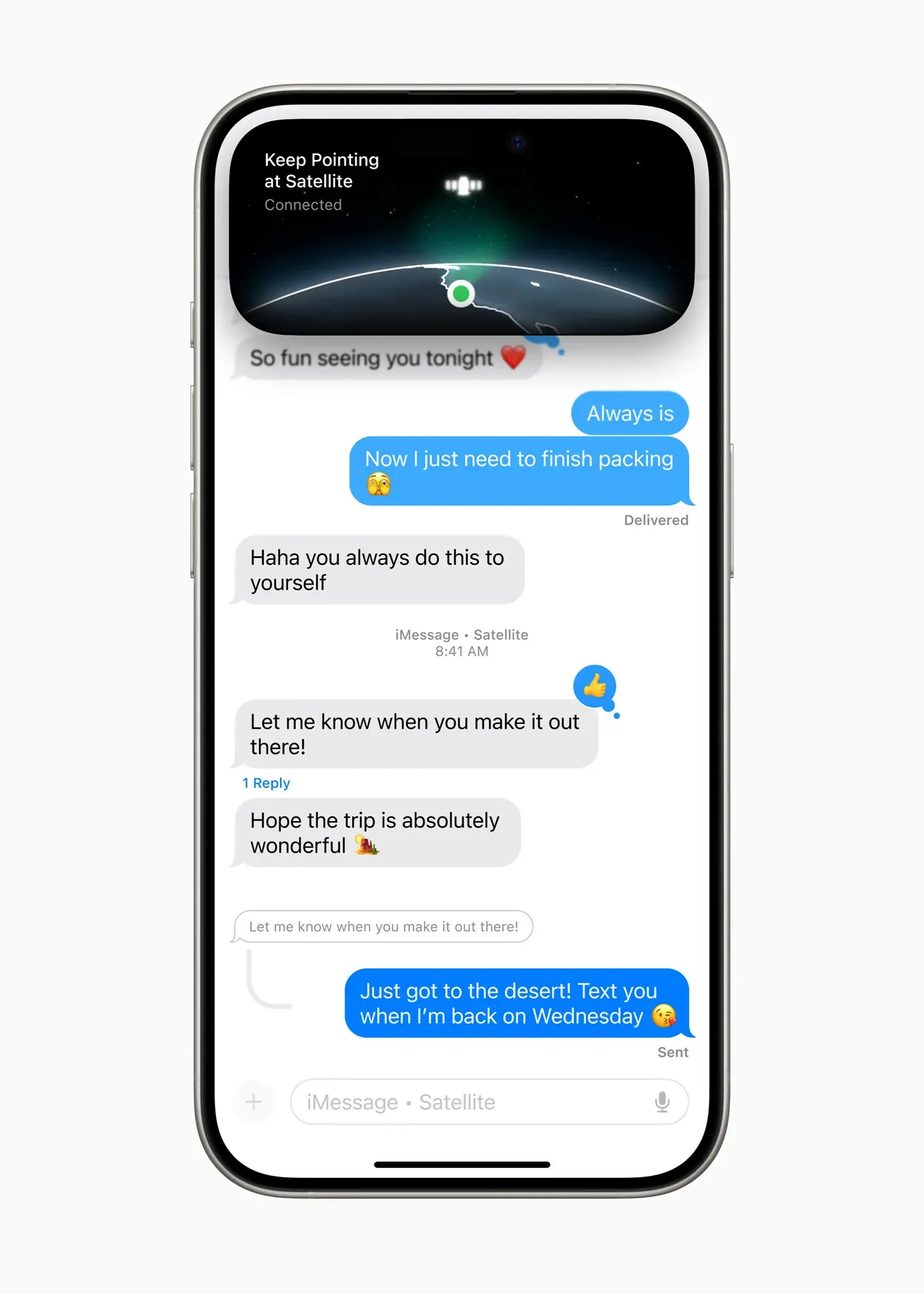
Expanding on Emergency SOS, iOS 18 introduces satellite messaging for non-emergency use. Stay connected even in cellular dead zones by using satellites for text, emoji, and Tapbacks. This feature is especially useful for outdoor enthusiasts or those in remote areas, ensuring you can communicate when traditional networks are unavailable.
Emergency SOS will also support live video, improving your ability to communicate in critical situations by sharing real-time visuals with emergency responders. This can help provide a clearer picture of the situation, potentially speeding up the response and ensuring you get the help you need promptly.
See also - Android Phone not receiving texts from iPhone?
2. Schedule Your Messages
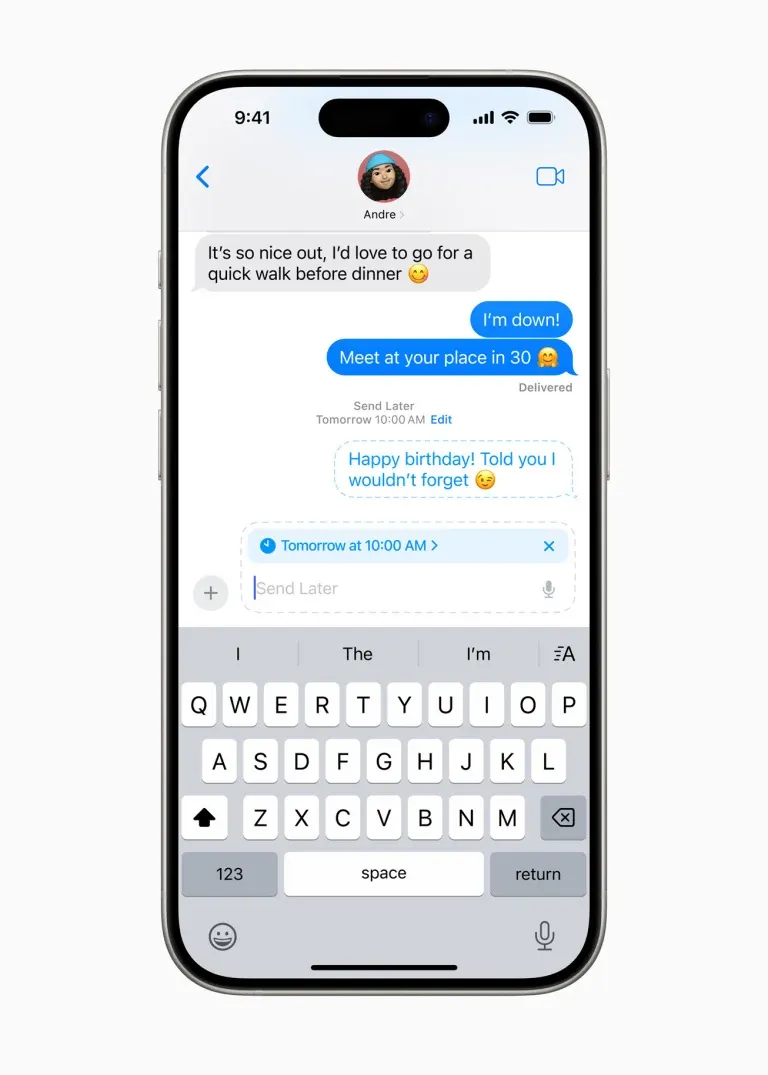
Ever wanted to send a text later? iOS 18 lets you schedule messages ahead of time. Perfect for midnight thoughts or timely birthday wishes, simply type out your message and set the time and date for it to send. You can also edit or cancel scheduled messages if needed.
3. Easy Transfers with Tap to Cash
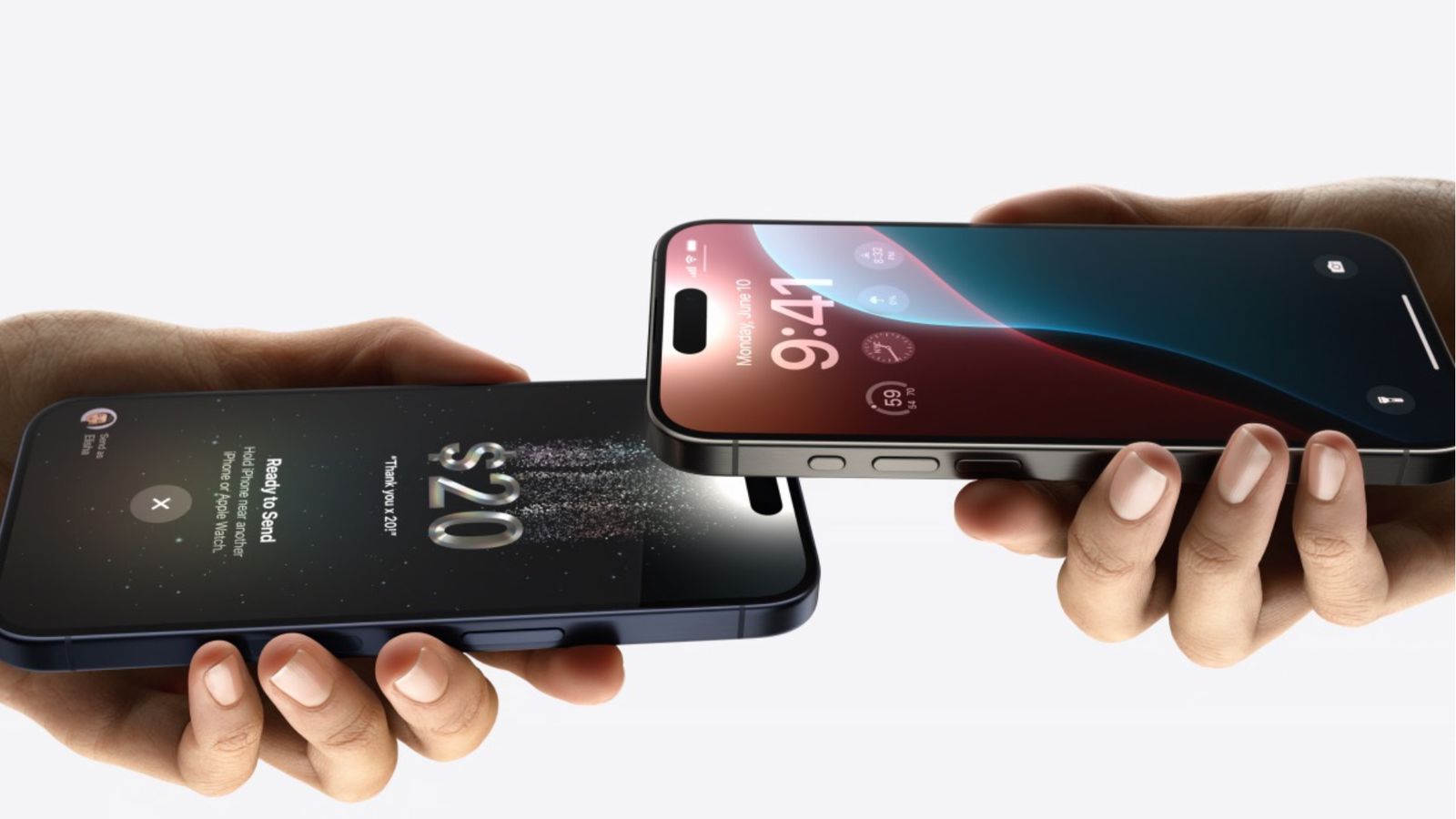
Apple Cash gets an upgrade with Tap to Cash, allowing you to transfer money between iPhones by simply holding them together. Both users need to authenticate the transaction, ensuring secure and convenient payments. This feature simplifies peer-to-peer transactions, making it as easy as a quick tap.
It’s perfect for splitting bills at a restaurant, paying friends back, or quickly transferring funds without the need for apps like Venmo or PayPal. The authentication process using Face ID, Touch ID, or a passcode ensures that your transactions remain secure, giving you peace of mind with every transfer.
4. Keep Your Secrets Safe by Hiding Embarrassing Apps
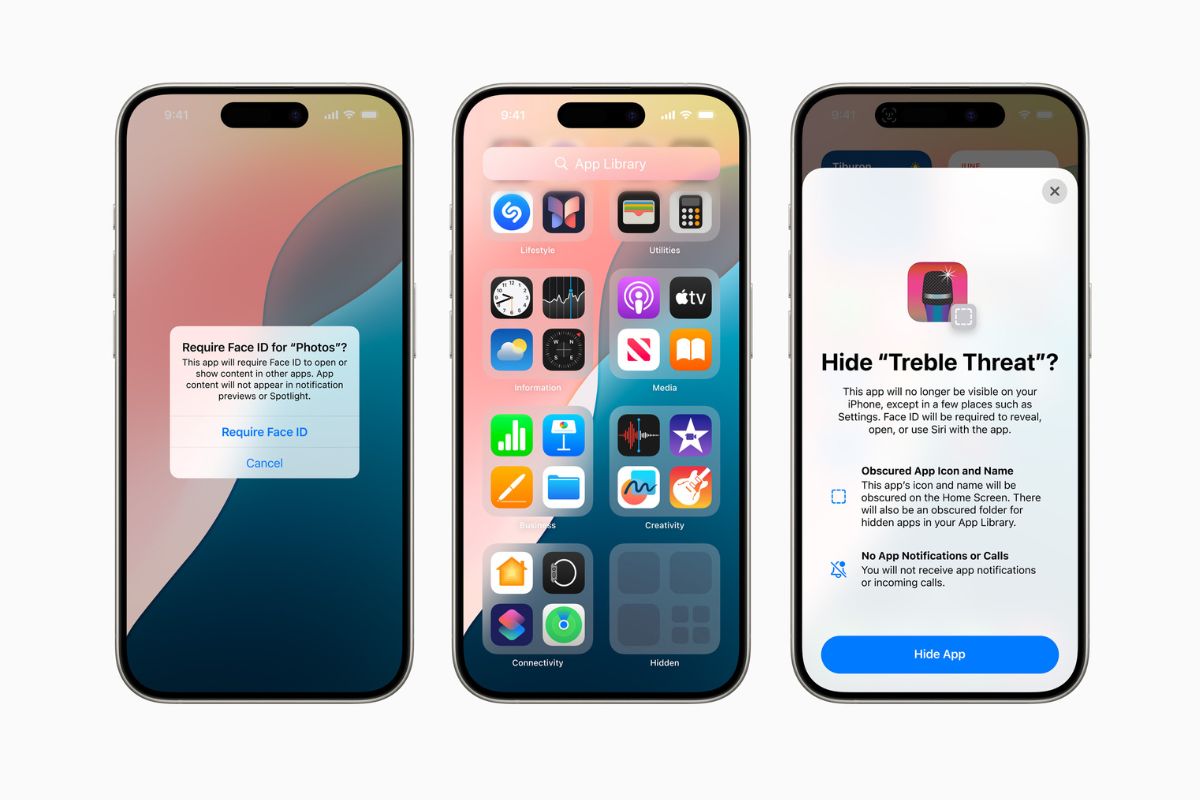
With iOS 18, you can hide apps in a private Hidden folder, accessible only via Face ID, Touch ID, or a passcode. This ensures apps like Tinder or personal journals remain out of sight, even in search and notifications. This feature increases your privacy, making it easier to keep sensitive or private apps secure.
Additionally, hidden apps won’t appear in your app library or be accessible through Siri, adding an extra layer of confidentiality. This is perfect for anyone who shares their device occasionally and wants to maintain personal boundaries.
See also - Here’s everything Apple announced at WWDC 2024, including iOS 18, Apple Intelligence, and more.
5. Apple Intelligence
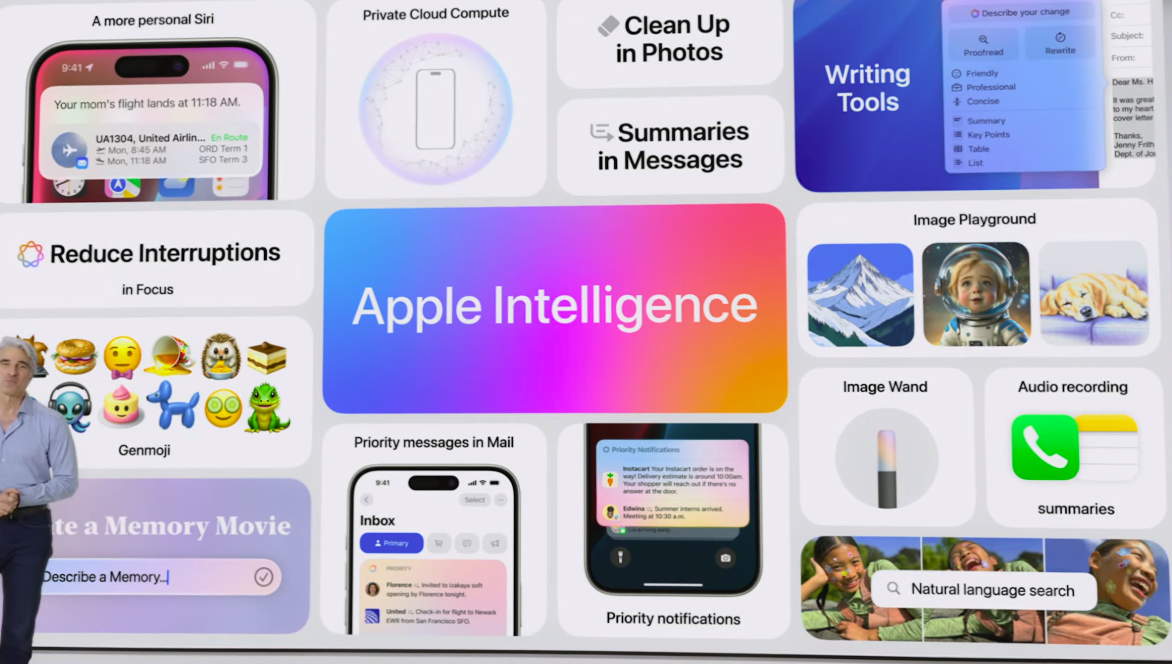
Debuting as a beta, Apple Intelligence brings AI-powered features like ChatGPT integration, generative AI art suggestions, and advanced editing help. While it’s initially available on high-end devices like the iPhone 15 Pro, these tools aim to boost productivity and creativity.
6. Emoji Express with More Tapback Options

iOS 18 broadens the range of emoji reactions in Messages. You can now use a wider array of emojis and stickers to react to messages, along with special text effects like bold, italics, and animations like Shake or Ripple. This feature allows you to personalize your responses, making conversations more expressive and fun.
Additionally, users with iPhone 15 Pro models can use Apple Intelligence to create Genmoji from text prompts or photos, adding a creative and personalized touch to your messages. This makes messaging more dynamic and engaging, reflecting your personality and mood more accurately.
7. InSight in the Apple TV App
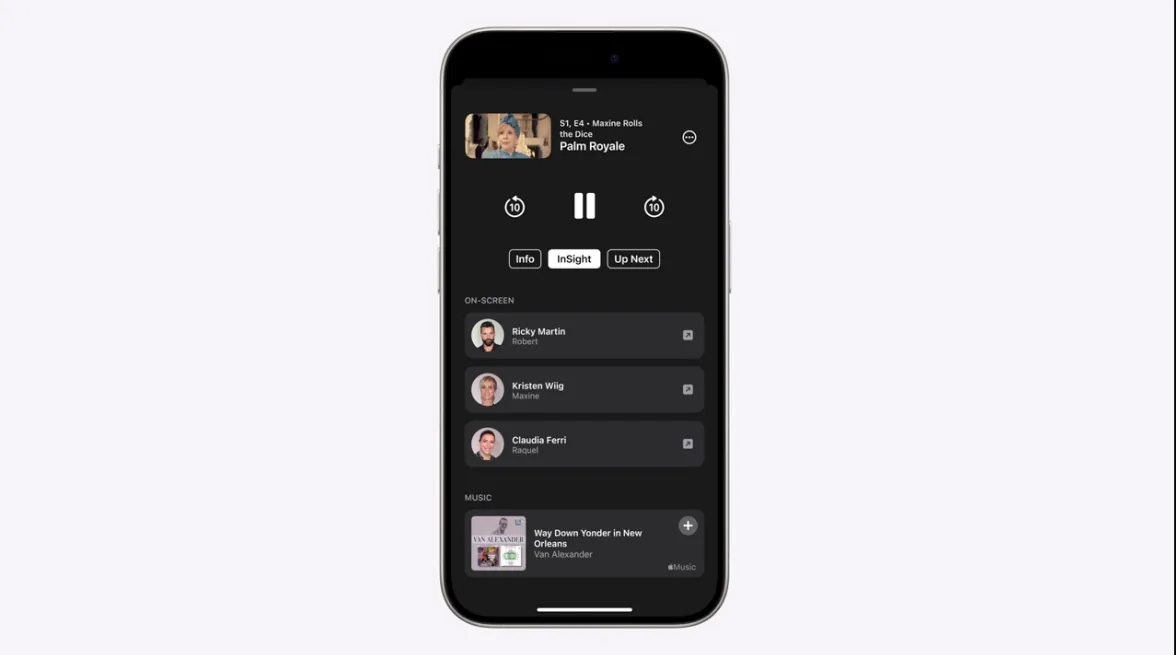
Similar to Prime Video’s X-ray feature, InSight in Apple TV+ provides information on actors, characters, and music from your favorite shows and movies. This integration with Apple Music allows quick additions to your playlists, enriching your viewing experience.
8. Custom Control Centers and App Organization
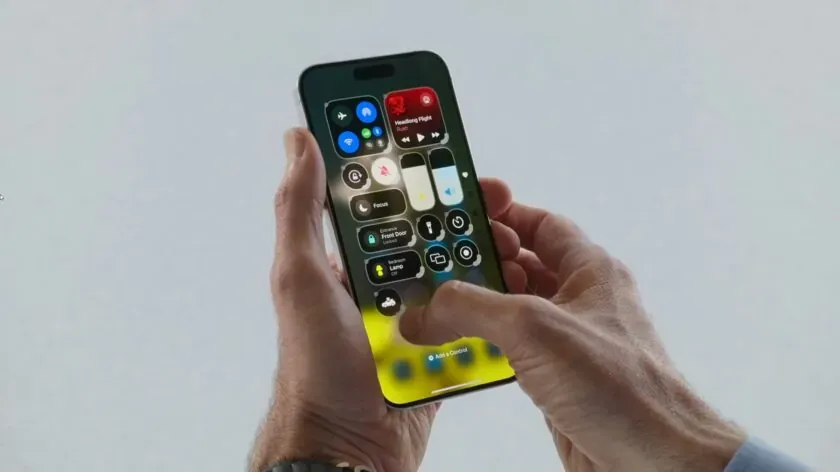
iOS 18 offers greater customization of Control Center, allowing you to create multiple control panels for different needs, such as smart home devices or music. Additionally, you can freely arrange app icons on your home screen and apply color tints for a personalized look.
9. Make It Yours with Customizable Home and Lock Screens
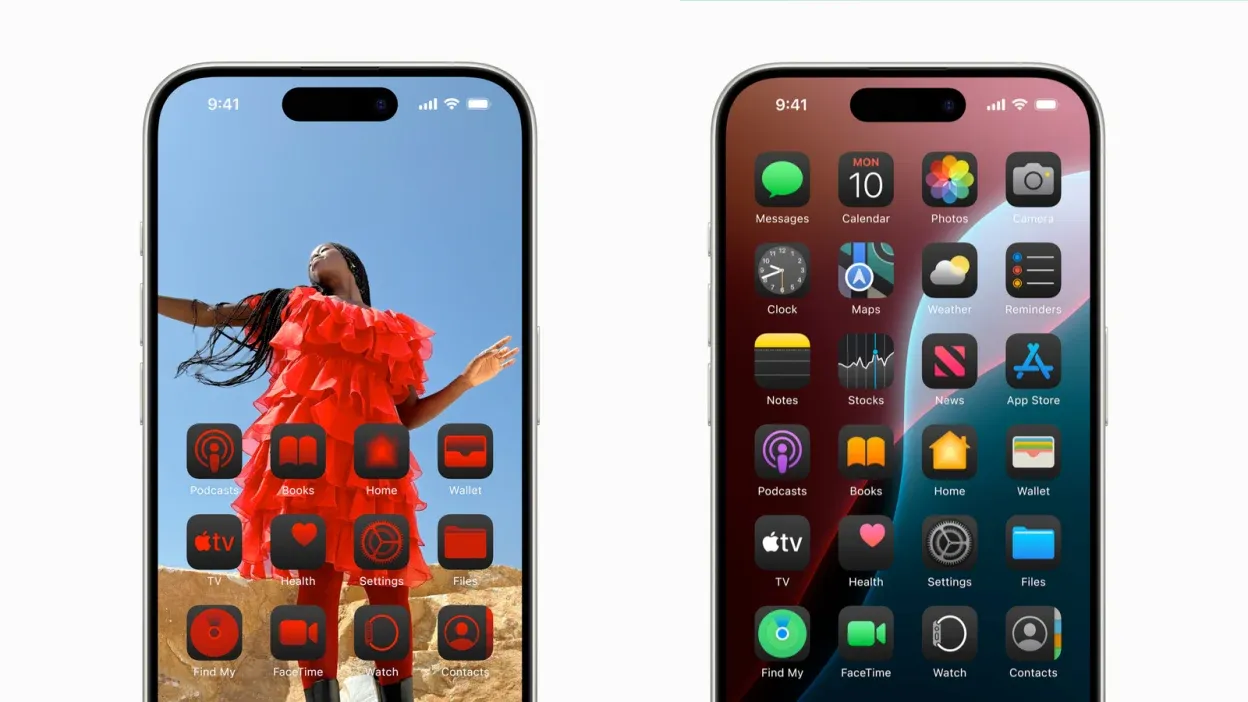
iOS 18 adds more customisation options to home and lock screens. You can now arrange apps and widgets as you wish, tint app icons to match your wallpaper, and swap out lock screen functions for greater control over your device. This feature allows for a more personalized and functional interface.
You can create themed home screens for different needs, such as work, entertainment, or travel, and easily switch between them. Additionally, lock screen customization lets you access your most-used features quickly, improving your overall user experience and making your iPhone truly yours.
10. The Mail App Gets Easier to Manage
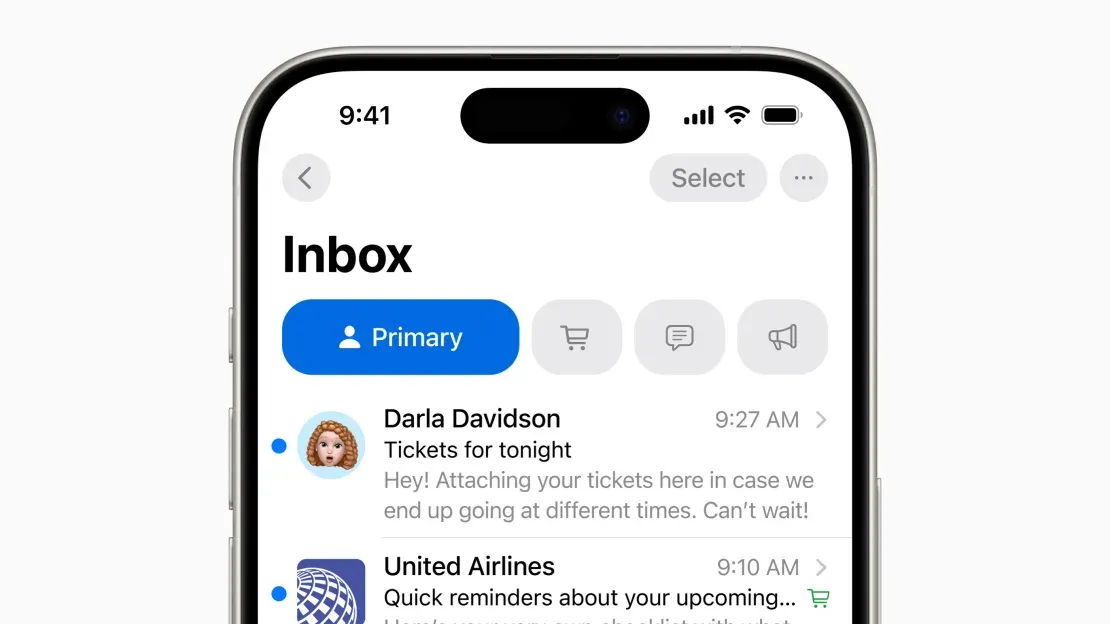
The Mail app in iOS 18 will better organize your emails with new categories for receipts, newsletters, and more. This makes it easier to manage your inbox and find important messages quickly.
You’ll be able to quickly access important messages without sifting through a jumble of unrelated emails.
See also - Email on iPhone Not Working?
11. Passwords App
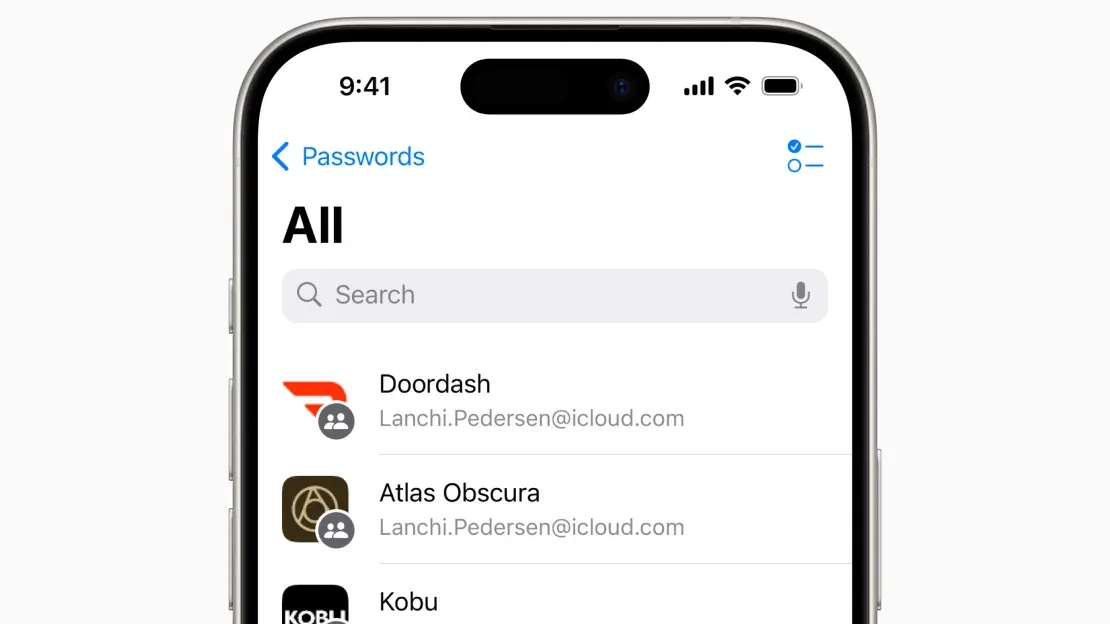
Apple’s new Passwords app is set to rival dedicated password managers like 1Password and LastPass. It will store and sync passwords across Apple devices and platforms, offering end-to-end encryption.
12. The Photos App Gets a Huge Redesign

The Photos app gets a major overhaul, making it easier to navigate and organize your pictures. The redesign includes new filters to hide screenshots and receipts, and advanced search funtions to find specific photos quickly.
13. Game Mode

For mobile gamers, iOS 18 introduces Game Mode, which minimizes background activities to boost game performance. It also improves responsiveness with AirPods and wireless gaming controllers, improving your gaming experience.
See also - Everything Google Knows About You (And How to Stop It)
14. Smarter Notes with New App Upgrades

iOS 18 brings live audio transcriptions, collapsible sections, and mathematical problem-solving capabilities to the Notes app. These upgrades help keep your notes organized and more useful.
15. Journal App Improvements
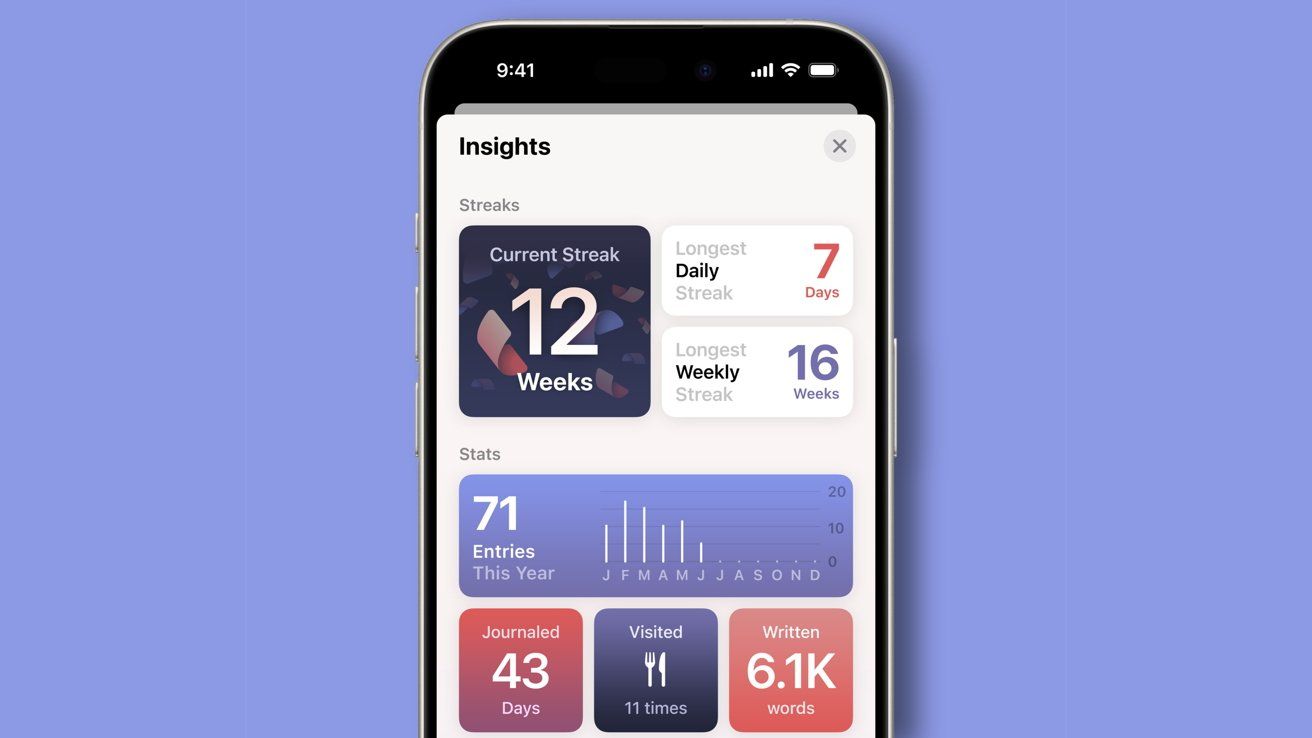
The Journal app in iOS 18 lets you log your state of mind, track goals, and view writing stats. This helps you find past entries quickly, making the app more user-friendly.
16. Smarter Browsing with Safari

Safari in iOS 18 highlights important information on web pages and provides summaries of articles. This feature ensures that key details like addresses, contact information, and main points are easily visible, saving you time when browsing.
The redesigned Reader mode now includes a table of contents and article summaries, making navigation simpler and more intuitive. You can quickly jump to specific sections of an article or get a brief overview before diving into the full content.
See also - Safari Not Working On iPhone ?
17. Topographic Maps in Maps
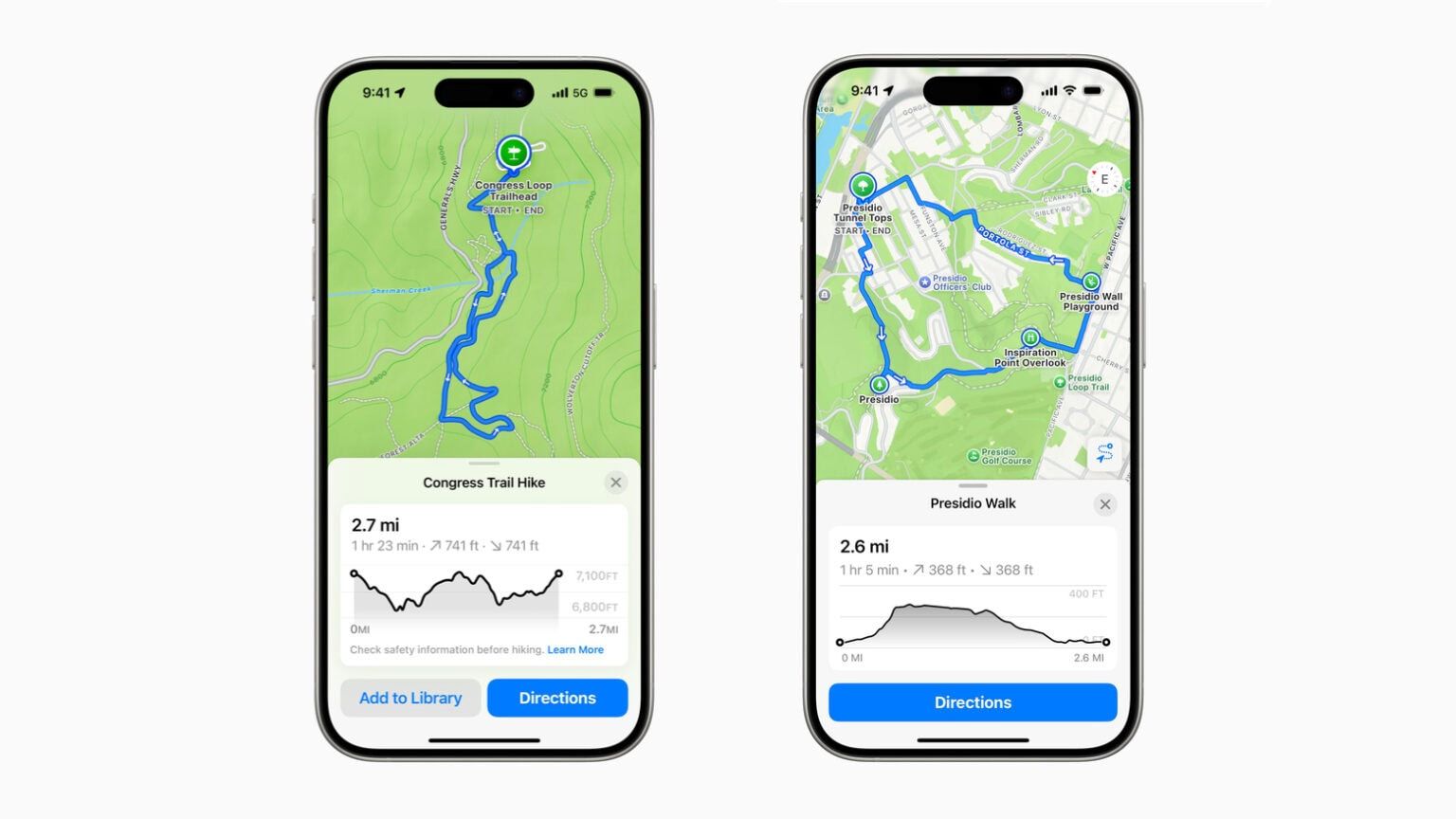
The Maps app now includes topographic information and detailed hiking trails, including routes from over 50 US national parks. This makes planning your outdoor adventures easier and more detailed.
If you enjoyed this story, be sure to follow us and subscribe to our free daily newsletter