
Random restarts on a Samsung Galaxy Z Fold 7 can really throw off your day. Whether you're in the middle of a call or using the foldable screen, the phone suddenly rebooting is never convenient. The good news is most of these issues are fixable without a trip to the repair shop.
Before trying any of the steps below, make sure your important data is backed up. Samsung Cloud or Google Drive both work fine. A full factory reset later might erase things if we end up going that route.
Force Reboot When It Happens
The quickest way to break a restart loop is a forced restart. This clears out temporary system glitches without deleting anything.
Press and hold the Volume down and Side buttons at the same time for about 10 seconds. Keep holding until you see the Samsung logo appear and the device restarts. This works even if the screen is completely unresponsive.
Boot Into Safe Mode
A third-party app is often the culprit behind random reboots. Safe mode temporarily disables all downloaded apps so you can test if the phone behaves normally.
To enter safe mode, press and hold the Side button until the power off menu shows up. Tap and hold "Power off" until you see the option to reboot in safe mode, then confirm. Your lock screen will say "Safe mode" at the bottom. Use the phone for a while if no restarts happen, a third-party app is the problem. Exit safe mode by restarting normally, then uninstall recently added apps one by one until you find the troublemaker.
Update Apps and One UI
Outdated software can cause conflicts that make the system unstable. Check for app updates first by opening the Play Store, tapping your profile icon, and selecting "Manage apps & device" then "Update all."
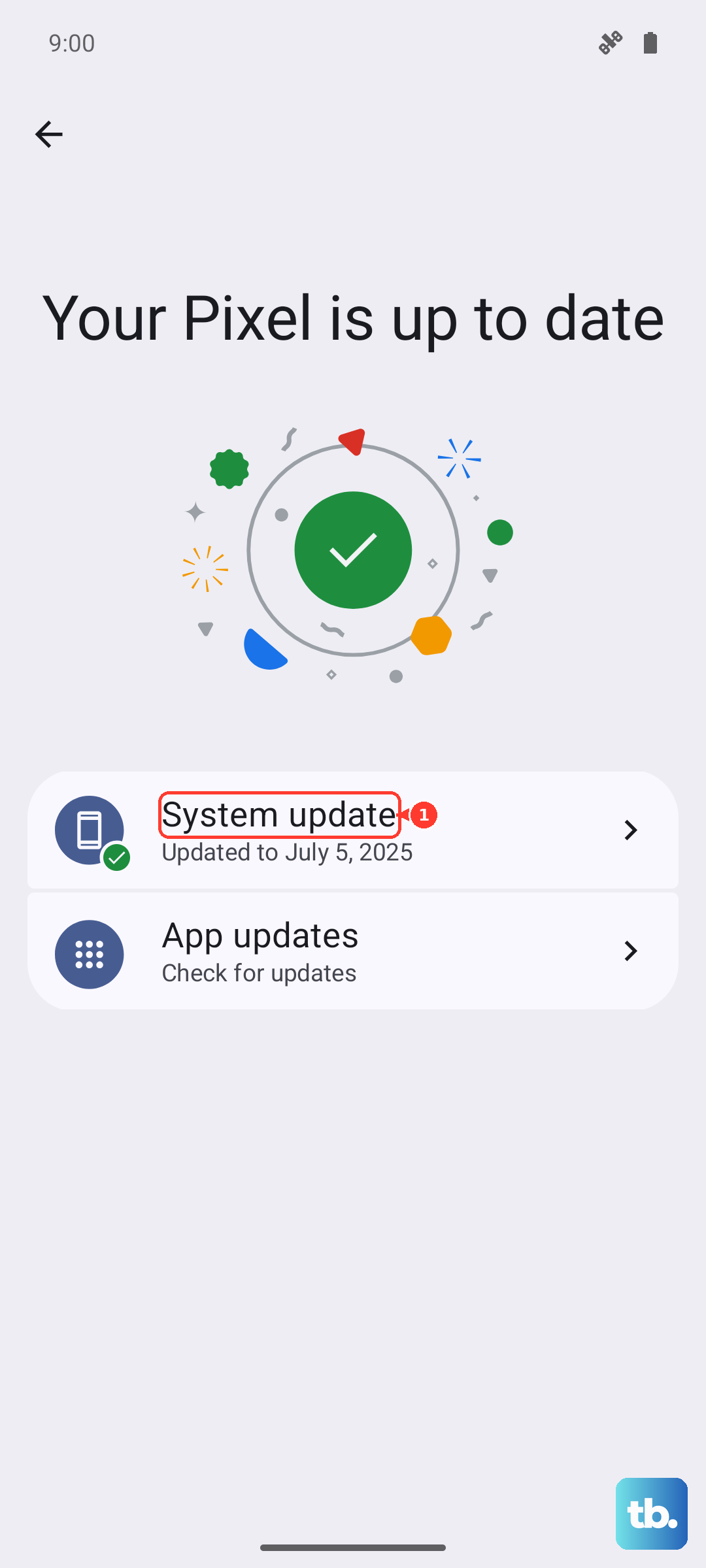
For system updates, go to Settings > Software update > Download and install. The Galaxy Z Fold 7 runs Android 16 with One UI 8.5, and Samsung regularly pushes fixes for stability issues.
Wipe the System Cache
Temporary system files can get corrupted and cause random restarts. Clearing the cache partition doesn't affect your personal data.
Turn off the phone completely. Then press and hold the Volume up and Side buttons until the menu appears. Use the volume buttons to navigate to "Wipe cache partition" and press the power button to select. Confirm and then reboot the device.
Free Up Storage Space
When internal storage is nearly full, the system can become unstable. Check yours by going to Settings > Device care > Storage. If you're below 10% free space, that's a common cause of restarts.
Delete old downloads, clear app caches, and move photos or videos to cloud storage or an SD card if you have one. The foldable screen takes up space too, so be mindful of large files.
Reset All Settings
If the problem keeps coming back, resetting all settings restores network, display, and system settings to default without deleting your apps or data.
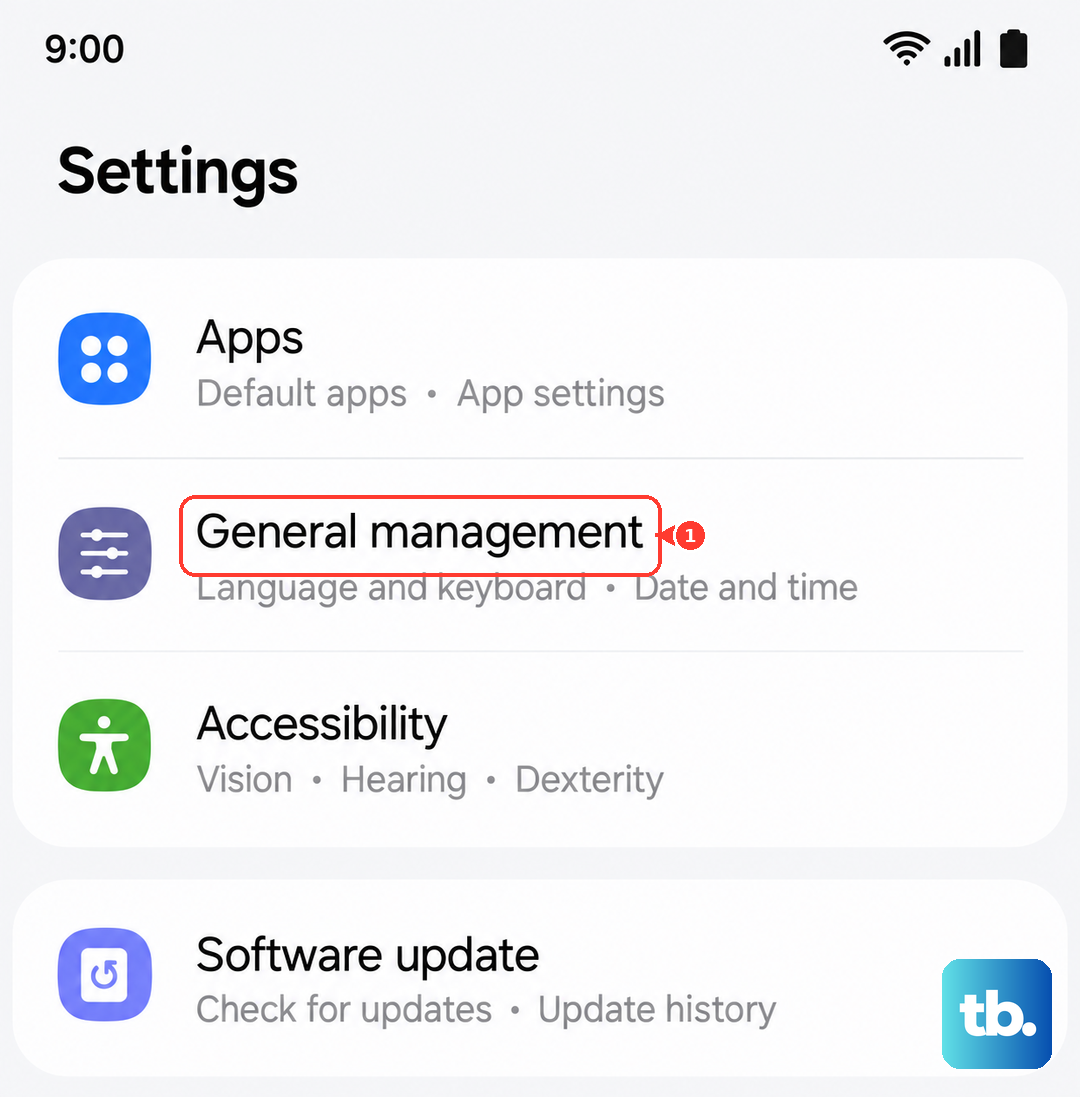
Go to Settings > General management > Reset > Reset all settings. You'll need to re-enter Wi-Fi passwords and reconfigure some preferences, but it's a safe middle ground before a full wipe.
Factory Reset (Full Wipe)
A factory reset wipes everything and gives you a clean slate. Only do this after backing up your data.
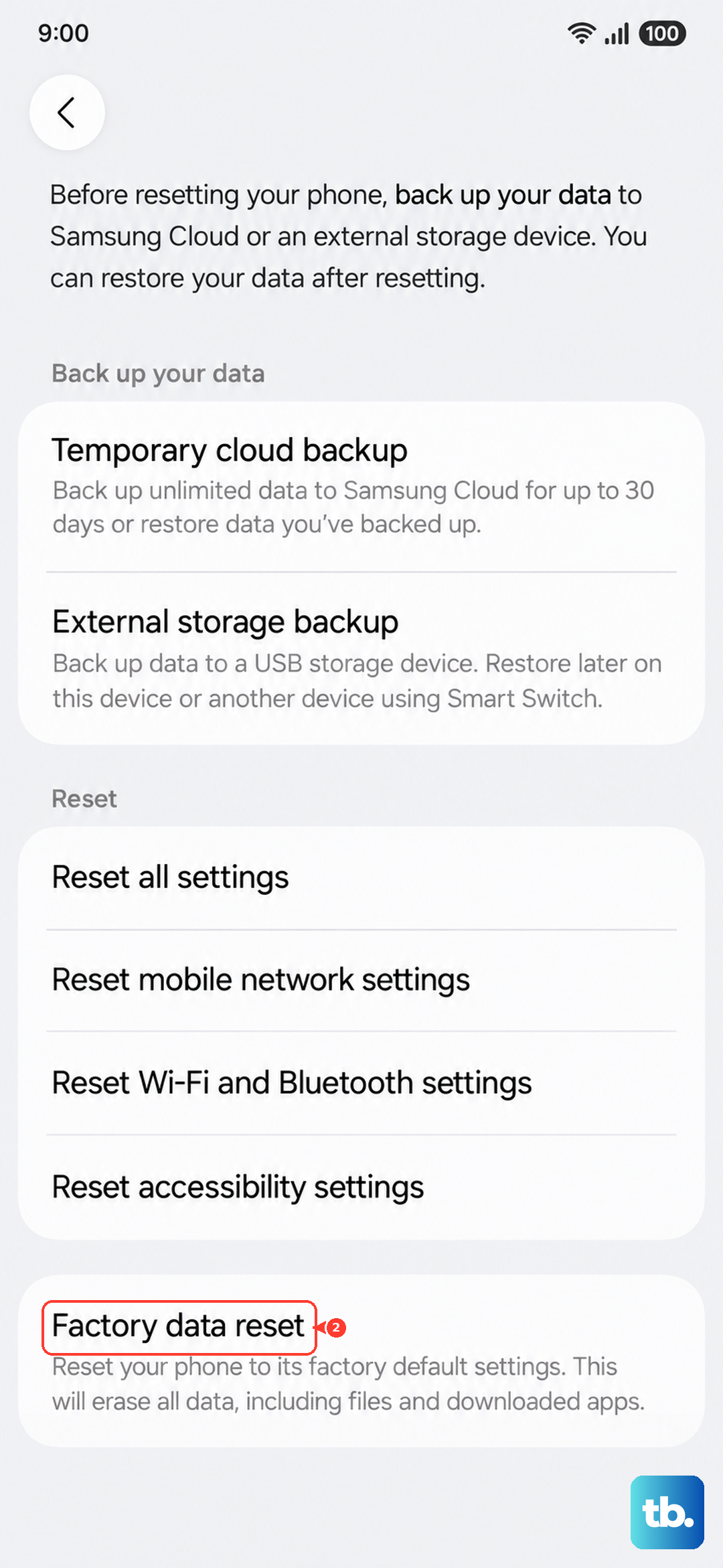
Navigate to Settings > General management > Reset > Factory data reset. Read the warning carefully, then tap "Reset" and enter your PIN or password. The phone will restart and you'll have to set it up from scratch. If the restarts stop after this, the issue was software-related.
Calibrate the Battery
The Galaxy Z Fold 7 has a known issue where charging may stop around 45% or the battery calibration gets thrown off after a deep discharge. This can cause the phone to shut down unexpectedly.
To recalibrate, let the battery drain completely until the phone turns off. Then plug it in with a certified Samsung 25W charger or a USB PD PPS charger and let it charge uninterrupted to 100% without unplugging. Once full, keep it plugged in for another hour. Then unplug and use the phone normally. This resets the battery gauge and often fixes random shutdowns related to power reporting.
Inspect the Charging Port and Hardware
Sometimes the restart issue is physical. The USB-C port on the Z Fold 7 can collect pocket lint, which prevents a stable connection and can cause the phone to reboot when charging.
Take a close look at the port. If you see any dust or debris, use a can of compressed air or a very gentle toothpick to clean it out. Avoid metal objects that could scratch the pins. Also check that your charging cable is in good condition and certified for the 25W wired charging. Wireless charging via Qi is an option too, but some third-party pads may not work well with the foldable design.
If the phone is still restarting after all these steps, the issue might be a deeper hardware fault like a failing battery or a loose internal connection. In that case, reaching out to Samsung support is the next logical step.