
The Samsung Galaxy Z Flip 7 packs a lot of power into its compact foldable frame. That's great for multitasking, but it can also mean things get a bit warm during a long video call or a fast-charging session. If your Z Flip 7 is running hot more often than it should, here are nine practical fixes to cool it down.
Start with a Force Restart
This clears temporary software glitches that can push the processor into a high-power state and generate extra heat. Press and hold the Volume Down key and the Side key (the one with the fingerprint sensor) simultaneously for 10 to 15 seconds. Let go when you see the Samsung logo.
This is not a factory reset and will not delete your data. It simply stops any background process that might be stuck and draining power.
Check How You're Charging It
The Z Flip 7 maxes out at 25W wired charging, which is slower than many competitors. If your phone is hot while charging, that is normal to some degree, but it should not be scorching. Unplug it if it feels too hot and let it cool down before resuming.
There is a known quirk where the phone may stop charging before it hits 100 percent. If you notice this, simply unplug the cable and plug it back in. For wireless charging, make sure you center the phone on the pad, as misalignment on non-Samsung pads can generate excessive heat.
Update to the Latest Software
Samsung frequently pushes updates to improve thermal management and fix background bugs. Go to Settings > Software update > Download and install. If there is a pending update, install it and give the phone a few minutes to settle down afterward.
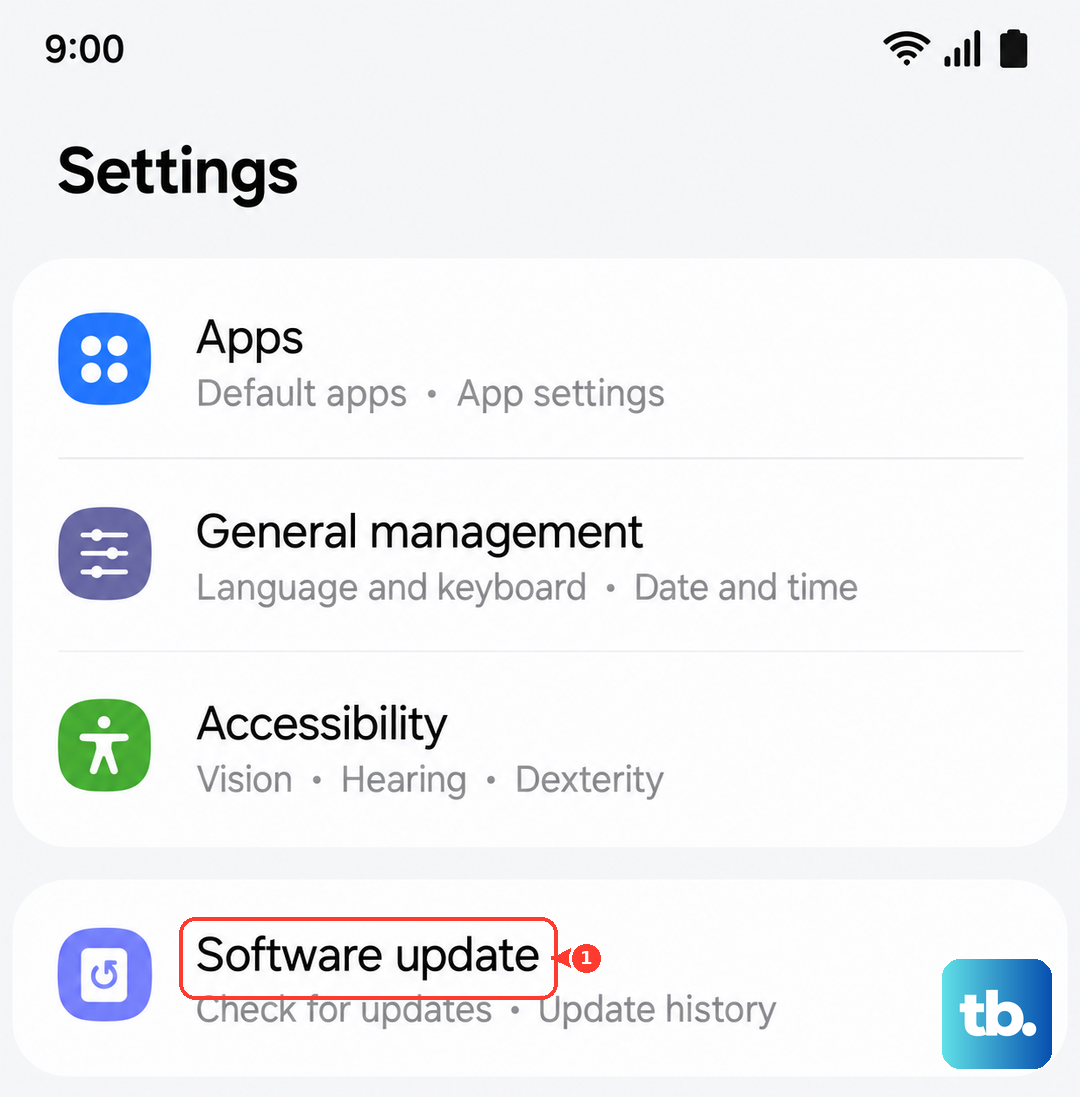
Some early bugs related to intermittent charging and overheating on the Z Flip 7 were addressed in post-launch patches. Running the latest firmware keeps those fixes active.
Dial Down the Screen Brightness
That gorgeous foldable display consumes a lot of power when the brightness is cranked up, and power consumption directly translates to heat. Turn off Adaptive brightness in Settings > Display and manually keep it below 70 percent when you are indoors.
If you are out in direct sunlight, the phone will push the brightness much higher to stay visible. When you are done using it, lower it back down to avoid cooking the internal components.
Hunt Down Rogue Background Apps
A single misbehaving app can keep the processor active and hot without you even realizing it. Open Settings > Battery and device care > Battery and check the graph for unusual activity. Look for apps that are using a lot of battery in the background when you haven't touched them.
You can put these apps into Sleep or Deep Sleeping mode to prevent them from running wild. This is one of the most effective ways to stop recurrent overheating issues.
Switch to Light Performance Mode
The Z Flip 7 has a very capable processor, but you do not need its full speed to check email or scroll social media. Go to Settings > Battery and device care > Battery > More battery settings > Performance profile and select Light. This subtly reduces the CPU and GPU speed.
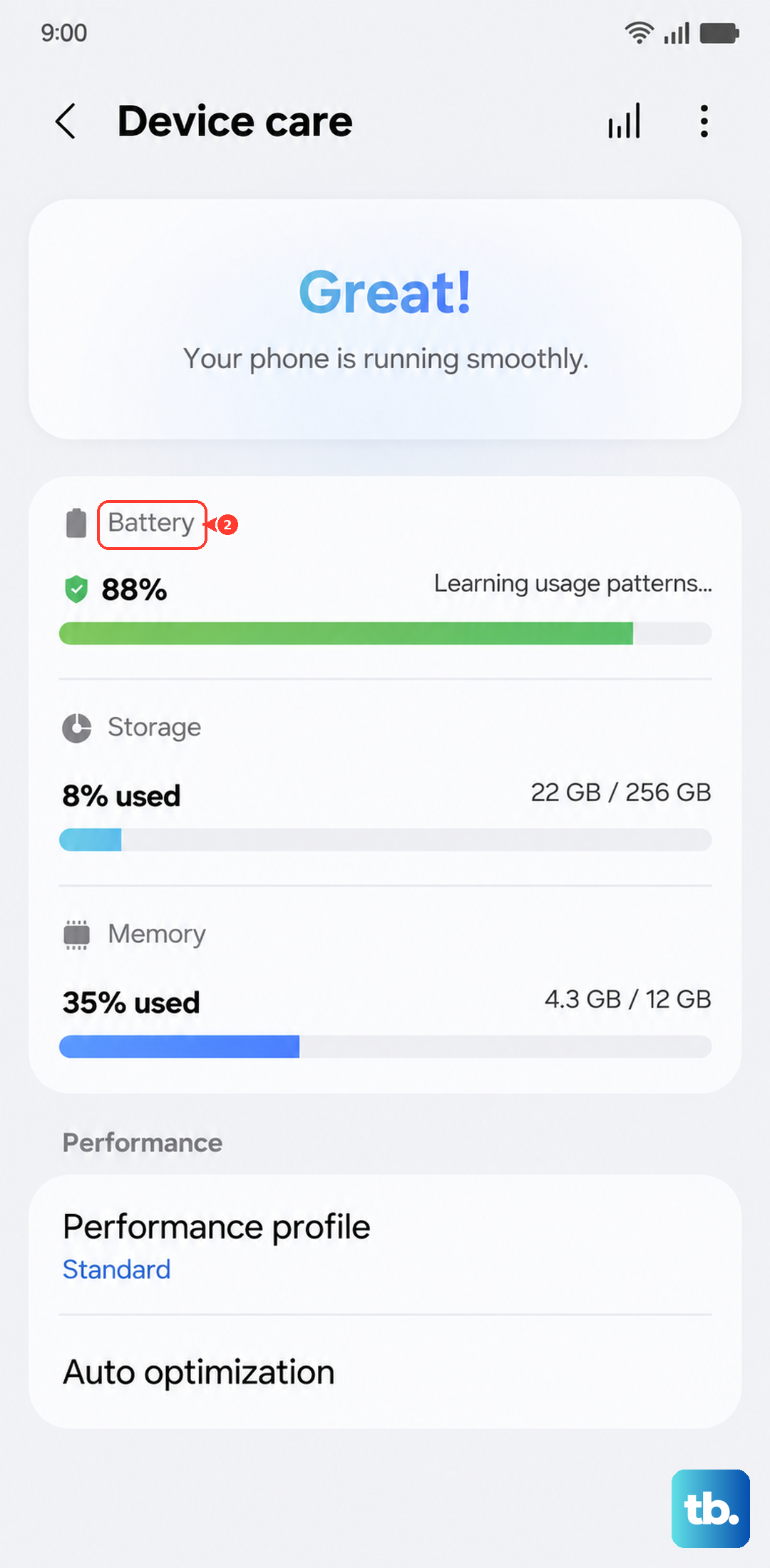
You will not notice a difference in daily tasks, but your phone will run noticeably cooler. It is a good idea to keep this mode on permanently unless you are gaming or editing video.
Watch Your Signal Strength
A phone that is constantly searching for a strong signal will get very warm. The 5G radio consumes significant power when the signal is weak. If you are in an area with poor reception, consider switching to 4G LTE temporarily.
Go to Settings > Connections > Mobile networks > Network mode and select LTE/3G/2G (auto connect). This relieves the modem from constantly hunting for a better signal and keeps the phone cooler.
Remove the Case
Folding phones already face thermal challenges because the hinge creates gaps and joints that affect how heat moves through the frame. Adding a thick or rubber case traps even more heat against the body. If your phone is running hot, take the case off and see if it improves.
If you need a case for drops, try a thin, vented style that does not tightly wrap the hinge area. A little bit of airflow makes a big difference in keeping the internal temperature down.
Keep It Out of Direct Sunlight
This sounds obvious, but it is the most common cause of overheating in foldables. The dark screen absorbs sunlight and heats up rapidly. If you are using GPS navigation or taking photos on a sunny day, angle the phone away from the sun or take a short break to let it cool off.
Excessive heat can degrade the foldable display's adhesive over time. A few minutes of shade is all it usually takes to bring the temperature back to a safe range.











