
When your Samsung Galaxy S25 FE won't charge on a wireless pad, it's frustrating, but the fix is often simple. The issue is usually related to alignment, a setting, or the charger itself rather than a broken phone. I'd start by checking the basics first.
Center Your Phone on the Pad
Wireless charging needs the coils inside your phone and the charger to line up almost perfectly. Place your Galaxy S25 FE directly in the center of the charging pad. You should feel a slight vibration and see a charging animation on your screen. Being off by even a small amount can prevent it from starting.
Take Off Your Phone Case
Your case is the most common culprit. Thick cases, especially ones with metal plates, rings, or built-in card holders, will block the wireless signal. Pop the case off and try charging the bare phone. If it works, you'll need a case that's specifically rated for wireless charging.
Verify Your Charger is Working
Make sure your wireless charger is plugged into a working outlet and that its LED light is on. Try a different wall adapter, as some chargers need a certain power level to activate. For the fastest 15W wireless charging on the S25 FE, you should use a compatible Samsung adapter.
Restart Your Galaxy S25 FE
A quick reboot can clear up temporary software glitches that stop the charging system from working. Press and hold the Volume Down button and the Side key together for about ten seconds. Let go when you see the Samsung logo. Once it's back on, try the charger again.
Clean the Phone and Charger Surface
Dust, lint, or any grime on the back of your phone or the surface of the pad can create just enough of a gap to break the connection. Give both a good wipe with a dry, soft cloth. Pay special attention to the center area of your phone's back.
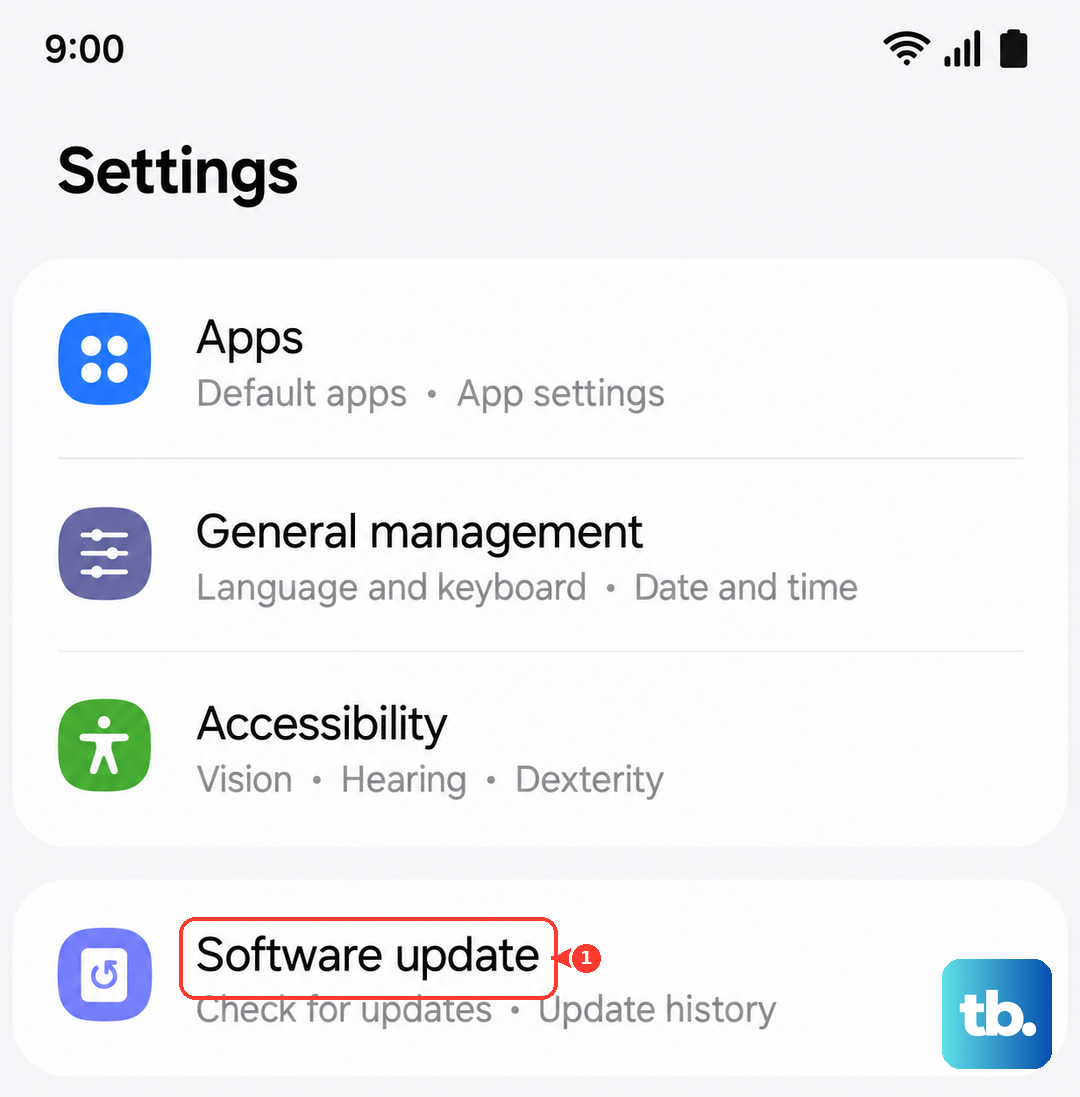
Check for Software Updates
Head to Settings > Software update and tap Download and install. Samsung has addressed various bugs, including ones related to charging, in past updates. Keeping your One UI software current is one of the easiest ways to prevent issues.
Let Your Phone Cool Down
The S25 FE can run warm, especially if you've been gaming. If the phone gets too hot, it will automatically pause charging to protect the battery. Take it off the charger, let it cool for a few minutes, and try again. Avoid charging in direct sunlight or on other warm surfaces.
You can also try turning off features like 5G or closing background apps to help it cool down faster. Enabling Adaptive Battery in your settings can help manage this in the long run by learning your usage patterns.
Reset Your Phone's Settings
If a restart didn't help, a settings reset might. Go to Settings > General management > Reset > Reset settings. This will revert all your system settings (like Wi-Fi passwords and display brightness) back to default without touching your personal data. It can resolve deeper configuration conflicts.
Test With a Different Wireless Charger
This is the best way to figure out where the problem is. If your S25 FE charges on a different Qi pad, then your original charger is faulty. If it still won't charge on any wireless charger, the issue is likely with the phone's hardware. Remember, the S25 FE supports standard Qi charging up to 15W.