
Spam calls and unwanted texts are a hassle, but your iPhone Air gives you several ways to shut them down. Once you block a number, they can't call, text, or FaceTime you. Here's how to block numbers and keep your blocked list organized.
Block a Number from Recent Calls
Open the Phone app and tap the Recents tab at the bottom. Find the number you want to block and tap the blue (i) info button next to it. Scroll down and tap Block this Caller, then confirm with Block Contact.
That's it. Any calls from that number will go straight to voicemail, and their texts and FaceTime requests won't reach you.
Block a Number from Messages
If someone is texting you and you want them gone, open the conversation in Messages. Tap the contact name or number at the top of the screen, then tap the (i) info button. Scroll down and tap Block this Caller, then confirm.
Their future messages are silently dropped on their end. You won't see them, and the sender won't get a delivery confirmation.
Block a Contact from Your Address Book
Open the Contacts app or go to Phone > Contacts. Find the person you want to block and tap their name to open their contact card. Scroll past all their info to the bottom and tap Block this Caller. This blocks all phone numbers and email addresses tied to that contact, so calls, texts, and FaceTime are all covered.
Check and Manage Your Blocked List
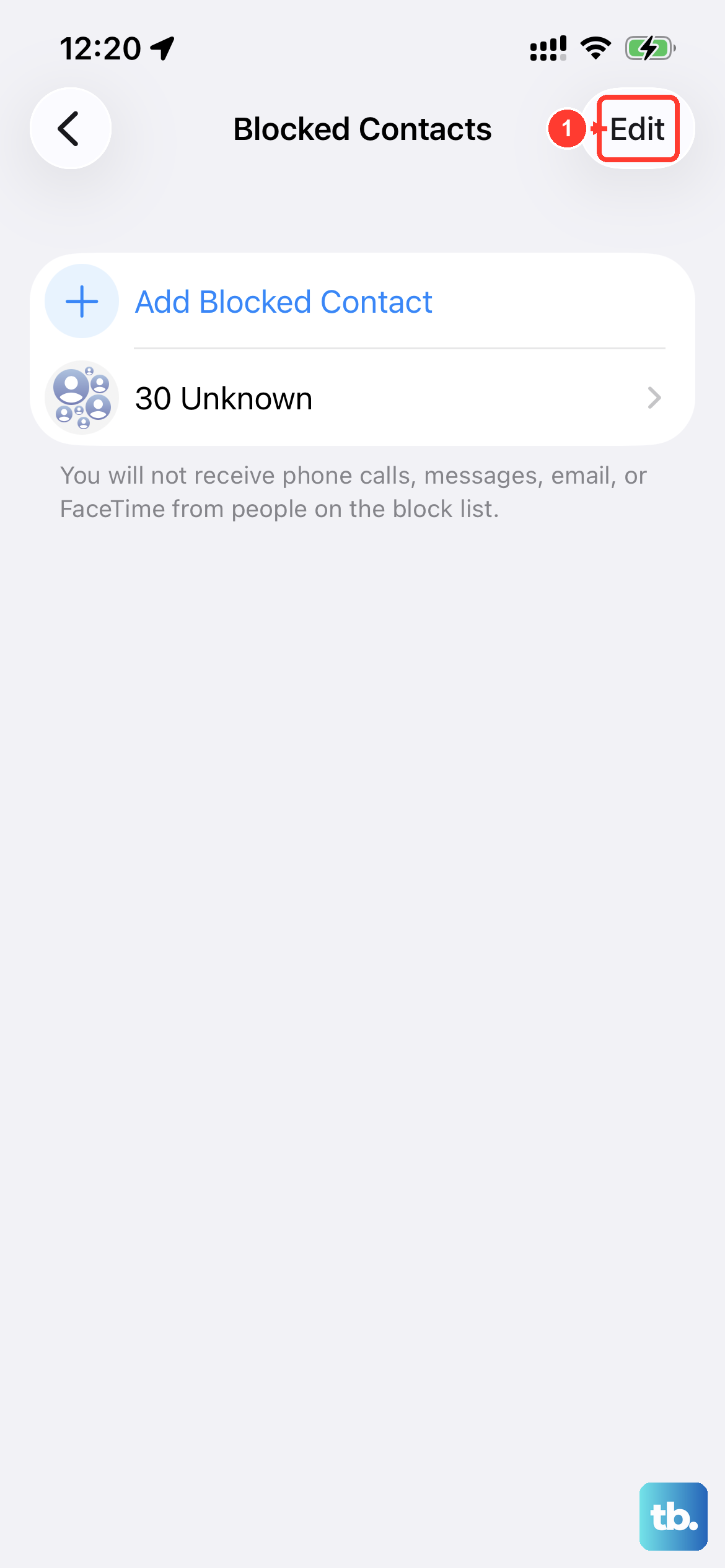
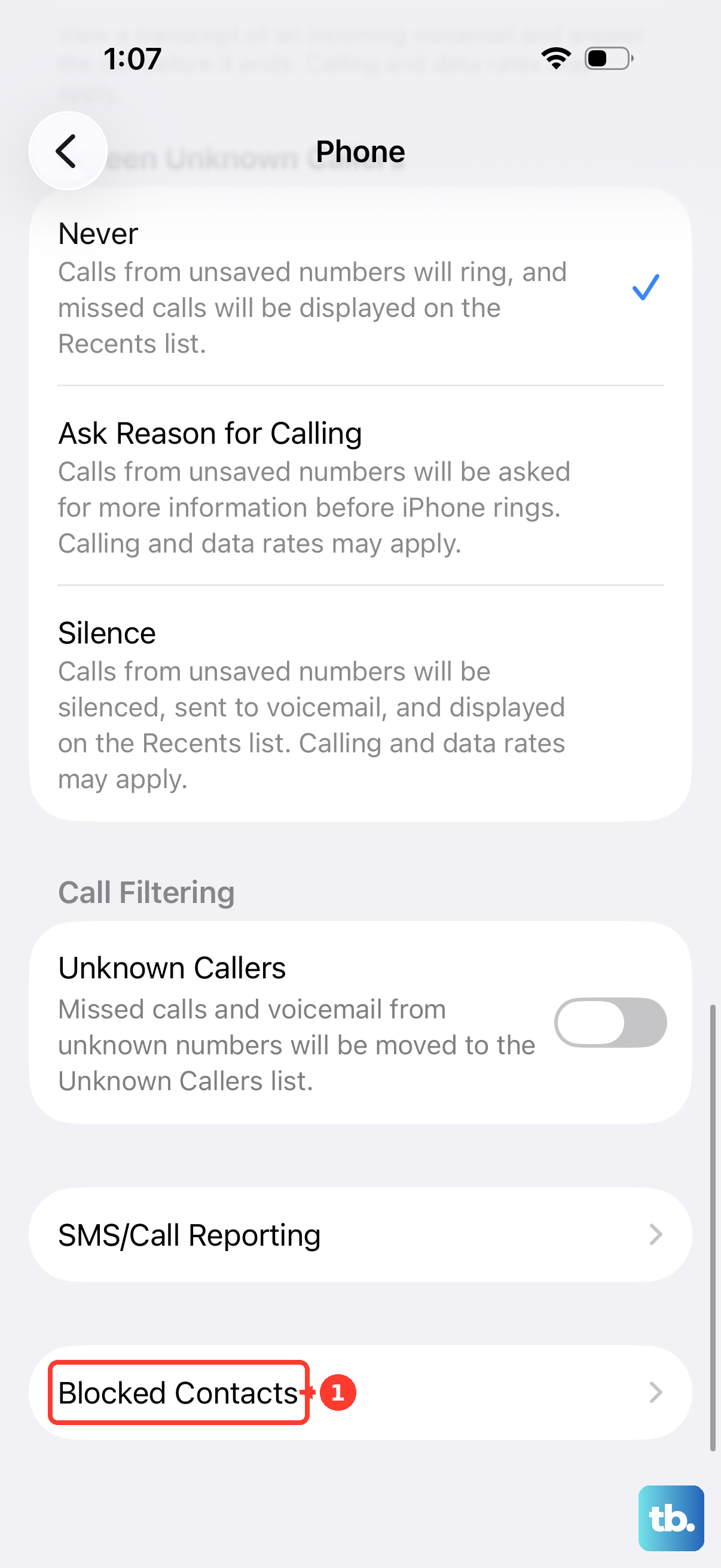
To see everyone you've blocked, go to Settings > Phone > Blocked Contacts. You'll get a clean list of every number and contact you've blocked. To unblock someone, swipe left on their name and tap Unblock. You can also tap Edit in the top-right corner to remove multiple entries at once.
This same list applies across calls, messages, and FaceTime, block someone once and they're blocked everywhere.
Silence Unknown Callers Automatically
For calls from numbers not in your contacts, go to Settings > Phone > Silence Unknown Callers and flip the toggle on. Calls from unknown numbers will go straight to voicemail without your phone ringing. You'll still see them in your recent calls list and get a voicemail notification.
This is a strong defense against robocallers, but it can also silence important calls from places like your doctor's office or a delivery driver if you haven't saved their number. Turn it on when the spam gets bad and off when you're expecting a call from an unknown but legitimate source.
Report Junk Text Messages
When a spam text comes in from an unknown sender, open the message. Below the message you'll see a Report Junk link. Tap it to both report the message as spam and block the sender at the same time. This sends info to Apple and your carrier to help improve spam filtering for everyone.
You can also go to Settings > Messages > Filter Unknown Senders to automatically sort messages from people not in your contacts into a separate list. That way your main inbox stays clean.
Block Spam from the Mail App
If spam emails are flooding your inbox, open the email from the sender you want to block. Tap their name at the top of the message, then tap it again to bring up a menu. Select Block this Contact. Future emails from them will go straight to the Trash folder. You can manage all blocked senders in Settings > Mail > Blocked.
What Happens When Someone Is Blocked
Blocked callers hear one ring then get sent to voicemail. They can leave a voicemail, which appears in a separate "Blocked Messages" section at the bottom of your voicemail list. They won't know they've been blocked because the call appears to ring normally on their end.
Text messages from blocked numbers are never delivered, they vanish into a digital black hole. The same goes for FaceTime calls and iMessages.