The short answer is that every iPhone currently running iOS 26 will also run iOS 27. Apple announced the update at WWDC26 on June 8, 2026, and the compatibility list on the official preview page at www.apple.com/os/ios/ stretches from the current iPhone 17 lineup back to the iPhone 11 family and the iPhone SE (2nd generation and later). That makes 30 entries on Apple's list, and not a single iPhone gets dropped this cycle.
Two caveats first. First, iOS 27 exists only as a developer beta right now, with a public beta Apple says is coming next month, meaning July, and a free general release in the fall of 2026, so features can still change. Second, the headline additions, Siri AI and the new Apple Intelligence features, have a much higher hardware floor than the operating system itself.
Every iPhone That Makes the iOS 27 Cut
Here is Apple's complete compatible-device list from the iOS 27 preview page.
iPhone 17 lineup. iPhone 17 Pro Max, iPhone 17 Pro, iPhone Air, iPhone 17, and iPhone 17e.
iPhone 16 lineup. iPhone 16 Pro Max, iPhone 16 Pro, iPhone 16 Plus, iPhone 16, and iPhone 16e.
iPhone 15 lineup. iPhone 15 Pro Max, iPhone 15 Pro, iPhone 15 Plus, and iPhone 15.
iPhone 14 lineup. iPhone 14 Pro Max, iPhone 14 Pro, iPhone 14 Plus, and iPhone 14.
iPhone 13 lineup. iPhone 13 Pro Max, iPhone 13 Pro, iPhone 13, and iPhone 13 mini.
iPhone 12 lineup. iPhone 12 Pro Max, iPhone 12 Pro, iPhone 12, and iPhone 12 mini.
iPhone 11 lineup and SE. iPhone 11 Pro Max, iPhone 11 Pro, iPhone 11, and iPhone SE (2nd generation and later).
One honest note applies. This is the announced list from the pre-release preview page, and Apple confirms the final lineup at the fall release. These lists have historically not changed between WWDC and release, but treat it as announced rather than final.
The floor also matches the last cycle exactly. Apple's own support article for downloading iOS 26 lists compatibility as iPhone 11 through iPhone 17 Pro Max plus iPhone SE (2nd generation and later), so if your iPhone runs iOS 26 today, it gets iOS 27.
The Siri AI Divide Inside the Supported List
Running iOS 27 is not the same as getting everything in iOS 27. Apple states that Siri AI and the new Apple Intelligence features require iPhone 16 models or later, iPhone 15 Pro, or iPhone 15 Pro Max. The qualifying list on www.apple.com/apple-intelligence/ covers the entire iPhone 17 lineup including iPhone Air, every iPhone 16 model, and the iPhone 15 Pro and iPhone 15 Pro Max.
Every other compatible model, meaning the iPhone 15 and 15 Plus, the iPhone 14, 13, 12, and 11 families, and the iPhone SE, installs iOS 27 without Siri AI or the new Apple Intelligence features.
A second tier for voice customization
The iOS 27 preview page footnote states that Siri AI voice customization is available on iPhone 17 Pro, iPhone 17 Pro Max, and iPhone Air, along with certain iPad, Mac, and Apple Vision Pro models. Those three phones run Apple's A19 Pro chip.
Siri AI lands later and in English first
Even on qualifying hardware, do not expect Siri AI on day one of iOS 27.0. The preview page footnote says Siri AI "will be available in beta later this year" and requires a device that supports Apple Intelligence set to a supported language, in English to start, and Apple says it will quickly expand support for more languages.
What the new Siri can actually do
Apple describes an assistant that answers questions about the content on your screen, pulls up-to-date information from the web, and understands personal context across your messages, emails, and photos. It takes actions across apps and adds a Siri mode in the Camera app for visual queries, plus an all-new dedicated Siri app where you can revisit past conversations, with history privately synced through iCloud. Apple Intelligence uses on-device processing and Private Cloud Compute, and Apple states that when Private Cloud Compute handles a request, "personal data is not stored nor made accessible to Apple or anyone else."
The Google and Gemini question
Apple's official wording on Google, from the Apple Intelligence press release, says these capabilities "are powered by the next generation of Apple Foundation Models, custom-built in collaboration with Google and its Gemini models for deeply integrated Apple Intelligence experiences." Apple also says the next generation of Apple Intelligence helps power Siri AI, so be wary of shorthand that goes further than those sentences.
Where Siri AI will not work at first
Hardware is not the only gate. Apple says Siri AI will not initially be available in the EU on iOS, iPadOS, and watchOS, and it has not announced a timeline for iPhone and iPad there. Mac and Apple Vision Pro users in the EU will be able to access Siri AI when set to a supported language. In China, Siri AI and the other new Apple Intelligence features will not be available while Apple works through regulatory requirements.
How to Check Your iPhone and Plan the Update
- 1.Confirm your model. Open Settings > General > About and check the model name shown there, then compare it against the list above. If the phone runs iOS 26 today, it gets iOS 27.
- 2.Back up before anything else. Apple advises backing up your device before downloading new software. Betas raise the stakes, since Apple warns that backups created while using beta software might not be compatible with earlier versions of iOS, so keep a pre-beta backup.
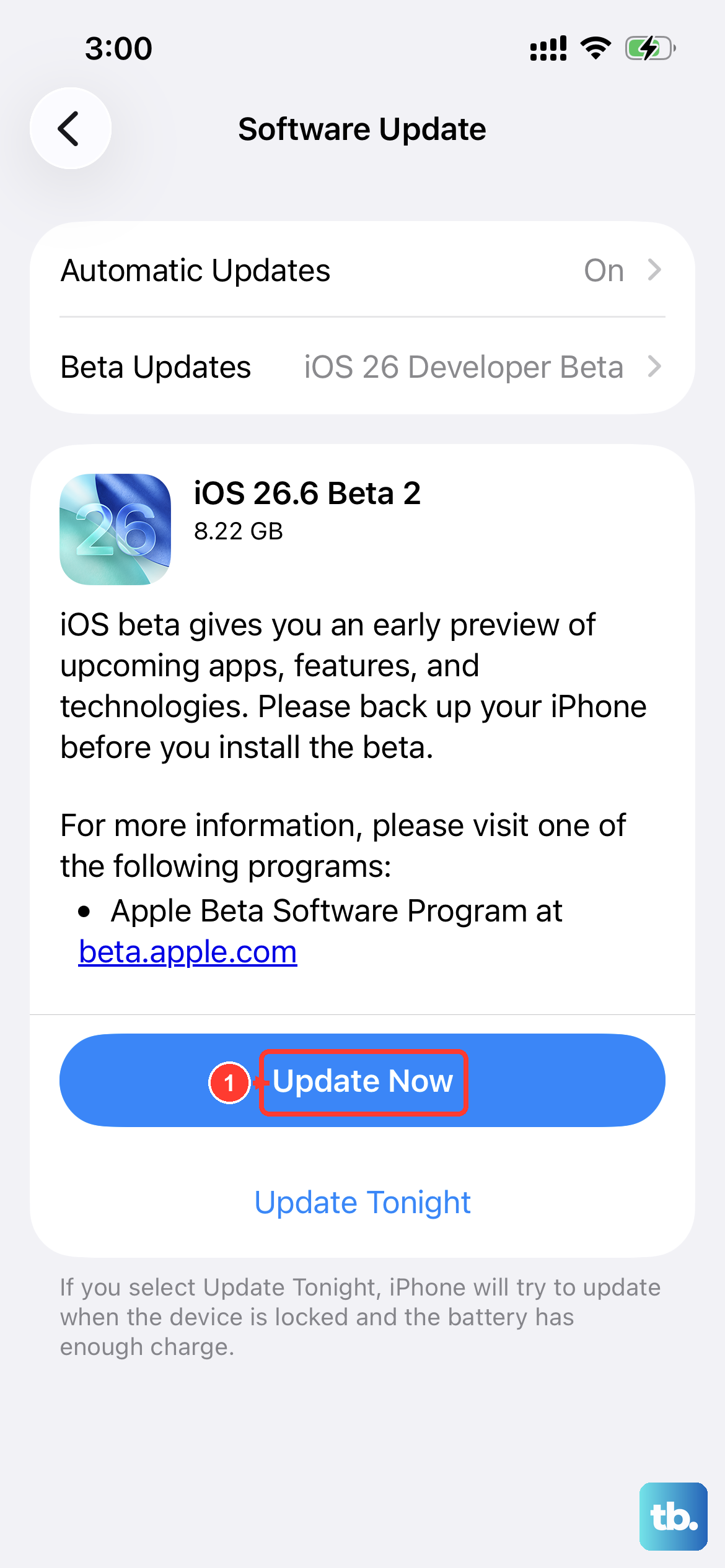
- 3.Install the final release this fall. When iOS 27 ships as a free update, go to Settings > General > Software Update, tap Download and Install, and follow the onscreen instructions. You can also turn on automatic updates so the update installs overnight while the phone charges and is connected to Wi-Fi.
- 4.Join the public beta if you cannot wait. Sign up at beta.apple.com with your Apple Account to enroll in the Apple Beta Software Program, then go to Settings > General > Software Update > Beta Updates and select the iOS 27 Public Beta once it appears. As of June 11, 2026, beta.apple.com lists the new public betas as coming soon, and Apple's June 8 announcement points to next month, which means July.
- 5.Leave the beta if you regret it. Go to Settings > General > Software Update > Beta Updates and tap Off. Per Apple's support article at support.apple.com/en-us/108763, the device then stops receiving beta builds, and it moves back onto release versions with the next public update. The toggle exists on iOS 16.4 or later.
What Else iOS 27 Brings Beyond Siri
The preview page highlights photo editing with Spatial Reframing, which reframes a photo after it has been taken, an enhanced Clean Up tool that removes even larger objects, and the Siri mode that works with Visual Intelligence to search and ask questions about what is around you. It also touts refinements including app launches that Apple says are up to 30 percent faster and an iPhone that more seamlessly picks the best available Wi-Fi or cellular connection. Families get new child safety features too. Ask to Browse requires kids to request permission before visiting new websites in Safari, Time Allowances sets daily limits across categories like Entertainment, Games, and Social Media, and Apple says Screen Time has been redesigned to be more intuitive for parents, with an at-a-glance view of kids' average device usage and top apps.
Apple has not published a per-feature breakdown for older hardware. Beyond the Apple Intelligence and voice customization floors above, do not assume a specific new feature will or will not reach an iPhone 11-class device until Apple says so.
A Beta Reality Check Before You Install
Developer beta 1, build 24A5355q, shipped on June 8, 2026, and it is rough in the way first betas always are. Apple's own release notes already log Siri problems, including slower responses in CarPlay under higher device temperatures or poor network conditions, failures finding some of the people sharing their location with you in Find My, failed calls to short numbers such as "Call 17," and a "read my last message" request that may read an unread message from an unknown sender, such as spam, instead of the most recent message from a known contact.
On top of that, expect bugs and apps that misbehave, and remember that anything you see now can change before the fall release. If your iPhone is your only phone, wait for the public beta at minimum, and ideally the finished update.
Frequently Asked Questions
Does the iPhone 11 get iOS 27?
Yes. The iPhone 11, iPhone 11 Pro, and iPhone 11 Pro Max appear on Apple's iOS 27 list, along with the iPhone SE (2nd generation and later). They do not get Siri AI or the new Apple Intelligence features, which require iPhone 16 models or later, iPhone 15 Pro, or iPhone 15 Pro Max.
When will iOS 27 be released to everyone?
Apple says iOS 27 arrives in the fall of 2026 as a free software update. A developer beta has been available since June 8, 2026, and Apple says a public beta opens next month, meaning July, through the Apple Beta Software Program at beta.apple.com.
Is the new Siri powered by Google Gemini?
That is not how Apple puts it. Apple's exact wording is that these capabilities are powered by the next generation of Apple Foundation Models, "custom-built in collaboration with Google and its Gemini models," and Apple says the next generation of Apple Intelligence helps power Siri AI.
Can I go back to iOS 26 after trying the iOS 27 beta?
Go to Settings > General > Software Update > Beta Updates and tap Off, and the phone stops receiving beta builds, then rejoins release versions with the next public update. Be careful with backups, since Apple warns that backups made while using beta software might not be compatible with earlier versions of iOS.
Will Siri AI work in the EU or China?
Not at first. Apple says Siri AI will not initially be available in the EU on iOS, iPadOS, and watchOS, and it has not announced a timeline for iPhone and iPad there. Mac and Apple Vision Pro users in the EU will be able to access it when set to a supported language. In China, Siri AI and the other new Apple Intelligence features will not be available while Apple works through regulatory requirements.