
Ting Mobile lets you pick which network your line uses. Its GSM service runs on T-Mobile, and its Verizon-network service (still labeled CDMA in Ting's documentation even though Verizon's 3G CDMA was shut down in 2022; current service runs on Verizon LTE and 5G) runs on Verizon. The APN values differ between the two, so the right configuration depends on which Ting SIM you activated. Ting Mobile is owned by EchoStar (DISH acquired Ting Mobile in August 2020, and DISH later merged into EchoStar in late 2023); Ting Internet broadband is still operated separately by Tucows. New Verizon-network signups can be limited depending on which Ting entity you sign up through.
Most modern phones auto-configure the APN when a Ting SIM is inserted, but Android phones with older OS versions or imported devices often need manual entry. Here is the verified setup, plus how to tell which Ting network your line is on.
What You Need to Know
- Ting runs two underlying networks. Ting GSM rides on T-Mobile's towers. Ting CDMA rides on Verizon's towers. Each has its own APN.
- The Ting GSM APN value is wholesale, the same value used by other T-Mobile-network MVNOs. Verizon-based Ting lines typically auto-configure through a carrier profile and rarely need manual entry.
- Most iPhones running iOS 15 or later auto-pull Ting's settings through Apple's carrier-bundles system. Manual editing on iPhone is rarely required.
- After major OS updates on Android, recheck the APN. Updates occasionally reset custom entries back to default.
Finding the APN Menu
Before entering values manually, check whether your line is on Ting's GSM (T-Mobile) or CDMA (Verizon) network. Your activation email and your Ting account dashboard both list this. The APN you need depends on the answer.
Android
- 1.Open Settings
- 2.Tap Network & Internet (or Connections on Samsung)
- 3.Tap Mobile Networks, then your Ting SIM if dual-SIM
- 4.Tap Access Point Names
- 5.Tap the three-dot menu, then New APN or Reset to default first if you have stale entries
- 6.Enter the values from the Ting GSM list below (or use the auto-pulled CDMA entry if on Verizon)
- 7.Tap Save, then select the new APN to activate it
- 8.Restart the phone or toggle Airplane Mode for 20 seconds
iPhone and iPad
- 1.Open Settings
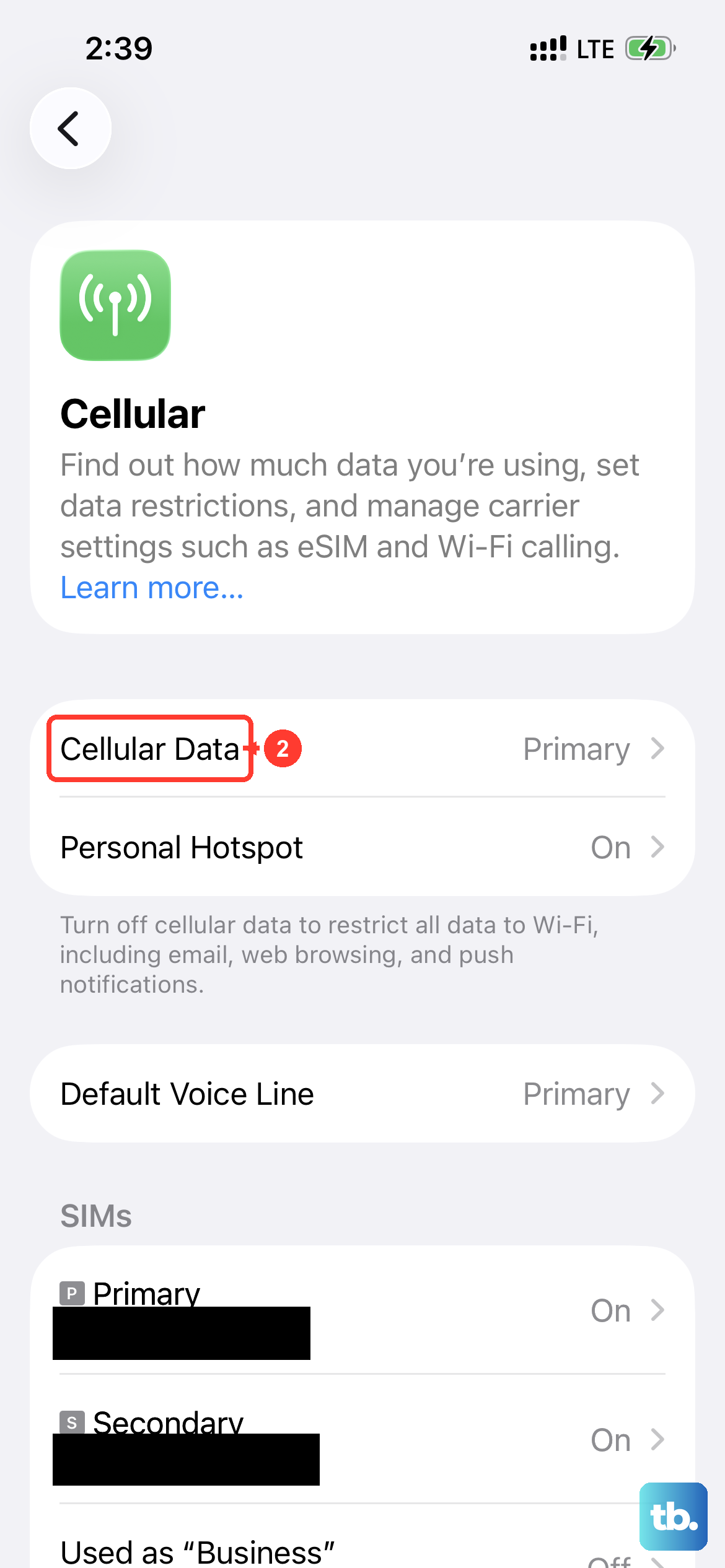
- 2.Tap Cellular or Mobile Data
- 3.Tap Cellular Data Network if visible
- 4.Enter the iPhone values from the list below (only needed on older iOS versions or non-standard setups)
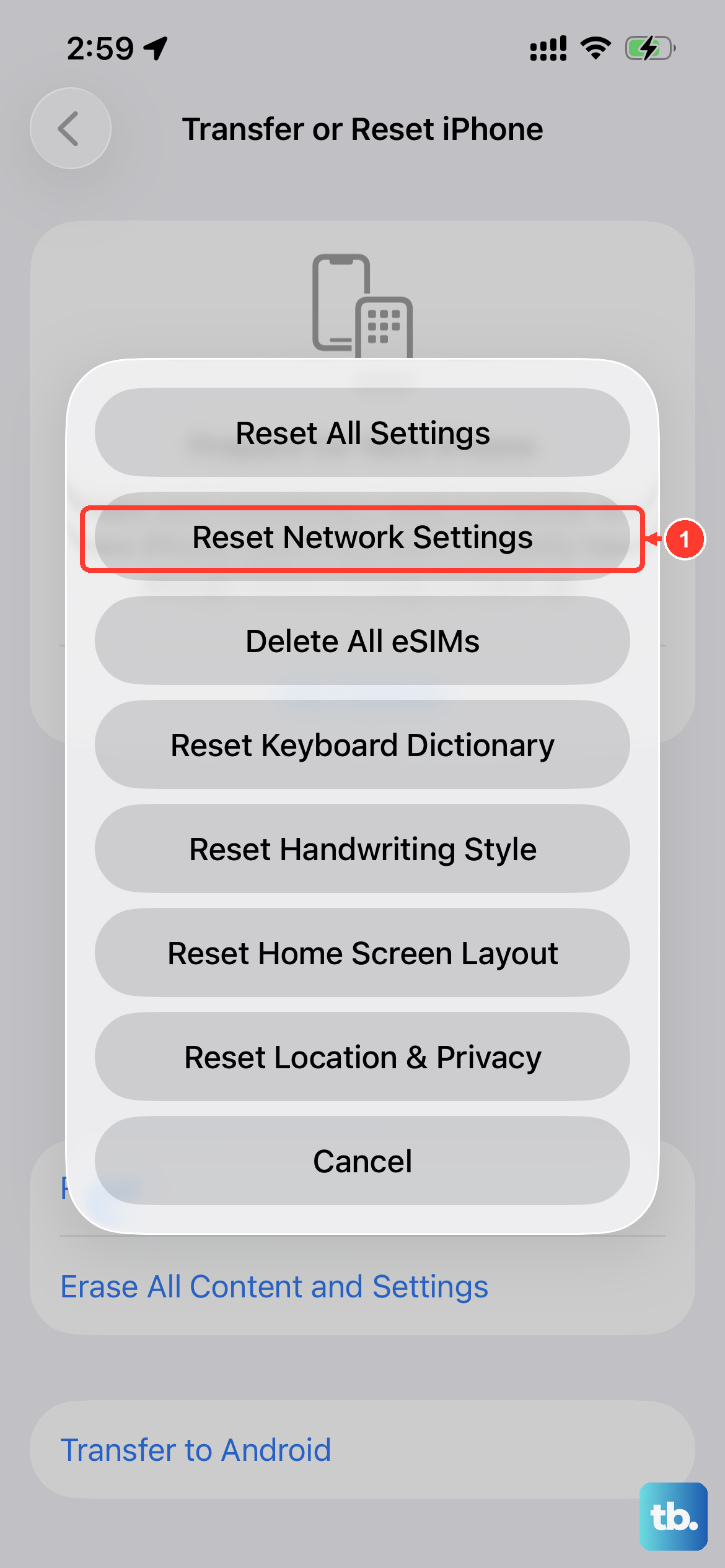
- 5.If the Cellular Data Network option is hidden, run Reset Network Settings and let the carrier profile reinstall
Ting GSM Android APN Values
Use these for Ting lines on the GSM (T-Mobile) network:
- Name: Ting
- APN:
wholesale - Proxy: <Not set>
- Port: <Not set>
- Username: <Not set>
- Password: <Not set>
- Server: <Not set>
- MMSC:
http://wholesale.mmsmvno.com/mms/wapenc - MMS proxy: <Not set>
- MMS port: 8080
- MCC: 310
- MNC: 260
- Authentication Type: None
- APN Type:
default,supl,mms - APN Protocol: IPv4/IPv6
- APN Roaming Protocol: IPv4/IPv6
- Bearer: Unspecified
Ting CDMA and iPhone APN Values
Verizon-based Ting lines typically auto-configure on Android. Manual entry is rarely necessary, but if needed, use values consistent with Verizon's standard MVNO setup (APN vzwinternet, MCC 311, MNC 480).
For iPhone on either Ting network, if manual entry is required:
- Cellular Data / Mobile Data (APN):
wholesale(GSM/T-Mobile) orvzwinternet(CDMA/Verizon) - Username: <Not set>
- Password: <Not set>
- MMS:
- APN: same as Cellular Data APN above
- MMSC:
http://wholesale.mmsmvno.com/mms/wapenc(GSM) orhttp://mms.vtext.com/servlets/mms(CDMA) - MMS Proxy: <Not set>
- MMS Max Message Size: 1048576
- MMS UA Prof URL:
http://www.apple.com/mms/uaprof.rdf
Choosing Between Ting GSM and CDMA
Ting lets you pick a network when you activate, and switching later usually requires a new SIM. The two networks have different coverage characteristics, so the choice matters.
Ting GSM (T-Mobile) tends to have better mid-band 5G coverage in metro areas, faster speeds in cities, and broader international roaming options. Ting CDMA (Verizon) tends to have stronger rural coverage and a wider 4G LTE footprint.
If you are unsure which network is better in your area, run a quick T-Mobile vs Verizon coverage check on each carrier's main website. Both have detailed coverage maps. The Ting service inherits the underlying network's coverage directly.
Common Ting APN Issues
- After saving the Android APN, reboot the phone. Ting GSM sometimes does not switch to the new entry until the phone re-registers with T-Mobile.
- Confirm the APN value is
wholesalein lowercase. Capitalization breaks the entry. - If MMS fails, double-check the MMS Port. Ting GSM uses 8080, not the more common 80. This is the same as several other T-Mobile-network MVNOs.
- If you switched between Ting GSM and Ting CDMA SIMs recently, run Reset Network Settings to clear the old APN entries that may be blocking the new one.
- For iPhone, install any pending Carrier Settings update at Settings > General > About.
- If your phone is locked to another carrier, request an unlock before troubleshooting further. Locked phones may refuse Ting's profile entirely.
- If problems persist after all the above, contact Ting support. They can resend the activation profile or refresh your account configuration.
Frequently Asked Questions
Why does Ting still use the labels GSM and CDMA?
The labels are legacy from when T-Mobile was GSM-only and Verizon was CDMA-only. Both networks now run LTE and 5G, but Ting kept the labels for backward compatibility and to help customers distinguish between the two underlying carriers.
Can I switch from Ting GSM to Ting CDMA without losing my number?
Yes, but you need a new SIM. Contact Ting support to request the switch. Your phone number stays on your account through the transition.
Do I need separate APN values for 5G on Ting?
No. The same APN handles 4G LTE and 5G on each underlying network. To pull 5G, enable 5G in network mode settings and confirm your phone supports the underlying carrier's 5G bands.
Why is the Ting GSM APN named wholesale instead of Ting?
T-Mobile uses Wholesale as the back-end APN identifier for its MVNO partners. Ting, Mint Mobile, Tello, Ultra Mobile, and several others all use the same value. The lowercase spelling is required by T-Mobile's network.
My MMS port is 8080. Is that right?
Yes. T-Mobile-network MVNOs use port 8080 rather than the more common 80 used by Verizon-based carriers. Both are valid HTTP ports, but Ting GSM specifically expects 8080.
Will Ting work in international roaming?
Yes, on both networks, but the APN may need a Roaming Protocol adjustment. Set APN Roaming Protocol to IPv4 if you encounter issues abroad. Coverage and pricing depend on Ting's roaming agreements; check the Ting account dashboard for active international destinations.
What does MMS Max Message Size 1048576 mean?
It is the MMS attachment size cap in bytes, exactly 1 MB. It is the standard limit across most US carriers. Files larger than 1 MB should go through iMessage, RCS, or Wi-Fi-based messaging instead.