If your Tecno Spark 30 Pro is locked to a single network, you can unlock it to use any carrier's SIM card.
What You Need to Know First
- The Network Unlock PIN is an 8-16 digit code that removes the carrier restriction from your phone.
- Contact your original carrier first. If you've met their terms, they are legally required to provide the code for free in many regions.
- You'll need your phone's IMEI number. Dial *#06# on your keypad to get it instantly.
- Be extremely careful entering the code. Too many incorrect attempts can permanently lock the device to the network.
Get the Unlock Code from Your Carrier
This is the official and safest method. Start here before considering anything else. The process is generally the same whether you bought the phone from a carrier or a retailer with a network lock.
First, make sure you're eligible. Carriers usually require that the device is fully paid off, not reported lost or stolen, and has been active on their network for a certain period, often 60 to 90 days. If you're still under contract, you'll likely need to wait or pay an early termination fee.
Next, contact your carrier's customer support. You can usually do this via phone, online chat, or through your account portal on their website. Clearly request a "network unlock code" or "SIM unlock PIN" for your Tecno Spark 30 Pro.
They will ask for your IMEI number and account details for verification. Once submitted, it can take anywhere from a few hours to several business days to receive the code via email or SMS. Save it somewhere safe.
Enter the Unlock Code on Your Tecno Spark 30 Pro
Once you have the code, the actual unlock process is straightforward. Power your phone off completely and remove the current SIM card tray. Insert a SIM card from a different carrier that you want to switch to.
Turn the phone back on. With the new, non-supported SIM inside, your Spark 30 Pro should automatically detect it and display a prompt asking for the "Network Unlock Code" or "SIM Network PIN." Carefully enter the code you received.
If the code is correct, you'll see a confirmation message like "Network unlock successful." The phone will then reboot and connect to the new carrier's network. If you don't get a prompt automatically, you can try going to Settings > Network & internet > SIM cards to see if there's a manual unlock option.
Using a Third-Party Unlocking Service
If your carrier is uncooperative or you purchased a second-hand locked phone, third-party services are an option. I'd use these only after exhausting the official route. Look for services with strong reviews and a money-back guarantee if the unlock fails.
These services work by using your phone's IMEI number to generate a code. You'll provide the IMEI (from *#06#), your phone model (Tecno Spark 30 Pro), and the original locked network. They charge a fee, typically between $10 and $30, and deliver the code via email, often within 24 hours.
Be wary of sites offering "free unlocks" or "instant software," as these are frequently scams or could install malware on your computer. A legitimate service only needs your IMEI, not remote access to your phone.
If You Get a "SIM Network PIN Blocked" Error
This scary message appears if you've entered the wrong unlock code too many times, usually after 5 or 10 attempts. It's a security lock to prevent brute-force guessing. Don't panic, but stop entering codes immediately.
At this point, you'll need a PUK (Pin Unlock Key) or "master code" to reset the attempt counter. Contact the service that provided your original unlock code, either your carrier or the third-party service. Explain the situation and request the network unlock PUK code.
Entering this PUK code will clear the block and allow you to try your original unlock code again. Be very careful, as entering the wrong PUK code too many times can lead to a permanent, irreversible lock.
Troubleshooting Other Unlock Problems
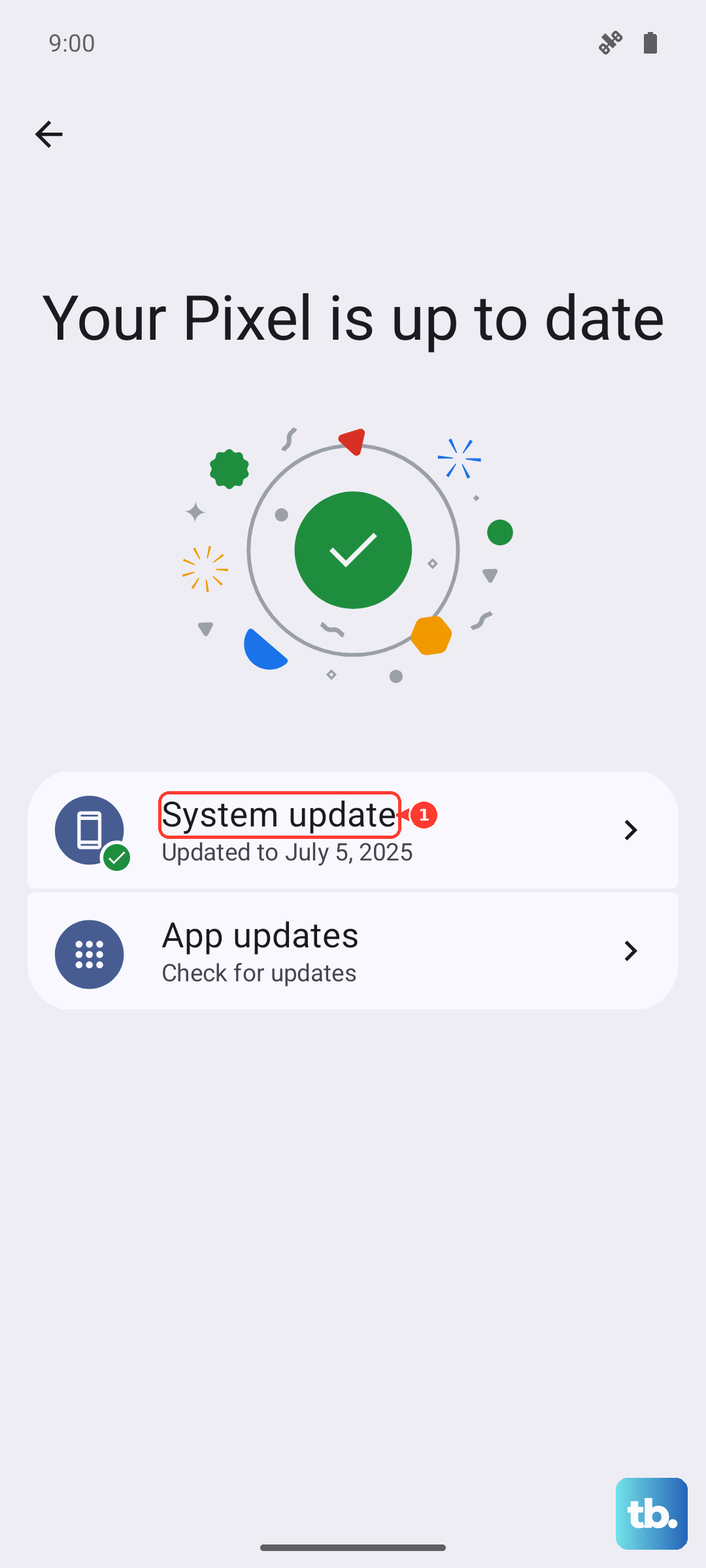
Sometimes the unlock prompt doesn't appear. If you've inserted a new SIM and nothing happens, try a quick reboot. If that doesn't work, check for a software update in Settings > System > System update. An outdated version of HiOS might have a bug preventing the prompt.
For the Tecno Spark 30 Pro, also ensure you're using the correct SIM slot if you have a dual-SIM model. The network lock typically applies to both slots, but trying the new SIM in the other slot can sometimes trigger the prompt.
If the provided code simply doesn't work on the first try, double-check you're entering it correctly. Confirm with the code provider that they have the correct IMEI and original network. There are different databases for different carriers, and a code from one won't work on a phone locked to another.