
Screen flickering on your Tecno Spark 30 Pro is distracting and can make the phone hard to use. You might see the display flash, blink, or show horizontal lines. This can be caused by software glitches, a problematic app, or a hardware issue with the display itself. Here's how to fix it.
Start with a free monitor test to check the panel with fullscreen test patterns. What you see there tells you whether to blame the display, the cable, or the source.
Force Restart Your Phone
This is the first thing you should try. A force restart clears temporary glitches that can cause the screen to act up. Press and hold the Power button and the Volume Down button together for about 10 seconds. Keep holding until you see the Tecno logo appear, then let go. If the flickering started recently, this often fixes it right away.
Check for a Software Update
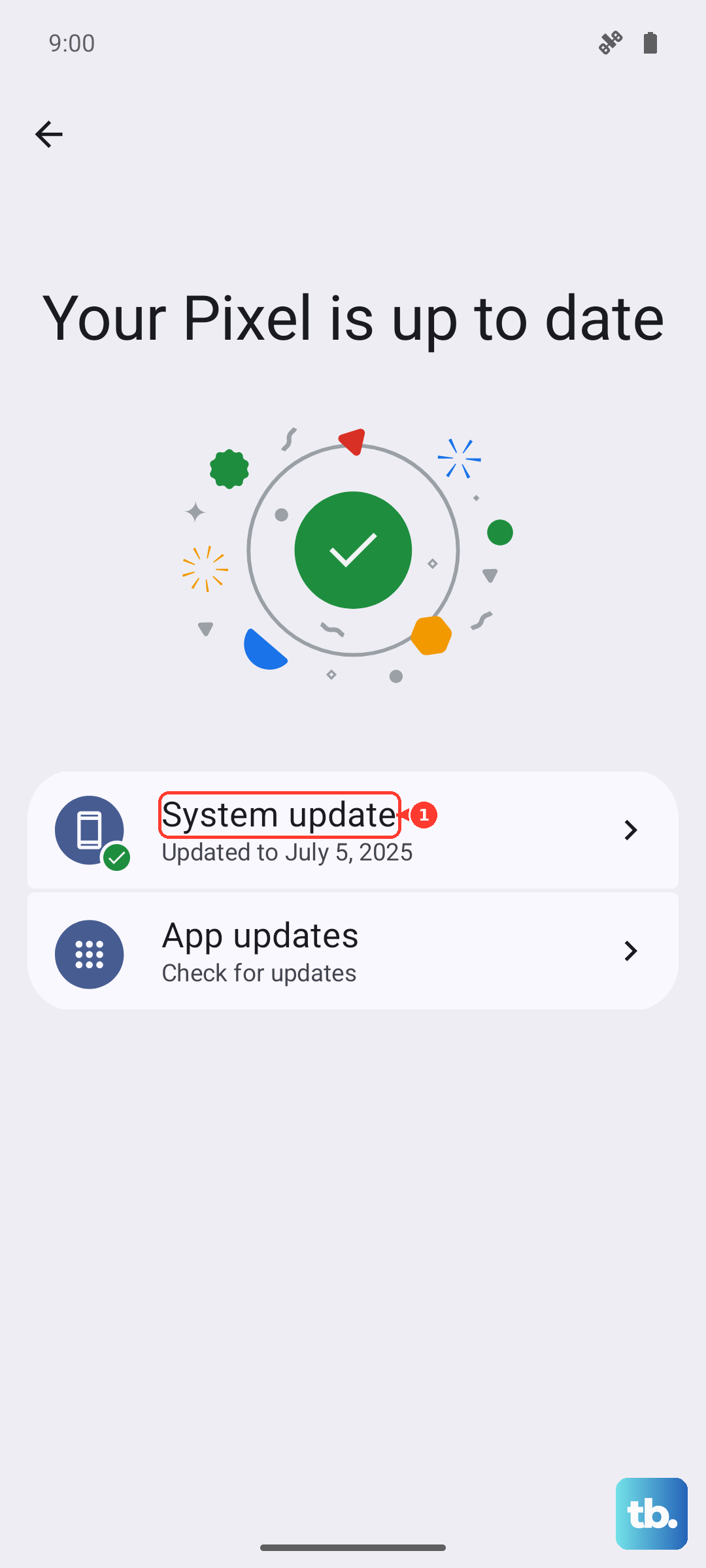
Display bugs are commonly fixed in system updates. Tecno releases updates through HiOS that can address performance and screen issues. Go to Settings > System > System update and tap "Check for updates." Install any available update. I'd start with this one, as it's a simple fix for many software-related problems.
Disable Adaptive Brightness
Your phone's adaptive brightness feature adjusts the screen based on the light around you. If the ambient light sensor is having trouble, it can cause the brightness to jump and create a flickering effect. Go to Settings > Display > Adaptive brightness and toggle it off. Then, manually set your brightness to a comfortable level using the slider in the same menu.
Close All Background Apps
A poorly coded or malfunctioning app can sometimes interfere with the display. Swipe up from the bottom of the screen and hold to bring up the recent apps view. Swipe up on each app preview to close it completely. After closing everything, see if the flickering stops. If it does, you can reopen your apps one by one to try and find which one was causing the trouble.
Check for a Problematic App
If you notice the flickering only happens in one specific app, like a game or social media app, that app is likely the culprit. Try uninstalling that particular app to see if the problem goes away. You can always reinstall it later from the Google Play Store, which sometimes gets you a newer, fixed version.
Boot Into Safe Mode
Safe mode starts your phone with all third-party apps disabled. This is a great way to check if an app you installed is causing the screen to flicker. To enter Safe Mode, press and hold the power button until the power menu appears. Then, tap and hold the "Power off" option on your screen. A prompt will ask if you want to reboot to Safe Mode. Tap "OK." If the screen is stable in Safe Mode, you know a downloaded app is the problem.
Reset App Preferences
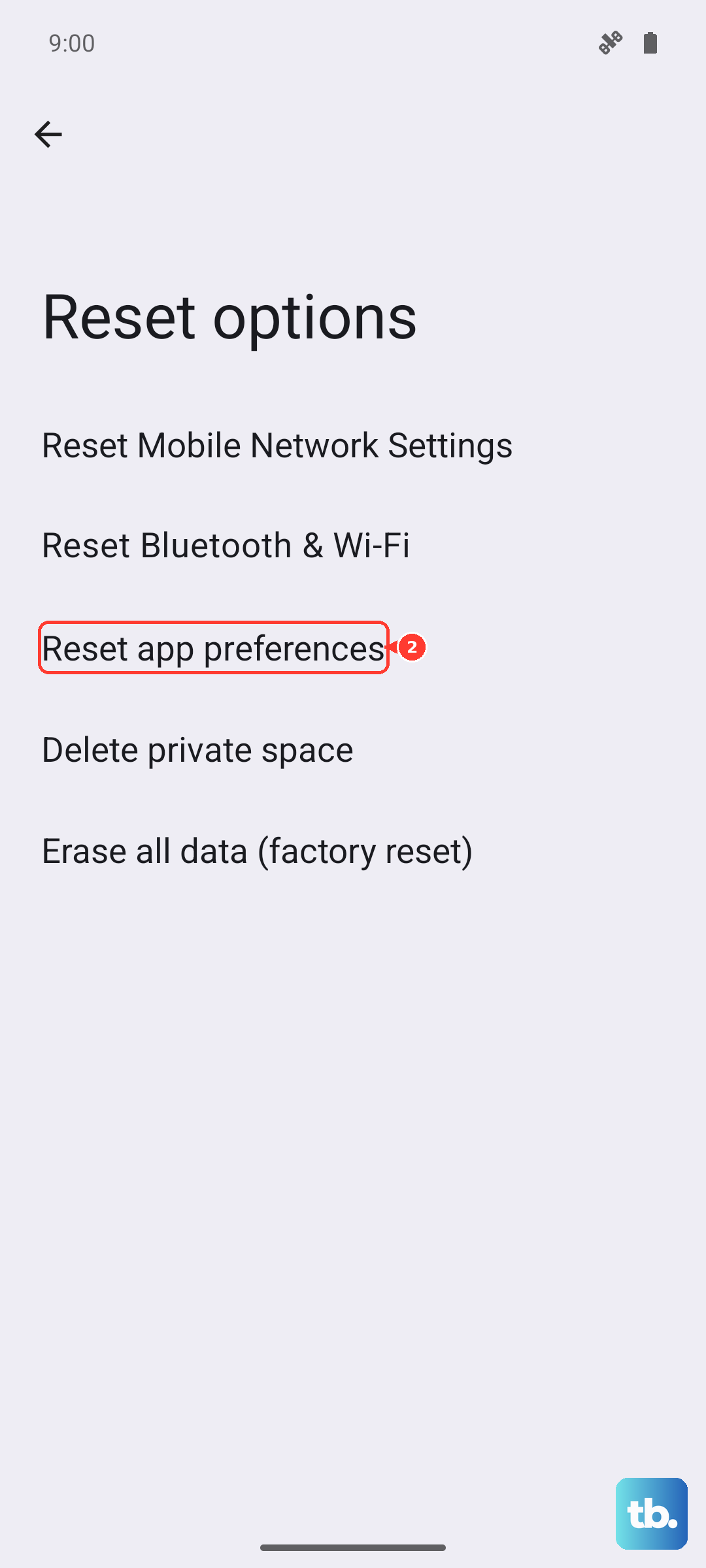
This resets all your app permissions, notifications, and default apps without deleting any of your personal data. It can fix conflicts caused by app settings. Go to Settings > System > Reset options. Tap on Reset app preferences and confirm. You'll need to re-grant permissions to apps the next time you use them, but it's a quick process.
Look for Physical Damage
If the flickering started after you dropped your Spark 30 Pro, there could be internal damage. Inspect the screen carefully for any new cracks, even tiny ones. Also look for spots where the display shows strange colors or doesn't respond to touch. Physical damage usually means the display assembly or its connecting cable needs to be repaired.
Using the included case and screen protector is a good way to help prevent this kind of damage in the first place.
Perform a Factory Reset
This is a last resort for software issues. A factory reset will erase all data from your phone and return it to its original out-of-the-box state. Before you begin, make sure everything important is backed up to your Google account or copied to a computer.
To reset, go to Settings > System > Reset options > Erase all data (factory reset). Follow the prompts to confirm. If the screen flickering stops after the reset and clean setup, it was a software problem. If the flickering persists on a fresh phone with no apps installed, the issue is almost certainly with the hardware.