
You pull your Galaxy Z Fold 7 out of your pocket and it's noticeably warm, maybe even hot to the touch. The crease is flexing, the screen is warm, and you're starting to worry. Overheating on a foldable is a bit different than on a regular slab phone because of the two-panel design and the hinge mechanism's thermal footprint. Let's get this sorted.
Force restart if it's stuck or unresponsive
Sometimes the phone isn't actually overheating, it's locked up from a rogue app or a system glitch that's hammering the processor. A forced restart clears that without losing any data.
Press and hold the Volume down and Side buttons together for a full 10 seconds. Don't let go until you see the Samsung logo. The phone will reboot and should feel cooler within a minute or two. If it was just a software spike, you're done.
Check the USB-C port for debris
Dust and pocket lint love collecting in the USB-C port on foldables because the port is often shallower and more exposed. A clogged port can cause charging resistance, which generates heat right at the bottom of the phone.
Take a look inside the port with a flashlight. If you see anything packed in there, use a can of compressed air to blow it out. Short bursts at an angle work best. Don't stick anything metal in there. A clean port often fixes both overheating and the known issue where charging stops at around 45%.
Stick to certified chargers and cables
The Z Fold 7 maxes out at 25W wired charging, which is slower than what a lot of competitors offer. That's by design, but using the wrong charger can make things worse. Off-brand chargers often deliver inconsistent voltage, and the phone compensates by pulling more current, which creates heat.
Use a Samsung-certified charger or a USB PD PPS charger rated for 25W or higher. Same goes for the cable, a cheap USB-C cable without proper gauge wiring can overheat under load. If you've been using a random charger from a drawer, that's probably the culprit.
Wireless charging: check the pad and position
Wireless charging tops out at 15W on this phone, and some pads just don't play well with it. You might notice the phone getting warm on a Qi pad but barely gaining battery, that's a mismatched coil alignment or an incompatible charging protocol.
Make sure the pad supports Samsung's Fast Wireless Charging standard, not just generic Qi. Center the phone carefully on the pad, and remove any thick case. If the pad gets hot too, try a different one. Some older Qi pads deliver less than 5W to a Z Fold 7, and that inefficiency generates heat on both ends.
Update the software and check for runaway apps
Android 16 on the Z Fold 7 has thermal management built in, but it only works if you're on the latest firmware. Go to Settings > Software Update and tap Download and Install. Samsung pushes thermal patches fairly often.
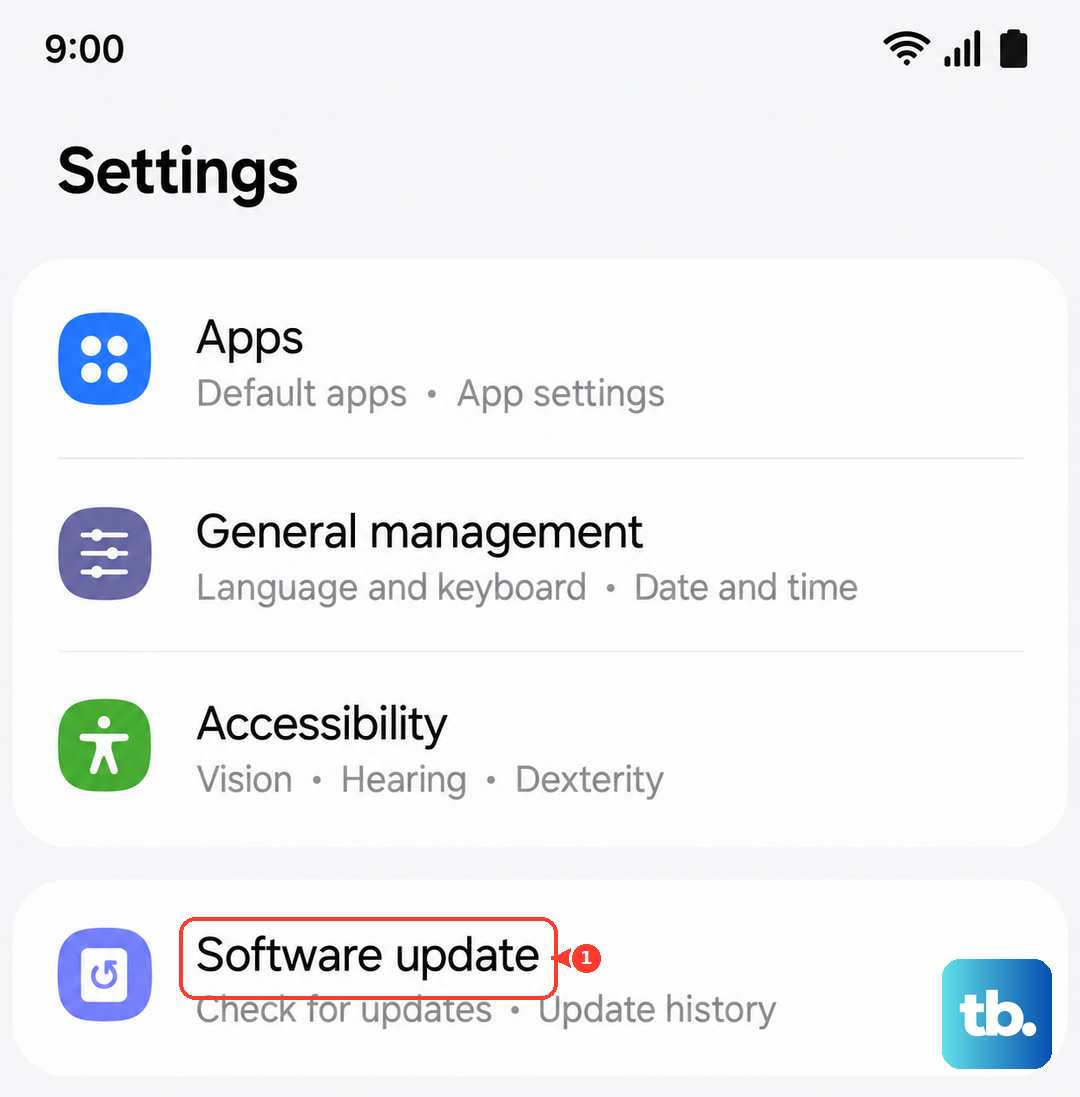
While you're there, open Settings > Battery and Device Care and tap Battery. Look at which apps have been using power in the last 24 hours. If something like a game or streaming app is running in the background, force stop it. A single app pegging the processor can turn your foldable into a hand warmer.
Deep discharge battery calibration
One of the known quirks with the Z Fold 7 is that if you let the battery drain completely, the calibration goes off. The phone might report 10% but actually be nearly dead, and when you plug it in, it tries to charge aggressively to recalibrate, which creates heat.
If you've recently run the battery down to zero, let it charge uninterrupted to 100% on the wired charger. Leave it plugged in for an extra 30 minutes after it hits full. Then use it normally. That usually resets the battery gauge and stops the overheating cycle.
Monitor ambient temperature and case usage
Foldables trap heat more easily than standard phones because the two screens and hinge mechanism don't dissipate heat as efficiently. If you're using a thick, silicone-based case, that's basically wrapping your phone in a blanket.
Try running the phone without a case for a day, especially if you're in a hot environment or using the inner screen for gaming. If the overheating stops, you know the case was insulating the heat. A thin, vented case or aramid fiber case is a better choice for this device.
If the lights are off and the phone won't wake
A deep discharge can make the Z Fold 7 appear dead. The phone may be so drained that it won't respond to the charger for a few minutes. Plug it into the original charger and leave it for 15-20 minutes. If nothing happens, perform the force restart, Volume down and Side for 10 seconds. Sometimes the phone is actually on but the screen is black from thermal protection kicking in.
If you've done all of this and the phone still runs hot during basic tasks like texting or browsing, the thermal paste or cooling hardware inside may be compromised. That's a repair situation, and a Samsung service center would need to open it up.