
Seeing the "Settings has stopped" error pop up on your Galaxy Z Flip 6 can really stop you in your tracks. This usually means the app has crashed or some of its data has gotten corrupted. The good news is, you can almost always get it working again without losing anything.
Force Restart Your Phone
This is the quickest thing to try and often clears up the glitch right away. It's different from a normal restart and can fix temporary software hiccups that cause system apps to crash.
Press and hold the Volume Down button and the Side/Power button at the same time. Keep holding them for about 10 seconds until you see the Samsung logo appear, then let go. Your phone will restart. Check if you can open Settings normally now.
Clear the Settings App Cache
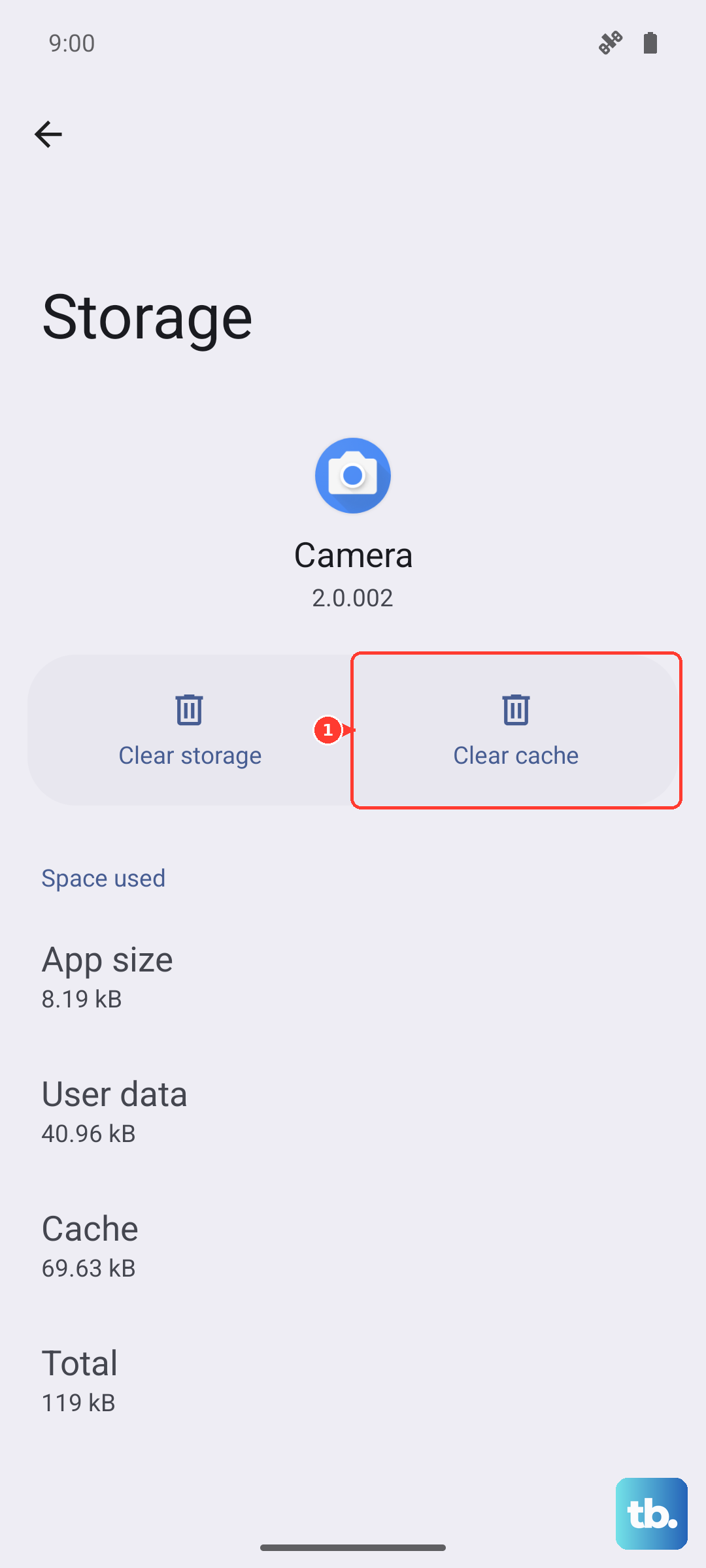
Cache files are supposed to help apps load faster, but sometimes they get messed up. Clearing them forces the Settings app to create fresh ones, which can stop the crashes.
Since you can't get into Settings the normal way, you'll need to use a different path. Swipe down from the top of your screen to open the notification panel, then tap the gear icon in the top right. If that also crashes, you can try going through the Apps menu by pulling down the notification panel, tapping the profile icon, and selecting "Manage accounts." From there, look for an option to go to "Apps." Find "Settings" in the list, tap on it, then select "Storage," and tap "Clear Cache."
Force Stop the Settings App
If the app is stuck in a bad state, forcing it to close completely can let it start fresh. You'll use a similar workaround to get to the right menu.
Again, try accessing your apps list through the profile icon in the notification panel or by searching for "Apps" in your phone's search bar. Find and tap on "Settings." On its info page, you should see a "Force Stop" button. Tap it to close the app entirely. After that, try opening Settings again from your app drawer or home screen.
Check for a Software Update
Sometimes, a bug in the current version of Android or Samsung's One UI can cause system apps to be unstable. Samsung regularly releases updates to fix these kinds of issues.
If you can briefly get into Settings before it crashes, try to navigate to Software Update > Download and install. If the app closes too fast, you might be able to ask Bixby or Google Assistant to "check for software updates" for you. Installing an available update and restarting your phone can resolve underlying compatibility problems.
Manage Google Play Services
Google Play Services works in the background to help system and app functions communicate. If it has an issue, it can cause unexpected crashes in other apps, including Settings.
You can try clearing its cache. Go to your Apps list, find "Google Play Services," and tap on it. Go to Storage and tap "Clear Cache." I'd avoid clearing its data unless absolutely necessary, as it can affect other apps. After clearing the cache, restart your phone.
Boot Into Safe Mode
This starts your Z Flip 6 with all third-party apps disabled. If Settings works fine in Safe Mode, then a recently downloaded app is likely causing the conflict.
To enter Safe Mode, press and hold the power button until the power menu appears. Then, press and hold the "Power off" option on your screen. A prompt will ask if you want to reboot to Safe Mode, tap "OK." Once in Safe Mode, which will be indicated in the bottom corner of the screen, try opening Settings. If it works, you'll need to uninstall recently added apps one by one to find the culprit.
Reset All Settings
This is a stronger step before considering a full factory reset. It will revert all your system settings, like Wi-Fi passwords, Bluetooth connections, and display preferences, back to default, but it won't touch your personal photos, messages, or apps.
To do this, you'll need to get to the Reset menu. If you can't navigate there normally, you can try using the search bar within the Settings app (if it opens for a moment) or ask Bixby to "open reset settings." The path is Settings > General Management > Reset > Reset all settings. Confirm your choice. After the phone restarts, you'll have to reconfigure your preferences, but the Settings app should be stable.