
If your Samsung Galaxy Z Flip 6 is taking forever to charge, you're missing out on one of its key features. The phone supports 25W wired and 15W wireless fast charging, but a wrong cable, a software hiccup, or even the phone's temperature can bring that speed to a crawl.
Use the Official 25W Charger
To hit the Z Flip 6's maximum 25W charging speed, you need a compatible adapter. The small 15W charger that might have come with an older Samsung phone won't cut it. Look for a charger that explicitly supports USB Power Delivery (PD) PPS at 25W or higher. Samsung's own 25W or 45W adapter is your best bet, but many third-party PD PPS chargers will also work.
Check Your USB-C Cable
Not all USB-C cables are created equal. For fast charging, you need a cable that can handle the higher power throughput. The cable that came in the box is guaranteed to work. If you're using an older or cheaper cable, it might be limiting you to slower speeds. I'd start by swapping that out with the original one.
Let the Phone Cool Down
Heat is the enemy of fast charging. If your Z Flip 6 feels warm to the touch, the system will automatically throttle the charging speed to protect the battery. This often happens if you're using the phone intensively while it's plugged in, or if it's charging in a hot environment. For the quickest charge, let it sit on a cool, hard surface and avoid using it.
Take Off Your Case
This is a simple one that can make a real difference, especially with a folding phone. A thick or poorly ventilated case can trap heat around the battery during a fast charging session. Removing the case helps dissipate that heat, allowing the phone to maintain its peak charging speed without thermal throttling.
Clean the USB-C Port
The charging port on any phone is a magnet for pocket lint and dust. Over time, a packed port can prevent the cable from seating fully, leading to a weak connection that limits power. Gently clean out the port using a wooden toothpick or a soft-bristled brush. Be very careful not to damage the delicate pins inside.
Force Restart Your Phone
Sometimes, a minor software glitch can mess with the charging controller. A quick reboot can clear that up. On the Galaxy Z Flip 6, press and hold the Volume Down button and the Side button together for about 10 seconds. The screen will go black and the Samsung logo will reappear as it restarts. This takes about 30 seconds and doesn't delete any data.
Check Your Charging Settings
Samsung includes features to protect your battery long-term, which can affect charging speed. Go to Settings > Battery > More battery settings. Here, you can check if features like Battery protection (which limits charge to 85%) are enabled. If you need a full charge now, you can temporarily disable this. Also, ensure Fast charging and Fast wireless charging are toggled on.
Update Your Software
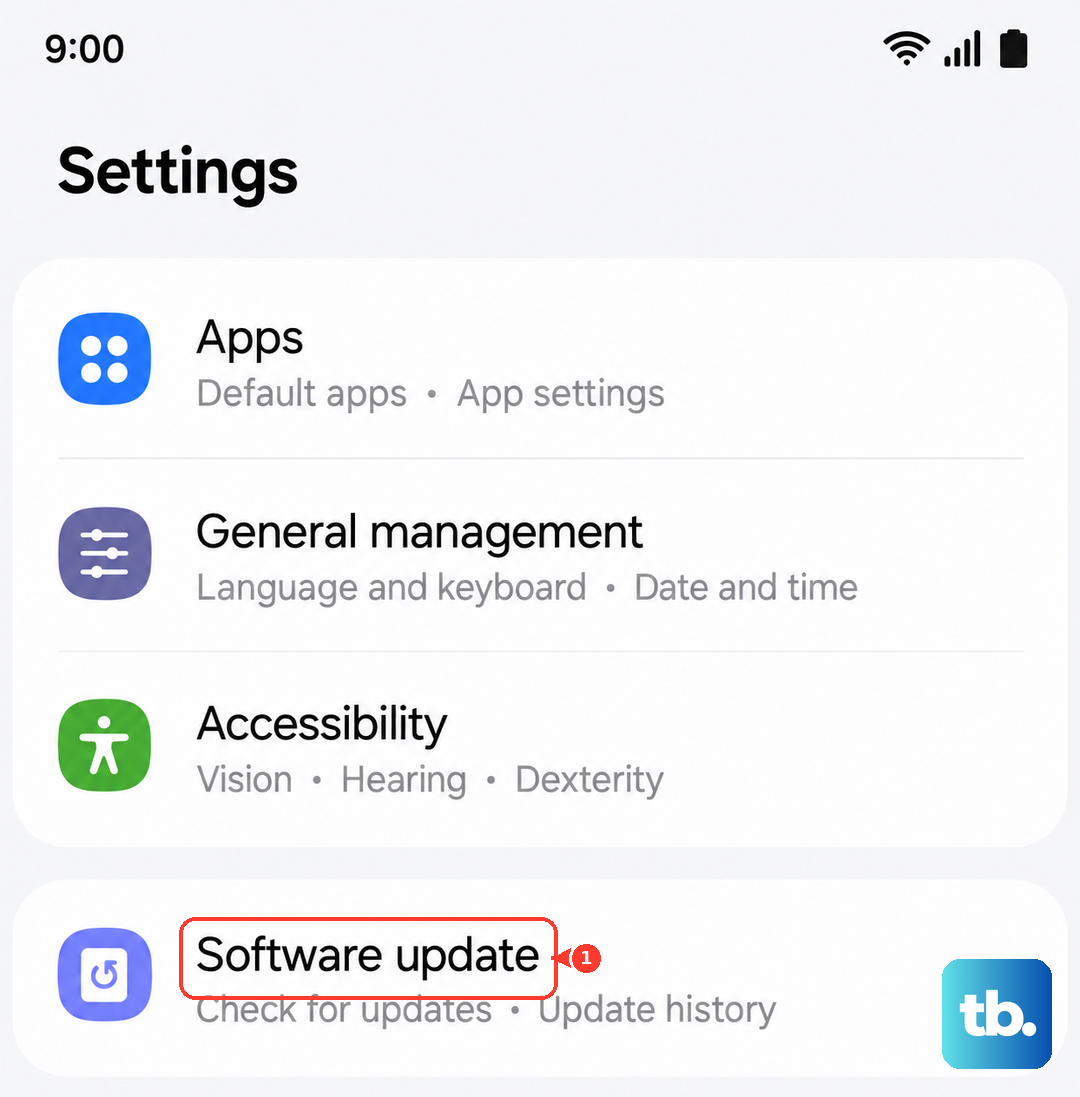
Software updates often include optimizations for power management and charging algorithms. To check, go to Settings > Software update > Download and install. Running the latest version of Android and One UI ensures your phone is using the most efficient and stable charging protocol available.
Inspect Your Wireless Charger
If you're having issues with wireless charging, make sure your charger supports at least 15W Qi fast charging. Also, the unique shape of the Z Flip 6 means alignment is key. The charging coils need to line up properly with the pad. Try repositioning the phone on the charger, and ensure there's no metal or thick material between the phone and the pad.
Test with Another Outlet and Adapter
Before you assume the phone is the problem, rule out everything else. Try a different wall outlet. More importantly, test with a different, known-good 25W PD PPS charger and cable. If fast charging works with the new setup, you've found your culprit, either the old charger, cable, or even the wall socket was the issue.