
When your brand new Samsung Galaxy S26 won't charge wirelessly, it's often a quick fix. The most common culprit is simply the phone not sitting perfectly on the pad. I'd start by picking it up and placing it back down, making sure it's centered.
Center Your Phone on the Charger
Wireless charging needs the coils inside your phone and the pad to line up almost perfectly. Place your Galaxy S26 dead center on the charging surface. You should feel a slight vibration or see a charging animation on the screen. Being off by even half an inch can break the connection.
Remove Your Phone Case
Take the case off your S26 and try charging it bare. Thick cases, especially ones with metal plates, rings, or built-in card wallets, can block the charging signal. Most slim silicone or plastic cases are fine, but it's the fastest way to rule out an obstruction.
Check Your Charger and Cable
Make sure your wireless charging pad is plugged into a working outlet. The pad itself should have a light indicating it has power. For best results, use the wall adapter that came with your S26 or another high-quality one. A weak power source can prevent the pad from delivering the necessary 15 watts.
Force Restart Your Galaxy S26
Press and hold the Volume Down button and the Side/Power button together for about 10 seconds. Let go when you see the Samsung logo appear on the screen. This quick reboot can clear out a minor software glitch that's stopping the phone from recognizing the charger.
Clean the Phone and Charger
Wipe the back of your S26 with a soft, dry cloth. Dust, lint, or even a fingerprint smudge can be enough to disrupt the charging connection. Give the surface of the wireless charging pad a good wipe down, too. I've seen this simple step fix more problems than you'd think.
Update Your Phone's Software
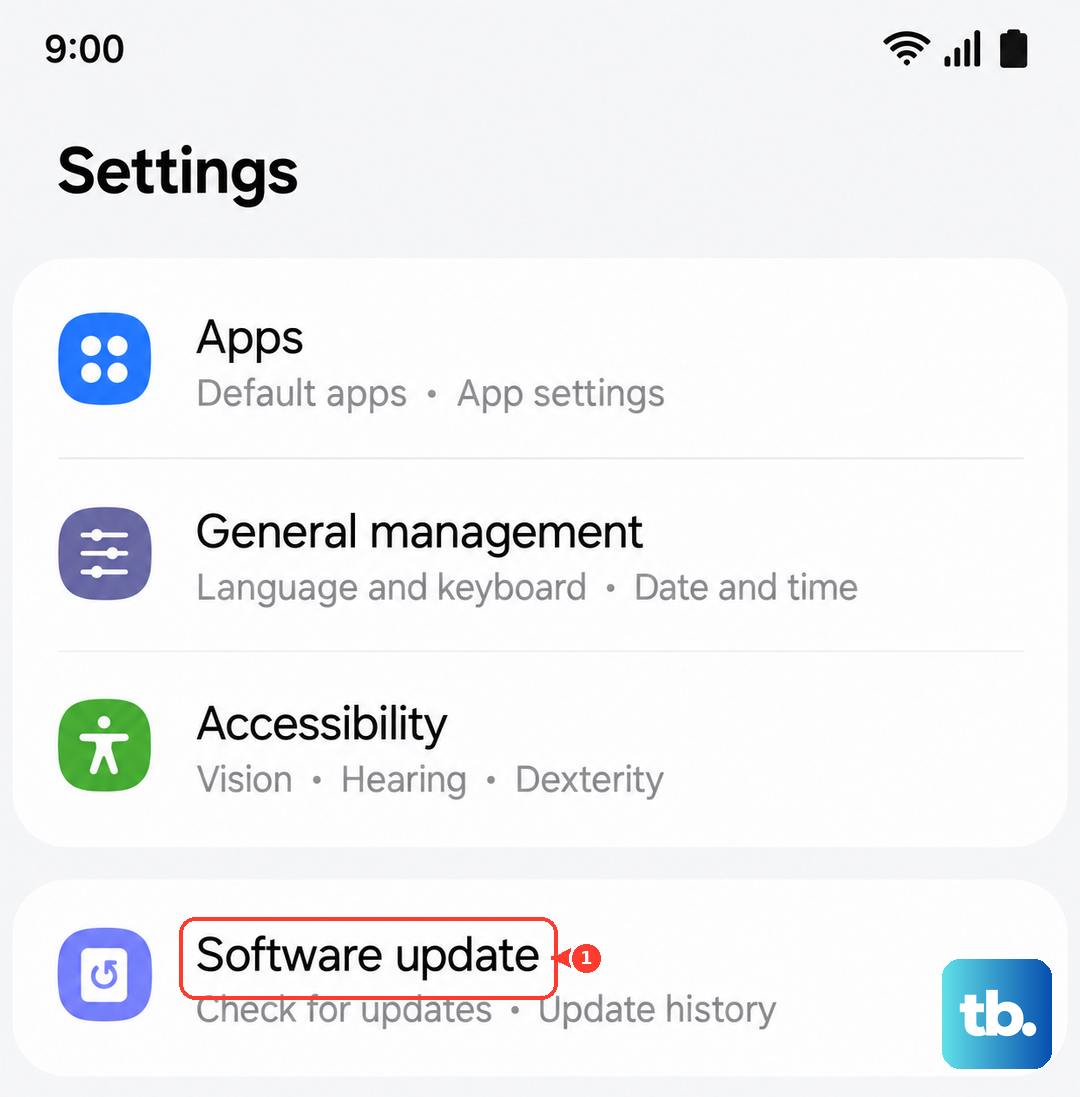
Go to Settings > Software update and tap Download and install. Since the S26 is new with One UI 8.5, Samsung is likely pushing out early bug fixes. An update could resolve a software-related charging issue that a restart didn't fix.
Check Your Battery Protection Settings
Open Settings > Battery > More battery settings. Look for options like "Battery protection" or "Adaptive charging." If "Battery protection" is on, your phone will stop charging at 85%. This is a feature, not a bug, but it can be confusing if you don't know it's enabled.
Let Your Phone Cool Down
Wireless charging generates more heat than wired charging. If your S26 is too hot, it will automatically pause charging to protect the battery. This can happen if you're using it heavily on the charger or if the room is very warm. Let it cool off for a few minutes before trying again.
Test With a Different Charger
If you have access to another wireless charger, give it a try. If your S26 works on a different pad, then your original charger is the problem. The S26 supports the newer Qi2 standard, but it should work with any standard Qi charger. This test tells you exactly where the fault lies.