
When your Samsung Galaxy S24 won't charge on a wireless pad, it's almost always a simple fix. The problem is usually the phone's position, the case you're using, or a temporary software hiccup that needs a quick reset.
Center Your Phone on the Pad
Wireless charging needs the coils inside your phone and the charger to line up perfectly. Place your Galaxy S24 dead center on the charging pad. You should feel a slight vibration and see a charging animation on your screen. Being even a little off-center is often enough to break the connection.
Take Off Your Phone Case
This is the most common culprit. Thick protective cases, wallet-style cases with credit cards inside, or any case with a metal plate or ring can block the wireless signal. Take the case off and try charging the bare phone. If it works, you'll need a case specifically rated for wireless charging.
Verify Your Charger is Working
Make sure your wireless charger is plugged into a working outlet and that any indicator light is on. Try a different wall adapter, preferably the one that came with the charger. Your S24 supports 15W wireless fast charging, but only if the charger and adapter can deliver enough power. A weak power source won't cut it.
Perform a Force Restart
Press and hold the Volume Down button and the Side button together for about 10 seconds. Let go when you see the Samsung logo appear. This soft reset can clear out minor software glitches that might be stopping the phone from recognizing a charging pad.
Clean the Phone and Charger Surface
Dust, lint, or any grime on the back of your S24 or the surface of the charger can create a gap that breaks the connection. Give both a good wipe with a dry, soft cloth. Pay special attention to the center of the phone's back where the charging coil is located.
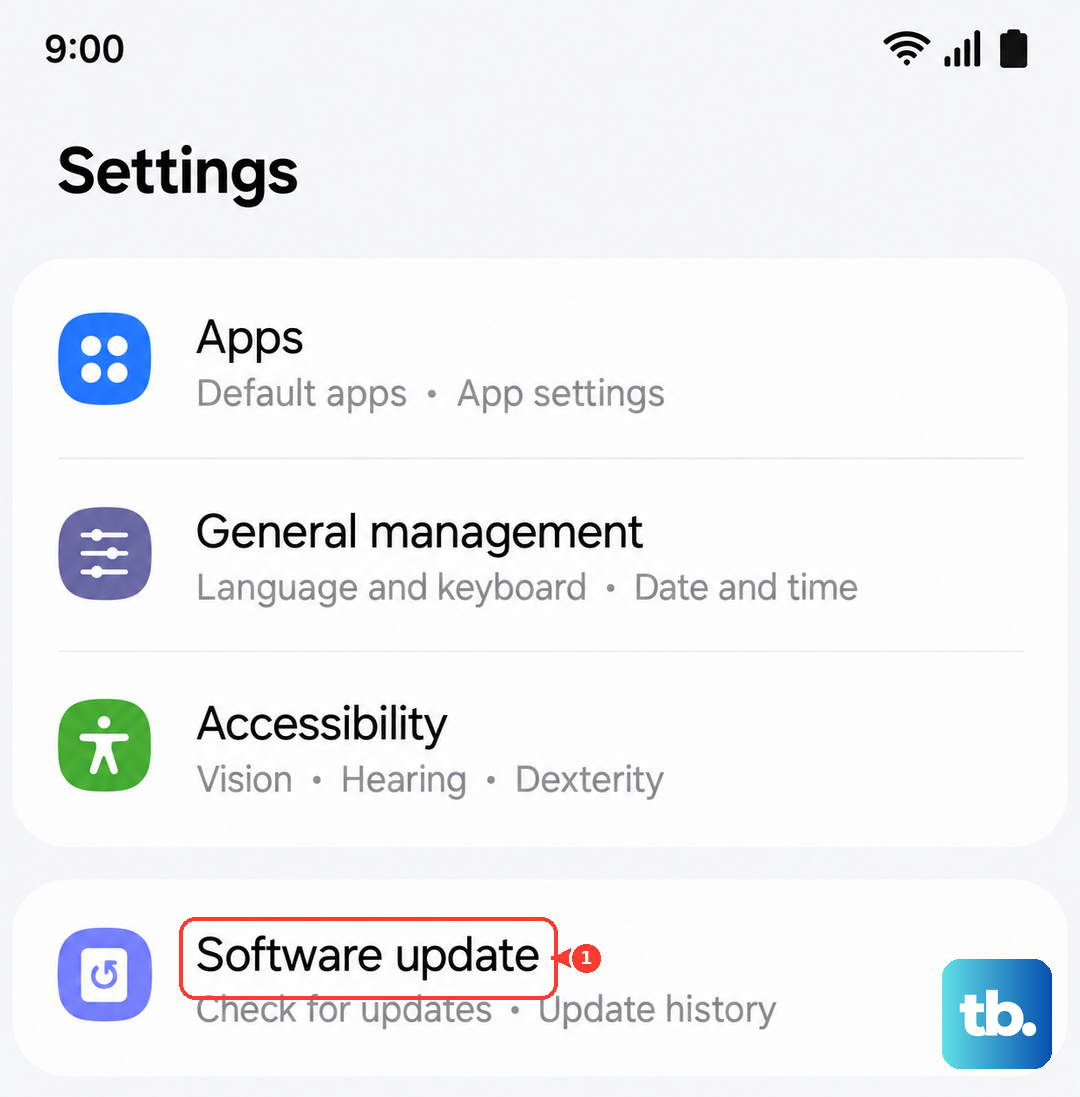
Check for a Software Update
Head to Settings > Software update and tap Download and install. Samsung has addressed charging-related bugs in previous One UI updates, so making sure you're on the latest version is a smart move. I've seen updates resolve slow or inconsistent wireless charging for other users.
Let Your Phone Cool Down
Wireless charging generates more heat than wired charging. If your S24 gets too hot, it will automatically pause charging to protect the battery. This can happen if you're using the phone intensively while it's on the pad or if the environment is already warm. Let it cool off for a few minutes before trying again.
Disable Battery Protection Mode
Your S24 has a feature to help extend battery lifespan by limiting the maximum charge to 85%. If you're expecting a full charge and it seems to stop early, this is why. Go to Settings > Battery > More battery settings and turn off Battery protection if you need a 100% charge for the day.
Test With a Different Charger
If you have access to another Qi wireless charger, give it a try. If your S24 charges on a different pad, then your original charger is likely faulty. If it still won't charge on any wireless charger, the issue is probably with the phone itself. Remember, your phone also supports Wireless PowerShare to charge other devices, which uses the same internal hardware.