
If your Redmi Note 14 Pro is refusing to send picture messages, it's a frustrating roadblock. The issue usually comes down to a few specific settings on Xiaomi's HyperOS that need a quick check or reset. Let's get your MMS working again.
Check Your Mobile Data First
MMS requires an active mobile data connection, it won't send over Wi-Fi alone. Swipe down from the top of your screen to open the Quick Settings panel and make sure the mobile data icon is turned on. You can also go into Settings > Mobile network to double-check.
If you have a strong Wi-Fi signal, try temporarily turning Wi-Fi off. Some networks can interfere with the data channel MMS needs. Sending the picture using just your cellular data is a good test.
Verify the MMS Settings in Your Messages App
Open the Messages app on your Redmi Note 14 Pro and tap the three-dot menu in the top-right corner. Go to Settings > Advanced settings.
Here, make sure Auto-download MMS is enabled. You should also see an option for Auto-download MMS when roaming; turn that on if you're traveling. These settings ensure your phone is ready to handle multimedia messages.
Clear the Messaging App's Cache
Corrupted temporary files can glitch the sending process. Go to Settings > Apps > Manage apps. Find and tap on Messages.
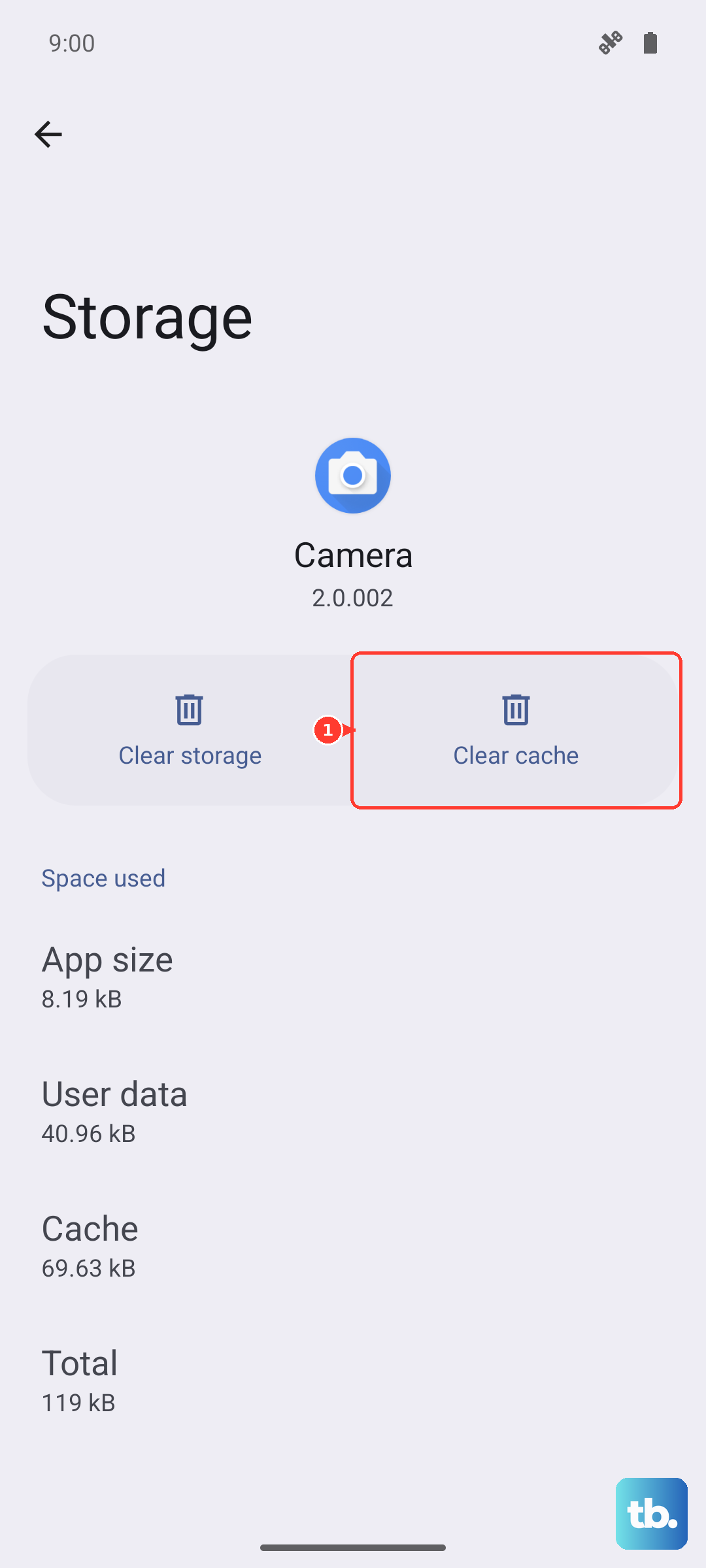
Select Storage usage at the bottom and then tap Clear cache. This deletes temporary data without touching your actual messages. If the problem persists, you can tap Clear data, but be warned this will erase your entire message history on the device.
Review Your APN Settings
Incorrect Access Point Name (APN) settings are a very common culprit. These tell your phone exactly how to connect to your carrier's MMS service. Go to Settings > Mobile network > SIM cards & mobile data.
Tap on the SIM card you use for messaging, then select Access Point Names (APN). Your carrier's correct APN should already be listed and selected. If it looks wrong or is missing, you'll need to get the exact settings from your carrier's website or support team and enter them manually here.
Restart Your Redmi Note 14 Pro
A simple restart can clear out temporary software hiccups that might be blocking the message. Just press and hold the power button until the power menu appears, then tap restart.
For a more thorough refresh, you can perform a force restart. Press and hold the power button for 15 seconds or more until you feel the device vibrate and see the Redmi logo appear. This can help if the standard restart doesn't do the trick.
Check for a Software Update
An outdated system can have bugs that affect messaging. Xiaomi releases updates that often include connectivity fixes. Go to Settings > About phone > HyperOS version.
Tap on the icon with three dots in the top right and select Download updates manually. If an update is available, install it. I've seen minor updates resolve MMS issues on other Xiaomi models, so it's worth a quick check.
Reset Your Network Settings
This is a stronger step that resets all network-related configurations back to factory defaults. You'll lose saved Wi-Fi passwords and paired Bluetooth devices, but it can fix deep-seated connection problems.
Navigate to Settings > Additional settings > Backup & reset. Tap on Reset phone and then select Reset network settings. Confirm the reset and your phone will reboot. Afterward, you'll need to reconnect to Wi-Fi networks.
Ensure You Have Enough Storage Space
If your phone's internal storage is critically full, it may not be able to process and send new picture messages. Open the Security app and tap on Cleaner to see a breakdown of your storage and get recommendations for clearing space.
Deleting old message threads with lots of photos or videos can free up space quickly. Aim to keep at least a few hundred megabytes free for the system to operate smoothly.
Try Google Messages as an Alternative
If the stock Xiaomi Messages app continues to struggle, switching to a different app can be a great workaround. Download Google Messages from the Play Store.
Once installed, open it and it will prompt you to set it as the default messaging app. This app often has more reliable MMS handling and includes features like RCS chat. It's a solid alternative if you're still stuck.