
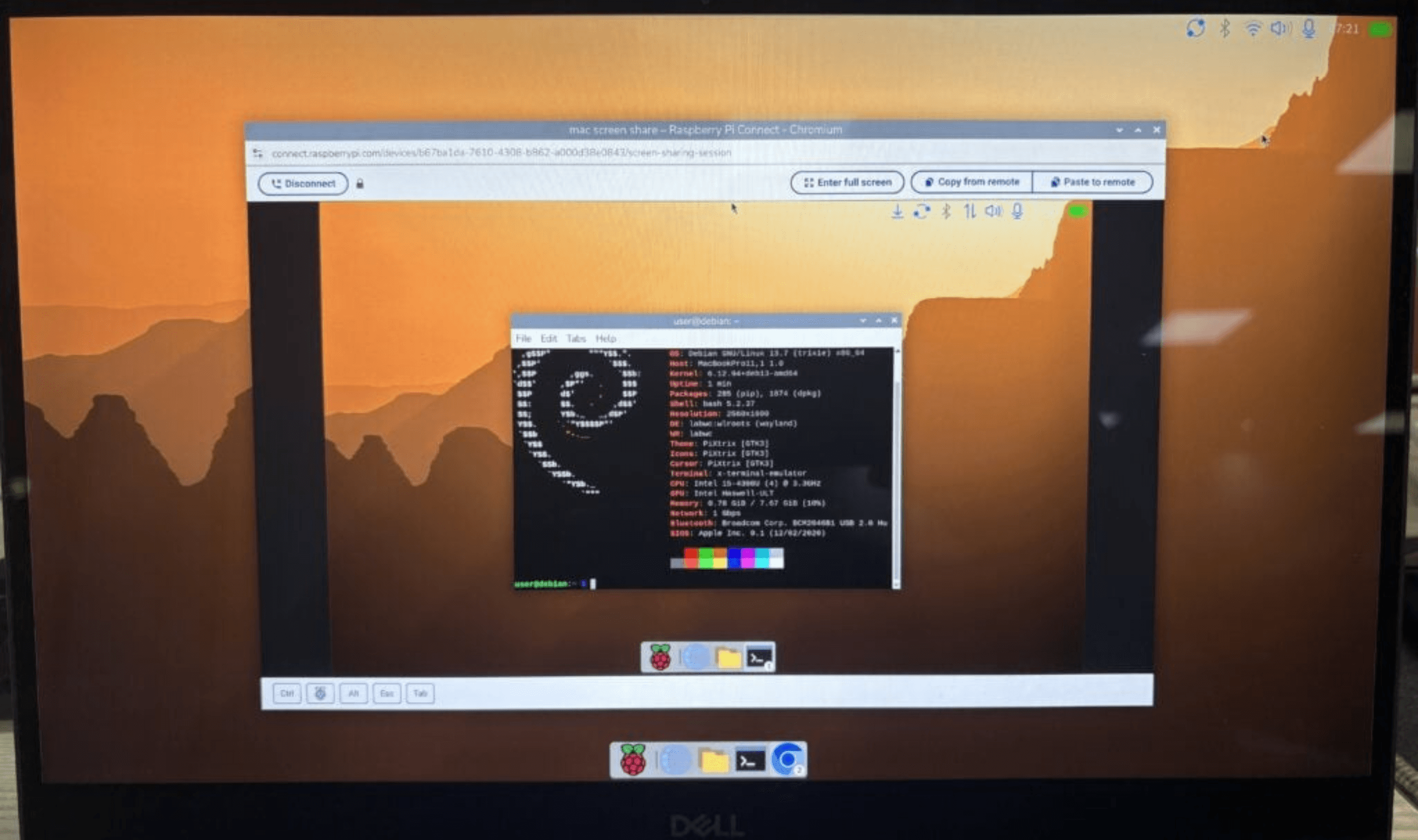
Raspberry Pi Desktop is available today for PC and Mac, bringing Debian Trixie, a 64-bit base and remote access through Raspberry Pi Connect to computers beyond Raspberry Pi hardware. The download includes the latest desktop updates, including Control Centre and a new dock. Users can run the system from a USB stick or install it on their computer’s internal storage.
Compatibility narrows with this release: the previous version used 32-bit Debian, while the new one uses the amd64 architecture because Debian ended 32-bit support for PC architectures. Raspberry Pi says most PCs built within roughly the past 15 years, along with most Intel-based Macs, should run it. Apple Silicon Macs cannot run this version, with Debian support for those machines still experimental.
To try the desktop, users write the downloaded .iso image to a USB stick and start their computer from that drive. Choosing the persistence option at startup lets the system save changes onto the stick for subsequent sessions. A separate reset option removes those changes and restores the USB image to its original state.
For a permanent installation, users can launch Calamares, the Debian installer, after booting into the desktop. It supports installation onto an internal hard drive or SSD. Users can open it through a desktop shortcut or find Install Raspberry Pi OS under System Tools in the main menu.
Raspberry Pi Connect gives users screen sharing and access to a remote terminal on a PC or Mac running the desktop. During setup, they must supply a device name, which then appears in their device list on the Connect website. That differs from setup on Raspberry Pi hardware, where Connect identifies the machine through a unique hardware ID.
The PC and Mac edition began with a bootable DVD distributed through The MagPi Magazine at Christmas in 2016. An installable edition followed in 2017, and Raspberry Pi later updated it for Debian Buster and Bullseye. The company says competing engineering work then prevented newer releases, leaving Bullseye available for download while it continued receiving two or three emails each week requesting an update.