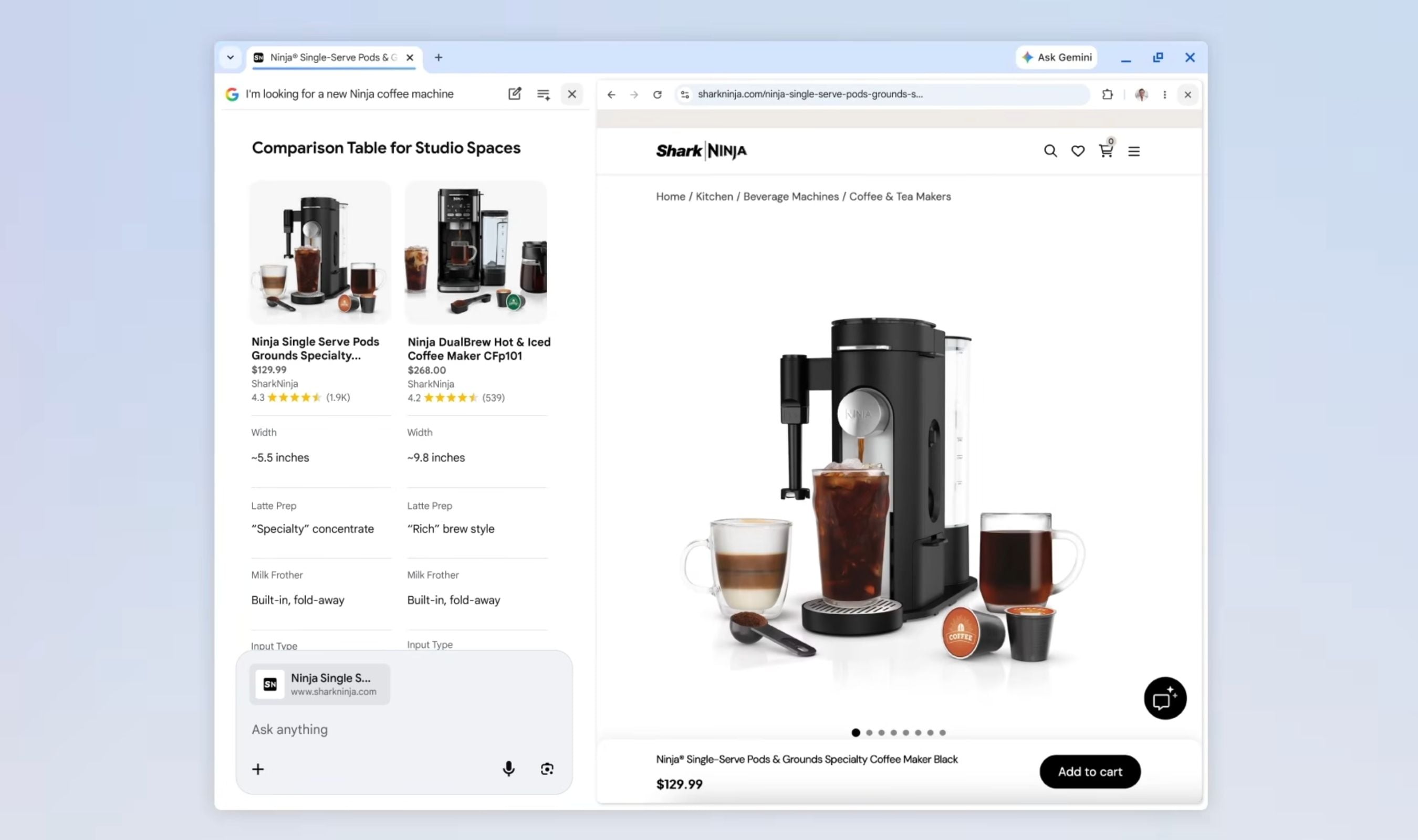
Google Chrome now opens webpages in split-screen view when users click links during AI conversations, eliminating one of the browser's most persistent frustrations with its generative AI features.
The update adds a side-by-side search interface that keeps both the original query and target webpage visible simultaneously. Users can maintain their conversational thread with Chrome's AI while exploring source materials directly alongside it.
Clicking any link within AI Mode triggers a split-screen layout where the target page loads next to the ongoing chat window. This allows contextual questioning about specific page elements without losing track of the original research goal.
A new plus menu in the search box enables bundling recent tabs, images, and documents into single queries for richer context. The system can process multiple data types including PDFs and images alongside standard web content.
"transforms how you interact with the web"
Google says the enhanced mode makes it easier to visit relevant websites, compare details, and ask follow-up questions while maintaining search context. The improvements address early criticisms of inconsistent information from AI Overviews that led many users to disable the feature entirely.
Chrome's AI now opens its own conversational-style window rather than appearing as a static block atop search results.
Additional tools including Canvas and image generation become accessible through the updated interface. The system analyzes active webpage content to provide contextual answers about specific elements users might question.
Search capabilities extend across all open browser tabs simultaneously, allowing Chrome's AI to explore multiple sources at once and synthesize responses from combined data sets.
The update began rolling out to United States users earlier this week with global expansion planned following initial deployment.