
If your iPhone 15 is taking forever to charge, you're probably missing out on its fast charging capability. It should be able to go from zero to around 50% in roughly half an hour with the right gear. The switch to USB-C has been a common source of confusion, and a few settings can also make it seem like charging has stalled.
Confirm You're Using a USB-C Cable
This is the most important step. The iPhone 15 was Apple's first model to ditch the Lightning port for USB-C. If you're trying to use an old Lightning cable, it simply won't plug in. Make sure you're using a USB-C to USB-C cable, like the one that came in the box.
Get a Powerful Enough Adapter
Your cable is only half the equation. To hit the iPhone 15's maximum 27W wired charging speed, you need a USB-C Power Delivery (PD) adapter rated for at least 20W. Those tiny old 5W iPhone cubes won't cut it. Look for Apple's 20W or 30W adapter, or any reputable third-party USB-C PD adapter that outputs 20W or more.
Check the 80% Limit Setting
Apple introduced a feature to help preserve long-term battery health. Go to Settings > Battery > Charging. If "Charging Optimization" is set to "80% Limit," your phone will intentionally stop charging at 80%. This isn't a fault, it's a setting. You can turn it off for a full charge, or switch it to "Optimized Battery Charging" which learns your routine.
I've seen a lot of people think their brand-new phone is broken because of this feature. It's worth checking first.
Remove the Phone Case While Charging
Thick or poorly ventilated cases can trap heat, especially during faster charging sessions. When the iPhone 15 detects it's getting too warm, it will automatically throttle the charging speed to protect the battery. For the quickest charge, try taking the case off, particularly if you feel the back getting hot.
Don't Use It During a Fast Charge
If you're gaming, streaming video, or using GPS while plugged in, you're generating heat and using power at the same time. This forces the phone to slow down the incoming charge to manage temperature. For the fastest top-up, just let it sit on a cool, hard surface like a table or nightstand.
Clean the USB-C Port
Lint from your pocket can get packed into the new USB-C port over time, preventing the cable from seating fully. A poor connection can limit power flow. Gently clean the port with a dry, soft-bristled brush or a wooden toothpick. Avoid using metal objects that could damage the contacts inside.
Force Restart Your iPhone 15
A simple software glitch can sometimes mess with the power management. To force restart, quickly press and release the Volume Up button, then quickly press and release the Volume Down button. Finally, press and hold the Side button until you see the Apple logo appear on the screen.
Update to the Latest iOS
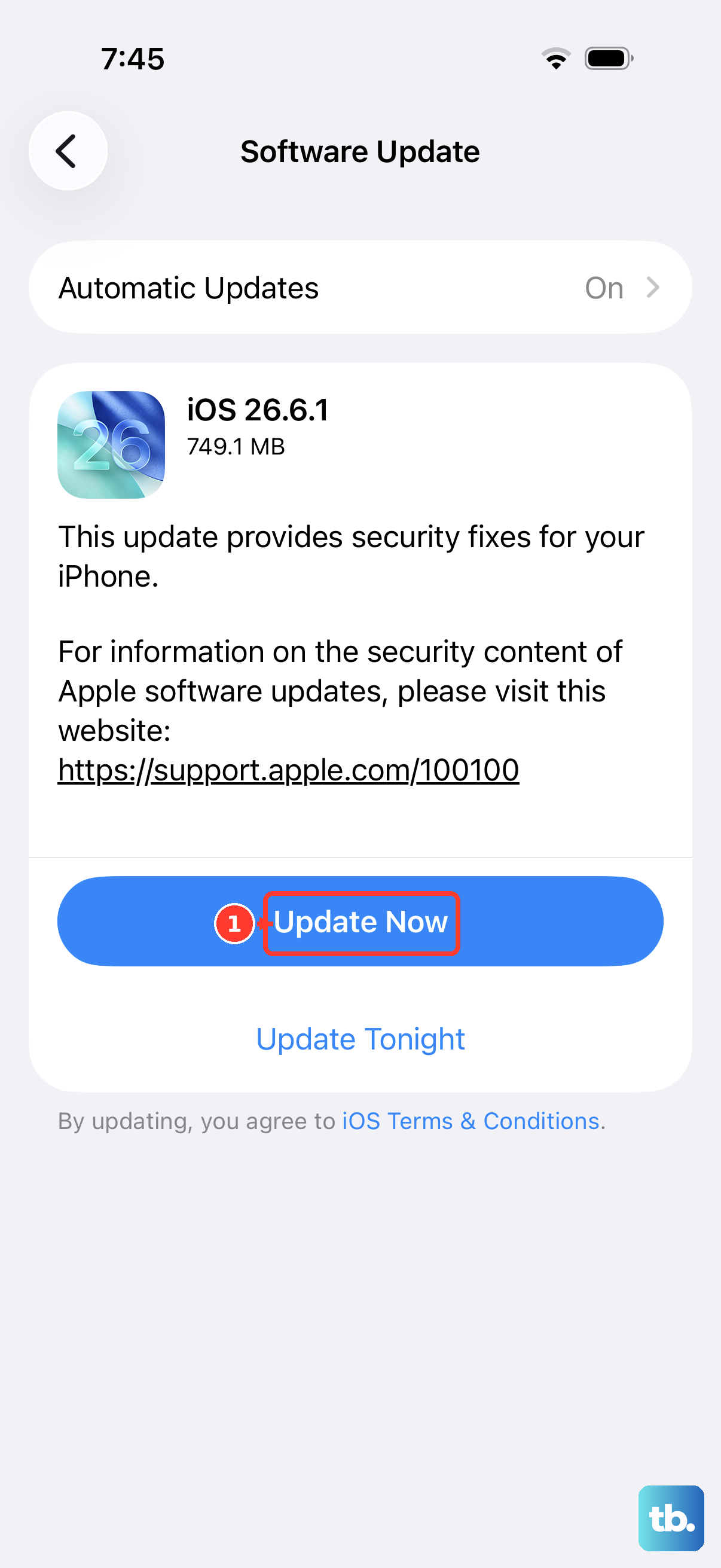
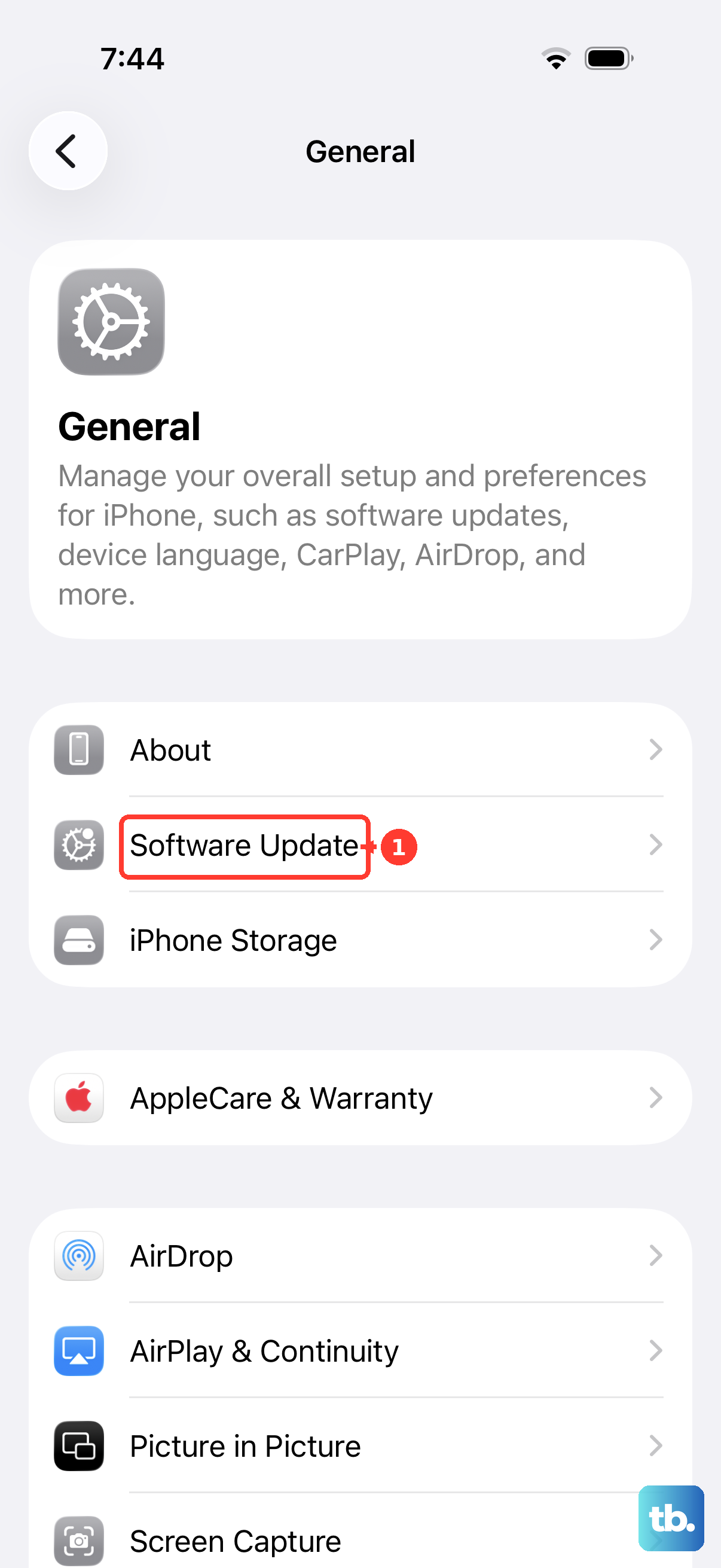
Head to Settings > General > Software Update. Apple releases updates that can include improvements to power management and charging algorithms. Making sure you're on the latest version of iOS 26 ensures your phone is running the most optimized software for charging.
Try a Different Outlet and Adapter
Not all wall outlets are wired properly, and some power strips can limit output. Plug your adapter directly into a different wall outlet. If you have one, also try a different USB-C PD adapter and cable to rule out a faulty accessory. Cables can fail internally where you can't see the damage.
Check for MagSafe and Qi2 Compatibility
If you're using wireless charging, remember that not all pads are created equal. For the fastest 15W wireless speed, you need a MagSafe charger or a new Qi2-certified charger. Standard Qi chargers will be much slower, often capping at 7.5W, which could explain why it feels sluggish.