
If your iPhone 13 is taking forever to charge, you're probably missing out on its fast charging capability. The phone can charge to about 50% in roughly 30 minutes, but that requires the right gear and conditions. A few simple checks can usually get things back up to speed.
Start with the Right Charger and Cable
Your iPhone 13 needs a specific setup to charge at its full 20W speed. You must use a USB-C Power Delivery (PD) adapter rated at 20W or higher. That little 5W cube from older iPhones won't cut it. Pair that adapter with a USB-C to Lightning cable, not the older USB-A style. I'd always recommend using Apple's own 20W adapter or an MFi-certified third-party one to avoid any power delivery issues.
Check Your Battery Health
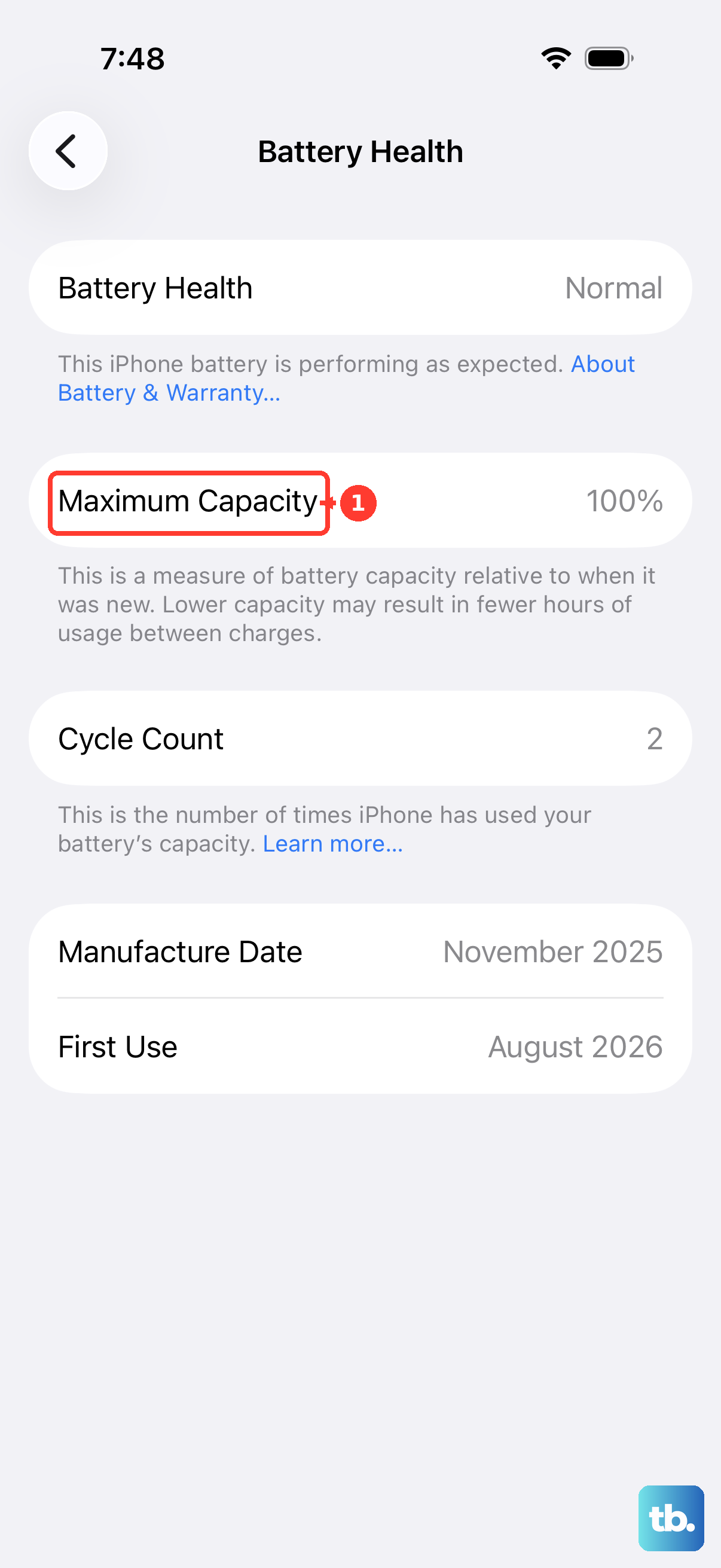
Over time, all batteries degrade. On your iPhone 13, go to Settings > Battery > Battery Health & Charging. You'll see a "Maximum Capacity" percentage. If this number is below 80%, the battery has significantly degraded and can no longer accept a charge as quickly as it used to. This is a common reason for slower charging on older devices, and a battery replacement at an Apple Store or authorized service provider is the real fix.
Clean the Lightning Port
The Lightning port is a magnet for pocket lint and dust. Even a small amount of debris can prevent the cable from seating fully, which drastically reduces power flow. Power off your phone and use a non-metallic tool, like a wooden toothpick or a soft plastic brush, to gently scrape out the port. Be very careful not to damage the contacts inside. A clean connection is essential for fast charging.
Let Your Phone Cool Down
Heat is the enemy of fast charging. If your iPhone 13 is warm from use or sitting in a hot environment, it will automatically slow down charging to protect the battery. For the quickest charge, take off any case, especially a thick one, and place the phone on a cool, hard surface. Avoid using it for demanding tasks like gaming or video calls while it's plugged in.
Restart Your iPhone
A simple restart can clear out minor software glitches that might be interfering with the power management system. To restart your iPhone 13, quickly press and release the Volume Up button, then the Volume Down button. Finally, press and hold the Side button until you see the Apple logo appear on the screen.
Manage Optimized Battery Charging
This is a smart feature designed to extend your battery's lifespan by learning your routine. It will slow down charging past 80% if it thinks you won't need a full battery soon. You can find it in Settings > Battery > Battery Health & Charging. If you need a full charge right now, you can temporarily turn it off. Just remember to turn it back on later for long-term battery health.
Try a Different Outlet and Accessories
Sometimes the problem isn't the phone. Try plugging your charger into a different wall outlet. Also, cables wear out, particularly at the ends where they bend. Test with a different, known-good 20W USB-C PD adapter and a new MFi-certified USB-C to Lightning cable. If charging speeds up, you've found the culprit.
Update to the Latest iOS
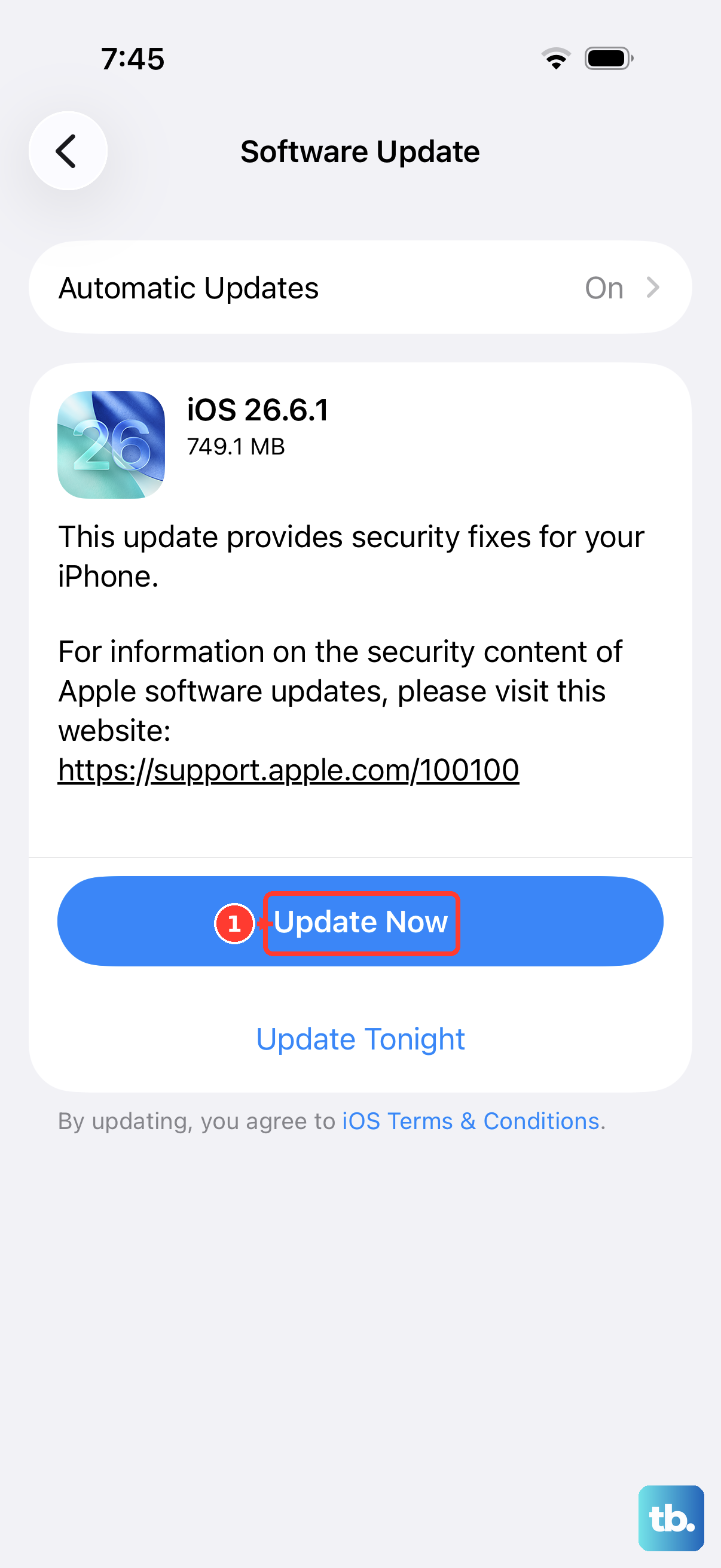
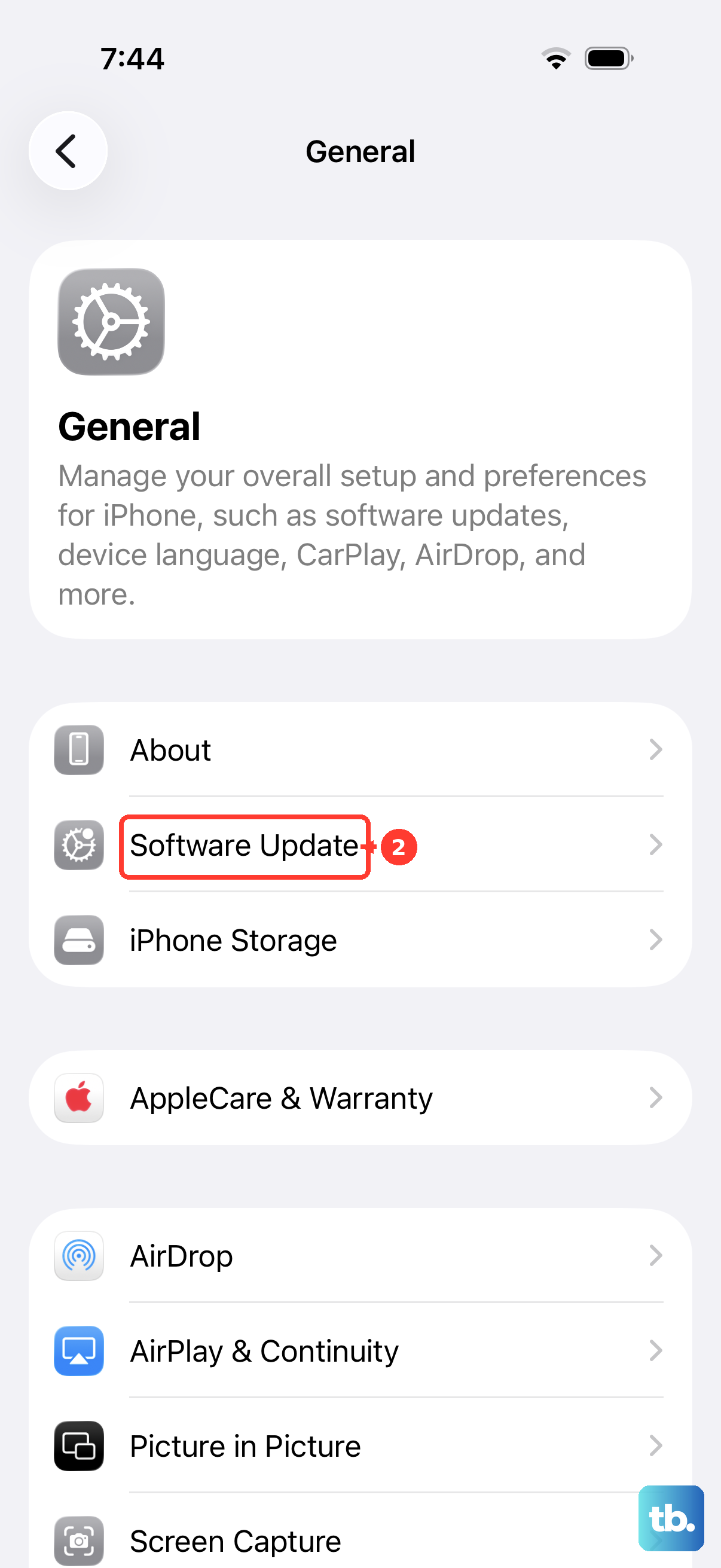
Apple releases updates that can improve power management and charging efficiency. Make sure you're running the latest version of iOS. Go to Settings > General > Software Update to check for and install any available updates.
Consider Your Charging Method
If you're using wireless charging, be aware of the speeds. MagSafe charging can deliver up to 15W, but standard Qi wireless charging is slower, typically around 7.5W. Also, wireless charging generates more heat, which can lead to throttling. For the absolute fastest charge, the wired 20W method is still your best bet on the iPhone 13.