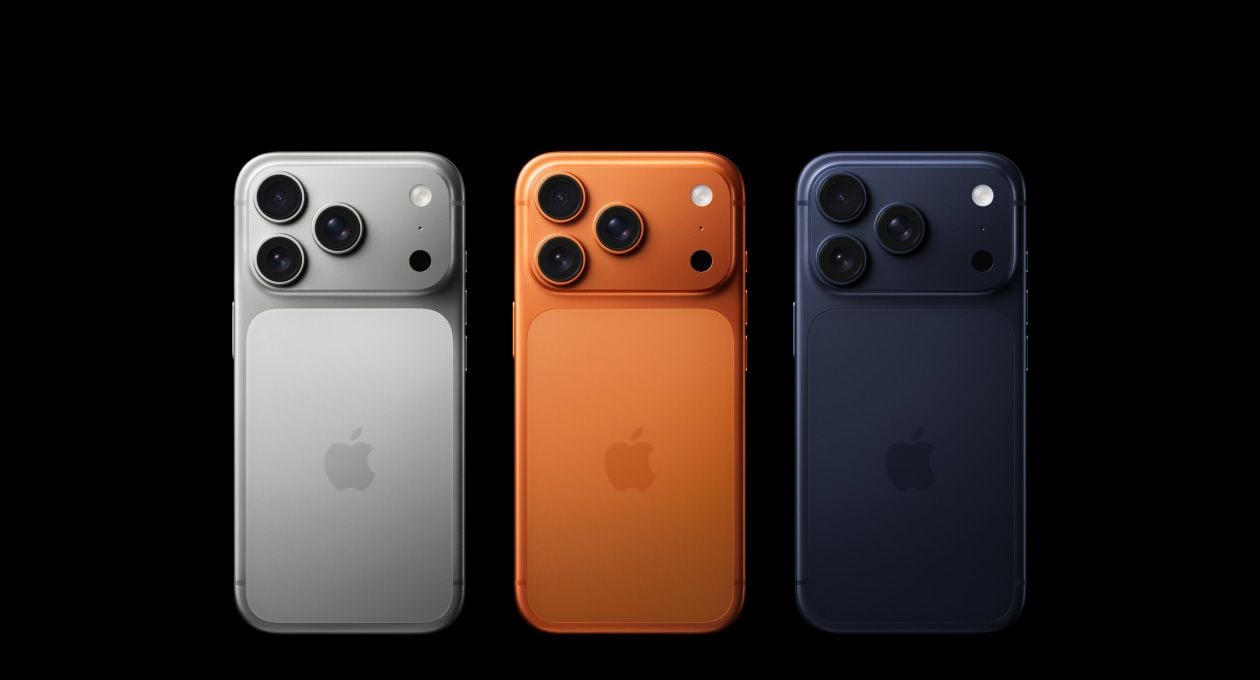
You installed the iOS 27 beta, asked Siri something, and got nothing. For some people the new Siri AI never appears at all after the update. For others it shows up, then ignores their voice, deletes conversations from the new Siri app, or drafts messages to the wrong contact. All of these problems are documented in the first iOS 27 builds, and most of them have a specific, fixable cause.
Some honest context before you start toggling settings. iOS 27 is currently a developer beta. Apple announced it at WWDC on June 8, 2026, says a public beta arrives next month through the Apple Beta Software Program at beta.apple.com, and plans to ship the free software update for everyone this fall. Beta software means bugs, battery drain, and app compatibility problems, and features can change before release.
Apple is also unusually careful about how it frames the new assistant. The company describes Siri AI as "an entirely new version of Siri that is profoundly more intelligent, knowledgeable, and capable," with its own dedicated app, but its availability note says Siri AI "will be available as a beta later this year for users with a supported device set to English." In other words, even the finished version will carry a beta label at first. Work through the fixes in order, because the first three cover the most likely reasons the new Siri is missing.
Make Sure Your iPhone Can Actually Run Siri AI
This is the single most common reason the new Siri never shows up. iOS 27 installs on the iPhone 11 and later, including the iPhone SE (2nd generation and later), up through the iPhone 17 series, iPhone Air, and iPhone 17e. Siri AI, however, requires an Apple Intelligence-enabled device, which means an iPhone 15 Pro, iPhone 15 Pro Max, or any iPhone 16 model or later.
If you have an iPhone 11 through iPhone 15 (non-Pro), iOS 27 runs fine, but the new Siri will not appear. That is by design, not a bug, and no settings change will unlock it.
Join the Waitlist and Wait for Apple's Notification
Even on a supported iPhone, installing the iOS 27 developer beta does not switch Siri AI on right away. In the first developer beta, early testers consistently report that you have to join a waitlist from the Settings app, with the opt-in living in the Siri and Apple Intelligence area, and that a notification arrives once Siri AI becomes available on your device.
Apple has not said how long the wait takes. This mirrors the gradual rollout Apple used for the original Apple Intelligence beta in iOS 18.1, so if you updated recently and joined the waitlist, patience genuinely is the fix.
Check Your Language and Region Before Blaming the Beta
Apple's iOS 27 preview page is direct about this. Siri AI is coming in English first, and Apple Intelligence requires your device language and your Siri language to be set to the same supported language. If either is set to anything other than English, the new Siri stays hidden for now. Apple says it will quickly expand support to more languages, but English is the only option at the start.
Region restrictions matter just as much. Apple states that "Siri AI will not be available initially in the EU in iOS, iPadOS, and watchOS," though Mac and Apple Vision Pro users in the EU can access it when set to a supported language. Siri AI and the other new Apple Intelligence features are also unavailable in China while Apple works through regulatory requirements.
If you use an iPhone in the EU, or any device in China, a missing Siri AI is expected behavior right now, not something you can fix on your end.
Turn On Apple Intelligence and Reset the Core Siri Switches
Once eligibility is settled, verify the basics. These steps come from Apple's own Siri troubleshooting guidance on support.apple.com and apply to the Apple Intelligence era of Siri.
- 1.Open Settings > Apple Intelligence & Siri and make sure Apple Intelligence is turned on.
- 2.Tap Talk & Type to Siri and confirm Listen for "Siri" or "Hey Siri" is turned on.
- 3.Turn off Listen for "Siri" or "Hey Siri," then re-enable it and complete the voice setup again so Siri relearns your voice.
- 4.Go to Settings > Apple Intelligence & Siri > Siri Responses and select Prefer Spoken Responses if Siri works but stays silent.
- 5.Restart your iPhone. A simple restart clears stuck assistant processes after a beta install and is part of Apple's official troubleshooting flow.
Two extra checks are worth your time. If the Apple Intelligence & Siri menu is missing from Settings entirely, review your VPN settings, because Apple notes that some VPN profiles might not allow use of Siri. Also check your free space, since Apple's published Apple Intelligence requirement is 7 GB of storage on device for the on-device models, and keeping at least that much free is the sensible baseline on the beta.
Use Apple's Own Workarounds for the Known Beta Bugs
Apple's official iOS and iPadOS 27 beta release notes, published at developer.apple.com, list roughly 50 known Siri issues in the first seed. Several of them come with documented workarounds, so try Apple's fix before anything drastic.
Siri Ignores Your Voice
"Siri might not respond to your voice correctly" is a documented beta issue. Apple's workaround is to force quit the Siri app and relaunch it, then try again.
Maps Requests Come Back Empty
Asking Siri to search Maps can return empty results when it only has coarse location data to work with. Apple's workaround is to grant Siri access to your location in Settings so it can use precise results.
The New Voices Suddenly Sound Old
The new American English Siri voices 6 and 7 can fall back to the legacy US voices when your iPhone is overheated or in Low Power Mode. Turn off Low Power Mode and let the device cool down, then check again. Siri can also respond slowly in CarPlay under high temperatures or on a poor network.
Messages Misfire or Go to the Wrong Person
Tapping Send in Siri's message confirmation can fail in this beta, and Apple's workaround is to confirm by voice instead. Apple also documents that asking Siri to message a contact that does not exist on your device can produce a draft to an unrelated contact, so double-check the recipient before you confirm.
Other Beta Quirks to Know About
If you ask Siri to open a URL from the Siri app and Safari launches to a blank screen, Apple's workaround is to return to the Siri app after Safari opens and confirm the request. Conversations in the Siri app might be deleted a few minutes after receiving streaming responses, and that one has no workaround yet. Apple also warns that "Siri functionality during software updates is limited, including calls to emergency services," so never judge Siri while an update is still installing.
Dictation Acts Differently Too
iOS 27 adds a new on-device dictation model that Apple says boosts accuracy. To enable it, go to Keyboard settings > Dictation and toggle on Advanced Dictation Preview. Expect rough edges in beta 1, including unreliable voice editing commands, punctuation commands that insert the spoken word along with the mark, and contact names that go unrecognized.
Update to the Newest Beta or Wait for the Public One
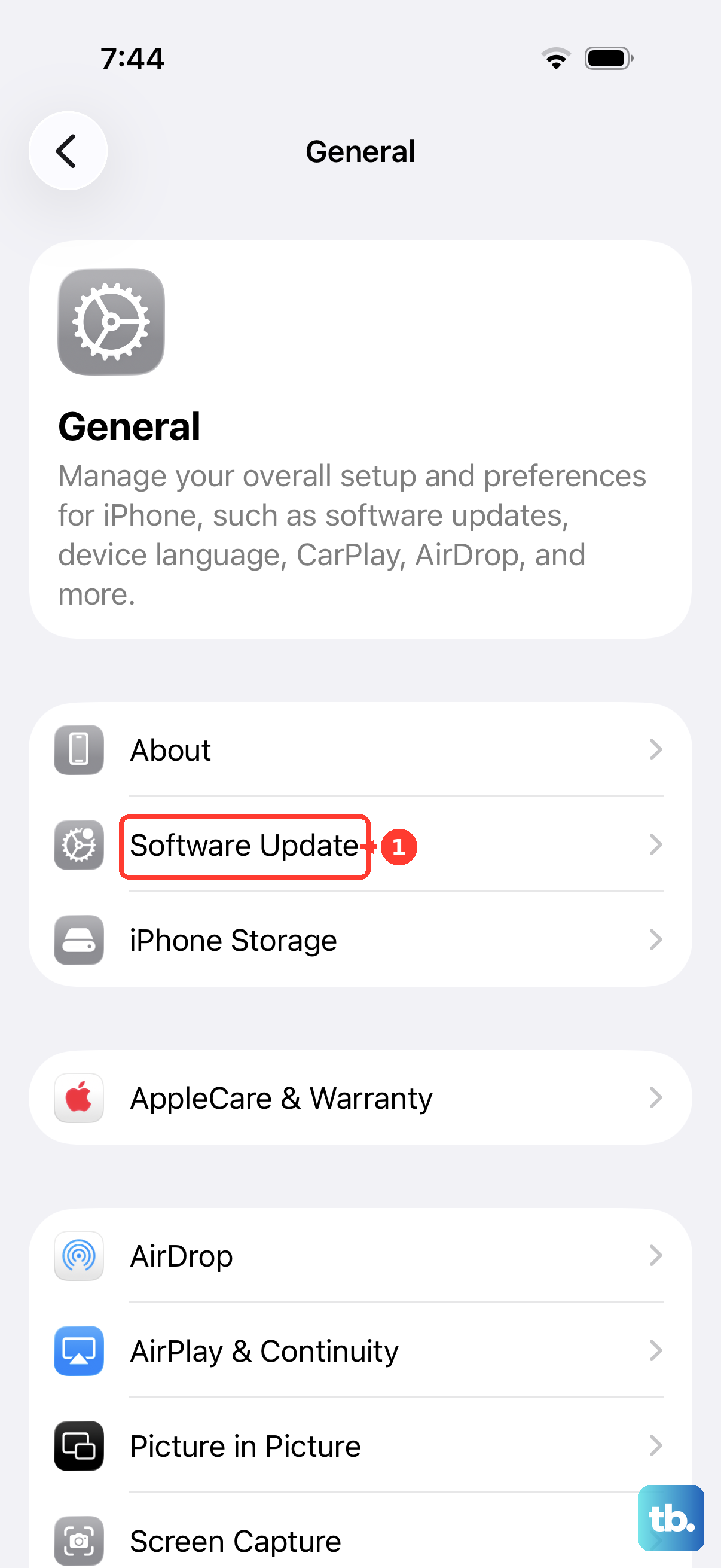
First-build bugs get fixed in later seeds. Go to Settings > General > Software Update and check Beta Updates for the newest developer build, then install it and retest Siri.
If you are not in the Apple Developer Program, the smarter move is waiting for the public beta, which Apple says arrives through the Apple Beta Software Program at beta.apple.com next month. The site currently lists the iOS 27 public beta as coming soon.
One limit is easy to mistake for a malfunction. Some Apple Intelligence features, including image generation, have daily usage limits because they rely on powerful server models. If Siri AI features stop responding after heavy use, you may simply have hit the daily cap, and Apple says increased access is available with most iCloud+ subscription plans.
Report What the Workarounds Cannot Fix
If Siri AI still misbehaves after everything above, send the bug to Apple rather than fighting it. Beta installs include the Feedback Assistant app for exactly this purpose, so describe the failure, list the steps that reproduce it, and submit the report. Filing during the beta cycle is how a problem gets on Apple's radar before the public release.
Before filing, check whether your problem is already documented in the official iOS and iPadOS 27 release notes on developer.apple.com. One privacy catch is worth knowing while you test, because Apple notes that disabling Siri might not delete your Siri and Dictation interaction history from your device in this beta.
Frequently Asked Questions
Does the new Siri run on Google Gemini?
Not exactly. Apple says the new capabilities are powered by the next generation of Apple Foundation Models, developed in collaboration with Google and built on its Gemini models. The models run on your device and on Apple's servers through Private Cloud Compute.
Which iPhones support Siri AI in iOS 27?
Siri AI requires an Apple Intelligence-enabled iPhone, meaning the iPhone 15 Pro, iPhone 15 Pro Max, or any iPhone 16 model and later. Older iPhones can install iOS 27 but will not get the new assistant.
How do I start a conversation with the new Siri?
In addition to saying "Hey Siri," you can invoke Siri with the side button or swipe down from the Dynamic Island to start a conversation. There is also a new dedicated Siri app that syncs your conversation history across devices through iCloud.
When will Siri AI be available to everyone?
Apple says iOS 27 ships as a free software update this fall, with a public beta arriving through beta.apple.com next month. Even at release, Siri AI will carry a beta label and will be available in English to start.
Why is Siri AI missing on my iPhone in the EU?
Apple says Siri AI will not initially be available in the EU on iOS, iPadOS, and watchOS, although Mac and Apple Vision Pro users in the EU can access it when set to a supported language. It is also unavailable in China while Apple works through regulatory requirements.
Why does Siri AI stop responding after heavy use?
Some Apple Intelligence features, including image generation, have daily usage limits because they rely on powerful server models. Apple says increased access is available with most iCloud+ subscription plans.