You set your Google Pixel 9 down on its charging pad, expected to see the battery icon climb, and got nothing. Maybe the phone never registered the charger at all, or it started and then quietly stopped. Wireless charging on the Pixel 9 and Pixel 9 Pro is reliable when the conditions are right, but a thick case, a slightly off-center placement, or the wrong kind of charger can break it without any obvious warning. Work through the nine fixes below in order, starting with the quickest and safest, and you will usually find the culprit before you ever need to think about a repair.
One thing to settle up front. The Pixel 9 and Pixel 9 Pro do support wireless charging, using the Qi (Qi 1.x) standard. They do not use the Qi2 magnetic Pixelsnap system, which is exclusive to the Pixel 10 series, and MagSafe chargers do not work with the Pixel 9 or earlier phones. If you have been trying to charge with a MagSafe or Qi2 magnetic accessory, that alone can explain why nothing is happening.
Take the case off before you blame the phone
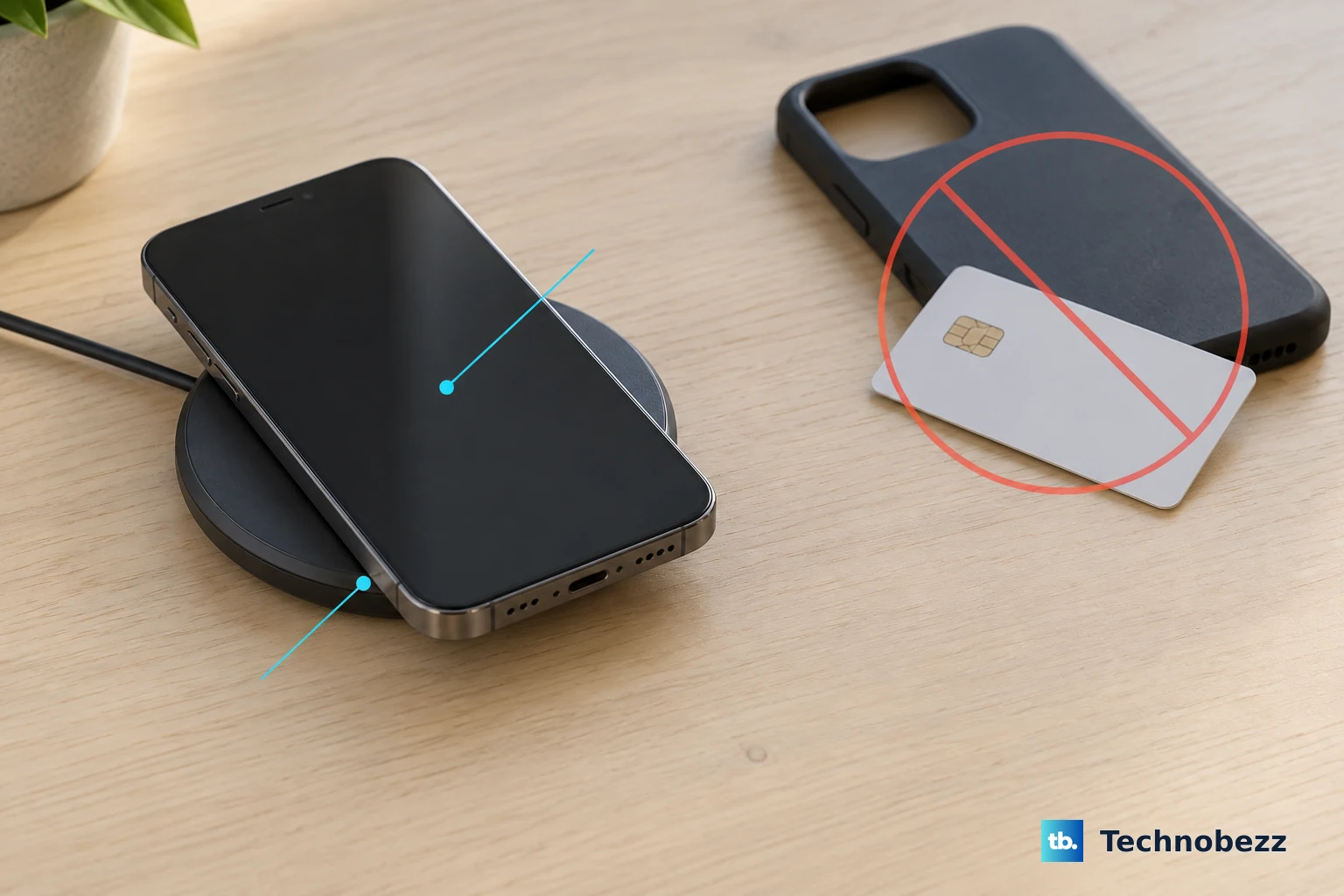
The case is the single most common reason wireless charging slows down or refuses to start. Google is explicit that thick or metallic cases like those with magnets or ring holders can affect charging or stop it completely. A pop socket, a card-holder back, or a magnetic mount plate can be enough to break the connection between the charging coil and the pad.
Take the phone case off completely and place the bare phone back on the charger. If wireless charging works without the case, the case is the cause. From there you can switch to a thinner case, remove the metal ring or magnet, or simply charge without a case when you need a wireless top-up.
Re-center the phone and clear away metal and magnets
Wireless charging only works when the phone's coil lines up with the charger's coil. If the phone is even slightly off-center on a pad, or leaning at the wrong angle on a stand, it may never start. Re-center the phone and watch the charging indicator on screen to confirm it registers.
Google advises keeping the phone away from metal or magnets, as these can affect charging, avoiding charging in very hot places like under direct sunlight, and not moving or using the phone too much while charging wirelessly. Make sure there is nothing trapped between the phone and the charger. A coin, a card, or a magnetic mount plate sitting in the gap can stop the charge cold. Heat matters too, so move the setup out of direct sunlight or a warm spot if charging keeps cutting out.
Make sure your charger is actually Qi compatible
Not every wireless charger will work with the Pixel 9, and using the wrong type is a frequent dead end. Google's guidance is to use a Qi 1.x wireless charger or a Pixel Stand that works with your phone. Because the Pixel 9 uses the Qi (Qi 1.x) standard, a charger built for a different system may simply do nothing.
Keep these distinctions in mind:
- Qi2 and Pixelsnap magnetic chargers are made for the Pixel 10 series, not the Pixel 9.
- MagSafe chargers do not work with the Pixel 9 and earlier phones.
- A Pixel Stand that works with your phone is a supported option alongside a standard Qi 1.x pad.
The charger also needs enough power feeding it. For full speed, plug the wireless charger into an adequate power adapter, because a weak adapter can leave the pad unable to deliver a proper charge.
Test wired charging to isolate the problem
Before you go any deeper, find out whether the fault is specific to wireless charging or affects charging in general. Plug the phone in with a cable and a known-good adapter and see whether it charges that way.
If wired charging works but wireless does not, the problem is specific to the wireless charger, the pad alignment, or the case, and you can focus your attention there. If neither method works, the issue is broader and the next steps still apply. When you go back to testing wireless, be sure to use a correct, approved wireless charger.
Watch for a charging-accessory warning and rule out the outlet
Sometimes the phone is telling you exactly what is wrong. If you see a Check charging accessory notification, the cable or adapter may be damaged or unsupported. Switch to a compatible cable and charger and try again.
It is also worth ruling out a dead power source, which is easy to overlook. Plug the charger into a wall outlet, then plug something else into that same outlet, like a lamp, to confirm the outlet itself works. A faulty outlet or a tripped circuit can mimic a broken charger.
Restart the Pixel 9 to clear a temporary glitch
A restart clears temporary software hiccups that can interfere with charging. For a normal restart on Pixel 6 and later, which includes the Pixel 9, press and hold the Power and Volume up buttons for a few seconds, then tap Restart.
If the phone is unresponsive and the normal restart does not work, you can force a restart. Press and hold the Power button for up to 60 seconds. Once your phone begins to reboot and the screen displays the "G" logo, release the Power button. After the phone is back up, put it on the charger and check again.
Install any pending software update
Keeping the phone on the latest software version matters for charging performance, and an outdated build can leave charging slow or unreliable.
To check, open your phone's Settings app. Near the bottom, tap System and then Software update. When the update status appears on your screen, follow the steps to download and install anything available, then test wireless charging again.
Confirm a battery-care feature is not pausing the charge
If the phone seems to stop or pause charging rather than fail outright, a battery-care setting may be doing exactly what it is designed to do. The Pixel 9 has charging optimization features that can make a healthy charge look like a problem.
Go to Settings > Battery > Battery health > Charging optimization. There, Adaptive Charging may deliberately slow charging so the phone finishes right before you typically unplug, and Limit to 80% intentionally caps the charge to protect long-term battery health. Review the setting, and if you want a full, uninterrupted charge for testing, turn off Use charging optimization to confirm whether the behavior is normal optimization rather than a wireless-charging failure.
When charging still fails, factory reset and then seek repair
If wireless charging still does not work after everything above, a factory reset is the last software step before treating it as hardware. This erases your phone, so back up your data first. Google warns plainly that a factory reset erases all your data from your phone.
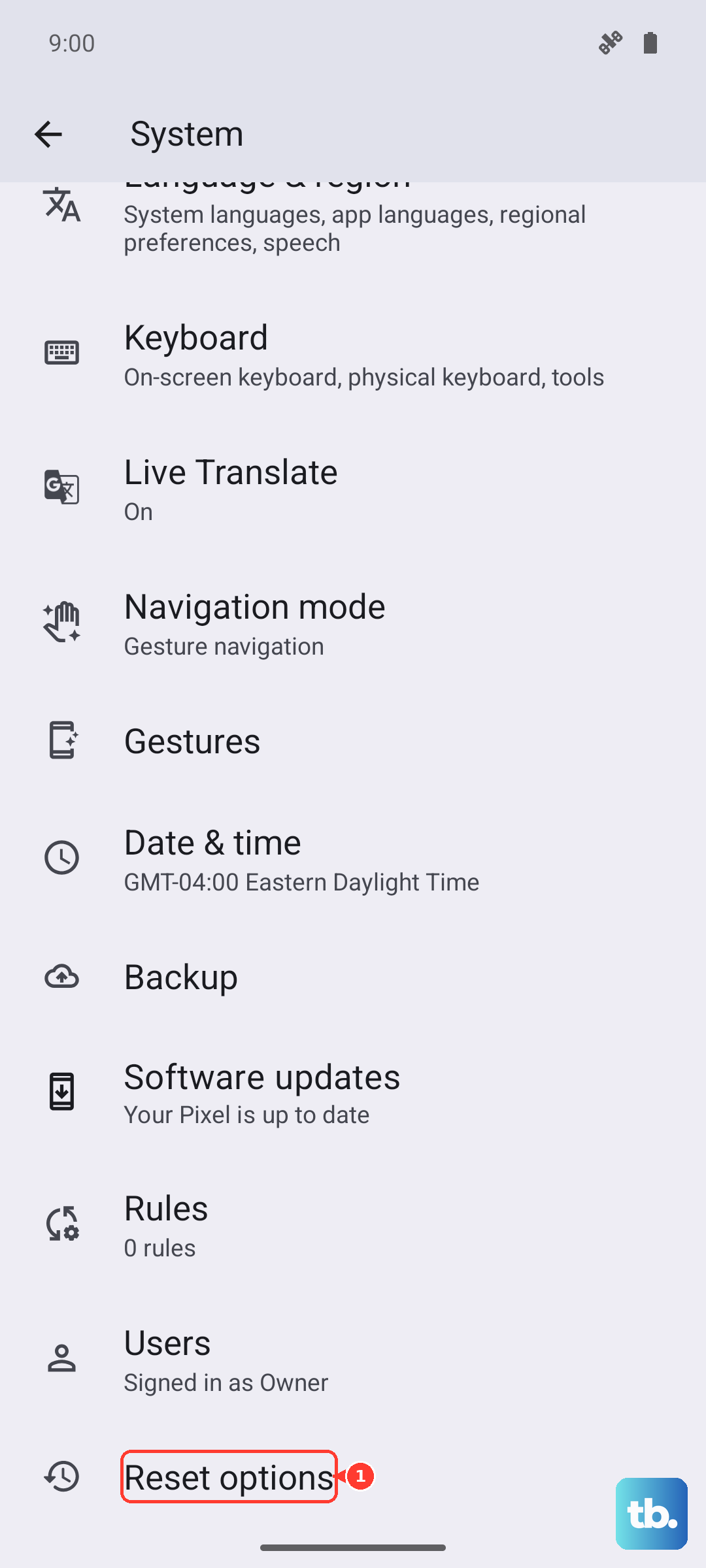
To reset, open the Settings app, tap System, then Reset options, then Erase all data (factory reset), and follow the prompts. Set the phone up again and test wireless charging on a known-good Qi 1.x charger.
If wireless charging still does not work after a reset, the evidence points to a hardware issue. At that point, contact a local authorized repair center to get the Pixel phone repaired rather than continuing to troubleshoot at home.
Frequently Asked Questions
Does the Pixel 9 support wireless charging at all?
Yes. The Pixel 9 and Pixel 9 Pro support wireless charging using the Qi (Qi 1.x) standard. They work with a Qi 1.x wireless charger or a Pixel Stand that works with your phone.
Why doesn't my MagSafe or Qi2 magnetic charger work with the Pixel 9?
MagSafe chargers do not work with the Pixel 9 and earlier phones, and Qi2 Pixelsnap magnetic chargers are made for the Pixel 10 series. The Pixel 9 uses the Qi (Qi 1.x) standard, so you need a Qi 1.x charger or a compatible Pixel Stand.
Can a phone case stop wireless charging on the Pixel 9?
Yes. Google warns that thick or metallic cases, including those with magnets or ring holders, can affect charging or stop it completely. Remove the case and try charging the bare phone. If it works, the case was the problem.
Why does my Pixel 9 stop charging before reaching 100 percent?
A battery-care feature may be active. In Settings > Battery > Battery health > Charging optimization, Adaptive Charging can slow charging so it finishes right before you usually unplug, and Limit to 80% intentionally caps the charge. Review or turn off Use charging optimization to confirm.
Can the Pixel 9 charge other devices wirelessly?
Yes. The Pixel 9 and Pixel 9 Pro support Battery Share, which is wireless reverse charging for Qi-certified phones or accessories placed on the back of the phone. You can manage it in the Settings app under Battery > Battery Share, and you should remove magnetic attachments and use a Qi-certified device.