
Seeing a "SIM Not Provisioned" message on your Google Pixel 9 Pro is a real roadblock. It means your phone can't connect to your carrier's network, so calls, texts, and mobile data won't work. This is often a quick fix, and I'd start with the simplest steps first.
Restart Your Pixel 9 Pro
A simple restart can clear out temporary software glitches that might be causing the network handshake to fail. Just press and hold the power button, then tap "Restart" on the screen. If your screen is unresponsive, you can force a restart by holding the power button for about 30 seconds until the device vibrates and reboots.
Toggle Airplane Mode On and Off
This is a classic network refresh trick that works on any phone, including your Pixel. Swipe down twice from the top of your screen to open the full Quick Settings panel. Tap the airplane icon to turn it on, wait for about 15 seconds, and then tap it again to turn it off. This forces your phone's modem to disconnect and reconnect to the nearest cell tower.
Check Your SIM Card Activation and Balance
If this is a brand new SIM card, it might not be activated yet. Even if it's an old one, your service could have been suspended. The most common reasons are an unpaid bill on a postpaid plan or an empty balance on a prepaid plan. Log into your carrier's app or website to check your account status, or give their customer service a quick call.
Reinsert the SIM Card
The SIM tray on the Pixel 9 Pro can be a bit finicky. Power off your phone first. Then, use the SIM ejector tool that came in the box (or a small paperclip) to pop out the tray on the bottom edge. Take out the SIM card, give the gold contacts a quick visual check for any dust or damage, and then firmly reseat it. Push the tray back in until it clicks and power your phone on.
Update Your Software and Carrier Services
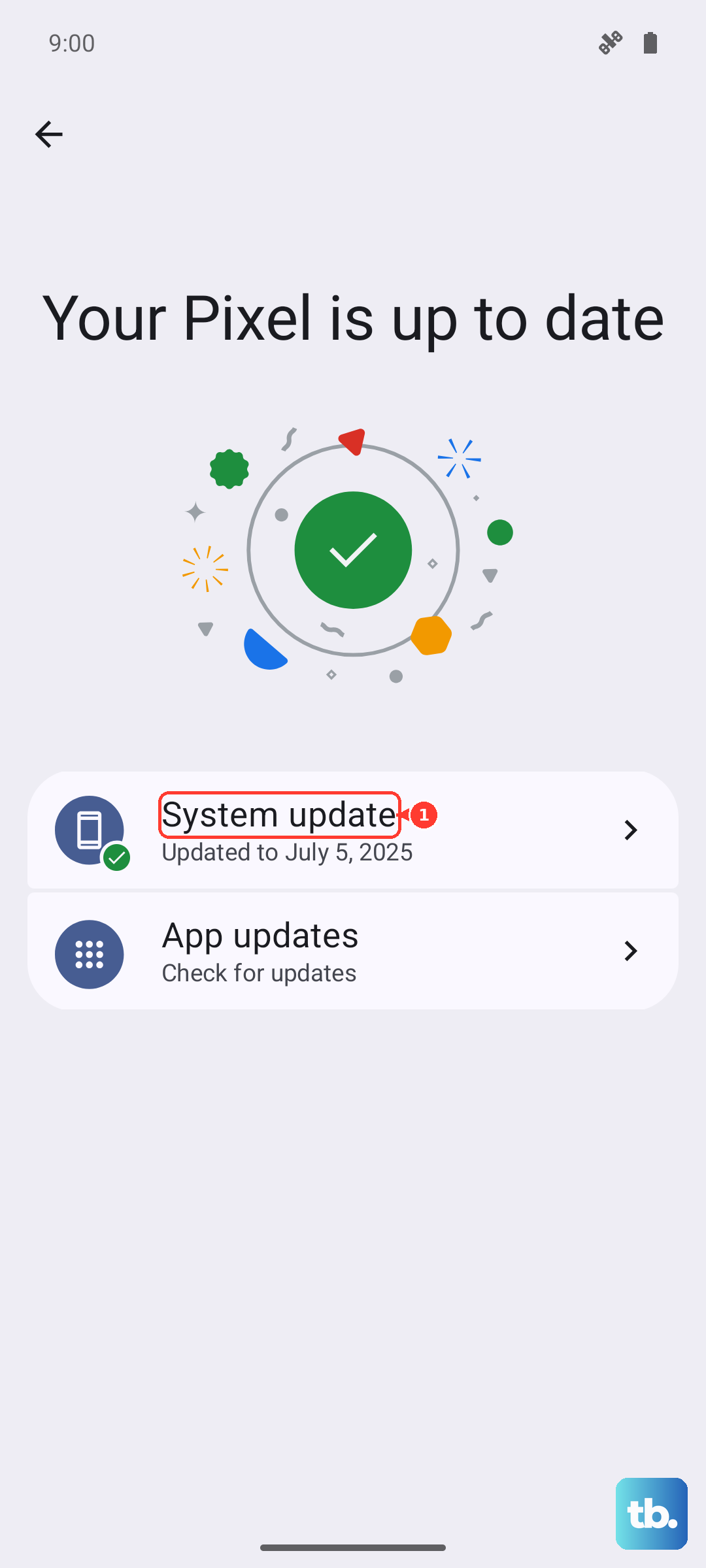
Outdated system software or carrier configuration files can cause provisioning errors. Go to Settings > System > System update to check for the latest Android 15 update. Next, open the Google Play Store, tap your profile icon, go to Manage apps & device, and look under "Updates available" for an app called "Carrier Services." Update it if you see it.
Manually Select Your Network Operator
Sometimes letting your phone automatically choose a network can lead to it latching onto a weak or incorrect signal. You can manually pick your carrier. Go to Settings > Network & internet > SIMs. Tap on your active SIM, then tap Carrier. Turn off "Automatically select network," and after a moment, a list will appear. Select your carrier's name from the list.
Reset Your Network Settings
This will wipe all your saved Wi-Fi networks, Bluetooth pairings, and cellular settings back to default, which can resolve deeper configuration conflicts. Don't worry, it won't delete your personal files or apps. Go to Settings > System > Reset options. Tap Reset Wi-Fi, mobile & Bluetooth and confirm. Your phone will reboot, and you'll need to reconnect to Wi-Fi and re-pair Bluetooth devices.
Check for a Carrier Settings Update
Carriers occasionally push small configuration updates that are separate from Android OS updates. These are crucial for network provisioning. Sometimes they install automatically, but you can check. After ensuring you have a Wi-Fi connection, go to Settings > About phone. Look for an option like "Carrier settings version" or "Update profile." If an update is available, you'll usually be prompted to install it here.
Try the SIM Card in Another Phone
This test tells you where the problem actually lies. If you have access to another unlocked phone, power it off and insert your Pixel's SIM card. Turn that phone on. If it also shows "Not Provisioned," then the issue is definitely with the SIM or your carrier account. If it connects perfectly, the issue is likely with your Pixel 9 Pro's hardware or software.
Contact Your Mobile Carrier
If you've tried everything here, it's time to call in the experts. Your carrier can check for outages in your area, verify your line is active on their backend systems, and reprovision your SIM card remotely. They can also mail you a replacement SIM if yours is damaged or too old, which is often a free or low-cost fix.