
If your Google Pixel 8 is taking forever to charge, it's likely not getting the full 27W of power it's capable of. The wrong cable, a software setting, or even a bit of pocket lint can bring fast charging to a halt.
Check Your Charger and Cable
For the Pixel 8's maximum 27W wired charging, you need a USB-C Power Delivery (PD) adapter rated at 30W or higher. The 18W adapter from older Pixels won't hit top speed. You also need a good-quality USB-C to USB-C cable that supports higher wattages. I'd start by checking the wattage printed on your adapter's brick.
Clean the USB-C Port
This is a very common culprit. The USB-C port on your Pixel 8 can easily get packed with lint, which prevents the cable from seating fully. Gently clean it out with a wooden toothpick or a soft brush. Avoid using metal, as you could damage the delicate pins inside. A clean connection is essential for fast charging.
Look at Adaptive Charging
Go to Settings > Battery > Adaptive charging. This feature learns your routine and intentionally slows charging past 80% overnight to preserve battery health. If you're plugging in during the day and it's stuck around 80%, this might be why. You can toggle it off temporarily for a full-speed charge.
There's also a known bug where some Pixel 8 phones get stuck at exactly 80% even with Adaptive Charging off. If you see this, a software update often fixes it.
Update Your Software
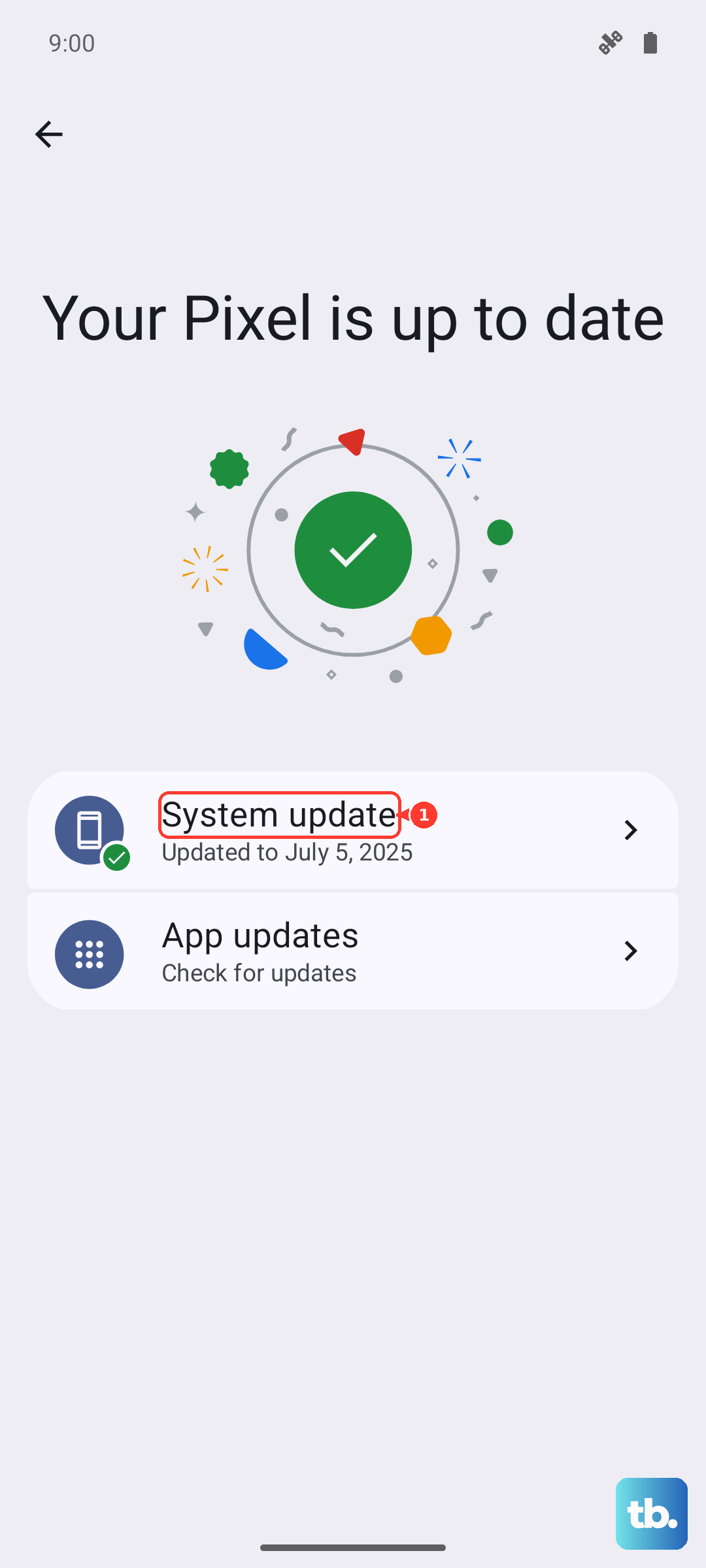
Head to Settings > System > System update. Google has released several firmware updates that specifically address charging bugs and improve thermal management. Making sure you're on the latest Android version is one of the easiest fixes for erratic charging behavior.
Remove Your Phone Case
Thick cases, especially during fast charging, can trap heat. Your Pixel 8 will automatically slow down charging if it gets too warm to protect the battery. Taking the case off while it charges, particularly if you're using a wireless charger, can help it stay cooler and charge faster.
Don't Use It While Plugged In
Using your phone for anything intensive like gaming or video calls while it's charging generates significant heat. This forces the phone to throttle charging speed immediately. For the quickest top-up, just let it sit on a cool, hard surface like a table.
Try a Force Restart
Sometimes a minor software glitch can mess with the charging controller. Press and hold the Power button for about 30 seconds until the phone restarts on its own. This is a deeper reset than a normal reboot and can clear up temporary issues.
Check for Overheating
The Pixel 8 can be sensitive to ambient heat. If you're charging in a hot room, in direct sunlight, or on a soft surface like a couch, move it to a cooler spot. Overheating is a reported issue during fast charging, and the phone will dial back power to cool down.
Test a Different Outlet and Adapter
Try plugging your charger into a different wall outlet. Also, if you have access to another high-wattage USB-C PD charger (like one from a recent laptop), test it with your Pixel 8. This will tell you if the problem is with your original charger or the phone itself.
Inspect Your Cable
Cables wear out, especially at the connectors. Look for any fraying, bent pins, or a loose fit in the port. Try a different, high-quality USB-C cable. A damaged cable might only deliver a trickle of power, even if the adapter is perfect.