Your Comcast email has stopped working. Maybe webmail won't load, your password keeps getting rejected, or messages have quietly stopped arriving in Outlook or Apple Mail. The good news is that almost every Xfinity Mail problem traces back to a short list of known causes.
Most issues fall into one of a few buckets: a server outage, a password or security setting, a client configuration detail, or the big one right now, the ongoing move of comcast.net email to Yahoo Mail. We will start with the fastest, most common fixes and work toward the less common ones.
Work through these in order. The first checks take seconds, and there is no point reconfiguring a mail client while Xfinity's own servers are down.
Check for an Xfinity Outage First
Before you change a single setting, rule out a server-side problem. If Comcast's mail platform is down, nothing on your end will help.
Visit the Xfinity Status Center at xfinity.com/support/status, or the Outage Map at xfinity.com/support/statusmap, and sign in to see whether an outage affects your area. You can also check a third-party tracker like downdetector.com/status/comcast-xfinity for a spike in reports.
If an outage is shown, simply wait it out. Add your mobile number on the status page to get restoration updates. No setting or client change will fix email during a platform outage.
Sign In to Webmail and Reset Your Password
Confirm the problem is not just a bad password. Go to xfinity.com and click the Email (envelope) icon in the top bar, or go directly to connect.xfinity.com, then sign in with your Xfinity ID (your @comcast.net address, mobile number, or username).
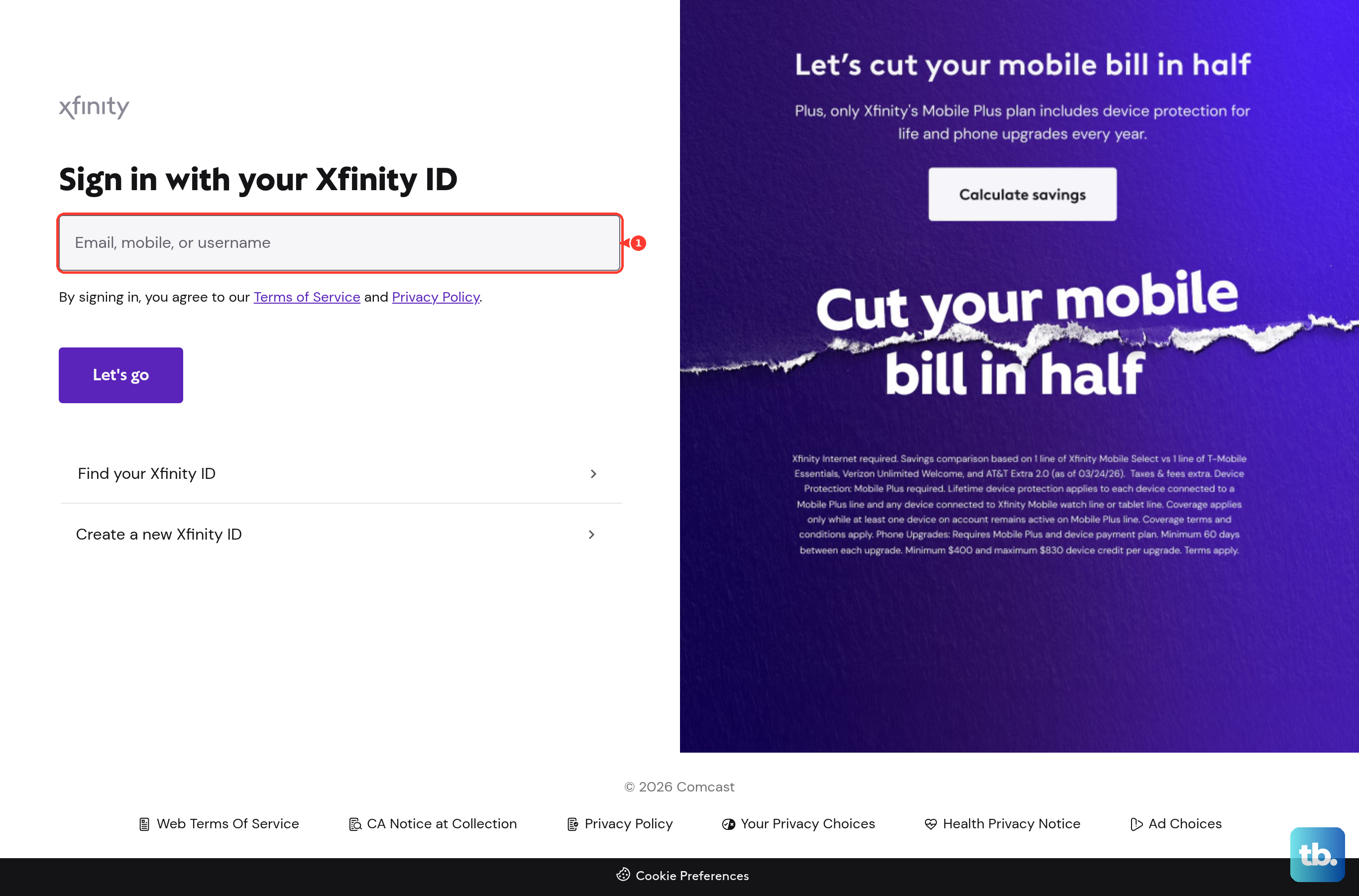
If sign-in fails, reset the password at xfinity.com/password. Enter your Xfinity ID, click Continue, choose a recovery method (email or text), enter the code, then create a new password. Passwords must be 8 to 128 characters with at least one letter and at least one number or special character.
If you forgot your Xfinity ID too, click "Forgot Xfinity ID" on the same page to recover it first. Once you can sign in to webmail, watch for an "upgrade to Yahoo Mail" prompt, covered later.
Turn On Third Party Access Security
If webmail works but Outlook, Apple Mail, Thunderbird, or your phone cannot connect, this is the usual culprit. This setting is unchecked by default for anyone who was not already using a mail client, so a brand-new setup fails until you enable it.
- 1.Sign in at connect.xfinity.com with your Xfinity ID and password.
- 2.Click the Gear icon in the top-right corner and choose Settings.
- 3.Open the Security section.
- 4.Check the box under "Third Party Access Security" to allow third-party programs to connect.
Xfinity warns that enabling this can expose your ID and password to fraud and let external programs read, download, and delete mail. That is the trade-off for using any third-party client.
Enter the Correct IMAP and SMTP Settings
Wrong server names, ports, or security settings silently break sending and receiving. For a residential comcast.net account that has not yet moved to Yahoo, use these values.
- Incoming (IMAP): imap.comcast.net, port 993, SSL/TLS required. Use IMAP if you read mail on more than one device.
- Outgoing (SMTP): smtp.comcast.net, port 587 with STARTTLS/TLS. If sending fails, try port 465 with SSL. Authentication is required.
- Incoming (POP, optional): pop3.comcast.net, port 995, SSL required.
Use your full @comcast.net address as the username for both incoming and outgoing, with your Comcast password (or an app password if two-step verification is on). Do not use port 25; Comcast blocks it. Do not use comcastbiz.net servers; those are for Comcast Business, not residential accounts. And confirm Third Party Access Security is enabled first, or these settings will still be refused.
Move to Yahoo Mail If Your Account Was Migrated
This is the biggest recent change. Comcast.net email is moving to Yahoo Mail in waves through 2025 to 2026. You get a notice when it is your turn, and the move is currently optional; you can keep using connect.xfinity.com until you are invited or moved. Your address, messages, folders, and contacts are kept.
After migration, sign in at login.yahoo.com using your FULL @comcast.net address (include the @comcast.net part) and your password. The native client at connect.xfinity.com is no longer used.
For third-party clients after migration, switch incoming to imap.mail.yahoo.com (port 993, SSL/TLS) and outgoing to smtp.mail.yahoo.com (port 587 or 465, SSL/TLS, authentication required). The old comcast.net servers and password stop authenticating, which is why Apple Mail and others suddenly fail after the move.
You will almost always need a Yahoo app password. Sign in to your Yahoo Account Security page, open the "External connections" area, choose the "App passwords" tab, click "Create app password," name it, click Generate, and copy the result. Generate it in a normal (non-Incognito) browser you have used to sign in to Yahoo recently, or generation may be blocked.
Re-enable a Secondary Mailbox Disabled for Bad Credentials
If a linked account shows "Your mail account [email protected] was disabled due to invalid credentials," it stopped syncing after repeated bad-password attempts. Fix it from the primary user's webmail, not from My Account.
- 1.Go to the Gear/Settings, then Accounts (the mail account settings), not My Account > Users.
- 2.Click Edit next to the affected secondary account.
- 3.In the "Incoming server" section, re-type that account's current password.
- 4.In the "Outgoing server (SMTP)" section, set Authentication to "As incoming mail server."
- 5.Click Save. The account should re-enable and the error should stop.
Clear a 421 Excessive Failed Authentication Lockout
If sending fails with "421 resomta-... .sys.comcast.net Excessive failed authentication," a device on your network (or one sharing your public IP) keeps syncing with an old password, so Comcast temporarily blocks the IP. One bad device can lock everyone on the same connection.
Identify every device, computer, phone, and app that connects to your Comcast mail. Update the saved password to the current one on all of them, and delete then re-add any account config where the old password is cached. For a quick reset, take the offending device offline, remove its SMTP config, then re-add it with the correct password.
Once no further bad attempts occur, the block typically clears within about 24 hours. If one device is missed, it will keep re-triggering the lockout.
Free Up a Full Mailbox
Each comcast.net address has a 10 GB limit per Xfinity ID, and it cannot be increased or purchased. When full, you will see "Your mailbox size has reached 100% of your quota. You will not be able to receive any new messages unless you delete some old ones," and new incoming mail is rejected.
In webmail, sort by size or date and delete large or old messages and bulky attachments. Then empty the Trash and Spam folders, since deleted items can still count until purged. Once total usage drops below 10 GB, new mail is accepted again.
Recover Messages Hidden by Spam, Filters, or Blocked Senders
If mail simply is not arriving, it may be misrouted rather than lost. Open the Spam and Trash folders and look for the missing messages; if a legitimate one is in Spam, mark it "Not spam" so future mail reaches the inbox.
Open mail Settings and review Filter Rules, deleting or correcting any rule that moves or deletes incoming mail. Check the blocked-addresses list and remove the sender if present. Finally, confirm the mailbox is not full, since that also rejects new mail.
Fix Webmail That Will Not Load in Your Browser
When the webmail interface itself misbehaves, the problem is often local. Clear the browser cache and cookies, then close and reopen the browser and sign back in. Make sure cookies are allowed for xfinity.com.
Temporarily disable browser extensions, especially ad blockers, which can break the interface. Update the browser to the latest version and restart it. Try a different browser, device, or network to see whether the issue is device- or network-specific, and restart your modem, router, and device to clear network glitches.
Keep the Account From Closing for Inactivity
Xfinity closes dormant mailboxes. Keep yours active by signing in through the Xfinity Email website periodically (commonly cited as at least once every 90 days, with some guidance referencing a longer window). Starting November 1, 2024, accounts inactive for more than two years receive a notice and are closed after a 90-day grace period.
If you received a closure notice, sign in within the 90-day window to keep the mailbox, or download your data first if you intend to let it close. Former customers keep access only if they signed in via the Xfinity Email website within 90 days before disconnecting service. Note that as of June 2024, new comcast.net addresses can no longer be created.
Frequently Asked Questions
Why did my password suddenly stop working in Outlook or Apple Mail?
Two things commonly cause this. If two-step verification is on, your normal password is rejected and you need an app password instead. And if your account was migrated to Yahoo Mail, the old comcast.net servers and password stop authenticating; you must switch to Yahoo's servers and generate a Yahoo app password.
Is there a Comcast or Xfinity email app I should download?
No. The standalone Xfinity Connect / Xfinity Email mobile app was discontinued in 2021. Use webmail in a mobile browser, the Xfinity app, or a third-party mail client configured with the correct server settings.
Should I use port 587 or 465 for sending?
smtp.comcast.net supports both. Try 587 with STARTTLS/TLS first; if sending fails, switch to 465 with SSL. Never use port 25, which Comcast blocks.
Why can I receive mail but not send it?
Check for a sending limit or a lockout. A single message can have at most 100 recipients, you can send about 1,000 messages per day, and total message size cannot exceed 25 MB. A "421 Excessive failed authentication" error instead points to a device syncing with an old password, which temporarily blocks your IP.
I have a comcastbiz.net address. Are the settings the same?
No. comcastbiz.net (imap.comcastbiz.net / smtp.comcastbiz.net) is for Comcast Business and is separate from residential comcast.net (imap.comcast.net / smtp.comcast.net). Do not mix the two server sets.
Will I lose my emails when my account moves to Yahoo Mail?
No. Your @comcast.net address, messages, folders, and contacts are kept. Folder names over 240 characters are shortened, messages larger than 25 MB are set aside to download or delete, and up to 4,100 folders move with extras consolidated.











