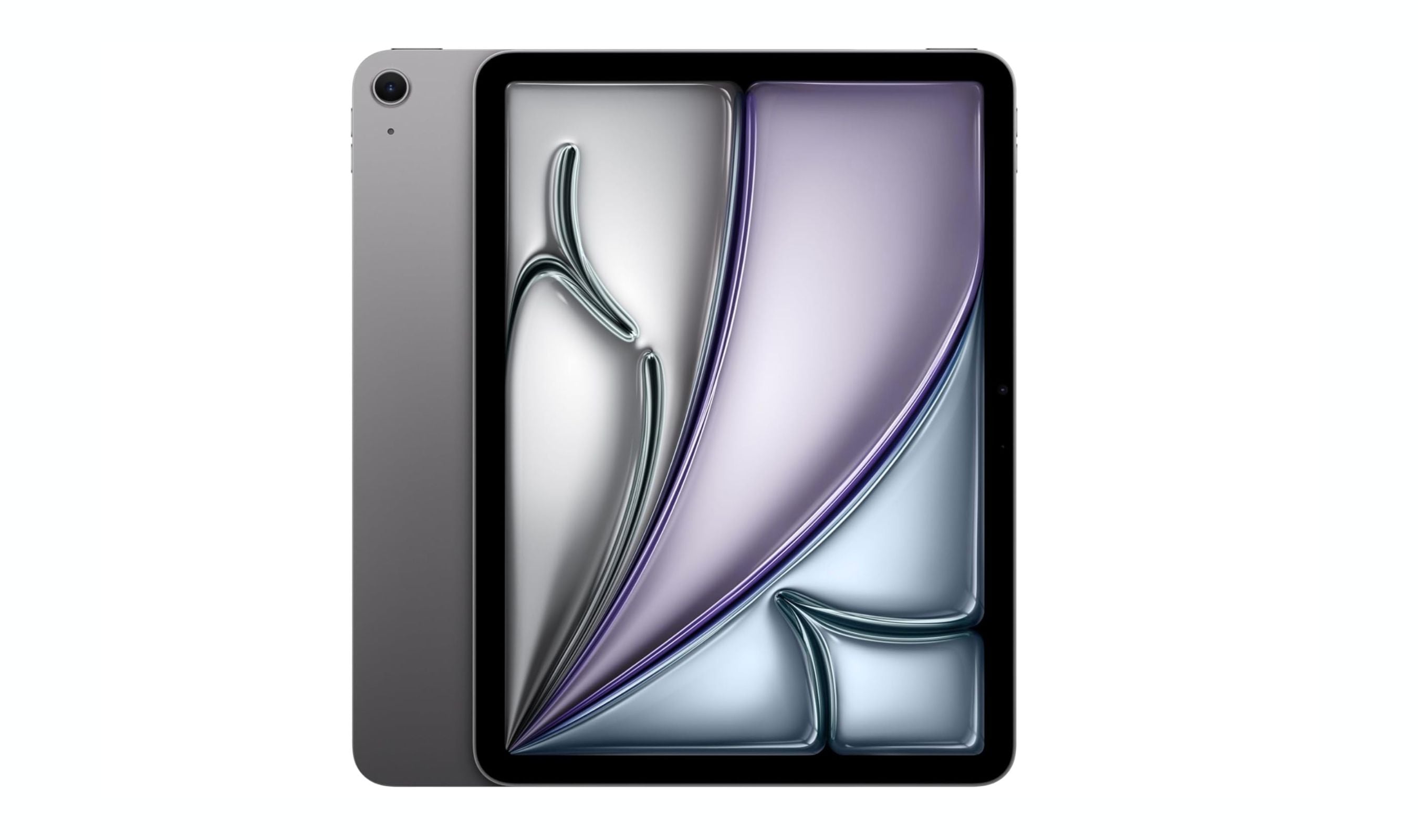
The iPad Air (M4, 8th gen) takes the top spot for its balance of power, portability, and Apple Pencil Pro support, but the real question is whether you want a full app ecosystem or a distraction-free e-ink notebook. This list covers both camps so you can pick the right tool for how you actually take notes.
Technobezz is supported by its audience. We may get a commission from retail offers.
8 Best Tablets for Note Taking in 2026
The iPad Air 7th gen tops our list of the 8 best tablets for note taking in 2026, balancing Apple Pencil Pro support with a full app ecosystem and distraction-free e-ink options.
T
Technobezz
Editorial Team
Updated September 5, 2026Sep 5, 2026
•11 min read

Get Deals Like These in Your Inbox
The best prices, reviewed weekly.
At a Glance
| Category | Product | Why We Picked It |
|---|---|---|
| Best overall | iPad Air (M4, 8th gen) | Smooth performance with Apple Pencil Pro and Apple Intelligence |
| Best value | Samsung Galaxy Tab S10 Lite | Included S Pen, 90Hz display and expandable storage |
| Best for distraction-free writing | reMarkable Paper Pro | Paper-like color e-ink with no app clutter |
| Best for reading and writing | Amazon Kindle Scribe (11-inch, with front light) | 11-inch reading display, included pen and cloud document imports |
| Best Android flagship | Samsung Galaxy Tab S11 Ultra | Massive AMOLED display with included S Pen |
| Also recommended | Boox Note Air 5 C | Color e-ink with full Android flexibility |
| Also recommended | Lenovo Idea Tab Pro | Big 3K screen and stylus included |
| Also recommended | iPad Pro (M5) | Top-tier power for creative pros |
How we chose
We evaluated tablets across multiple categories based on stylus accuracy, display quality, battery life, note-taking app support, and overall value. Our assessment weighs stylus latency and pressure support, display finish, and how each tablet's note software handles long-term organization. We prioritize products that deliver a natural writing feel, reliable palm rejection, and software that makes finding and organizing notes genuinely useful rather than just a gimmick.
The best tablets for note taking right now
iPad Air (M4, 8th gen) - Best overall
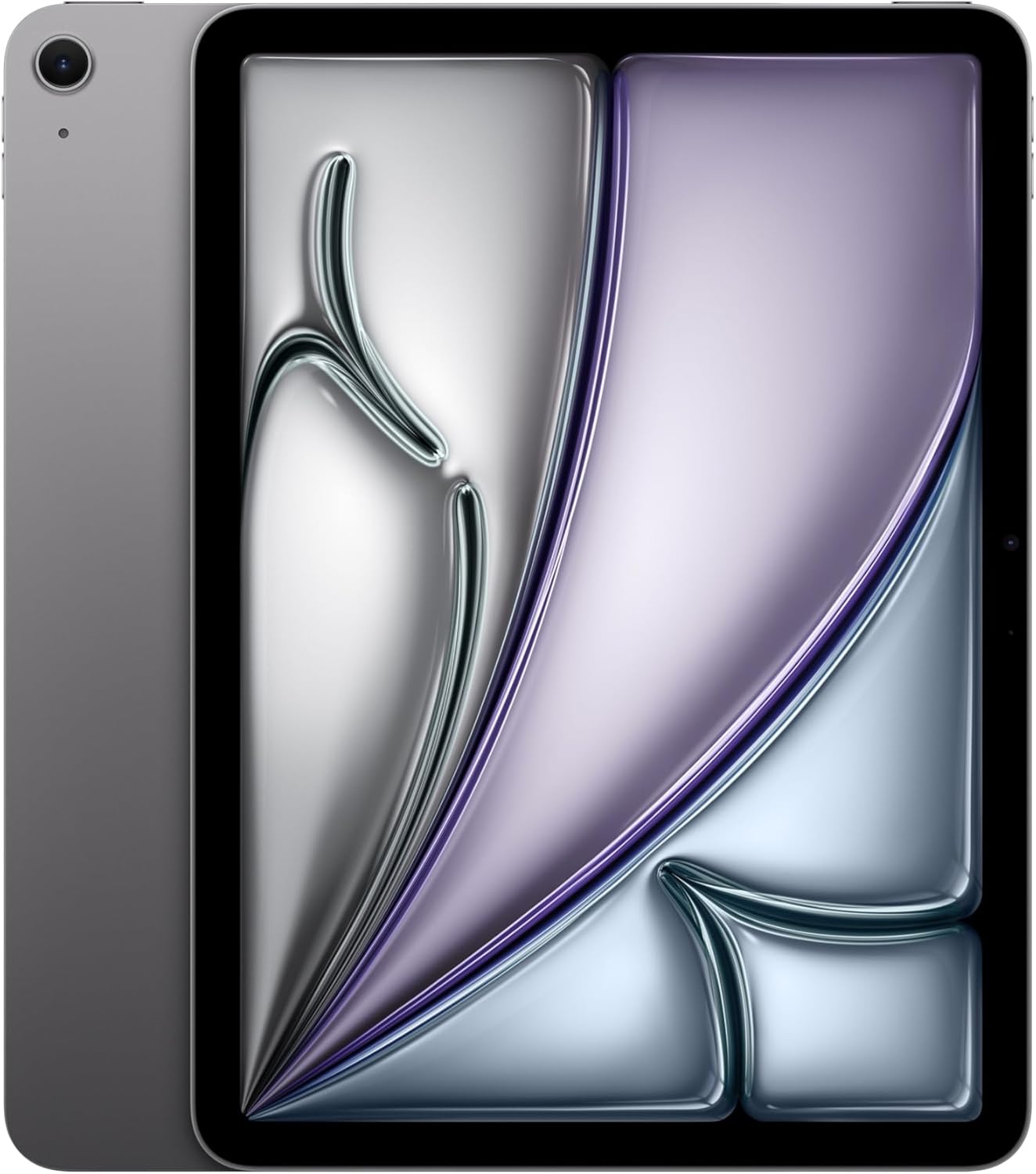
The eighth-generation iPad Air delivers the best mix of performance, portability, and note-taking features for most people. It supports the Apple Pencil Pro with squeeze, barrel roll, and haptic feedback, plus Apple Intelligence tools that make organizing and generating text easier.
Key highlights
- 11-inch Liquid Retina Display with 60Hz refresh rate
- Apple M4 chip with 128GB base storage (up to 1TB)
- Apple Pencil Pro compatibility with advanced gesture controls
- Apple Intelligence includes Writing Tools, Image Playground, and smarter Siri
- Available in 11-inch and 13-inch sizes
Pros
- Lightweight design makes it easy to carry and hold for long sessions
- Apple Pencil Pro offers the best stylus experience on any mainstream tablet
- Strong app ecosystem with dedicated note-taking apps like GoodNotes and Notability
Cons
- Apple Pencil Pro sold separately (adds to the cost)
- 60Hz display feels behind competitors with 120Hz screens
- No headphone jack
Who it is for: Students and professionals who want a full-featured tablet that handles notes, research, multitasking, and media consumption in one device.
Skip if
You need a distraction-free writing experience or you want a tablet that includes the stylus in the box.
Samsung Galaxy Tab S10 Lite - Best value
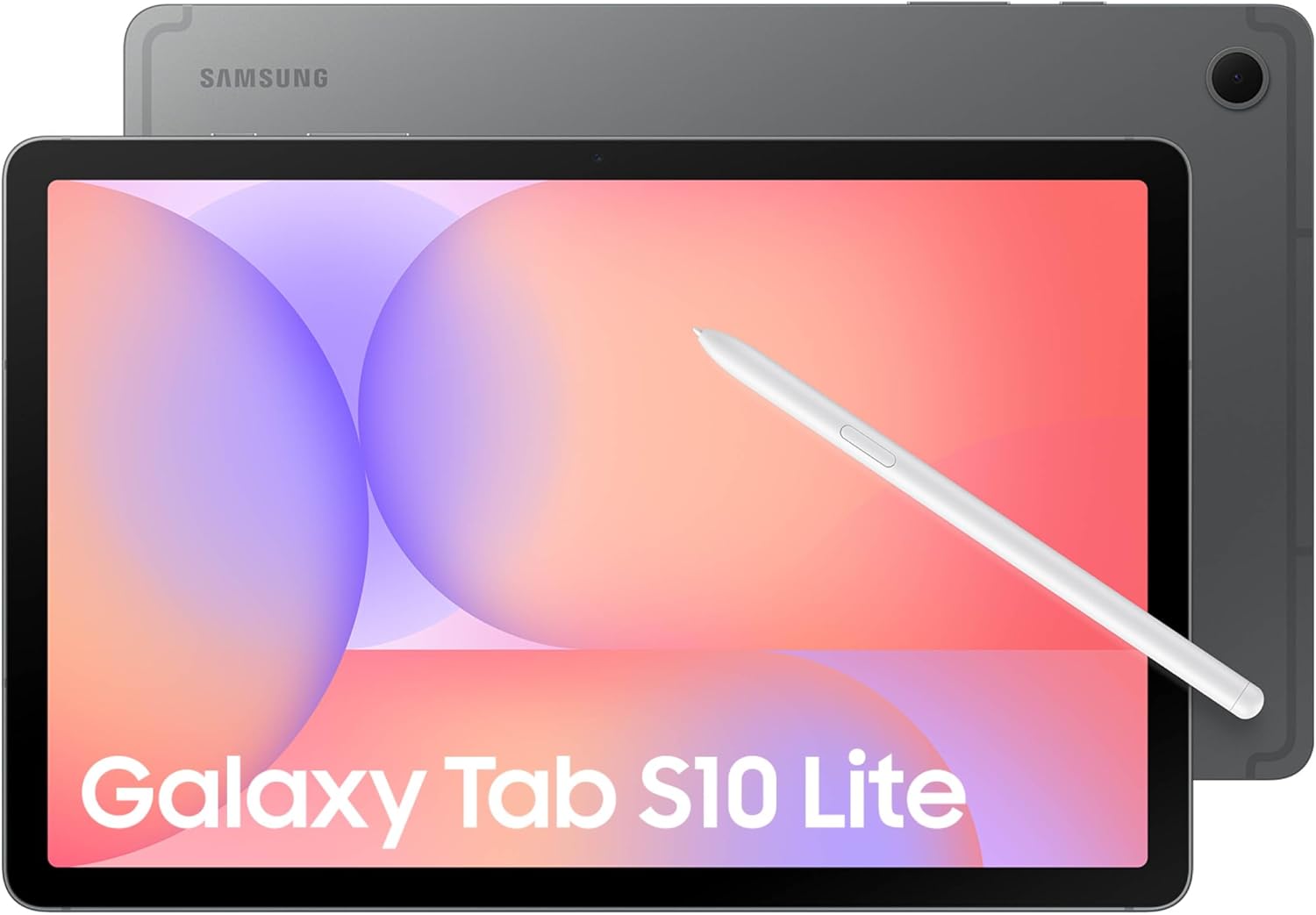
The Galaxy Tab S10 Lite includes an S Pen for notes and sketches, with a 10.9-inch display and an Exynos 1380 processor for everyday multitasking. Samsung Notes adds Handwriting Help and Math Solver for study sessions.
Key highlights
- 10.9-inch LCD with up to 90Hz refresh rate
- S Pen included
- Exynos 1380 processor, 6GB RAM and 128GB storage
- microSD expansion up to 2TB
- 8,000mAh battery with up to 16 hours of video playback under Samsung's test conditions
Pros
- No separate pen purchase needed
- Expandable storage for documents and media
- Up to seven generations of Android OS upgrades
Cons
- LCD rather than AMOLED display
- 45W wall charger sold separately
- Keyboard cover sold separately
Who it is for: Students on a budget, first-time digital note-takers, and anyone who wants a reliable tablet without breaking the bank.
Skip if
You need high-end performance for creative work or want a premium display for media consumption.
reMarkable Paper Pro - Best for distraction-free writing
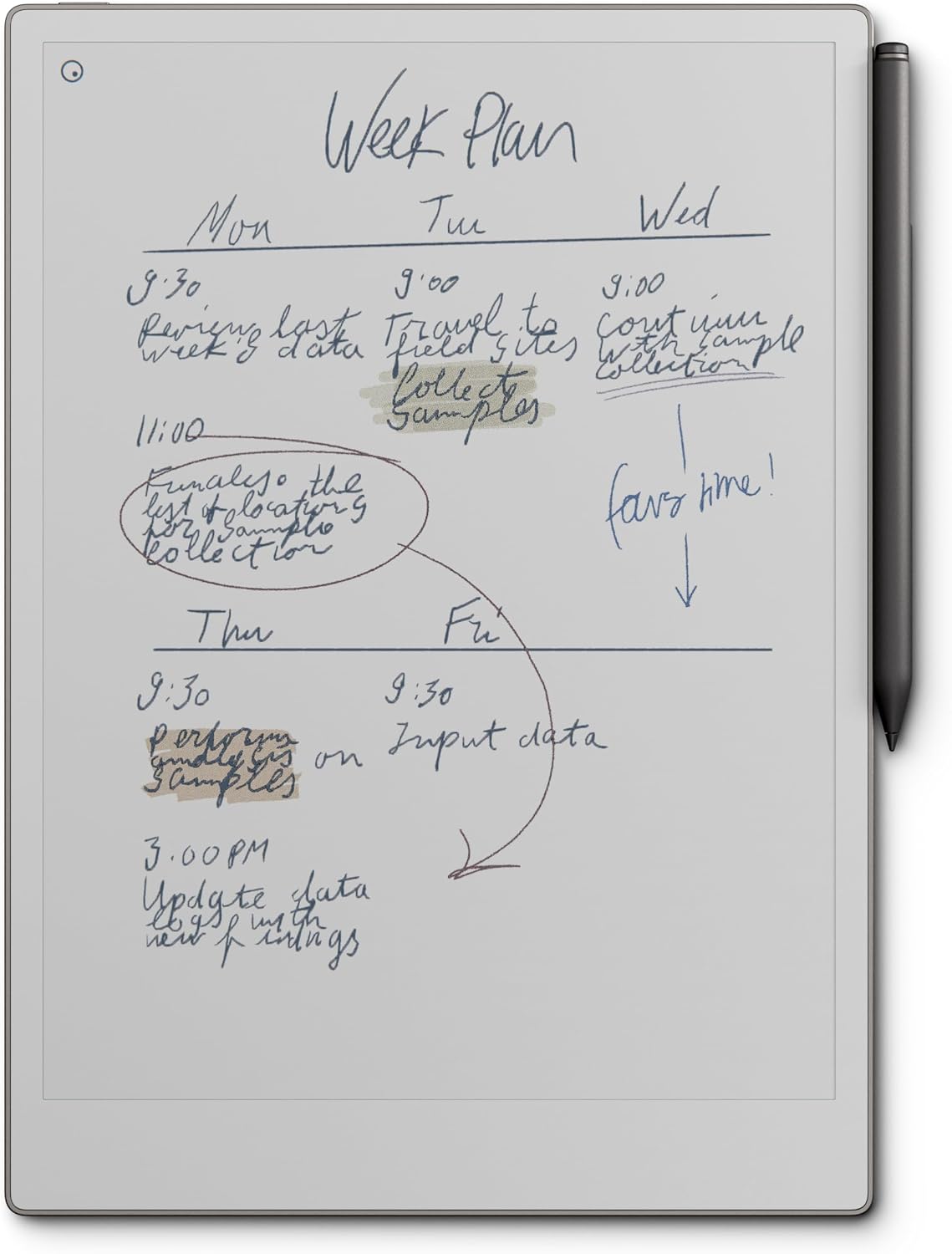
The reMarkable Paper Pro brings color to the paper-like e-ink experience without adding the distractions of a full tablet OS. Its 11.8-inch Canvas Color display shows muted but useful colors for highlighting and organizing notes, and the writing feel is the closest you will get to pen on paper.
Key highlights
- 11.8-inch Canvas Color e-ink display with adjustable front light
- Marker Plus stylus with built-in eraser and wireless charging when attached to the tablet
- Handwriting-to-text conversion on the tablet with Wi-Fi and a reMarkable account; unlimited cloud sync with optional Connect
Pros
- Writing feel is unmatched for a digital device, with realistic paper-like friction
- Color display enables highlighting and color-coded organization
- Completely distraction-free with no app store, notifications, or social media
Cons
- Expensive, especially with the optional Connect subscription for full cloud features
- Limited to note-taking, PDF annotation, and e-book reading (no general apps)
- Color is muted compared to LCD or OLED screens
Who it is for: Writers, academics, and professionals who want a focused digital notebook that mimics paper without the temptation of browsing the web or checking notifications.
Skip if
You need a multipurpose device for streaming, gaming, or running apps, or you want a brighter, more vibrant color display.
Amazon Kindle Scribe (11-inch, with front light) - Best for reading and writing
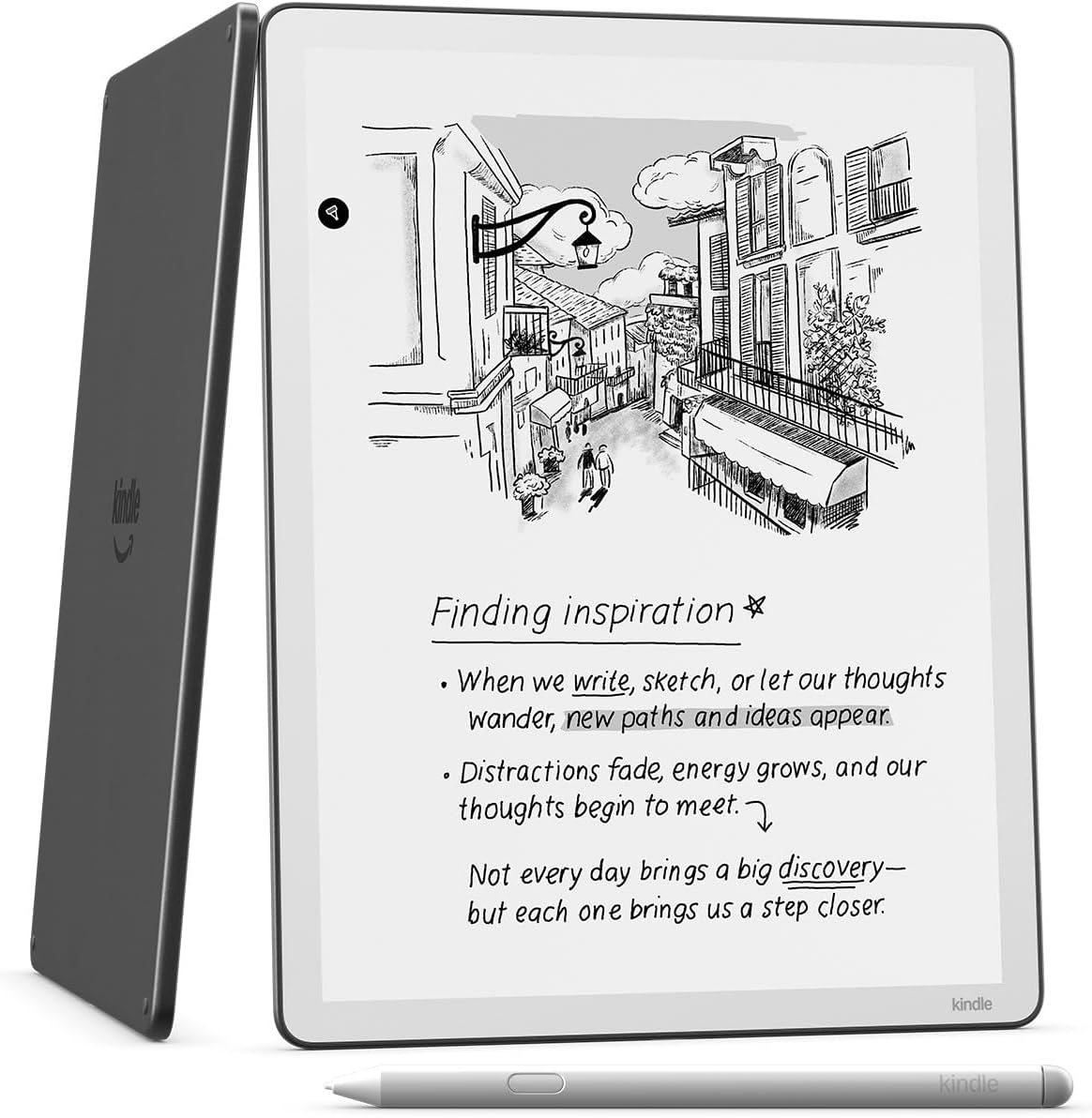
The 11-inch Kindle Scribe with front light combines Kindle reading with notebooks and document annotation. Its 300 ppi monochrome display has adjustable warmth and automatic brightness, while the included Premium Pen has an eraser and needs no charging.
Key highlights
- 11-inch, 300 ppi monochrome display with front light
- 32GB storage and included Premium Pen
- AI notebook search, summaries and handwriting conversion
- Google Drive and Microsoft OneDrive document imports
- Book annotations with reflowing text and expandable margins
Pros
- Kindle books and handwritten notebooks in one device
- Up to three weeks of writing under Amazon's 30-minutes-per-day test conditions
- Export notebooks to Microsoft OneNote
Cons
- Monochrome display does not show color
- Active Canvas book notes cannot be viewed in the Kindle mobile app
- Child Profiles are not supported
Who it is for: Avid readers who also want to take notes, annotate books, and keep everything in one device without distractions.
Skip if
You need color notes or want to run productivity apps.
Samsung Galaxy Tab S11 Ultra - Best Android flagship
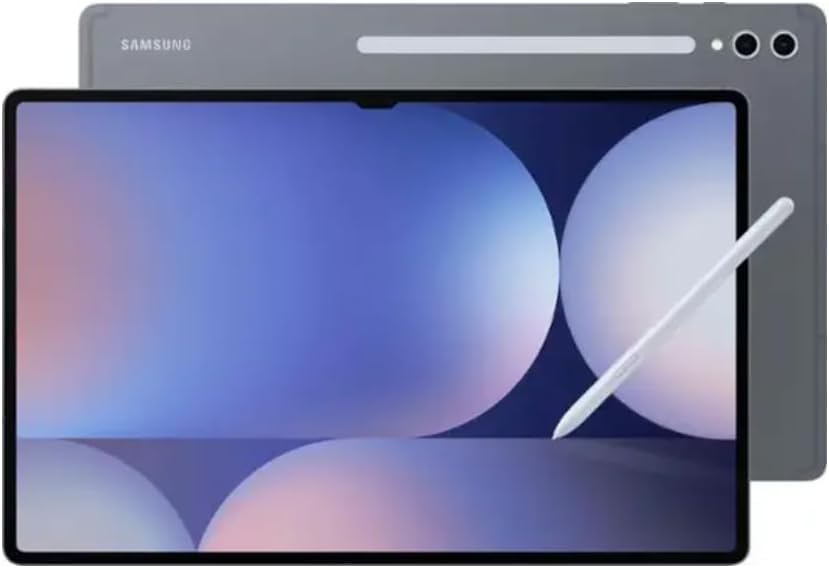
The Galaxy Tab S11 Ultra is the most powerful Android tablet for note-taking, with a massive 14.6-inch Dynamic AMOLED 2X display and the redesigned S Pen. The MediaTek Dimensity 9400+ processor handles split-screen multitasking, drawing apps, and heavy document work without breaking a sweat.
Key highlights
- 14.6-inch Dynamic AMOLED 2X display with 120Hz refresh rate
- S Pen included
- MediaTek Dimensity 9400+ processor with 12GB or 16GB RAM
- 256GB + 12GB
Pros
- Massive, brilliant display is ideal for split-screen note-taking and reference materials
- S Pen is included and offers excellent pressure sensitivity and low latency
Cons
- Large size makes it awkward to use handheld for long periods
- Very expensive compared to most alternatives
- Glossy display lacks the paper-like feel of e-ink or matte screens
- The Amazon offer is an imported model and the listing states it has no warranty in the USA
Who it is for: Power users who want a laptop-replacement tablet with a huge canvas for notes, drawing, and multitasking.
Skip if
You prioritize portability or want a distraction-free writing experience rather than a full Android device.
Also Good
- Boox Note Air 5 C - color e-ink with full Android flexibility.
- Lenovo Idea Tab Pro - big 3K screen and stylus included. Check Price on Lenovo
- iPad Pro (M5) - top-tier power for creative pros.
How to Choose
- E-ink vs. LCD/OLED. This is the biggest fork in the road. E-ink tablets (reMarkable, Kindle Scribe, Boox) offer a paper-like writing feel, but battery life and app support vary by model. LCD/OLED tablets (iPad, Samsung Galaxy Tab) give you color, fast refresh rates, app stores, and versatility. Pick e-ink if you want a focused notebook. Pick a standard tablet if you want one device for everything.
- Stylus quality and whether it is included. The stylus is your primary tool. Some tablets include one in the box (Samsung S Pen, Kindle Premium Pen, reMarkable Marker). Others require a separate purchase (Apple Pencil for iPads). Factor that cost into your budget. Also consider whether the stylus needs charging and how replacement nibs are priced.
- Screen size and portability. A larger screen (12 inches and up) gives you more room for diagrams, split-screen notes, and reading PDFs. Smaller screens (10 to 11 inches) are easier to carry and hold. Think about where you will use the tablet most: at a desk, on a commute, or in lecture halls.
- Operating system and app support. iPadOS has the best selection of polished note-taking apps (GoodNotes, Notability, Apple Notes). Android offers more flexibility with file management and multitasking. Dedicated writing tablets can limit app support, while the Boox Note Air 5 C runs Android 15 and supports third-party apps. Choose based on which apps you already use and how much software flexibility you need.
- Battery life. Compare battery ratings and their test conditions: reading, handwriting, video playback and app use draw different amounts of power. Manufacturer estimates do not guarantee the same runtime for your workload.
FAQ
Is an iPad or a dedicated writing tablet better for note-taking?
It depends on your priorities. An iPad (especially the iPad Air or iPad Pro with Apple Pencil) gives you a full app ecosystem, color display, and the ability to do much more than take notes. Dedicated writing tablets like the reMarkable Paper Pro or Kindle Scribe offer a better writing feel, longer battery life, and zero distractions. If you want one device for everything, go iPad. If you want the best writing experience and focus, go e-ink.
Do I need to buy a separate stylus for note-taking?
Some tablets include a stylus in the box. The Samsung Galaxy Tab S models recommended here include the S Pen. The Kindle Scribe and reMarkable Paper Pro include their respective pens. Apple iPads do not include the Apple Pencil, so factor in that extra cost (around $99 to $129 depending on the model).
Can I convert my handwritten notes to text?
Yes, most modern note-taking tablets support handwriting recognition. Apple's iPadOS can convert handwriting in the Notes app. The reMarkable Paper Pro converts handwriting to text on the tablet with Wi-Fi and a reMarkable account; Connect adds conversion in the desktop app. The Kindle Scribe includes AI-powered conversion and summarization tools. Samsung Notes on Galaxy Tabs also supports conversion.
How much storage do I need for note-taking?
Notes take up very little space. Even 32GB or 64GB is plenty for thousands of pages of notes and hundreds of e-books. If you plan to store large PDFs, textbooks, or multimedia files, aim for 128GB or look for expandable storage via microSD (available on most Android tablets).
Are e-ink tablets good for taking notes in class?
Yes, e-ink tablets work well in classroom settings. They are quiet, have long battery life, and the paper-like display reduces eye strain during long lectures. The main trade-off is that e-ink screens have slower refresh rates, so tasks like switching between notebooks or zooming in on diagrams feel slower than on an iPad or Android tablet.
Published May 2, 2026 Last updated September 5, 2026
Share this article
More in News
8 Best Tablets for Photo Editing in 2026
Discover the best tablets for 2026, featuring our top pick, the Apple iPad Air M2. Find the perfect device for photo editing, drawing, and productivity.
3 min read
5 Best Cheap Tablets for 2026
Discover the 5 best cheap tablets for 2026. Our top pick is the Apple iPad 11-inch, delivering premium performance for less. Find the perfect budget tablet for you.
3 min read

6 Best Tablets for Bloggers in 2026
Discover the best tablets for bloggers in 2026, featuring the top pick Microsoft Surface Pro 7 for a full Windows experience and productivity.
4 min read
7 Best Tablets for Gaming in 2026
Discover the top gaming tablets for 2026, led by the Apple iPad Pro (M5). Compare performance, value, and features for on-the-go gaming.
4 min read
Best Drawing Tablets for 2026
5 min read
Best Tablets for Reading in 2026
5 min read
6 Best OLED TVs for 2026
3 min read
Best Workout Earphones for 2026
5 min read
6 Best Wi-Fi Routers for 2026
5 min read
9 Best Wireless Gaming Mice in 2026
3 min read
8 Best Fitness Trackers for 2026
5 min read
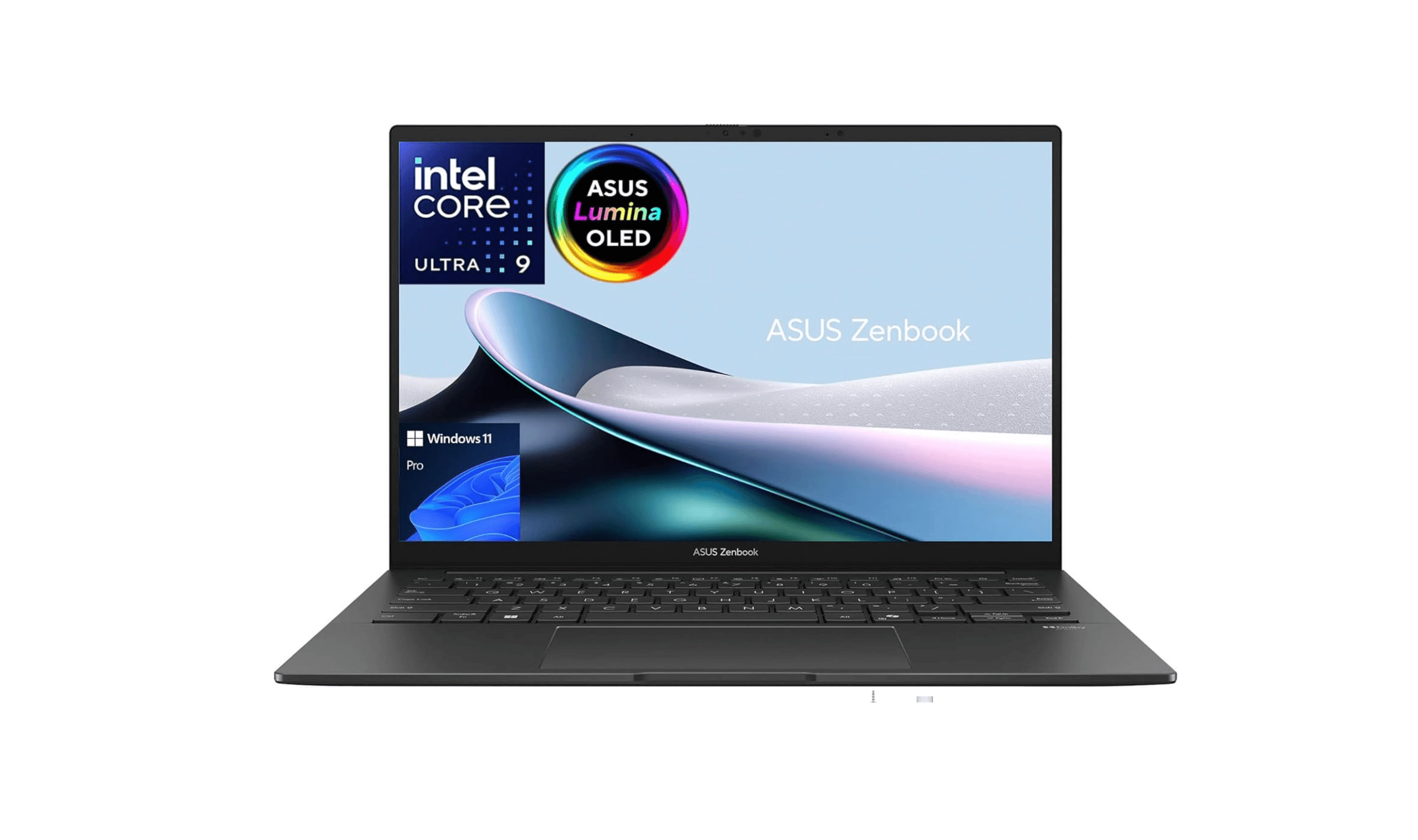
6 Best Laptops for Engineering Students in 2026
3 min read