HP desktops include all-in-ones with built-in displays, gaming towers with discrete graphics, and small-form-factor business PCs. Start by matching the design, graphics, memory, and storage to your workload.
Technobezz is supported by its audience. We may get a commission from retail offers.
Best HP Desktop Computers in 2026
The HP OmniDesk M03-0155t is our top pick, with balanced memory and storage for home, school, and office use.
T
Technobezz
Editorial Team
Updated September 27, 2026Sep 27, 2026
•13 min read

Get Deals Like These in Your Inbox
The best prices, reviewed weekly.
The HP OmniDesk M03-0155t is our best overall choice. Its Intel Core Ultra 5 processor, 16 GB of memory, and 1 TB SSD suit everyday home-office work, school, media, and general multitasking.
The remaining picks address large-screen computing, creative work, gaming, and managed workplaces. Each fills a distinct role with specifications suited to that use.
At a Glance
| Category | Product | Why We Picked It |
|---|---|---|
| Best overall | HP OmniDesk M03-0155t | Balanced everyday performance with 16 GB of memory and a 1 TB SSD |
| Best for small business | HP ProDesk 4 G1i SFF | Business-focused performance, manageability, and three years of HP Wolf Pro Security |
| Best premium all-in-one | HP OmniStudio X 32-c1075t | A spacious 31.5-inch 4K display with a strong premium everyday configuration |
| Best all-in-one for creators | HP OmniStudio X 27-cx0000t | Color-focused QHD display quality in a customizable all-in-one |
| Best compact gaming desktop | HP OMEN 16L TG03-0055m | Mainstream 1080p gaming performance in a compact 16-liter tower |
| Best gaming desktop | HP OMEN 35L GT16-0200t | Current RTX graphics with practical room for future expansion |
| Best extreme gaming desktop | HP OMEN 45L GT22-3000t | Flagship configuration options with modular power supplies sized for each GPU tier |
How we chose
We ranked these desktops by processor and graphics capability, memory, storage, display quality, form factor, connectivity, serviceability, warranty coverage, and value. Top picks had to combine suitable performance with a practical setup for their intended workload.
The best HP desktop computers right now
HP OmniDesk M03-0155t - Best overall
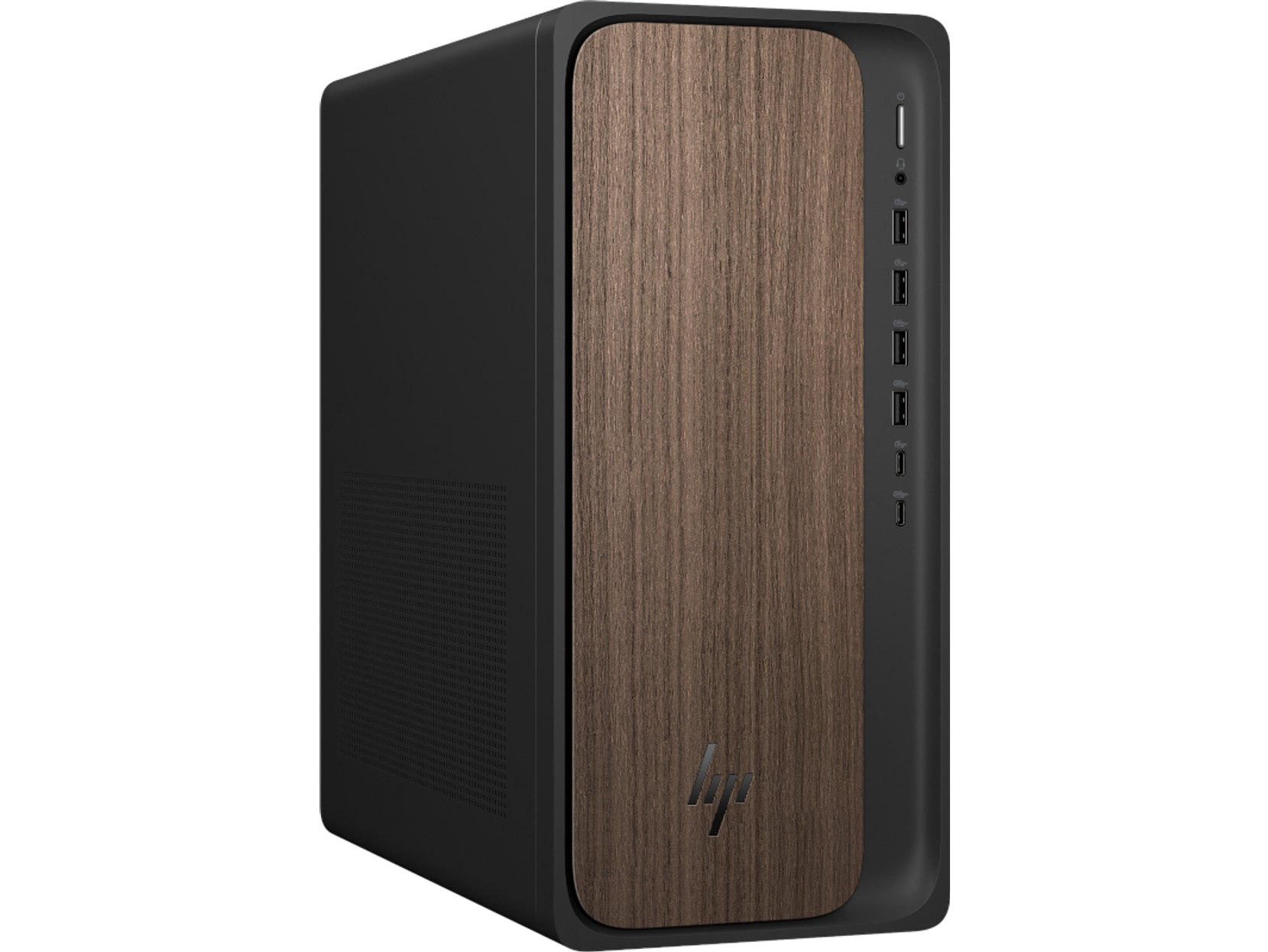
The OmniDesk M03-0155t pairs an Intel Core Ultra 5 processor with 16 GB of memory and a 1 TB SSD. This configuration suits home-office work, school, media, photo organization, and general multitasking.
Dark-wood trim and a jack-black chassis give the tower a less utilitarian appearance. Its integrated Intel Graphics are unsuitable for demanding gaming or 3D work, and a monitor is sold separately.
Key highlights
- Windows 11 Home
- Intel Core Ultra 5 processor
- Integrated Intel Graphics
- 16 GB memory
- 1 TB SSD
- Dark-wood trim with jack-black chassis
Pros
- Balanced 16 GB and 1 TB configuration suits most households
- Current Core Ultra platform includes dedicated AI acceleration
- More storage than HP's entry-level desktops
- Distinctive design is less utilitarian than most towers
Cons
- Integrated graphics are unsuitable for demanding gaming or 3D work
- Fixed retail configuration provides less flexibility than a customizable configuration
- Monitor is sold separately
Who it's for
Home-office users, students, families, and media-focused households will appreciate this balanced everyday desktop.
Skip if
Anyone needing a discrete GPU, heavy workstation performance, or an included monitor should choose another configuration.
HP ProDesk 4 G1i SFF - Best for small business
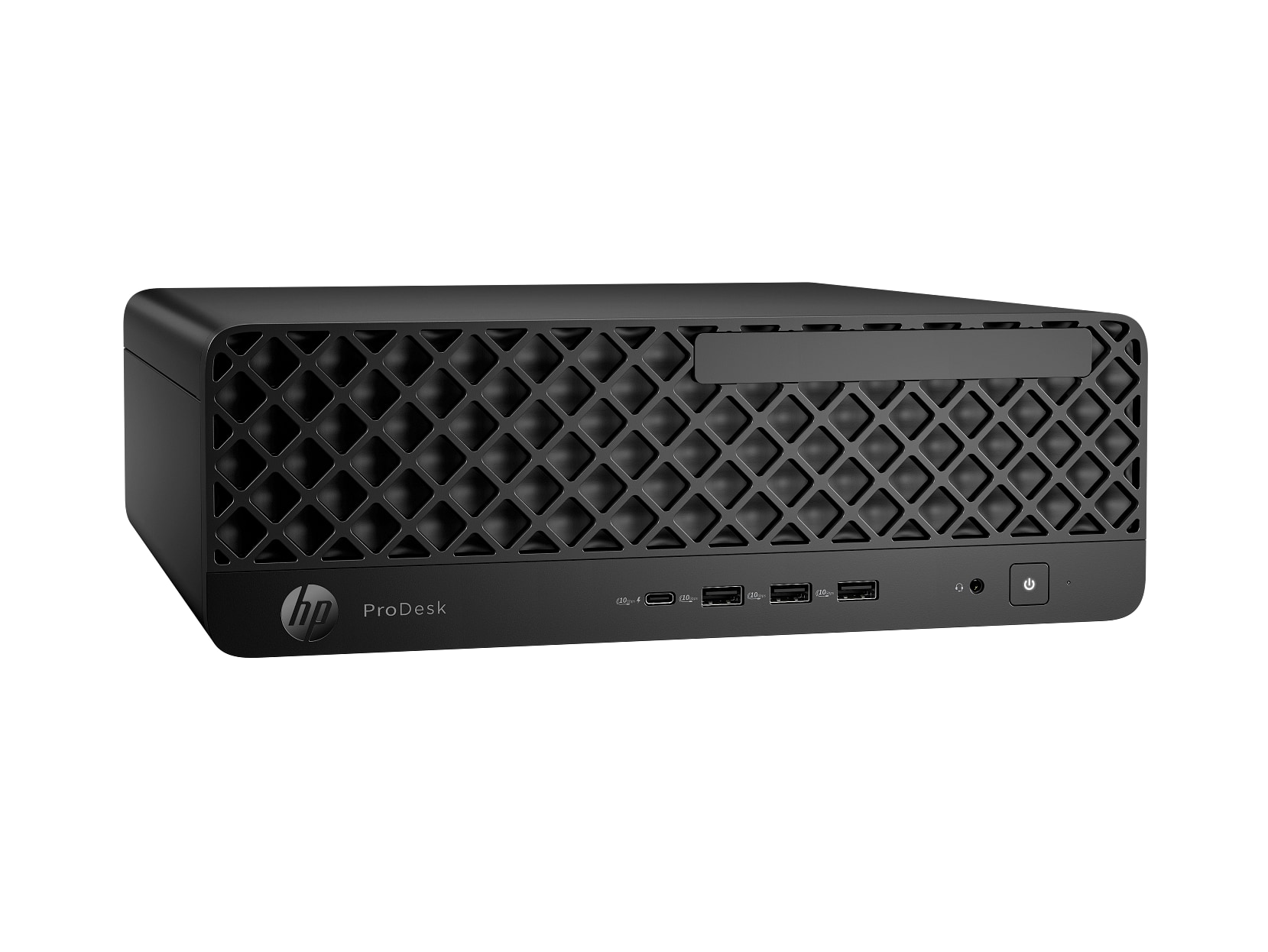
Built for small offices, the ProDesk combines Windows 11 Pro and HP Wolf Pro Security with a small-form-factor chassis. Its Core Ultra 7 265 processor has 20 cores and 20 threads, paired with 16 GB of memory.
A three-year HP Wolf Pro Security subscription is included, though the hardware warranty is HP's standard one-year 1-1-1 on-site coverage. The 512 GB SSD is modest for a business desktop at this performance level, and integrated Intel Graphics limit its appeal for gaming.
Key highlights
- Windows 11 Pro
- Intel Core Ultra 7 265 processor
- 20 cores and 20 threads
- Integrated Intel Graphics
- 16 GB memory
- 512 GB SSD
- Three-year HP Wolf Pro Security subscription
- One-year 1-1-1 limited on-site hardware warranty
Pros
- Windows 11 Pro and HP Wolf Pro Security target managed workplaces
- Strong 20-core Core Ultra 7 processor
- Three-year HP Wolf Pro Security subscription included
- Small-form-factor chassis provides commercial expansion options
- HP documents vibration and drop testing for the family
Cons
- Integrated graphics only
- 512 GB is modest for a business desktop at this performance level
- Commercial security features and optional HP Care Packs can increase the purchase cost
- Less compact than a true one-liter mini PC
Who it's for
Small offices that value Windows 11 Pro, security, optional multi-year Care Pack coverage, and serviceability are the ideal audience.
Skip if
Families seeking the lowest-cost general-use PC or gamers needing discrete graphics should look elsewhere.
HP OmniStudio X 32-c1075t - Best premium all-in-one
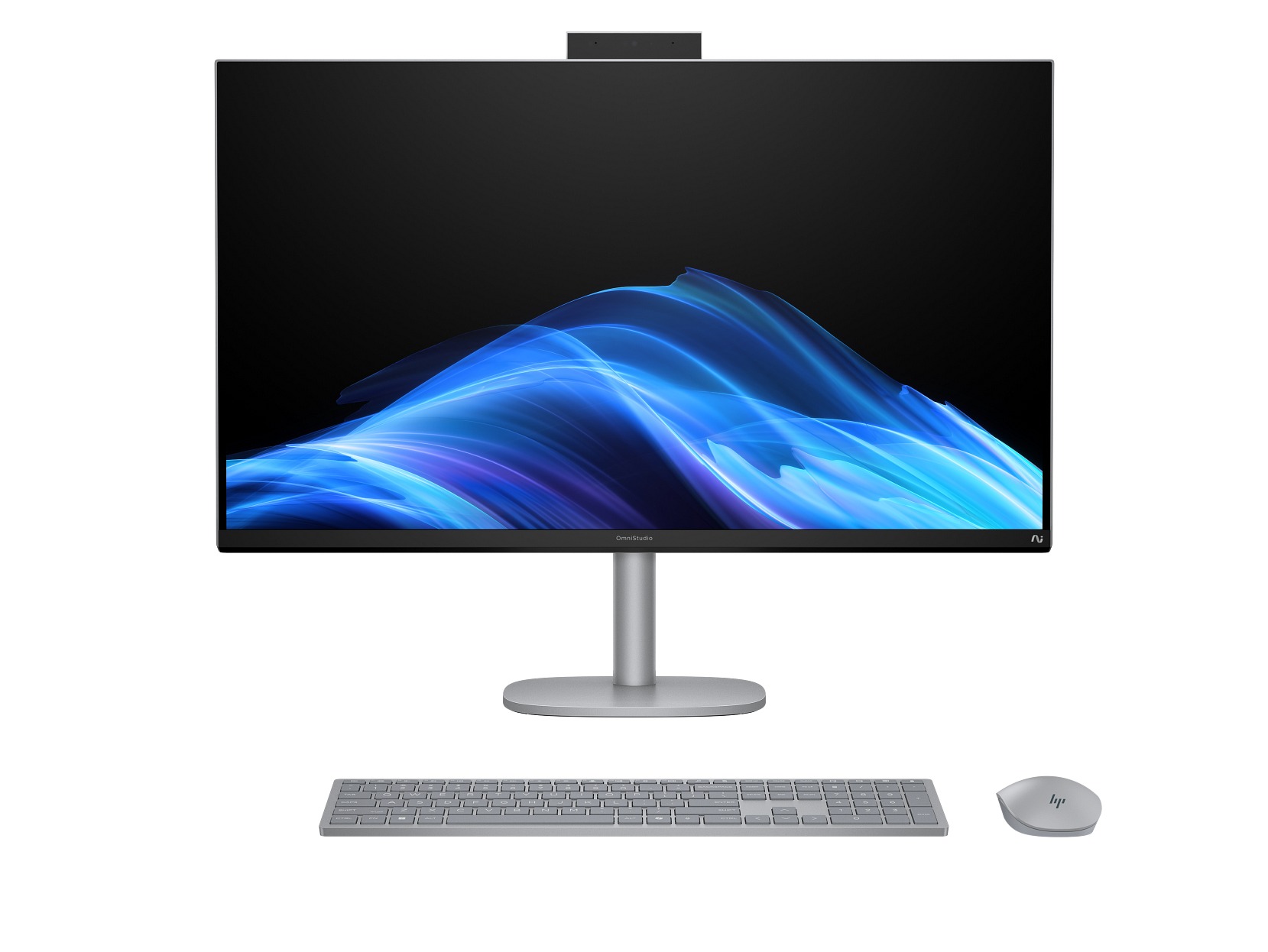
The OmniStudio X 32-c1075t places a 31.5-inch 4K UHD display and the computer in one system. A Core Ultra 7 processor, 16 GB of memory, and a 1 TB SSD create a strong premium configuration for home-office and entertainment use.
This integrated design substantially reduces desk and cable clutter. Intel Arc Graphics cannot replace a high-end discrete GPU, while the all-in-one construction provides fewer upgrade and repair options than a tower.
Key highlights
- Windows 11 Home
- Intel Core Ultra 7 processor
- Intel Arc Graphics
- 16 GB memory
- 1 TB SSD
- 31.5-inch 4K UHD display
Pros
- Large, sharp 4K display is included
- Core Ultra 7 and 1 TB SSD make a strong premium everyday configuration
- Integrated design substantially reduces cable and desk clutter
- Copilot+ PC, ENERGY STAR, and EPEAT Gold Climate+ listed
Cons
- Integrated Arc graphics are not a substitute for a high-end discrete GPU
- 16 GB is modest for a premium creative machine
- All-in-one construction offers fewer upgrade and repair options than a tower
Who it's for
Home-office and entertainment users wanting a polished large-screen computer without a separate tower will get the most from it.
Skip if
Buyers prioritizing component upgrades, high-end gaming, or independent display replacement need a tower instead.
HP OmniStudio X 27-cx0000t - Best all-in-one for creators
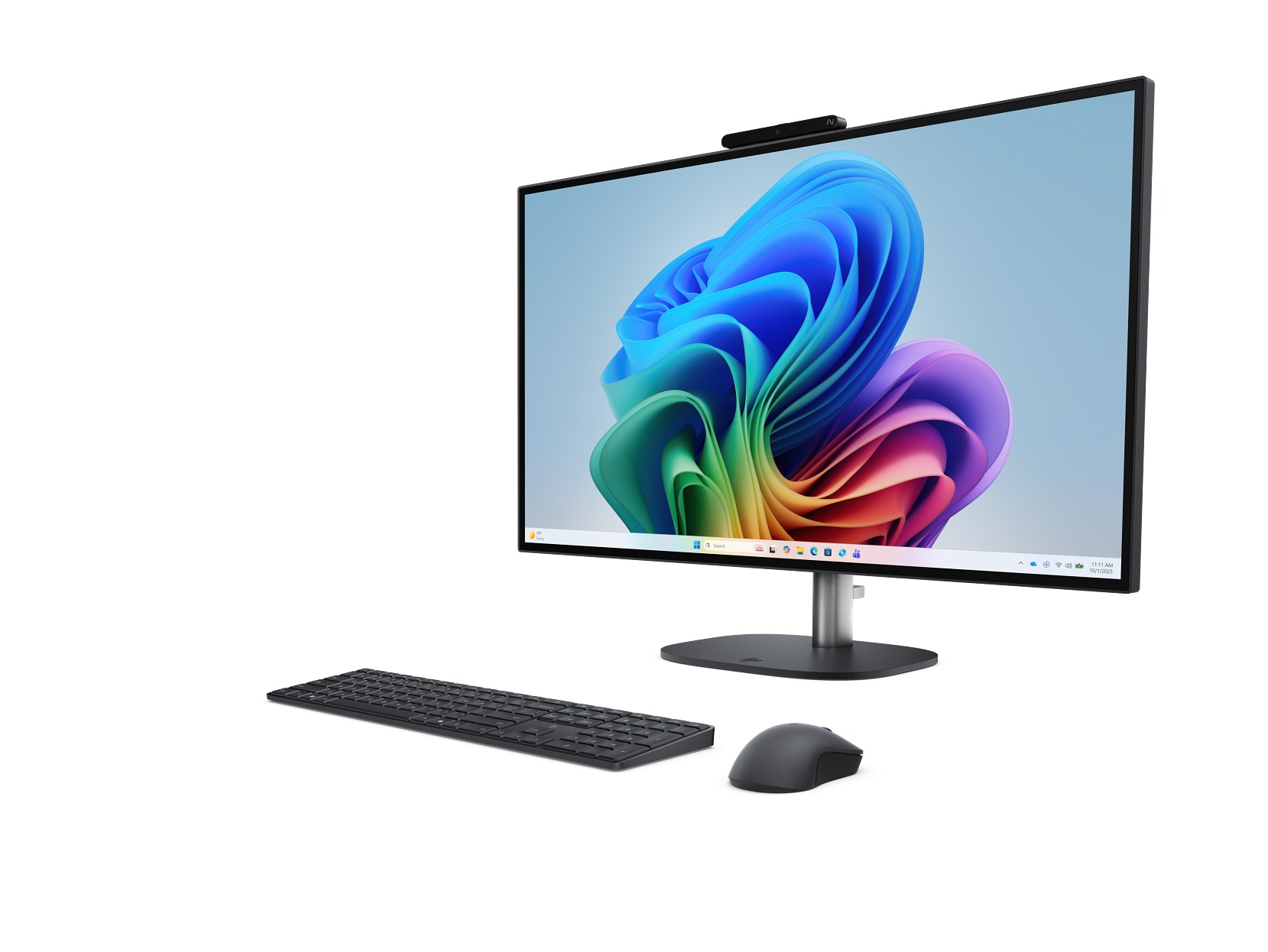
Display quality defines the OmniStudio X 27-cx0000t. Its 27-inch QHD IPS panel combines a 120 Hz refresh rate, 450-nit brightness, 100% Adobe RGB, and 100% DCI-P3 coverage for a sharp, fluid workspace.
Inside, the Core Ultra 5 325 processor reaches up to 4.5 GHz across eight cores and eight threads. The system includes 16 GB of DDR5-5600 memory and integrated Intel Graphics, while storage must be selected during configuration.
Key highlights
- Windows 11 Home
- Intel Core Ultra 5 325 processor
- Up to 4.5 GHz
- Eight cores and eight threads
- Integrated Intel Graphics
- 16 GB DDR5-5600 memory
- 27-inch QHD IPS 120 Hz display
Pros
- Color-gamut claims are unusually strong for an included display
- QHD resolution and 120 Hz provide a sharp, fluid workspace
- Core Ultra 300-series OmniStudio platform
- Customizable before purchase
Cons
- Base configuration uses integrated graphics
- Storage must be selected during configuration
- Professional color work still warrants calibration
- All-in-one upgrades remain constrained
Who it's for
Photo editors, designers, content viewers, and home-office users who value display quality over maximum GPU power are the best match.
Skip if
Workflows involving intensive 3D rendering, GPU-accelerated video effects, or substantial internal expansion require a different system.
HP OMEN 16L TG03-0055m - Best compact gaming desktop
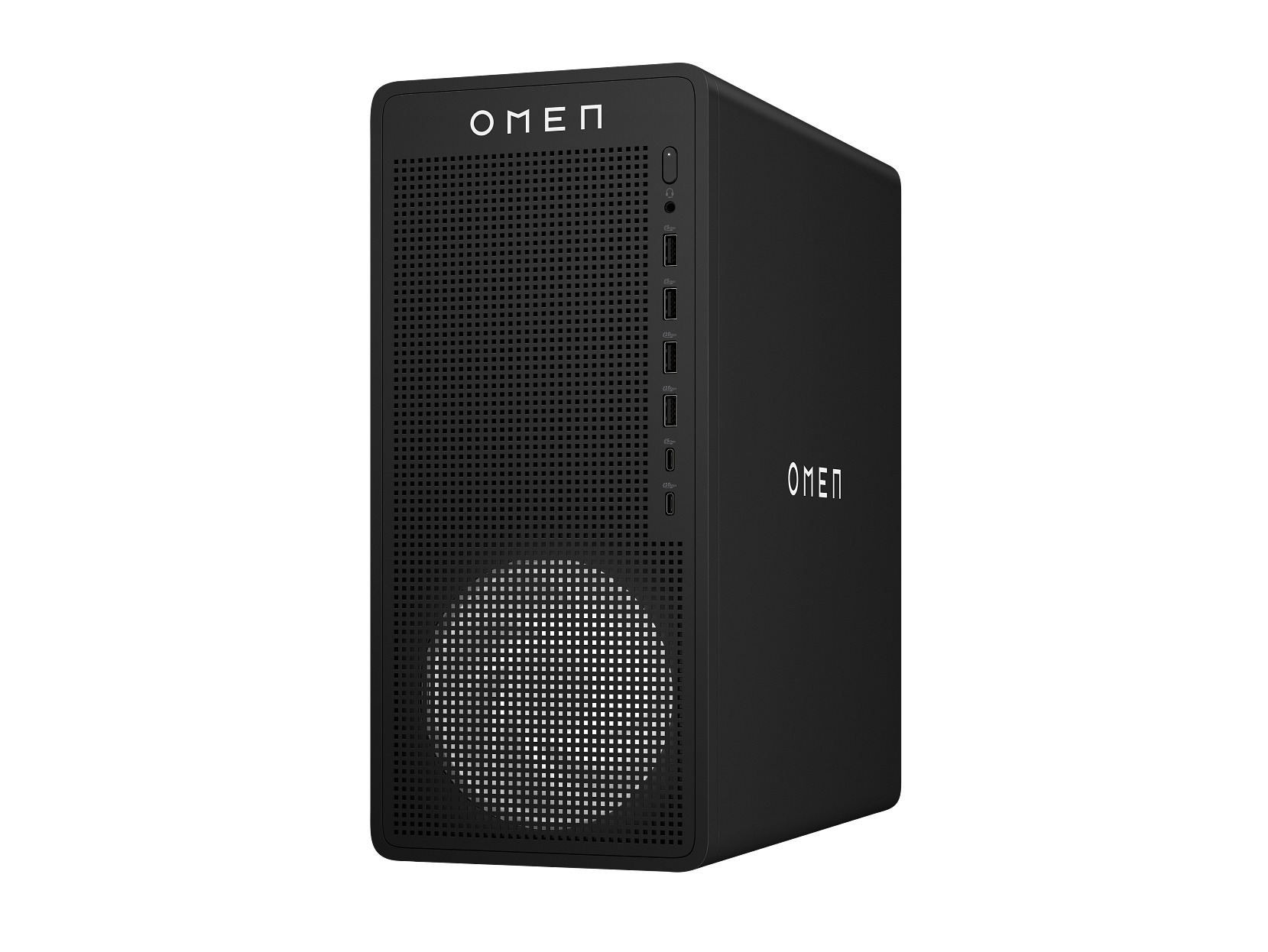
Compact dimensions set the OMEN 16L apart. Its Ryzen 5 8400F processor has six cores and 12 threads, while the Radeon RX 7600 with 8 GB of GDDR6 targets mainstream 1080p gaming and esports.
The 512 GB PCIe Gen4 NVMe SSD is restrictive for a modern game library. Two DIMM slots support up to 32 GB of memory, but the 400 W power supply and smaller chassis constrain major GPU upgrades and expansion.
Key highlights
- AMD Ryzen 5 8400F processor
- Up to 4.7 GHz
- Six cores and 12 threads
- Radeon RX 7600 with 8 GB GDDR6
- 16 GB DDR5-5200 memory
- 512 GB PCIe Gen4 NVMe SSD
- Wi-Fi 6 and Bluetooth 5.4
Pros
- Radeon RX 7600 is appropriate for mainstream 1080p gaming
- Compact 16-liter case
- Two DIMM slots and support for up to 32 GB of memory
- Fast Gen4 SSD and 2.5 GbE networking
Cons
- 512 GB is small for a modern game library
- 16 GB memory capacity may need upgrading for heavier multitasking
- 400 W power supply constrains major GPU upgrades
- Less thermal and expansion headroom than the 35L
Who it's for
Space-conscious players focused on 1080p gaming and esports are the ideal buyers.
Skip if
Players targeting demanding 1440p or 4K gaming, or planning substantial GPU upgrades, need a larger system.
HP OMEN 35L GT16-0200t - Best gaming desktop
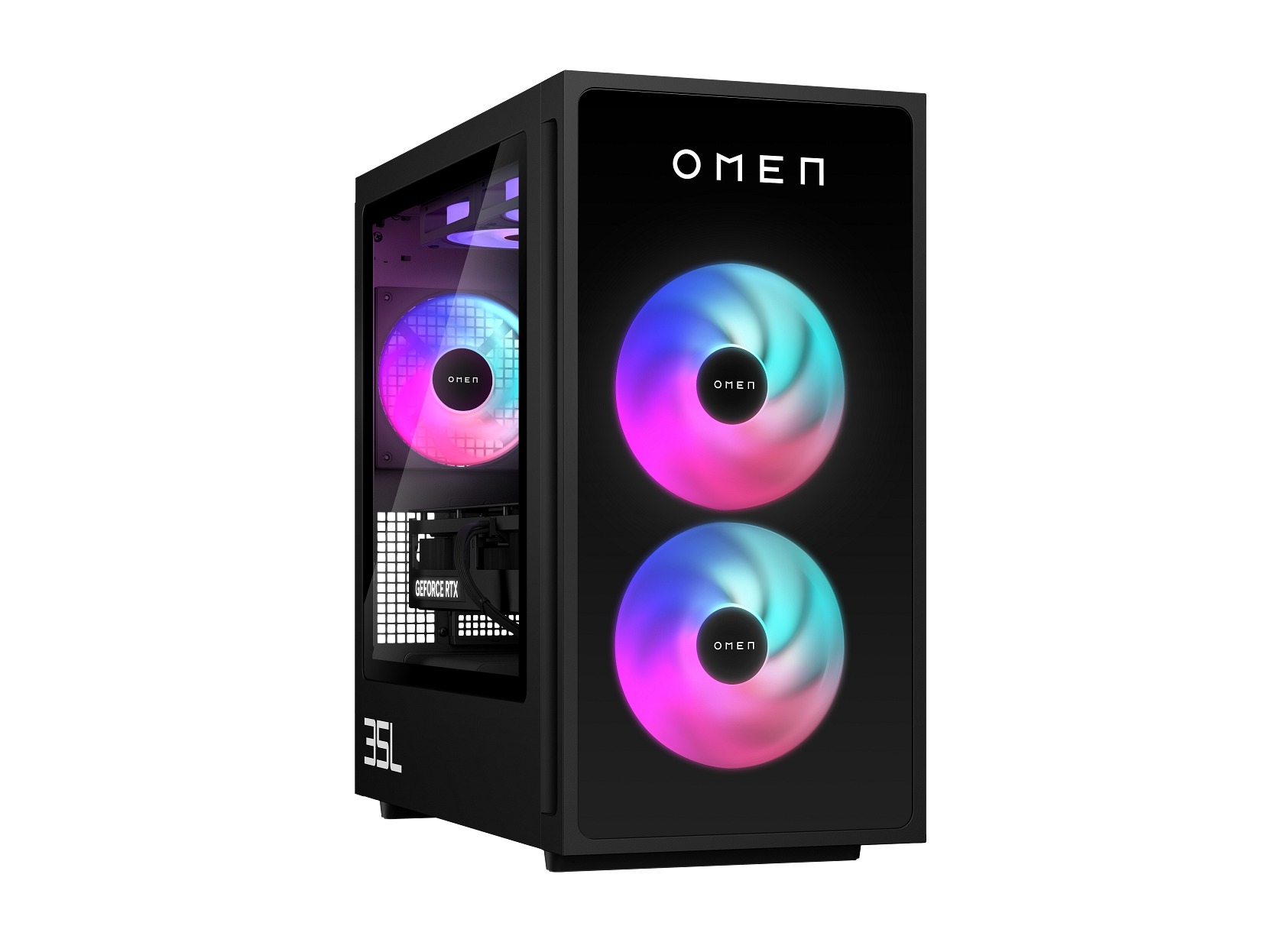
Expansion room gives the OMEN 35L an advantage over the compact 16L. Its Core Ultra 5 225F processor and GeForce RTX 5060 with 8 GB of GDDR7 provide a current RTX 50-series gaming platform.
Four DIMM slots plus internal M.2 and PCIe expansion support future upgrades. The base configuration has a 512 GB SSD and 16 GB of memory, while its 500 W 80 Plus Bronze power supply is not suitable for the highest GPU options.
Key highlights
- Intel Core Ultra 5 225F processor
- Up to 4.9 GHz
- 10 cores and 10 threads
- GeForce RTX 5060 with 8 GB GDDR7
- 16 GB Kingston FURY DDR5-6000 memory
- 512 GB PCIe Gen4 NVMe SSD
- Four DIMM slots with internal M.2 expansion
Pros
- Current RTX 50-series graphics platform
- Substantially more upgrade room than the 16L
- Configurable through RTX 5080 and Core Ultra 7
- Industry-standard microATX form factor
Cons
- Base 512 GB SSD is undersized for gaming
- Base 16 GB memory capacity may need upgrading for heavier games and multitasking
- Base 500 W Bronze power supply is not suitable for the highest GPU options
- Keyboard and mouse are not included in the configuration
Who it's for
Mainstream PC gamers wanting a sensible balance of case size, performance, and future expansion should choose this model.
Skip if
Buyers wanting a completely fixed configuration or flagship RTX 5090 performance should consider a different option.
HP OMEN 45L GT22-3000t - Best extreme gaming desktop
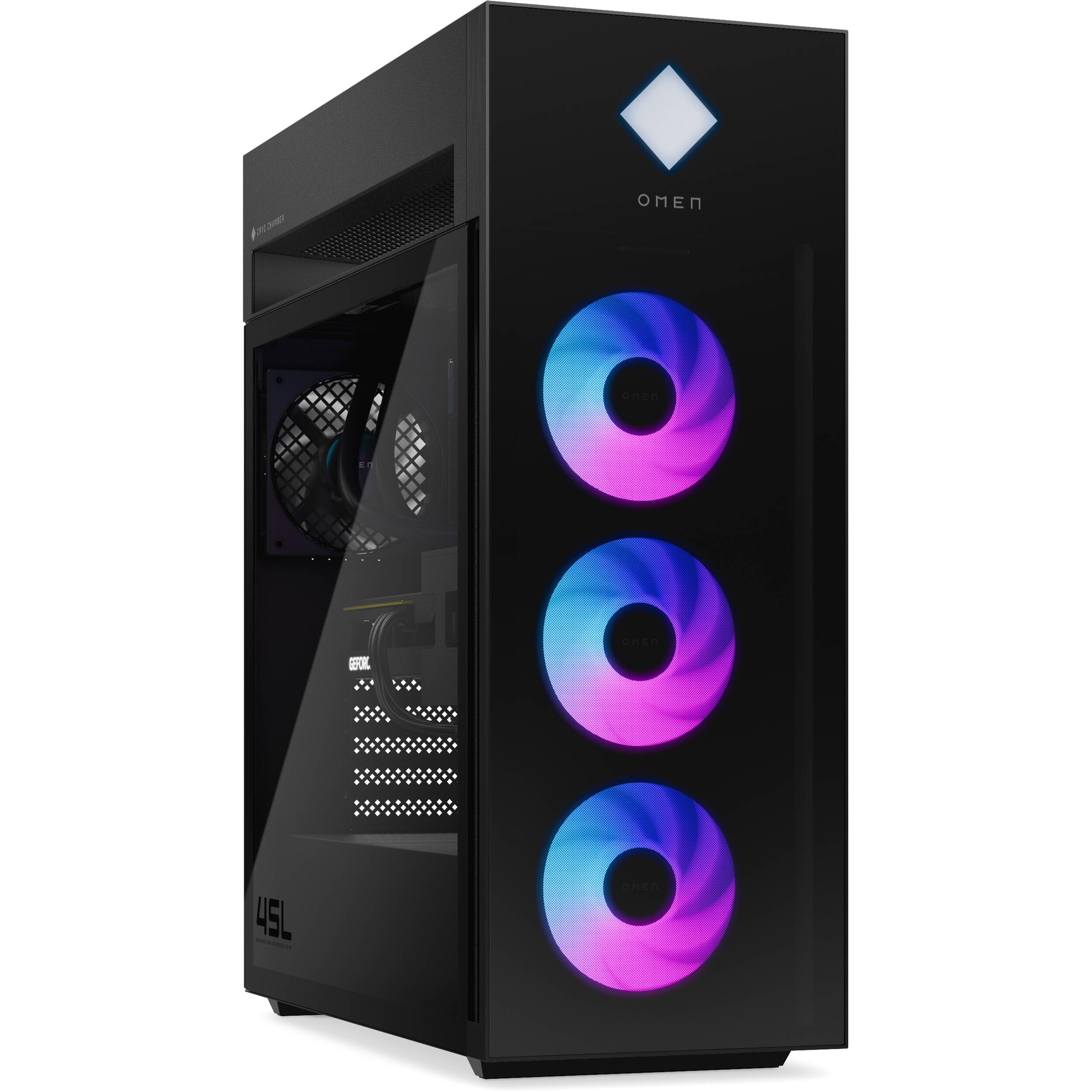
Maximum component options define the OMEN 45L. The recommended starting configuration combines a Core Ultra 7 265K processor, GeForce RTX 5070 graphics with 12 GB of GDDR7, 16 GB of DDR5-6000 memory, and a 1 TB PCIe Gen4 NVMe performance SSD. Configurations extend through Core Ultra 9 and GeForce RTX 5090 hardware.
Connectivity includes Thunderbolt 4, USB-C at 10 Gbps, USB-A, and RJ-45 Ethernet. The approximately 49.8-pound tower requires substantial space, so buyers should check desk clearance and the power requirements of the exact configuration.
Key highlights
- Intel Core Ultra 7 265K processor
- Up to 5.5 GHz
- 20 cores and 20 threads
- GeForce RTX 5070 with 12 GB GDDR7
- 16 GB Kingston FURY DDR5-6000 memory in a 2 x 8 GB configuration
- 1 TB PCIe Gen4 NVMe performance SSD
- 850 W 80 Plus Gold ATX 3.1 fully modular power supply; 1,000 W and 1,200 W options on higher configurations
Pros
- Configurable through Core Ultra 9 and RTX 5090
- Modular power-supply options scale with higher-tier GPU configurations
- Thunderbolt 4 and extensive USB connectivity
- Four DIMM slots and two SSD-capable M.2 slots
- Distinct cooling-chamber chassis
Cons
- Very large and approximately 49.8 pounds
- Only 16 GB of memory in the recommended starting configuration
- No keyboard included
Who it's for
Enthusiasts seeking HP's highest configurable gaming performance and who have room for a very large tower are the intended buyers.
Skip if
Anyone prioritizing value, compactness, quiet simplicity, or an uncomplicated stock configuration should choose a less extreme desktop.
How to Choose
- Choose the form factor first. A tower offers the most repair and upgrade flexibility, while a slim or small-form-factor PC saves space. An all-in-one includes the display and minimizes cables but is harder to upgrade or repair.
- Match the GPU to the workload. Intel UHD or basic integrated graphics are sufficient for office work and streaming. Modern games, 3D rendering, and GPU-heavy creative applications warrant an OMEN with discrete Radeon RX or GeForce RTX graphics.
- Start with at least 16 GB of memory. Sixteen gigabytes is the practical floor for a new multipurpose Windows desktop. Choose 32 GB or an easily upgradeable model for large creative projects, development work, or heavier gaming.
- Budget for storage and a monitor. A 512 GB SSD is adequate for documents and common applications but restrictive for modern game libraries or video. Towers normally require a separate monitor, while all-in-ones include one.
- Check the exact SKU. Processors, graphics cards, memory, and storage can differ substantially within the OmniDesk, OmniStudio, and OMEN families. Match the complete product number, including the #ABA suffix where applicable, before buying.
- Consider serviceability and warranty. Consumer HP desktops generally include a one-year standard warranty, and the HP ProDesk 4 G1i SFF also has one-year 1-1-1 on-site coverage; longer coverage requires an optional HP Care Pack. Also examine RAM slots, M.2 slots, power-supply capacity, and case dimensions when choosing a system to keep for years.
Is an HP all-in-one better than an HP tower?
An all-in-one is better for a tidy setup because the computer and display share one chassis. A tower is better for upgrades, repairs, gaming hardware, and replacing the monitor independently.
How much RAM should a new HP desktop have?
Choose at least 16 GB for a general-purpose Windows 11 desktop. Thirty-two gigabytes is preferable for heavier content creation, large datasets, virtual machines, or high-end gaming while multitasking.
Can an HP desktop use two monitors?
Many HP desktops can use two monitors, but port availability varies by exact SKU. Check the display outputs on the specific configuration before buying.
Do HP desktop towers include a monitor?
Usually not. OmniDesk, OMEN, and ProDesk towers normally require a separate display, while OmniStudio X and HP All-in-One models include the screen.
Do you need a Core Ultra or AI PC for everyday use?
No. Browsing, Office applications, and streaming do not require a Core Ultra or AI PC. Core Ultra systems add newer CPU platforms and NPUs for supported local AI features, but an NPU does not improve gaming like a discrete GPU.
Share this article
More in News
Best Lenovo Yoga Laptops in 2026
The Lenovo Yoga 9i 2-in-1 Aura Edition Gen 11 is our top pick for premium convertible flexibility, 32GB of memory and a 120Hz OLED display.
5 min read
Best Sony Lenses in 2026
The Sony FE 24-70mm F2.8 GM II is our top pick, with focused choices for travel, portraits, low light, macro, and wildlife.
4 min read
Best Anker Chargers in 2026
The Anker Charger 100W Smart Display is our top pick for balanced laptop power, three-port flexibility and useful live readouts.
3 min read
Bose QuietComfort Headphones Wireless Headphones gets a $40 price cut to $319
Bose QuietComfort wireless headphones drop to a record-low $319, saving $40 on a model that rarely goes on sale.
4 min read
Amzfast WQHD Curved Gaming Monitor drops to $199.99, its lowest price yet
3 min read
Roku 75-inch Pro TV 4K QLED Mini-LED TV now selling for $899.99
5 min read
2 Headphone Deals Worth Checking Today, Starting at $58.29
4 min read
Today's best TV deals, starting at $565.83
3 min read
JBL Live 780NC Wireless Over-Ear Noise Cancelling Headphones falls to $189
3 min read
Bowers & Wilkins Px7 S2e Over-Ear Headphones price drops to $319.99
5 min read
AWOL VISION LTV-3000 Pro 4K 3D Ultra price drops to $1614.15
4 min read
Lenovo Idea Tab Pro Gen 2 Tablet on sale for $349.99
5 min read