So your Samsung Galaxy S25 FE won't charge. You plug it in and nothing happens, or maybe it just sits there with the same battery percentage. It's a frustrating spot to be in, but I've seen this issue pop up for a few common reasons that are usually easy to fix yourself.
Whether you're using the 45W wired charging or the 15W wireless option, we'll walk through the steps to get your phone powered up again. Let's start with the quickest fix and work our way through.
Force Restart Your Galaxy S25 FE
This should always be your first move. A simple force restart can clear out a temporary software glitch that's interfering with the charging circuit. It takes about 10 seconds and often solves the problem right away.
For the S25 FE, press and hold the Volume Down button and the Side (power) button simultaneously. Keep holding them for about 10 seconds or until you feel the phone vibrate and see the Samsung logo appear on the screen.
Once it boots back up, plug it in again and check for the charging indicator or the lightning bolt icon in the battery symbol.
Inspect and Clean the USB-C Port
This is the single most common culprit. The USB-C port on your phone is a magnet for pocket lint, dust, and debris. Over weeks or months, that gunk can pack in so tightly that your charging cable can't make a proper connection.
Grab a bright light and take a close look inside the port. If you see any fuzz or compacted dirt, you'll need to clean it out. First, turn your phone off for safety. Then, use a wooden or plastic toothpick to gently scrape around the sides and bottom of the port.
Avoid using anything metal, like a paperclip, as it can easily damage the delicate gold contacts inside. You can also try a quick blast of compressed air from a can, holding it a few inches away. Give the phone a gentle tap with the port facing down to dislodge anything loose.
Test a Different Cable and Power Source
You need to figure out if the problem is with your accessories or the phone itself. The process is all about swapping one thing at a time. Start by trying a different USB-C cable, preferably one you know works.
Next, try a different wall adapter. Since the S25 FE doesn't come with a charger in the box, you might be using an old or underpowered one. For the fastest 45W charging, you'll need a Samsung 45W PD (Power Delivery) adapter.
Also, plug into a different wall outlet. Try removing your phone case, especially if it's very thick or has a magnetic ring for a car mount, as that can sometimes interfere with the connection.
Check for Software Updates
Software bugs can sometimes mess with charging management. Samsung and Google release updates that often include fixes for these kinds of issues. It's a good idea to make sure you're running the latest version of Android and One UI.
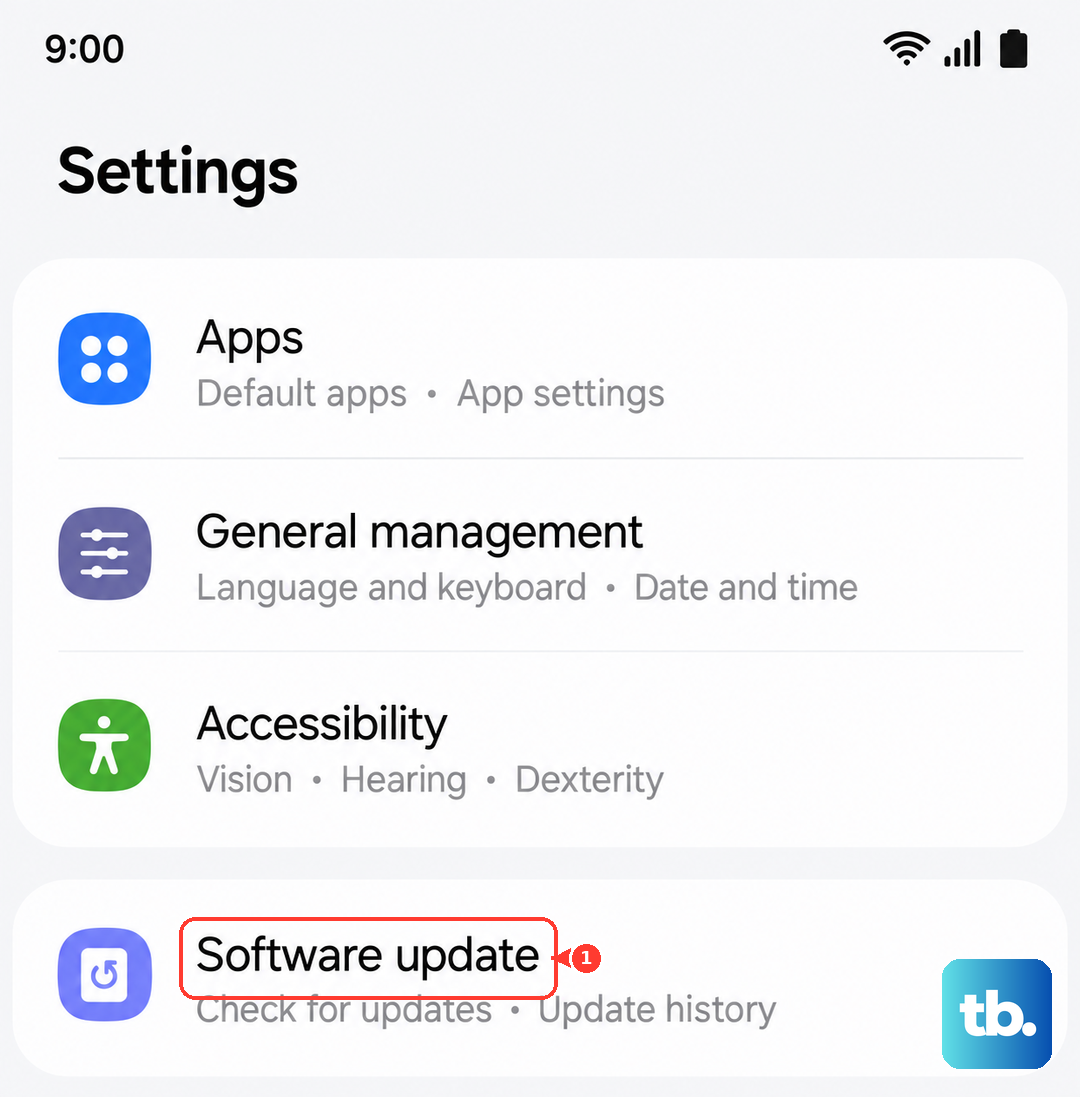
Go to Settings > Software update and tap on Download and install. If an update is available, let it complete. I'd recommend doing this while your phone is connected to Wi-Fi and has at least a 50% charge, or plug it in during the update.
Try Wireless Charging
If you have access to a Qi wireless charger, give it a try. This is a great way to diagnose the problem. If your S25 FE charges perfectly on a wireless pad but won't charge via the USB-C cable, you've isolated the issue to the port or the cable.
Remember, the S25 FE supports 15W wireless charging. Make sure you're using a compatible charger and remove any thick cases. If the phone gets too warm during wireless charging, which can happen, it will automatically slow down or pause to protect the battery.
Let a Dead Battery Sit on the Charger
If your battery has been completely drained to zero percent, it won't show any signs of life immediately when you plug it in. This is a safety feature of lithium-ion batteries. Don't panic.
Leave it connected to a known-good wall charger (not a slow computer USB port) for at least 30 minutes. After that time, try the force restart method again while it's still plugged in. You should eventually see the empty battery icon or a charging indicator.
Review Your Battery Protection Settings
Samsung includes several features to help preserve your battery's long-term health, and sometimes these can be mistaken for a charging problem. Head to Settings > Battery.
Look for options like "Battery protection" which limits charging to 85%, or "Adaptive battery" which learns your usage patterns. If "Battery protection" is on, your phone will intentionally stop charging at 85%. You can toggle it off if you need a full 100% charge for the day.
Charge with the Phone Powered Off
Sometimes a background app or process can cause enough battery drain that it offsets the incoming charge, making it seem like the phone isn't charging. A simple test is to turn the phone completely off.
Hold the Side button and tap "Power off" on the screen. Once it's off, plug in your charger. If you see a large battery icon with a charging animation, you know the hardware is working and the issue is software-related. This is also the absolute fastest way to charge your phone, as no power is being used by the screen or apps.
Consider a Factory Reset (Last Resort)
If you've tried every other step and your S25 FE still refuses to charge reliably, a deeper software issue might be at play. A factory reset will wipe your phone back to its original settings, so this is a last resort.
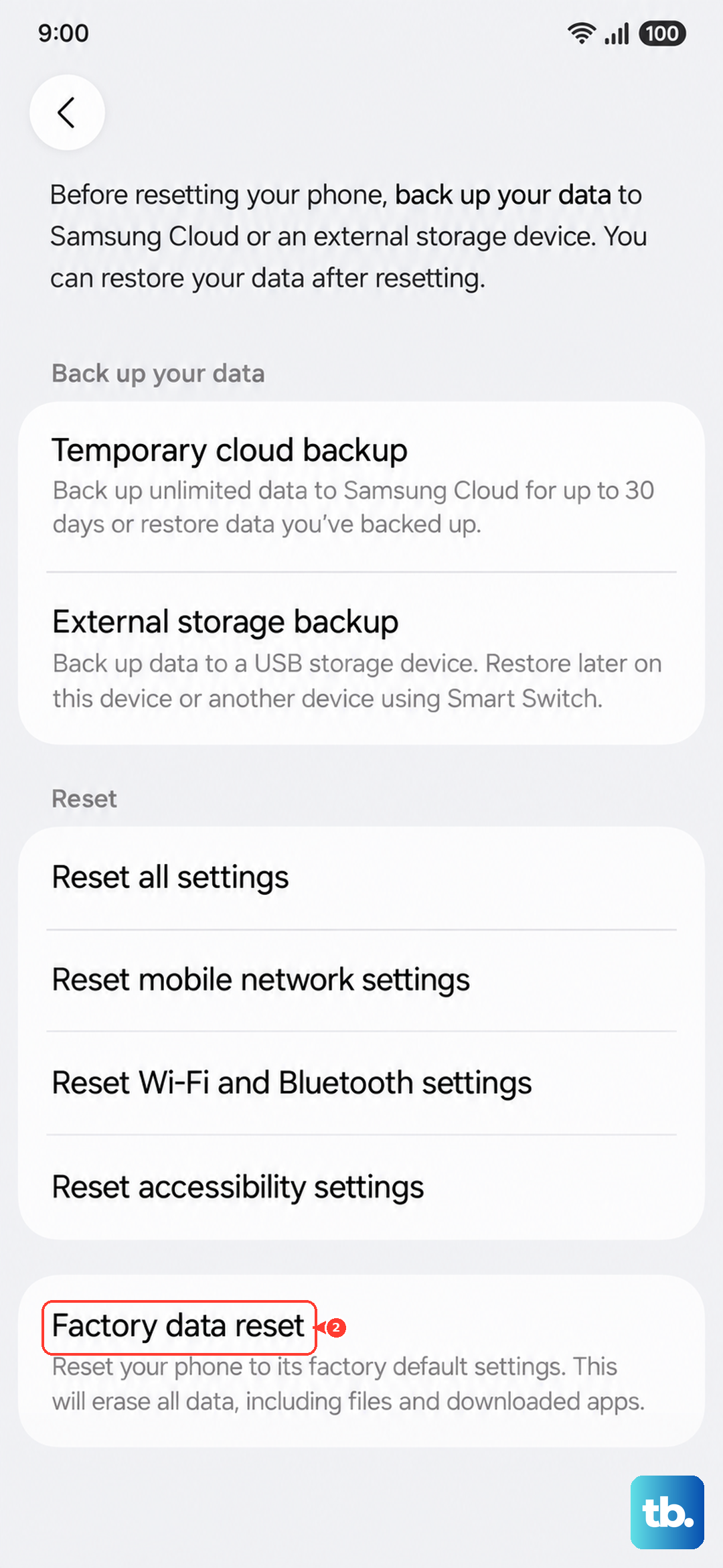
Make absolutely sure you have a recent backup of your data. You can back up to your Samsung account or Google Drive. To reset, go to Settings > General management > Reset > Factory data reset. After the reset is complete, set the phone up as new initially, plug it in, and see if it charges. If the problem persists after a reset, it's likely a hardware issue.