
Your Samsung Galaxy S25 Edge is a beast of a phone, but a battery that drains in hours makes it useless. You're probably seeing a few different issues: maybe the screen is bright and always on, or an app is running wild in the background. Whatever the cause, you don't need a lecture, you need fixes. Let's get to them.
Start With a Force Restart
Before diving into settings, give the phone a proper kick. Press and hold Volume Down and the Side (power) button together for about 10 seconds until the Samsung logo appears. This isn't a factory reset, it's a hard reboot that clears out temporary glitches without losing any data. Do this first if the battery drain feels sudden.
Check the Battery Graph
Go to Settings > Battery. Tap Battery usage to see a list of apps sorted by power consumption over the last 7 days or 24 hours. If an app is sitting at 30% usage or higher and you barely used it, that's your culprit. Tap it and select Force stop or consider uninstalling it if you don't need it.
Turn Off 5G or Switch to LTE
The S25 Edge supports 5G, but that network mode can be a serious battery hog when signal is weak. Switch to LTE: Settings > Connections > Mobile networks > Network mode and pick LTE/4G. You'll still get fast data, and the phone won't constantly search for a stronger 5G signal.
Reduce Screen Brightness and Timeout
The display is the biggest power drain on any phone. Lower brightness manually from the quick panel, or turn on adaptive brightness under Settings > Display > Adaptive brightness. Set the screen timeout to 30 seconds: Settings > Display > Screen timeout > 30 seconds.
Enable Dark Mode
The S25 Edge uses an OLED panel, Dark Mode actually turns off black pixels, saving real battery. Go to Settings > Display > Dark mode and switch it on. You can set it to turn on automatically at sunset.
Put Background Apps to Sleep
One UI has a built-in tool to stop apps from running in the background. Go to Settings > Battery > Background usage limits. Toggle Put unused apps to sleep on. You can also manually add apps to Deep sleeping apps if you rarely use them.
Turn Off Always On Display
Always On Display is convenient but drains battery over a full day. Disable it at Settings > Lock screen > Always On Display and toggle it off. Or set it to show only on tap, not always.
Disable Unnecessary Location and Bluetooth
Many apps ask for location access they don't need. Head to Settings > Location > App permissions and set apps to Allow only while in use or Deny. Also swipe down the quick panel and tap the Bluetooth icon to turn it off when you're not connected to headphones or a smartwatch.
Turn Off Wi-Fi and Nearby Device Scanning
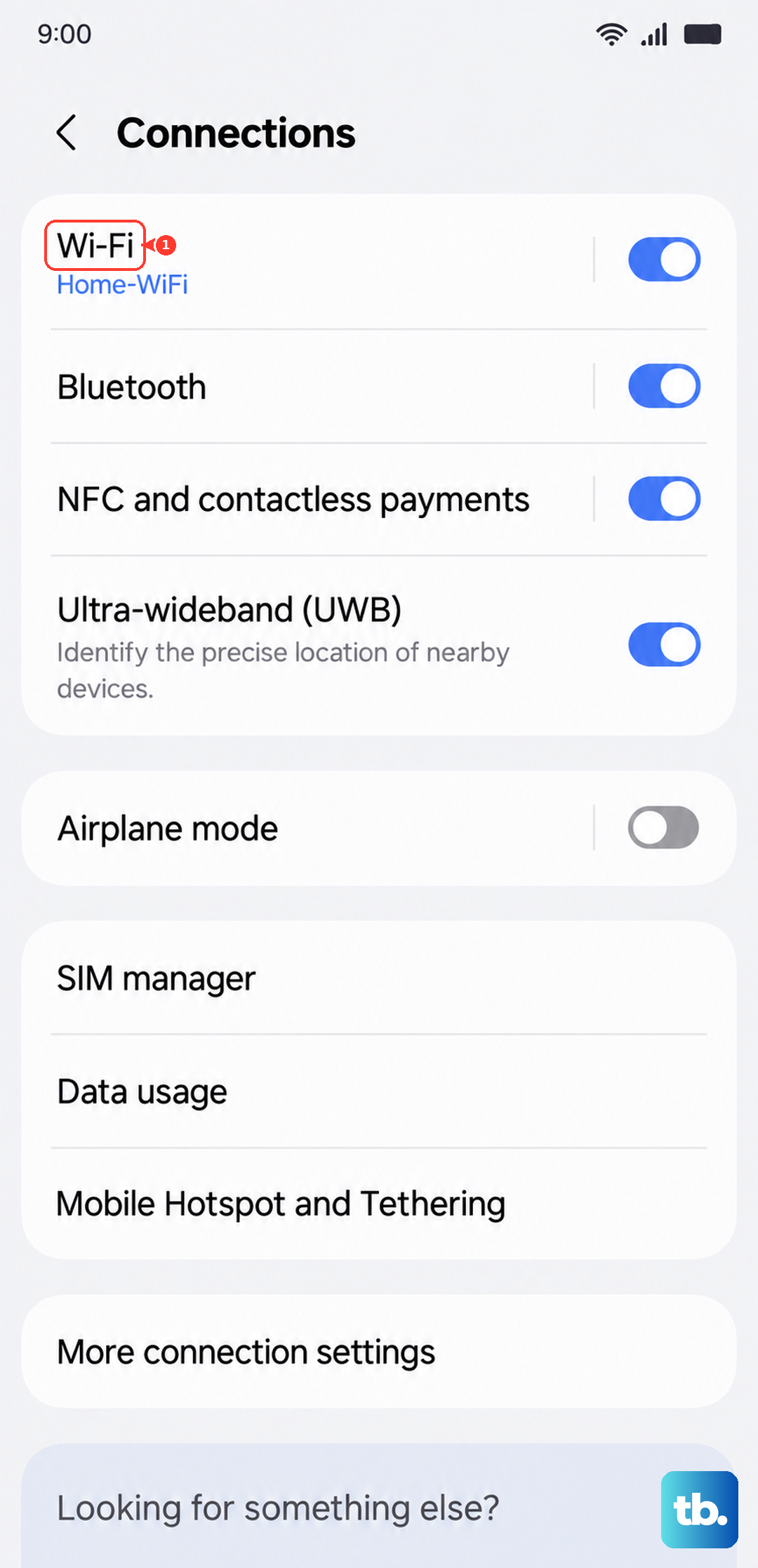
Go to Settings > Connections > Wi-Fi > tap the three-dot menu > Advanced. Turn off Wi-Fi scanning and Nearby device scanning. These features constantly search for available networks and devices, which eats battery.
Use Power Saving Mode
When you're low and need to stretch, swipe down twice and tap Power saving in the quick panel. It limits CPU speed, reduces screen brightness, and restricts background data. You can customize it under Settings > Battery > Power saving.
Clear Cache Partition (If Software Is Acting Up)
Sometimes software corruption causes battery drain. This step won't delete your data. Turn off the phone. Then press and hold Volume Up and Side button until the Samsung logo appears, then release. Use the volume keys to navigate to Wipe cache partition, press the side button to select, then confirm. Reboot after it finishes.
Update the Software
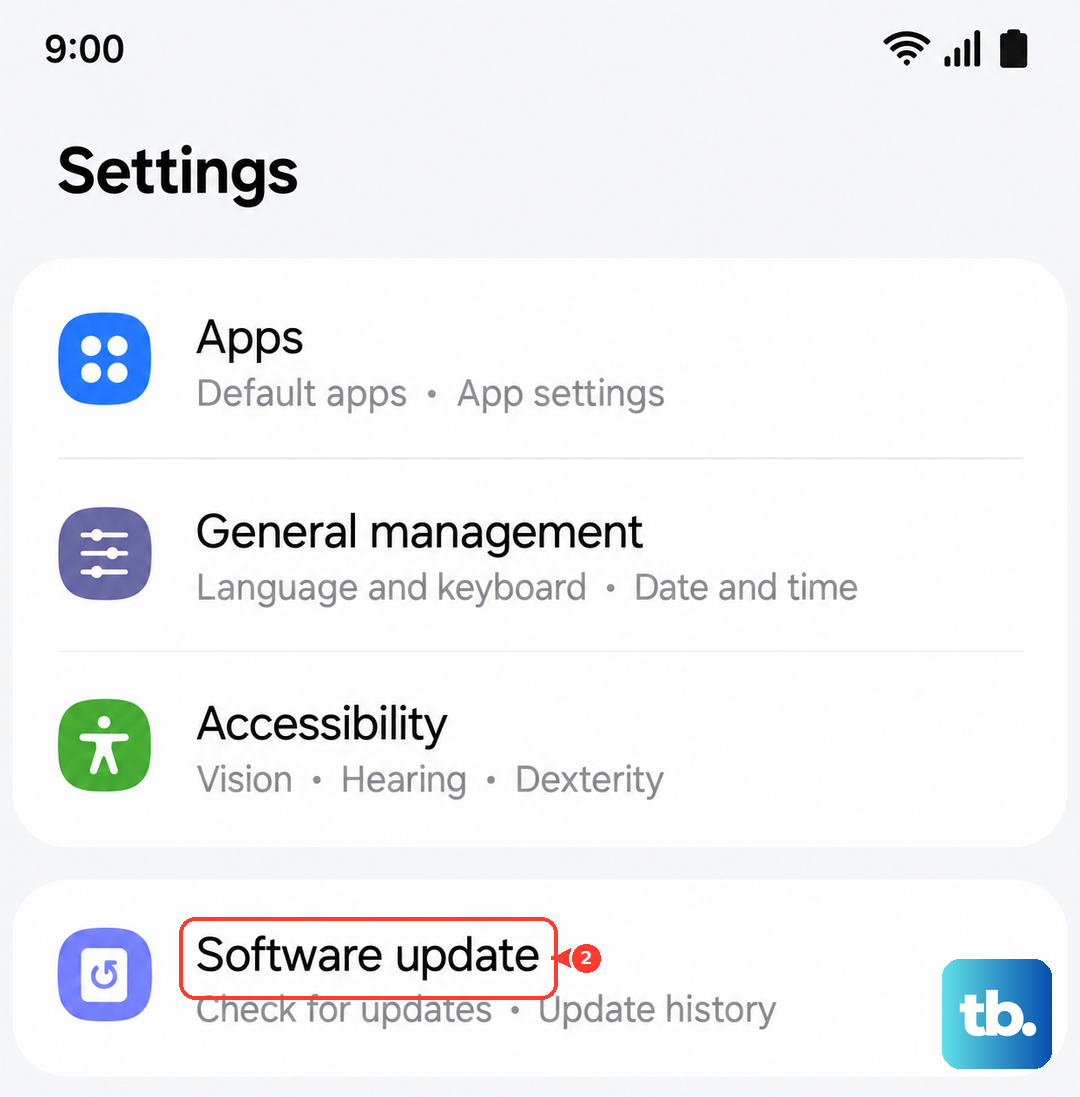
Samsung releases Android 15 updates that often include battery optimizations. Check Settings > Software update > Download and install. If an update is available, install it, especially if you're on an older build that had known drain issues.
These fixes should give you back a full day of charge. Start with the quickest ones, force restart and battery graph, and work through the others if you still see fast drain. The S25 Edge is a powerful phone; you just need to tame a few settings.