
Seeing the "SIM Card Not Provisioned MM2" error on your Samsung Galaxy A26 5G can be a real pain, especially when you need to make calls or use mobile data. This error usually means your SIM card isn't properly linked to your carrier's network, but it's often fixable without leaving your house.
Restart Your Galaxy A26 5G
Start with the simplest fix. A quick restart clears temporary software glitches that can mess with network registration. On the Galaxy A26 5G, press and hold the Volume Down and Power buttons simultaneously for about 10-15 seconds until the device restarts. That's the official force restart method for this model.
Once it's back on, check if the error is gone. If not, move on to the next step.
Reinsert the SIM Card
A loose or slightly misaligned SIM card is a common cause. Power off your phone first, then locate the SIM tray on the left edge. Use the ejector tool that came with the phone to pop the tray out. Inspect the SIM card for any visible scratches or dirt on the gold contacts. If it looks clean, reseat it firmly in the tray and push the tray back in until it clicks.
Turn your phone back on and see if the error clears.
Toggle Airplane Mode
This forces your phone to re-register on the network. Swipe down from the top of the screen to open the quick settings panel. Tap the airplane mode icon to turn it on, wait about 30 seconds, then tap it again to turn it off. Your Galaxy A26 5G should search for and reconnect to your carrier within a few seconds.
Check SIM Card Activation and Account Status
If you just got a new SIM card, it might not be activated yet. Contact your carrier to confirm it's registered on their end. For prepaid plans, make sure your account has enough balance, a zero balance can trigger this exact error. Use your carrier's app or website to check, or give them a quick call.
Update Carrier Services
Outdated carrier services on Android can cause the not provisioned error. Open the Google Play Store, tap your profile picture, then go to Manage apps and device. Under Updates available, look for Carrier Services and update it if it's listed. Do the same for any other carrier-related apps from your provider.
Manually Select Your Network
Sometimes automatic network selection fails. Go to Settings > Connections > Mobile networks > Network operators. Your phone will search for available networks. When the list appears, tap your carrier's name to connect manually. If you see more than one entry for your carrier, try each one until the error goes away.
Reset Mobile Network Settings
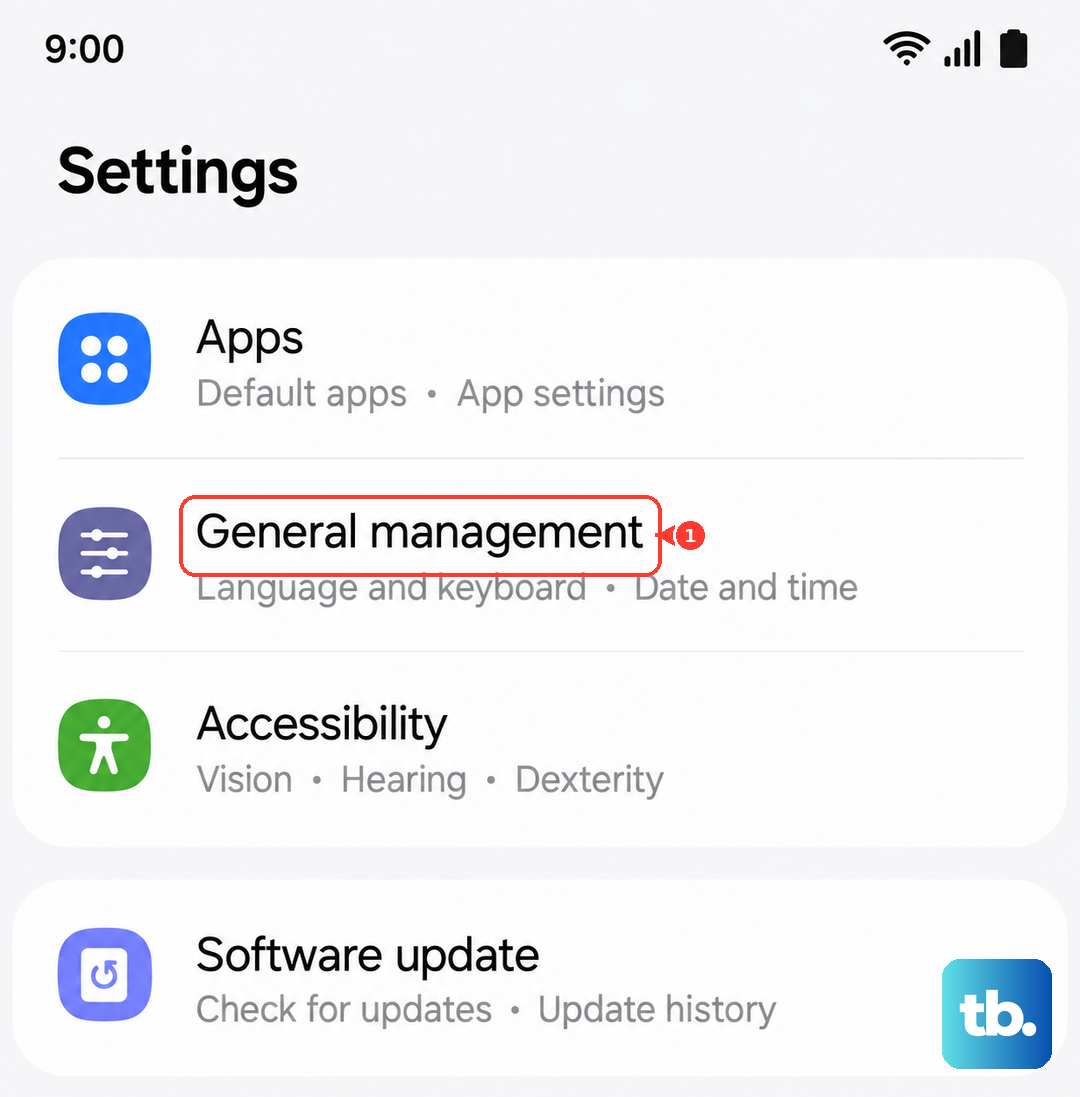
This clears saved network configurations without deleting your personal data. Go to Settings > General management > Reset > Reset mobile network settings. Confirm the action, your phone will restart and forget saved Wi-Fi networks and Bluetooth connections, but your SIM settings will be refreshed. After it reboots, test if the error is resolved.
Clear Cache Partition via Recovery Mode
While this tip is usually for charging issues on the A26 5G, a corrupted cache can also interfere with network services. Turn off your phone completely. Press and hold the Volume Up and Power buttons together until the Samsung logo appears, then release both. Use the volume keys to navigate to Wipe cache partition and press the Power button to select it. Confirm the action, then select Reboot system now.
This won't delete any of your apps or data, but it can clear out whatever is causing the glitch.
Test the SIM in Another Phone
This is a quick way to isolate the problem. Remove your SIM card and place it into another compatible phone. If the SIM works there, the issue is with your Galaxy A26 5G. If it still shows the not provisioned error, then the SIM itself or your carrier account is the culprit.
Contact Your Carrier
If you've gone through all the steps above and the error persists, it's time to call your mobile provider. They can check for account-level issues, network outages in your area, or deactivate and reactivate your SIM on their end. In some cases, they may need to send you a replacement SIM card. Make sure to mention you've already tried the standard fixes, that can speed things up.
Most of the time, the SIM card not provisioned error on the Galaxy A26 5G comes down to a quick restart or a simple reinsertion. Work through these steps in order, and you'll likely have your service back without much hassle.