You want a Facebook post on Instagram, but Meta handles new posts, older posts, personal profiles, and Pages differently. The quickest path is Accounts Center for profile posts, while Pages need Meta Business Suite. For posts that are already published, use a manual repost or an Instagram Story link.
Connect Facebook and Instagram first
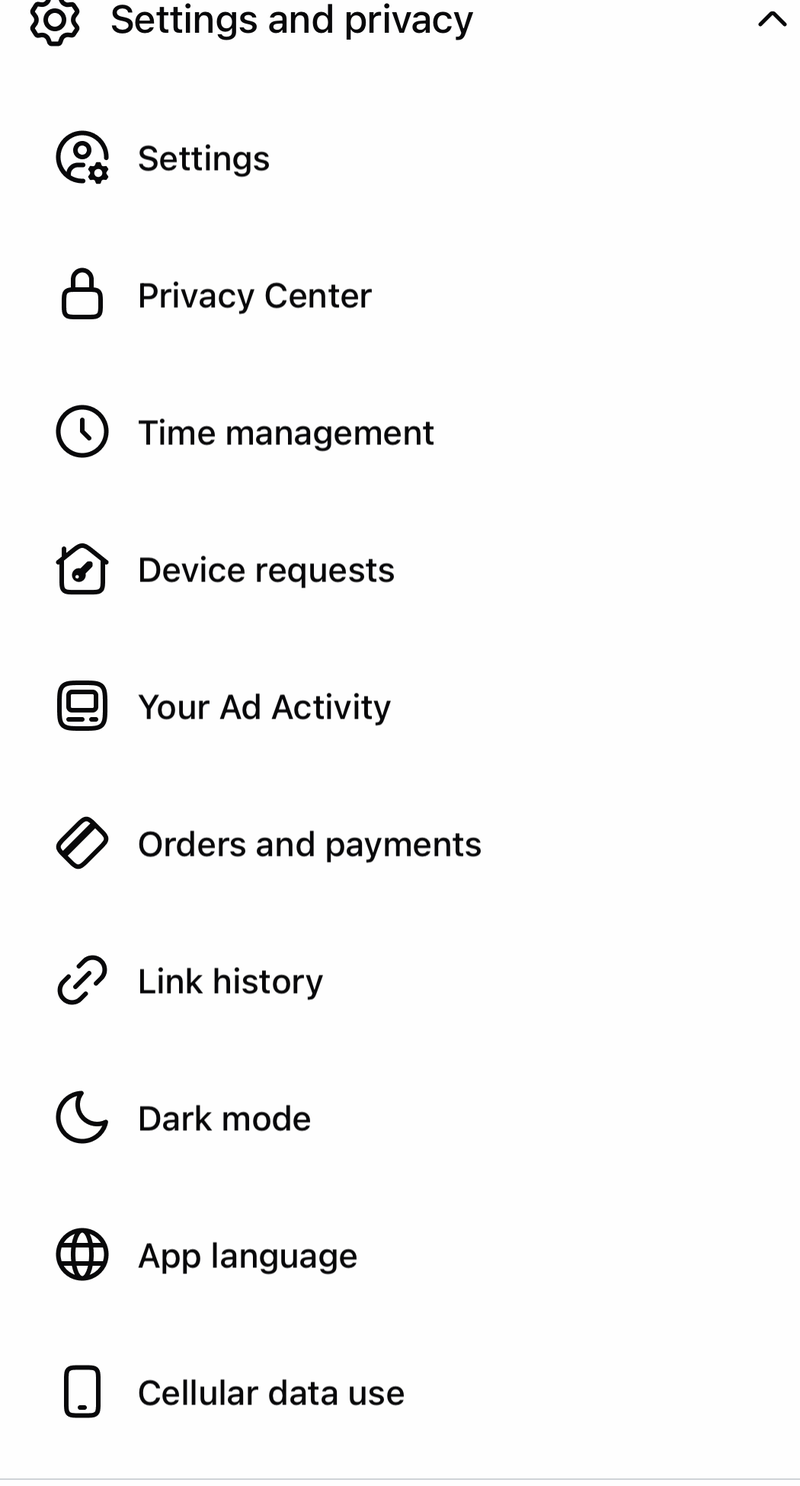
Open the Facebook app. Tap Menu. Tap Settings & privacy. Tap Settings.
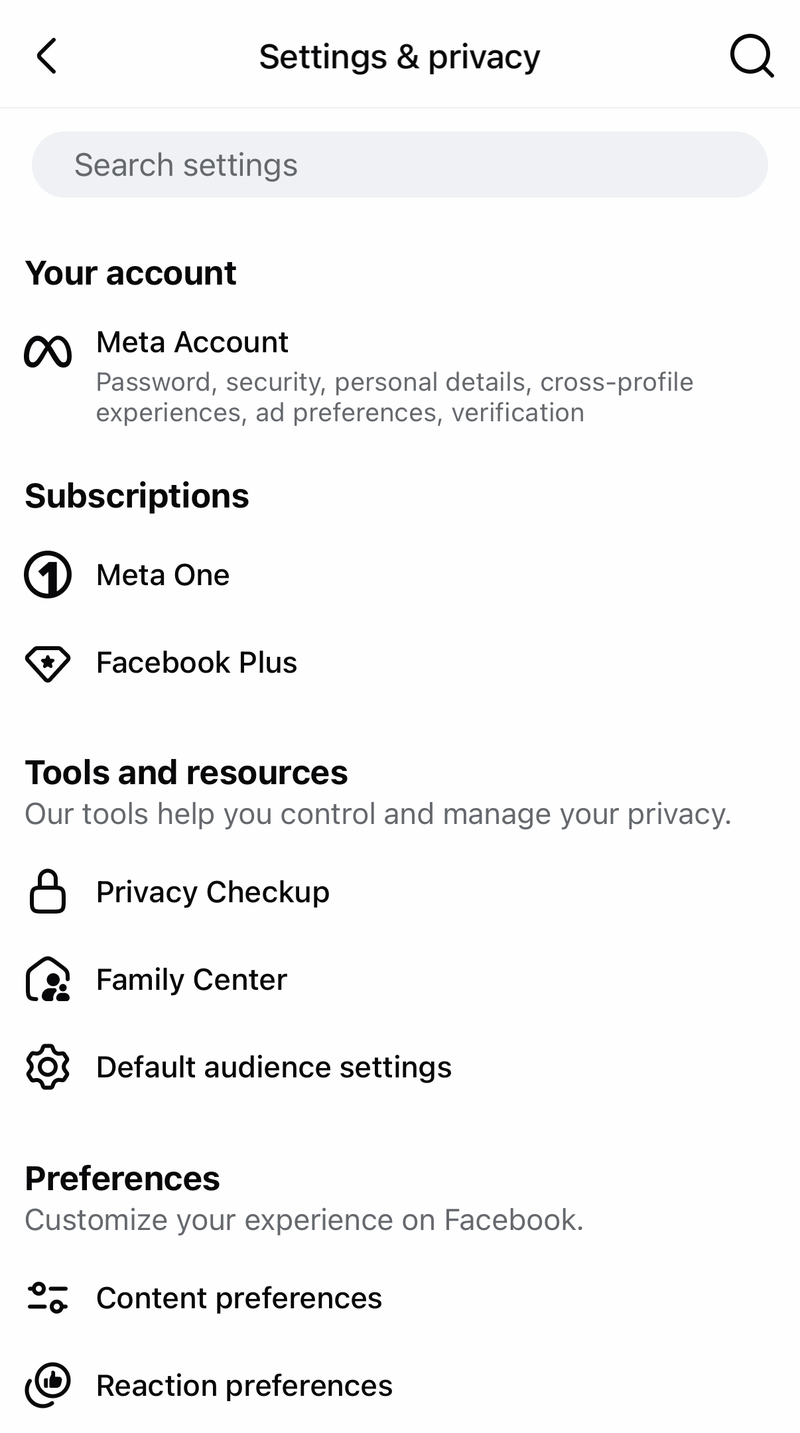
Open Meta Account.
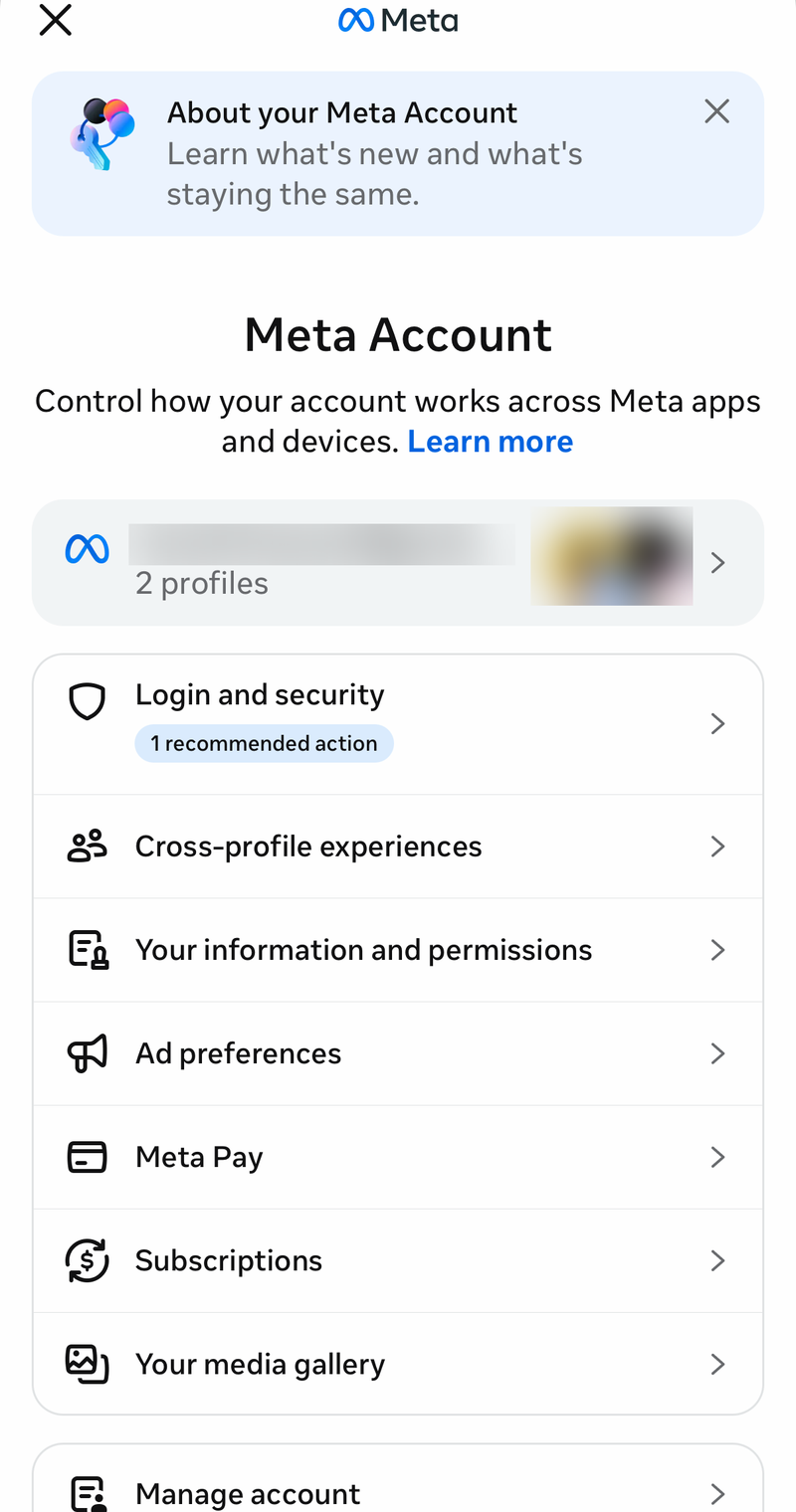
Open Accounts. Tap Add accounts. Add the Facebook profile and Instagram profile you want in the same Accounts Center.
From Instagram, use Profile, Menu, Accounts Center, Accounts, then Add accounts. Use the same Accounts Center before trying any Meta-built cross-posting option.
Share a new Facebook profile post to Instagram
This fixes a new Facebook profile post that should publish on Instagram too. Open the Facebook app. Go to your Feed. Tap What's on your mind?.
Look below your name and tap Instagram. Choose or enable the Instagram destination for that post. Finish the post. Tap Post.
Turn on automatic sharing for future profile posts
Automatic sharing applies to future Facebook profile posts, not every old Facebook post. In the Facebook app, go to Feed, tap What's on your mind?, then tap Instagram below your name.
Open Accounts Center. Next to Your Facebook posts, use the Toggle to turn automatic sharing on or off.
This setting is for personal Facebook profile content. Facebook business Pages use Meta Business Suite instead.
Fix a missing Instagram option
The most common cause is that the Facebook post cannot be shared to Instagram from that composer. Check that the Facebook and Instagram profiles are in the same Accounts Center. Start the post again from Feed and What's on your mind?. Look below your name for Instagram.
If Instagram still does not appear, that post is not available for direct Facebook-to-Instagram sharing. Repost the media manually, or use the Instagram Story link method for a public Facebook post.
Repost an already published Facebook post manually
For an existing Facebook post, direct sharing is not the reliable current path. Save the photo or video from Facebook first, then create a fresh Instagram post with that saved media.
In Facebook, open the photo, tap Options, then choose Save to phone. If you need account data instead, go to Menu, Meta Account, Your information and permissions, then Export your information.
Open Instagram, tap Create, choose POST, select the saved photo or video, tap Next, add your caption or location, then tap Share. If this method fails, use a public Facebook post link in an Instagram Story instead.
Share a Facebook post link in an Instagram Story
This method applies when the Facebook post already exists and you want to point Instagram viewers to it instead of recreating the post. It works best with public Facebook posts, because private or friends-only posts may not be viewable to people who open the link from Instagram.
Copy the public Facebook post URL. Open Instagram. Create a Story. Tap Stickers.
Choose Link. Paste the Facebook post URL. Share the Story.
Use Meta Business Suite for Facebook Pages
The most common mistake with Pages is using the personal-profile Accounts Center switch for a business workflow. For a Facebook Page and Instagram professional account, use Meta Business Suite. On desktop, go to business.facebook.com.
Select the business or Page. Choose Create post. Select the Facebook and Instagram placements or accounts. Add the media and caption.
Choose Publish or Schedule. In the Meta Business Suite mobile app, create a post, story, or reel. Select the Facebook Page and Instagram account destinations. Publish or schedule it.
Before this works, connect the Instagram business or creator account to the Page or business portfolio, and make sure the person posting has permission to create content on the Facebook Page.
Automate posts for creators and businesses
Zapier can automate Facebook Page posts to Instagram for Business, but it requires an Instagram Business or Creator account linked to a Facebook Page. Personal Instagram accounts are not supported by Zapier's Instagram for Business integration.
In Zapier, use Apps, Add connection, search for Instagram for Business, then choose Add connection. Log in to the Facebook account linked to the Instagram Business or Creator account, select the Instagram account and Facebook Page, and grant the needed permissions.
Create a Zap using a Facebook Pages trigger such as New Post by You. Add a filter when needed, then use Instagram for Business Publish Photo(s) or Instagram for Business Publish Video.
Developers and agencies can use Meta's Instagram Content Publishing API with an Instagram Business or Creator account linked to a Facebook Page. The developer flow creates a Meta developer app, requests Instagram publishing permissions, creates a media container with /{ig-user-id}/media, then publishes it with /{ig-user-id}/media_publish.
Avoid old share buttons and Creator Studio
This fixes the common advice that sends you to retired or unreliable publishing paths. Do not use Creator Studio for current Page publishing. Use Meta Business Suite for Facebook Page and Instagram professional account workflows.
Do not rely on a Facebook Share button to send an already published feed post straight to Instagram. For personal posts, share to Instagram while creating the Facebook post, or turn on automatic sharing for future profile posts. For an already published Facebook feed post, repost the media manually or use the Instagram Story link method.
Frequently Asked Questions
Can I share an old Facebook post directly to Instagram?
Not reliably. Meta's current consumer option is sharing while creating the Facebook post. For an already published post, repost the saved media on Instagram or share the Facebook post link in an Instagram Story.
Why do I not see the Instagram button under my Facebook post composer?
The Instagram button appears only when that Facebook post can be shared to Instagram. Put both profiles in the same Accounts Center, then use manual reposting if the option still does not appear.
Can Facebook Pages automatically post to Instagram?
Use Meta Business Suite for Page workflows. The Instagram account must be a business or creator account connected to the Facebook Page or business portfolio, and you need permission to create content on the Page.
Does Zapier work with a personal Instagram account?
No. Zapier's Instagram for Business integration supports Instagram Business or Creator accounts linked to a Facebook Page, not ordinary personal Instagram accounts.